Buttercup-desktop: Nextcloud - 503 error
Hi all!
Just to bring an issue.
I had a functional archive on a Nextcloud server using the desktop app. But after a fresh install of Xubuntu, I have systematically 503 errors when trying to save a new pass and randomly 503 errors when trying to open the archive.
 v0lv0x
All 10 comments
If you are on linux I have a "temporary fix". You can connect to a webdav provider typing in the file manager davs://your.cloud.host/ (I think you should mount it in your FM before trying to connect it).
In the buttercup desktop app you can now add a "local" archive pointing to your webdav.
Sadly it is not possible in the browser extension.
Hope it helps, I took a look on the code but it's too hard for my dev low level !
 morojgovany
on 28 Aug 2017
morojgovany
on 28 Aug 2017
It worked!
My code competences are quite low, unfortunately I can't help fix it. But waiting for true devs that can manage to take care of this, this trick will do the job! Thank's!
v0lv0x
on 28 Aug 2017
Hi @v0lv0x @morojgovany - Thanks for looking at this. We need to setup a dev instance of Nextcloud for future work, which should happen this weekend (hopefully). Providing that goes well, we'll look into this straight away.
EDIT: I'll look at the browser extension at the same time, to add nextcloud support.
 perry-mitchell
on 28 Aug 2017
perry-mitchell
on 28 Aug 2017
You can open a nextcloud account on this provider https://cloud.indie.host/apps/registration/ it's free for very limited capacity (50Mo) and hosted in France with respect for privacy policy (CHATONS). https://chatons.org/en/chatons-le-collectif-anti-gafam (in french)
Details :
Thank's !
morojgovany
on 28 Aug 2017
Great idea, thanks! I think we want to also have a host within a sub folder to maximise our testing with regards to different environments. Otherwise this setup may be similar to the demo accounts on the Nextcloud site. Will try this nonetheless..
perry-mitchell
on 28 Aug 2017
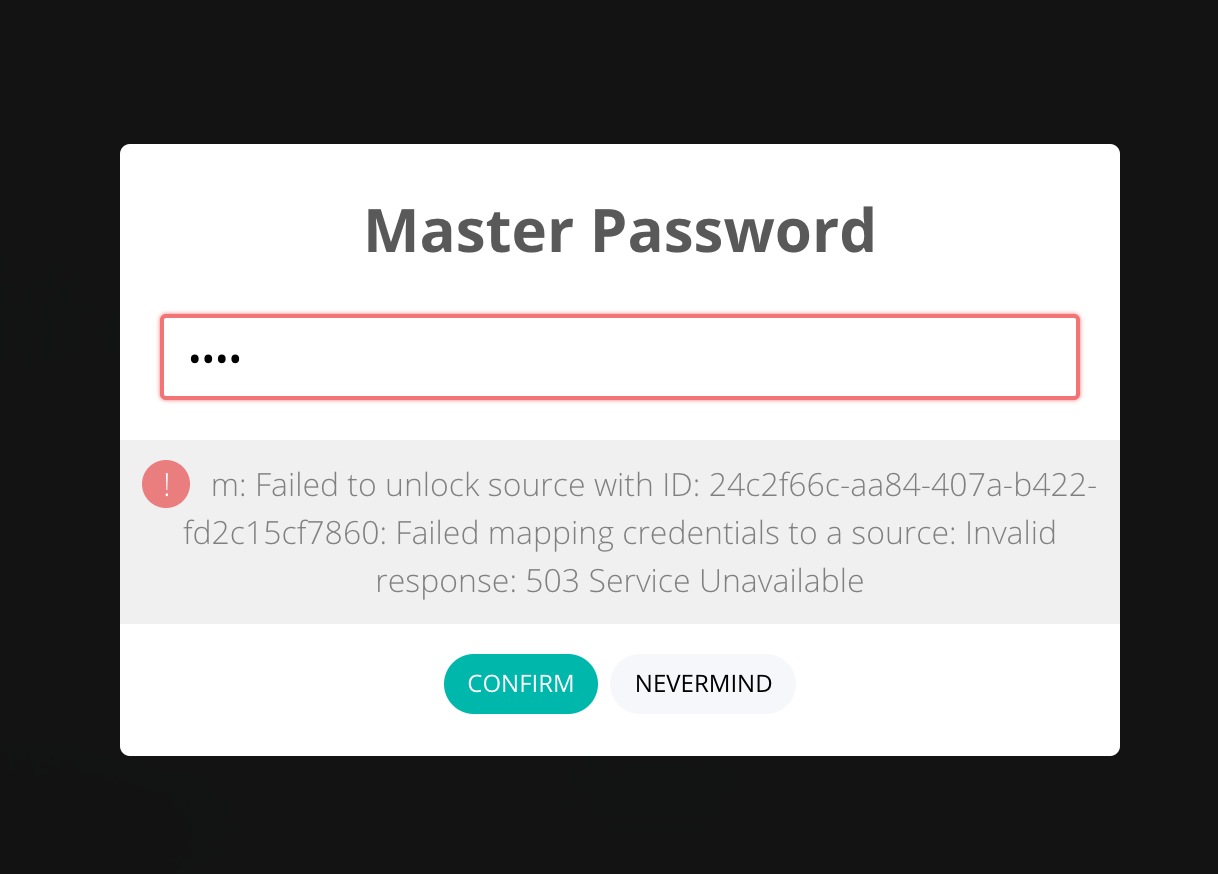
Got a nextcloud instance running and was able to reproduce straight away:

Error occurred immediately when saving a new entry. After then closing the archive and trying to log in again, a similar error occurs:
@sallar I'll raise this to critical I think.
EDIT: I seem to recall dealing with this sort of problem earlier. The 503 looks to be just a Nextcloud issue:
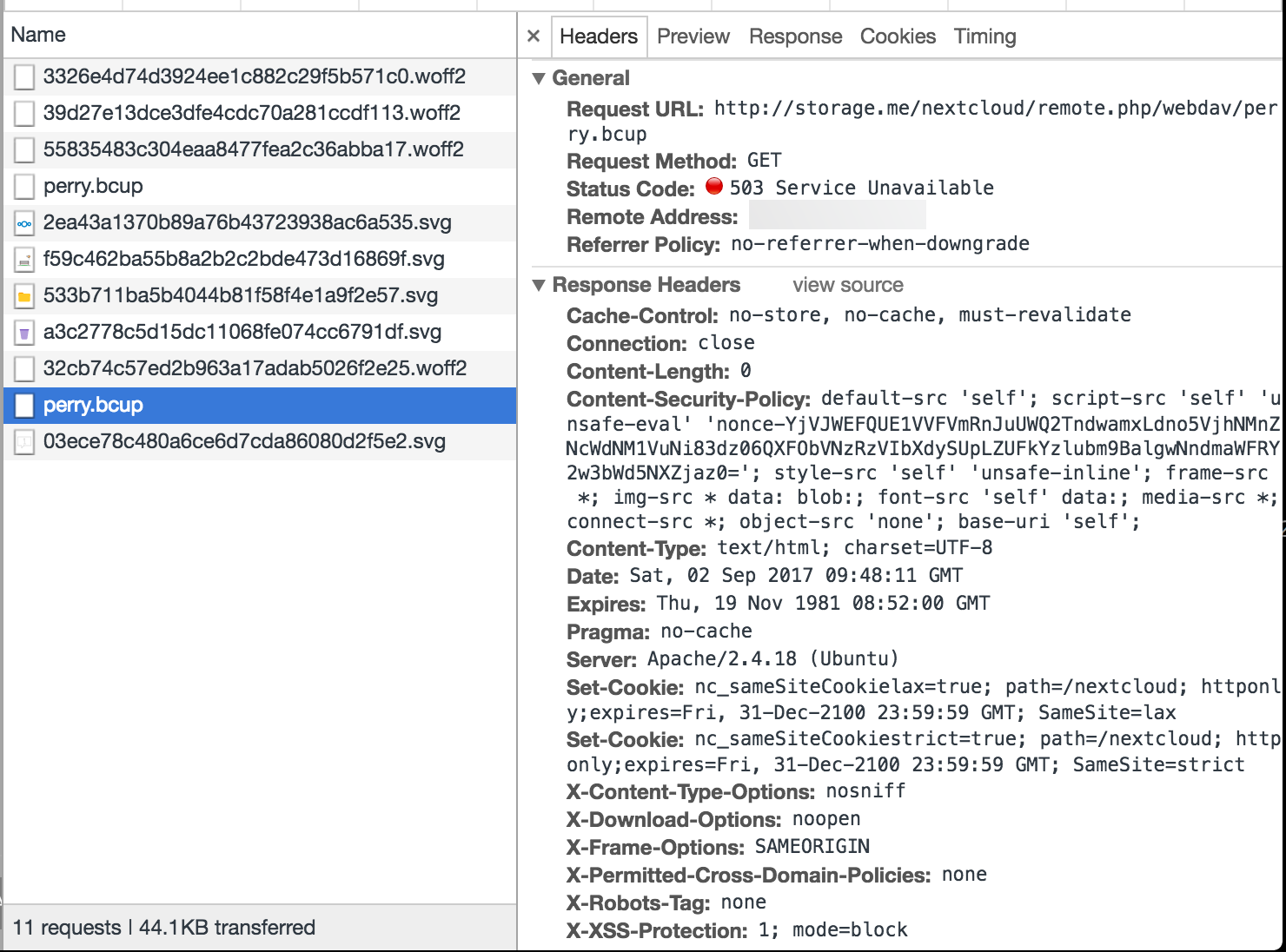
The access log shows the first (initial login) request works fine and the subsequent throws a 503:

The exact same processing on ownCloud causes no error.. which seems to indicate that something has changed with the Nextcloud fork of ownCloud.
perry-mitchell
on 2 Sep 2017
@perry-mitchell I tried requesting the exact same request that Buttercup is doing but in Paw app, and it works. So the remote server is rejecting Buttercup for some reason, maybe referral headers or something? I will try to investigate
 sallar
on 16 Sep 2017
sallar
on 16 Sep 2017
@perry-mitchell Found it. This cookie: ocgrd6wpkg2l=d3fe89236f8c2af....; is causing the request to return 503 and fail. I don't know where it comes from. Any ideas?
sallar
on 16 Sep 2017
@perry-mitchell Alright. Came closer to the issue. node-fetch is used in webdav-client (and webdav-fs and in result in Webdav, Owncloud and Nextcloud adapters), and that fails in electron while requesting the nextcloud endpoint because of that cookie which Nextcloud sets in first response. But window.fetch doesnt fail for some reason.
sallar
on 16 Sep 2017
node-fetch is used in webdav-client (and webdav-fs and in result in Webdav, Owncloud and Nextcloud adapters)
Good point! Well shall we try changing the fetch adapter? Buttercup core supports that now:
const Buttercup = require("buttercup");
Buttercup.vendor.webdavFS.setFetchMethod(window.fetch);
or
import Buttercup from "buttercup-web";
Buttercup.vendor.webdavFS.setFetchMethod(window.fetch);
That might help with the cookie. We still get problems regarding this in the browser extension. It's because the browser keeps and sends cookies regardless of what we try. Need to look into that a bit more.
perry-mitchell
on 16 Sep 2017
Related issues
 FuridamuFaita
·
3Comments
perry-mitchell
·
5Comments
FuridamuFaita
·
3Comments
perry-mitchell
·
5Comments
 fmommeja
·
6Comments
fmommeja
·
6Comments
 mikebowering
·
5Comments
mikebowering
·
5Comments
 AndreyIvanovSetronica
·
3Comments
AndreyIvanovSetronica
·
3Comments
Most helpful comment
Hi @v0lv0x @morojgovany - Thanks for looking at this. We need to setup a dev instance of Nextcloud for future work, which should happen this weekend (hopefully). Providing that goes well, we'll look into this straight away.
EDIT: I'll look at the browser extension at the same time, to add nextcloud support.