Browser-laptop: Fully implement UI design for ETH Wallet
Additional work is needed to bring the ETH Wallet UI in line with @bradleyrichter's designs.
 tomlowenthal
All 6 comments
Items that appear to be remaining:
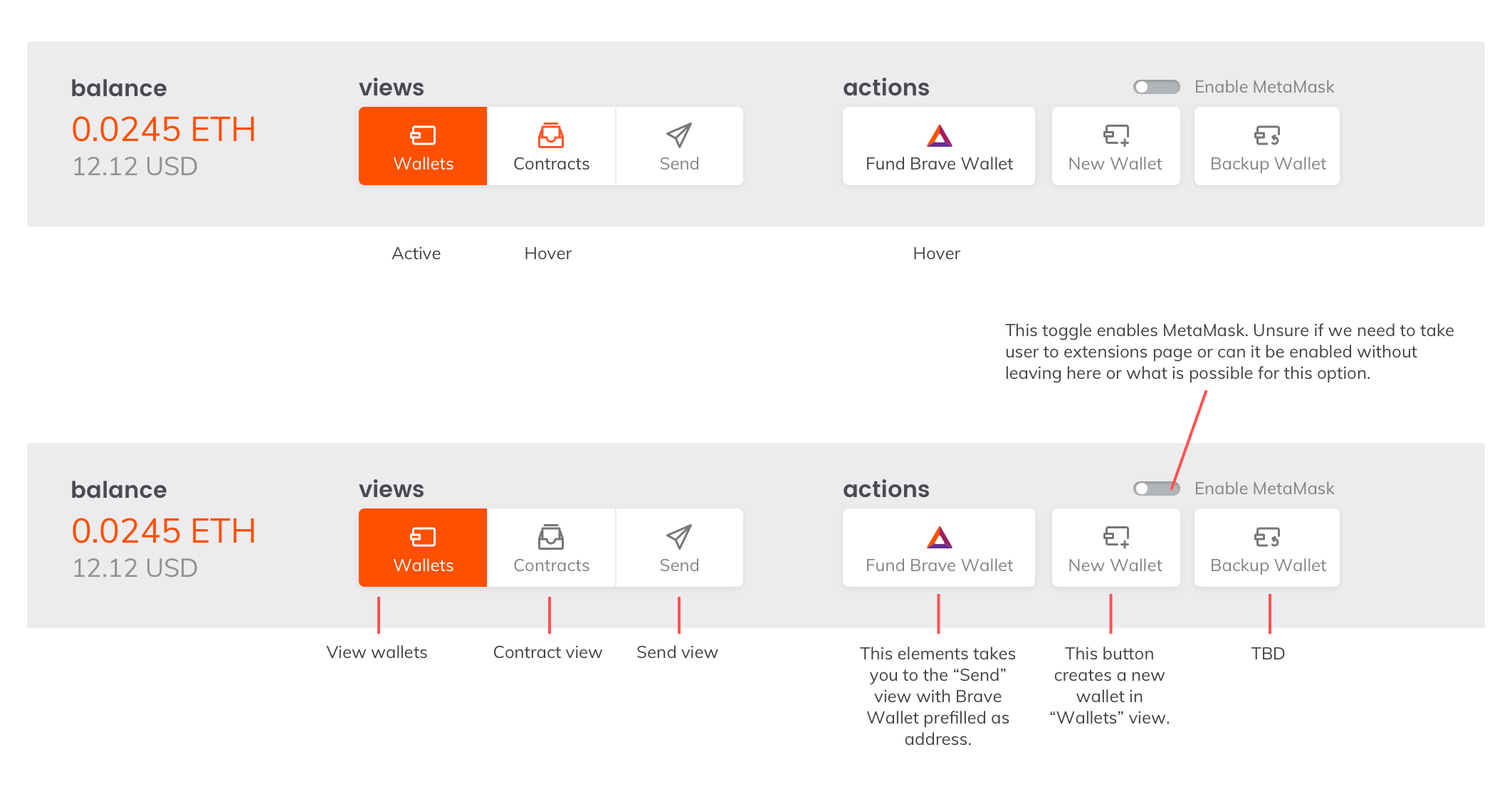
- [ ] Navigation Panel button icons (assets via @rossmoody)
- [ ] Navigation Panel button states
- [ ] Navigation Panel alignment
- [ ] Fund Brave Wallet action: not implemented yet, but decision has been made to switch to Send tab with pre-fill brave wallet address
- [ ] New ETH wallet action: UI for adding wallet not implemented, no concept for that as far as I can tell
- [ ] ~Backup Wallet action: not implemented, no concept as far as I can tell~
Manual Wallet Backup instructions - [x] Off / On switch: done, overlaid on top of iframe
- [ ] "Off" page content: not done
- [ ] "Enable MetaMask" switch: not implemented but could be accomplished with static-positioned overlay on top of iframe
- [ ] Icons, styles, states and alignment in rest of UI(?)
Info needed:
- ~Backup wallet action?~ There will not be a 'Backup Wallet' action, there will instead be instructions on how to perform a manual backup (as per @bradleyrichter).
- ~Enable MetaMask action? What does it display if already enabled? Should be toggle instead?~ <-- toggle for extension direct on and off
- "New Eth wallet" action - no spec
Specs
from 2018-07-24 via @rossmoody:
 petemill
on 24 Jul 2018
petemill
on 24 Jul 2018
❤1
after https://github.com/brave/meteor-dapp-wallet/pull/1 together with previous work made by Slava these are the updated remaining items:
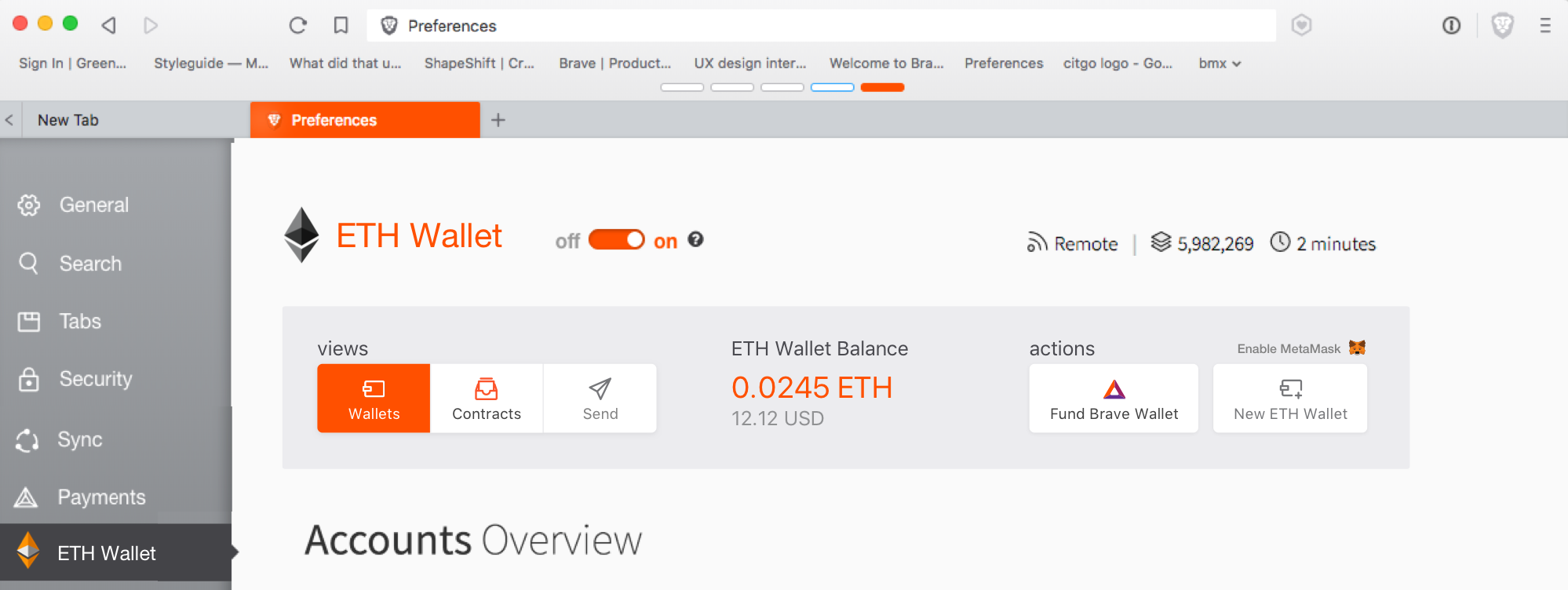
- [ ] "Enable MetaMask" switch
note that the PR should match the below spec:
 cezaraugusto
on 1 Aug 2018
cezaraugusto
on 1 Aug 2018
❤2
What's the plan for the MetaMask button?
tomlowenthal
on 3 Aug 2018
Looks like the MetaMask button is now clickable but doesn't do anything?
tomlowenthal
on 8 Aug 2018
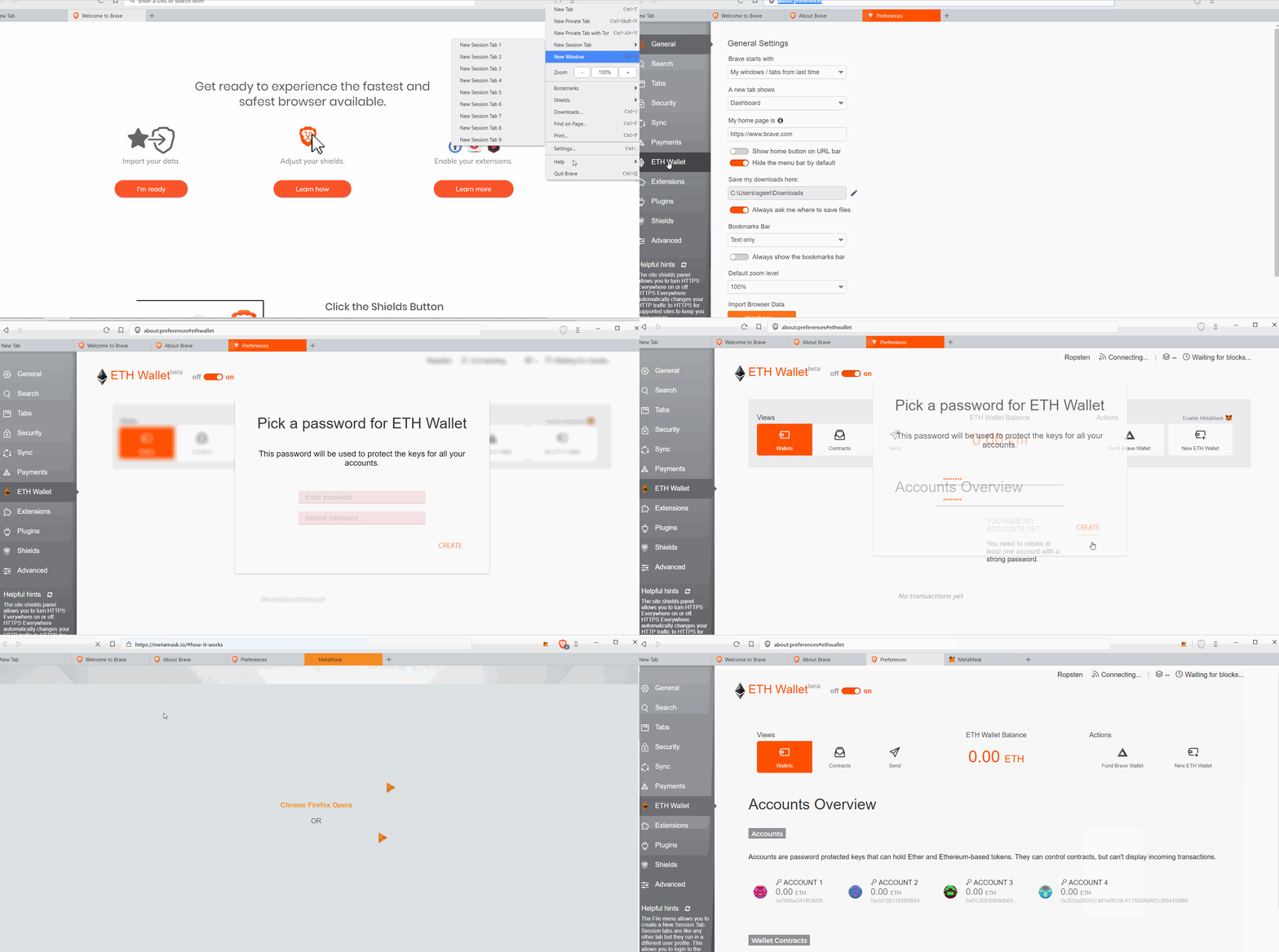
@tomlowenthal After enabling the "Enable MetaMask" clickable link, we are getting "Metamask is enabled" text. But, the text is getting disappeared. Is this expected? Also we can click on MM link before the password prompt
 GeetaSarvadnya
on 13 Aug 2018
GeetaSarvadnya
on 13 Aug 2018
Yes, this is the correct behavior.
tomlowenthal
on 15 Aug 2018
Was this page helpful?
0 / 5 - 0 ratings
Related issues
 shortstuffsushi
·
3Comments
shortstuffsushi
·
3Comments
 luixxiul
·
3Comments
luixxiul
·
3Comments
 antiroyalty
·
3Comments
antiroyalty
·
3Comments
 jonathansampson
·
3Comments
jonathansampson
·
3Comments
 stevespringett
·
3Comments
stevespringett
·
3Comments
Most helpful comment
after https://github.com/brave/meteor-dapp-wallet/pull/1 together with previous work made by Slava these are the updated remaining items:
note that the PR should match the below spec: