Browser-laptop: Bitcoin to BAT conversion dialog infinitely shown in Payments tab
Description
Bitcoin to BAT conversion dialog infinitely shown in Payments tab since two days. I've been updating to preview builds. So I'm not sure in which version this started.
Steps to Reproduce
- One thing is certain that I didn't have any BTC in my wallet.
Actual result:
Please wait while we convert your Bitcoin to BAT dialog shown infinitely.
Expected result:
Since I didn't have any Bitcoin, this conversion should have proceeded at all. But somehow it started and did not end.
Reproduces how often: [What percentage of the time does it reproduce?]
100%
Brave Version
about:brave info:
Brave: 0.19.46
rev: c5168d22ef696d3c9cce8e0710aa9fafcbb3d2f0
Muon: 4.4.28
libchromiumcontent: 61.0.3163.100
V8: 6.1.534.41
Node.js: 7.9.0
Update Channel: Release
OS Platform: Microsoft Windows
OS Release: 6.1.7601
OS Architecture: x64
Reproducible on current live release:
Additional Information
 aliakyurek
All 19 comments
How long has the process been going on? It takes ~40-60 mins to convert the wallet itself (irrespective of the balance)
 srirambv
on 12 Oct 2017
srirambv
on 12 Oct 2017
Hi @srirambv
It started two days ago.
aliakyurek
on 12 Oct 2017
@aliakyurek did you leave your browser open or not this whole time? In the last version we implemented safety mechanism. Do you have backup of any kind from 0.18?
 NejcZdovc
on 12 Oct 2017
NejcZdovc
on 12 Oct 2017
- Closed and re-opened several times.
- No. I don't have any backup.
Is there a workaround to recover from this state (some kind of deleting some files or editing registry etc...). Because uninstall&reinstall didn't work as well.
aliakyurek
on 12 Oct 2017
Did you ever made any contribution with brave payments? What password manager do you use in brave? Do you use sync? Do you use autofill?
NejcZdovc
on 12 Oct 2017
- No contribution done.
- Password manager: Brave Built-in
- Autofill enabled.
- Sync not used.
aliakyurek
on 12 Oct 2017
By the way, when I remove the modal of "conversion busy indicator" via developer tools, here is the result:
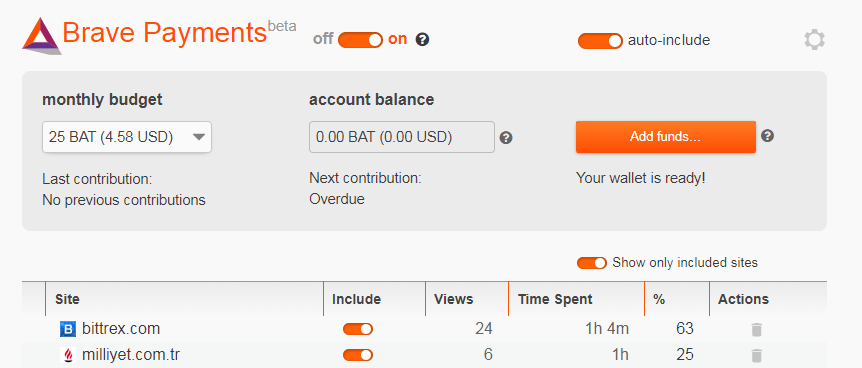
So, it may be just a visual issue.
aliakyurek
on 12 Oct 2017
I can easily help you with that then. You will need to modify your session file.
1) Close your browser
2) Go to %appdata%\brave and open session-store-1
3) search for btc2BatTransitionPending and replace true with false (if exists)
4) search for btc2BatTransitionDone and replace false with true (if exists)
5) save file
6) start browser again
7) report results back to me :smiley:
NejcZdovc
on 12 Oct 2017
Yeah things are easier when we both are developers. :)
- I've found the
btc2BatTransitionPendingkey inside session file, it wastrue, I changed it tofalse. btc2BatTransitionDonewas not in file. I've added it undermigrationswith valuetrue.- Restarted browser but again conversion modal shown.
Maybe we need to do something with *timestamp keys?
aliakyurek
on 12 Oct 2017
Yeah let's change batMercuryTimestamp and btc2BatTimestamp to the current time. This values should be the same. Also don't forget to change btc2BatTransitionPending back to false.
NejcZdovc
on 12 Oct 2017
I changed it as the following, but this also didn't work. What if I delete this file at all, and restart browser?
"migrations":{"batMercuryTimestamp":1507808591,"btc2BatTimestamp":1507808591,"btc2BatNotifiedTimestamp":1507808591,"btc2BatTransitionDone":true,"btc2BatTransitionPending":false}
aliakyurek
on 12 Oct 2017
Let's try one more thing, before deleting anything. Set firstRunTimestamp to the same value that you set batMercuryTimestamp and btc2BatTimestamp
NejcZdovc
on 12 Oct 2017
Yes, the last one suggestion worked like a charm @NejcZdovc
Thx.
aliakyurek
on 12 Oct 2017
Closing the issue.
aliakyurek
on 12 Oct 2017
I had this same issue except I have previously added BTC to my Brave wallet. It was a small amount but in case others have the same problem I am coming here to attempt to provide more debug info.
I followed the steps already listed in this thread regarding the bat* timestamps, but it didn't change anything. Adding the firstRunTimestamp prop to my session data did allow me to get back to the payments screen without the "pending" message but my balance says zero. I dug around the app data folder and found my session-store backup to restore my config, but the Payments UI returns to this "hung" state when I restore old settings (bookmarks, history, etc).
I never saved my Brave wallet seed, but I'm not worried about recovering the funds. I'm more interested in helping debug this problem.
about:brave
|Name|Version|
|----|-------|
|Brave|0.19.48|
|rev|de939f6|
|Muon|4.4.28|
|libchromiumcontent|61.0.3163.100|
|V8|6.1.534.41|
|Node.js|7.9.0|
|Update Channel|Release|
|OS Platform|macOS|
|OS Release|16.7.0|
|OS Architecture|x64|
 rupl
on 16 Oct 2017
rupl
on 16 Oct 2017
I agree that it is confusing to say "your Bitcoin", since not all users have Bitcoin. I suggest changing the message to something else, e.g.: "Please wait while we convert the unit of account used by Brave Payments in your browser from Bitcoin to BAT."
 jamesray1
on 17 Nov 2017
jamesray1
on 17 Nov 2017
I have the same problem, but I actually had a significant amount of BTC in my wallet.
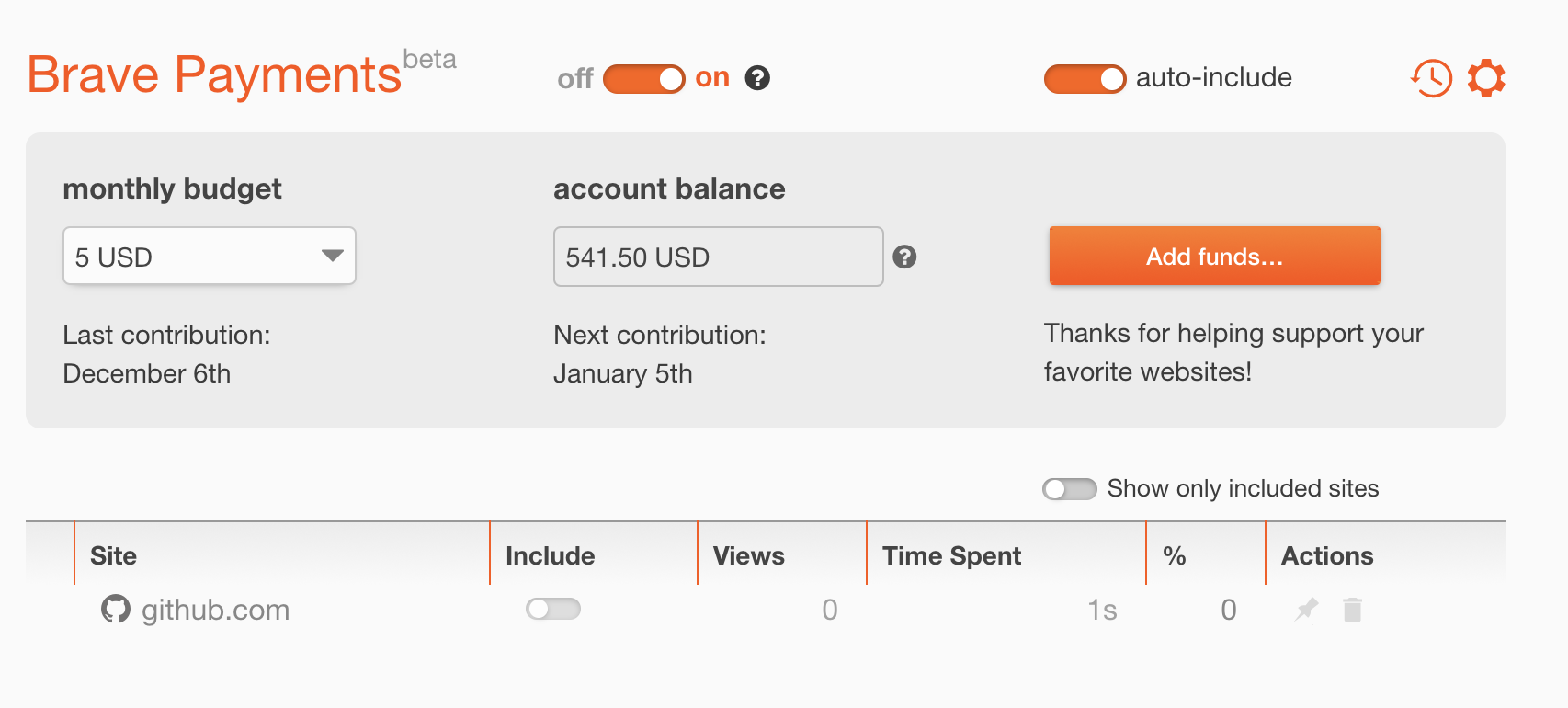
I downgraded back to 0.18, which enabled me to see my BTC wallet again and to back it up. Then brave upgraded and I'm back to the waiting screen.
If the conversion does not happen automatically I'm also happy to transfer the funds manually I just need a way to convert the 2 strings I backed up to an actual wallet.
Is there any documentation about that?
 despairblue
on 18 Dec 2017
despairblue
on 18 Dec 2017
@despairblue you can contact me at nejc[at]brave.com and we can jump on a quick call if you want and I will try to help you out
NejcZdovc
on 18 Dec 2017
I've also been having this problem since October of 2017. I've tried the various combinations and permutations of changes to the session file suggested in this issue, but have had no success. It's too bad. I regularly contributed to my account before this change.
 jason-azze
on 6 Jan 2018
jason-azze
on 6 Jan 2018
Related issues
 bsclifton
·
3Comments
bsclifton
·
3Comments
 jkup
·
3Comments
jkup
·
3Comments
 mykkymk
·
3Comments
mykkymk
·
3Comments
 bbondy
·
3Comments
bbondy
·
3Comments
 shortstuffsushi
·
3Comments
shortstuffsushi
·
3Comments