Browser-laptop: Switch tabs in an unfocused Brave windows should not require two clicks
Did you search for similar issues before submitting this one?
Yes, I found none.
Describe the issue you encountered:
If Brave is unfocused (i.e. I'm current in a different program), and I try to switch tabs in the Brave window, it takes two clicks: the first focuses the Brave window, the second selects the tab.
Expected behavior:
When I click on a tab while Brave isn't focused, it should focus the window and select that tab with one click.
- Platform (Win7, 8, 10? macOS? Linux distro?):
OS X 10.11.5 - Brave Version:
0.11.0 - Steps to reproduce:
- Open multiple tabs in Brave.
- Focus or open another program.
- Click on a tab in Brave other than the current active tab.
- Notice that the tab is not selected on the first click.
- Screenshot if needed:
- Any related issues:
 echosa
All 7 comments
Turns out this isn't just for tabs. Focusing a text box on a page, for instance. You have to click once to focus the window and again to select the text box for input.
echosa
on 14 Jul 2016
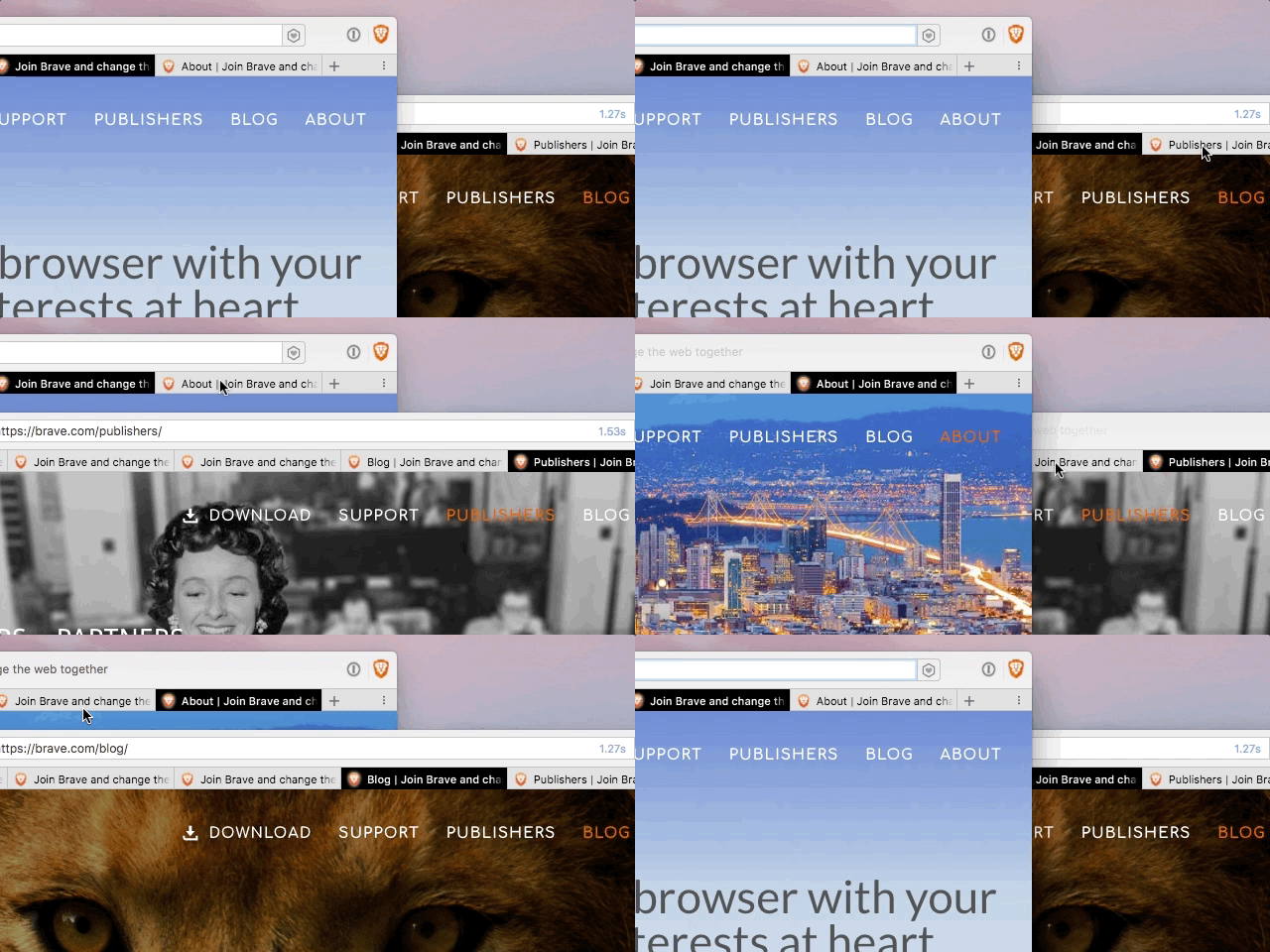
This is so annoying that I can't use Brave while I'm working. The UX is that Brave requires two clicks to do anything as you're switching back and forth between what you're working on and what you're looking up. That is a cycle that often happens multiple times a minute while you're working + doing research (for me, during development work).
 techfishio
on 2 Sep 2017
techfishio
on 2 Sep 2017
@techFishIO your gif animation made it much clear to me what the problem here is. thanks for taking that!
 luixxiul
on 2 Sep 2017
luixxiul
on 2 Sep 2017
@luixxiul Thanks for working on the project!
techfishio
on 2 Sep 2017
Replicated in 0.19.9
 alexwykoff
on 20 Sep 2017
alexwykoff
on 20 Sep 2017
I noticed something else today. I can close a tab with middle-click while Brave isn't focused, but I still can't switch tabs without focusing Braving first (requiring two clicks). So it's still frustrating, but also seemingly inconsistent. I wanted to mention this in case however middle-click is handled can be used to fix selecting tabs when Brave isn't focused.
echosa
on 22 Mar 2018
This does not appear to repro on Windows.
 jonathansampson
on 28 Mar 2018
jonathansampson
on 28 Mar 2018
Related issues
 bsclifton
·
3Comments
bsclifton
·
3Comments
 shortstuffsushi
·
3Comments
jonathansampson
·
3Comments
bsclifton
·
3Comments
shortstuffsushi
·
3Comments
jonathansampson
·
3Comments
bsclifton
·
3Comments
 bbondy
·
3Comments
bbondy
·
3Comments
Most helpful comment
This is so annoying that I can't use Brave while I'm working. The UX is that Brave requires two clicks to do anything as you're switching back and forth between what you're working on and what you're looking up. That is a cycle that often happens multiple times a minute while you're working + doing research (for me, during development work).