Browser-laptop: Sometimes Brave eats lots of CPU on OS X

I don't know exact steps yet, but sometimes, when it stays open for several hours, it starts eating CPU lots. It just sits in the background for several hours without any problems and in one moment it starts to consume processor time lots.
 SergeyZhukovsky
All 17 comments
Are you running from .App? Or can you run via npm command to get a more verbose log you can time with high cpu usage to figure out what is being executed at the time of high usage?
 weems
on 22 Feb 2016
weems
on 22 Feb 2016
Yes, from .App. I use that version 0.7.15. Will try to reproduce with logs.
SergeyZhukovsky
on 23 Feb 2016
Same here. One of the node processes is taking ~30% cpu on OS X. Looks like this is pretty constant from the start. If I actively browse the net, the node process stays at 30% but the CPU consumption for Brave* processes peaks up (as expected).
FWIW, I think I didn't see the node process eating this much CPU before upgrading from v0.11.2dev.
@weems which 'verbose log' are you referring to? I'm running via npm.
 jussihuotari
on 10 Aug 2016
jussihuotari
on 10 Aug 2016
Just chiming in, saying that I've just noticed the issue, too. Every process of Brave Helper was taking about 20% CPU, maxing my fan out 👎 . A restart fixed the issue.
 arkag
on 4 Mar 2017
arkag
on 4 Mar 2017
I have the same problem with Brave on Mac OS. Unfortunately the issue is rather easy to reproduce (literally: use the browser ...) and makes Brave almost unusable on a Laptop compared to Firefox / Chrome / Safari.
I'm on 0.14.1, with a couple of tabs open. CPU is at over 100% and memory consumption probably tops 6GB. Firefox, with the same set of tabs, is using just under 0,7% CPU with around 2GB of memory.


 franzos
on 7 Apr 2017
franzos
on 7 Apr 2017
For me, since I wasn't using the packaged version but cloned the latest source code from github, the solution was to disable Webpack hot module replacement. After changing --hot to --lazy, the CPU load went down and I became a happy Brave user.
https://github.com/brave/browser-laptop/blob/master/package.json#L46
jussihuotari
on 7 Apr 2017
That's a great start @jussihuotari, thanks! I'll try to compile it myself to see if this makes a difference. In any case, why is the Webpack enabled by default?
franzos
on 7 Apr 2017
Brave Browser version 0.19.53
on MacOS High Sierra
16% to 31% CPU usage with one tab opened (to this github issue).
It's CPU hungry immediately as soon as I start the brave browser.
Enabled extensions:
-1Password
-Metamask
-PDF viewer
-Torrent Viewer
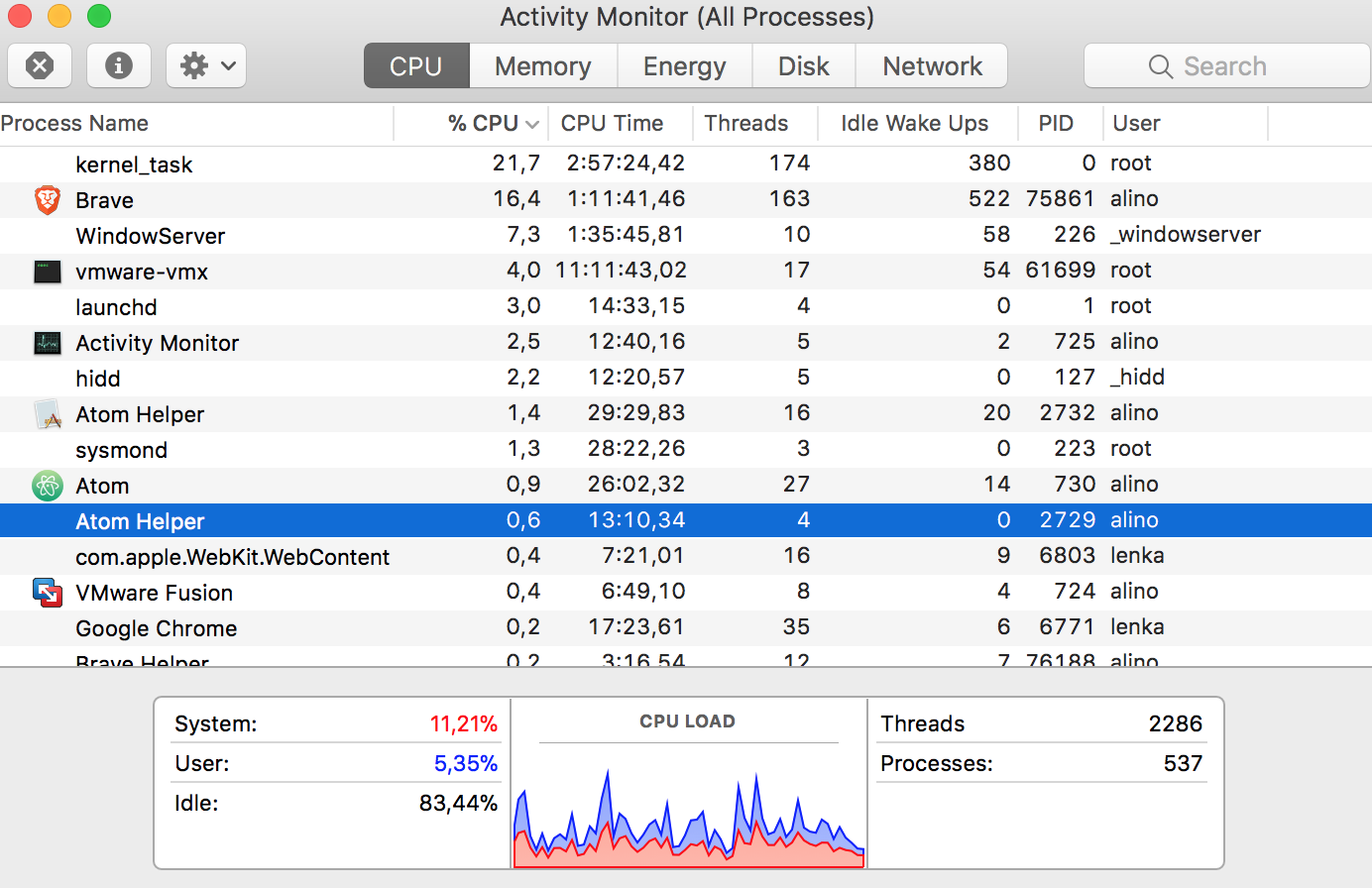
update:
disabled all extensions, brave is still taking up 20%+ cpu
 Alino
on 24 Oct 2017
Alino
on 24 Oct 2017
I have 100% cpu ... and every time consumes alot
Brave | 0.19.88
-- | --
rev | c29eca6
Muon | 4.5.15
libchromiumcontent | 62.0.3202.89
V8 | 6.2.414.40
Node.js | 7.9.0
Update Channel | Release
OS Platform | Microsoft Windows
OS Release | 6.3.9600
OS Architecture | x64
 FabioEleuterio
on 14 Nov 2017
FabioEleuterio
on 14 Nov 2017
I just closed the Brave and reopened, with the 102 + - tabs open and dropped from 100% of the cpu to 3% ~ to 1% cpu usage
FabioEleuterio
on 14 Nov 2017
It's likely linked to something happening in the tab associated with that PID - so an "about:tabs" that includes native process-IDs would help narrow down what's making Brave so slow and unresponsive in these cases, and (as a temporary workaround) allow closing the offending tab.
 gojomo
on 14 Dec 2017
gojomo
on 14 Dec 2017
I'm using an online tool (webflow) that puts the Brave Helper CPU usage through the roof...

Any ideas? Console points to a bug that they're looking at. Pretty unusable in Brave but it doesn't render the page at all in Safari.
 rhubarbwibble
on 23 May 2018
rhubarbwibble
on 23 May 2018
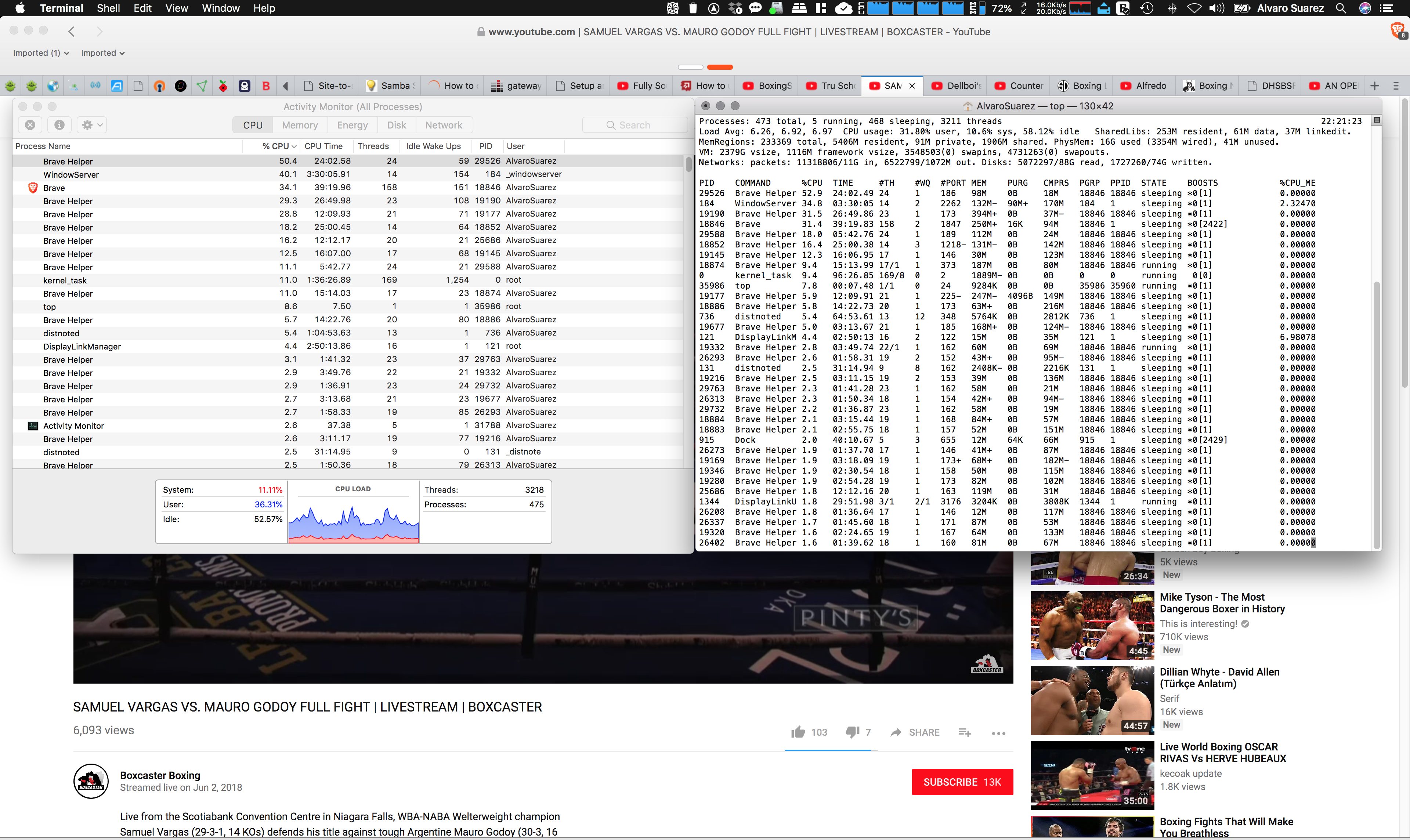
I have about 60 tabs open. A couple of youtube tabs... only one tab is active playing a youtube video... my macbook.pro.retina.2.3GHzi7.16GBMem is pegged! Even when no youtube videos playing, its still pegged high...
 al2suarez
on 4 Jun 2018
al2suarez
on 4 Jun 2018
Just to update, the folks at Webflow fixed the bug for me. It's now stable to use in Brave. Although, I still see CPU usage spike with Brave from time to time.
rhubarbwibble
on 4 Jun 2018
Using Activity Monitor on OSX (Macbook retina):
- Brave Helper; and
- Brave (to a lesser extent)
Consuming a lot of resources. Also left Brave running for an hour with 20-30 tabs while I was out. Macbook was super hot when returned.
Brave Helper seems to consume most resources. If force quit, it automatically re-opens.
 tomoapp
on 18 Jul 2018
tomoapp
on 18 Jul 2018
I can confirm this happens to mine as well. Seems to have only started since I started using bitwarden as my password manager? I have no other extensions installed. Restart of the browser fixes it.
MacOS 10.13.6 (17G65)
Brave: 0.23.73
V8: 6.8.275.24
rev: 50bdb6df42550dd14f5636770ec8585aa26e361b
Muon: 8.0.3
OS Release: 17.7.0
Update Channel: Release
OS Architecture: x64
OS Platform: macOS
Node.js: 7.9.0
Brave Sync: v1.4.2
libchromiumcontent: 68.0.3440.75
 AshTex
on 2 Aug 2018
AshTex
on 2 Aug 2018
Closing as there isn't really anything actionable we can do. As a troubleshooting step, you might try downloading brave-core to see if the behavior persists there. If so, we can open an issue for that repo
 bsclifton
on 3 Sep 2018
bsclifton
on 3 Sep 2018
Related issues
 eljuno
·
3Comments
eljuno
·
3Comments
 jkup
·
3Comments
jkup
·
3Comments
 luixxiul
·
3Comments
luixxiul
·
3Comments
 octohedron
·
3Comments
octohedron
·
3Comments
 stevespringett
·
3Comments
stevespringett
·
3Comments