Brave-browser: Google Sheets not working correct since latest update. v78
Description
Brave doesn't show GSheets correctly. Brave should show this sheet like Chrome does. Everytime Version 0.70.121 Chromium: 78.0.3904.70 (Offizieller Build) (64-Bit)Steps to Reproduce
Actual result:

Brave resultExpected result:
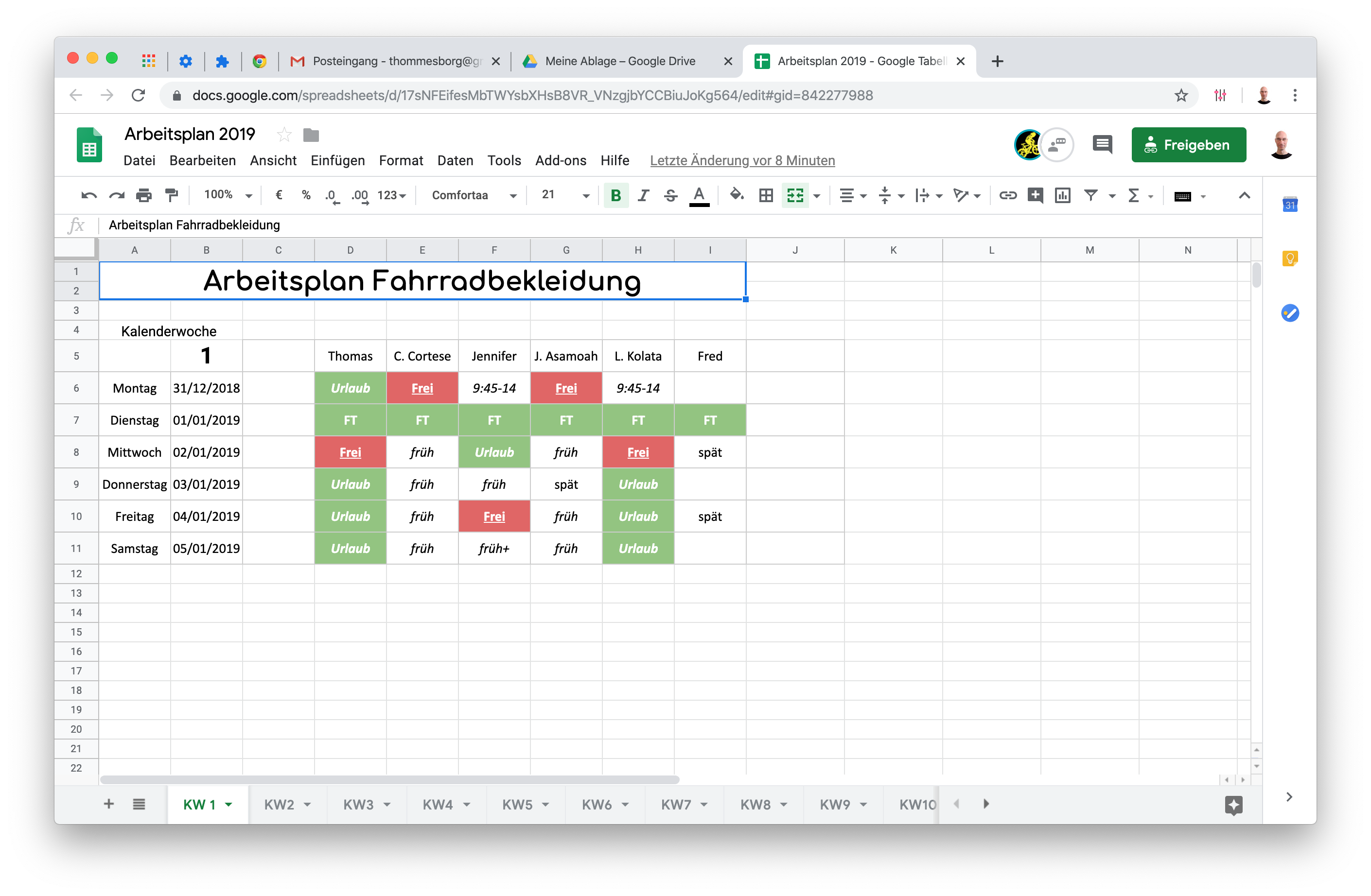
Chrome resultReproduces how often:
Brave version (brave://version info)
Version/Channel Information:
Other Additional Information:
Miscellaneous Information:
 thommesborg
All 11 comments
@thommesborg Looks like this works with shields down. Could also probably go into advanced view and allow all device recognition attempts for just Google sheets? Does that work for you?
 rebron
on 15 Nov 2019
rebron
on 15 Nov 2019
Hi @rebron I confirm with shields down it works as expected.
thommesborg
on 15 Nov 2019
fwiw, just got an email about this. I dont think we should leave Google Sheets bugs as P5, seems like its gotta be P3, given how popular the service is. WDYT?
 pes10k
on 13 Feb 2020
pes10k
on 13 Feb 2020
Hey @thommesborg can you supply a shared link of the Google sheet? Just so we can reproduce the issue, and see what is causing it
 ryanbr
on 14 Feb 2020
ryanbr
on 14 Feb 2020
Ho @ryanbr like I've replied here: https://github.com/brave/brave-browser/issues/6618#issuecomment-554494822 with shields down it works.
There is nothing else in this sheet like text an numbers. You cab easily build your own sheet for testing. This one is shared with the team and is work in process.
thommesborg
on 14 Feb 2020
I couldn't reproduce it here, even with plain text. Just a sample shared sheet would help
ryanbr
on 14 Feb 2020
@ryanbr for the moment I have to rely on a stable service, so I'm on the run with my Chromebook. I can't check the latest version of Brave on this device, because it's a Chromebook.
If you can't repro the issue, maybe it got fixed in between. Will check next time when back home and the MacBook is in reach.
thommesborg
on 14 Feb 2020
I came here looking exactly for this. Somehow this is a tricky one. I'll keep posting my findings here, since G Sheet is an essential part of my workflow.
- The scrambled view appears when opening a Google Sheet (author could be yourself or someone else but given sheet must not have been created in this browser), but not when creating a new one, even if you copy paste the same data. Probably why @ryanbr wasn't able to repro.
Works fine with shields up except fingerprinting. The number of blocks used to be 3 before, reduced to 1.
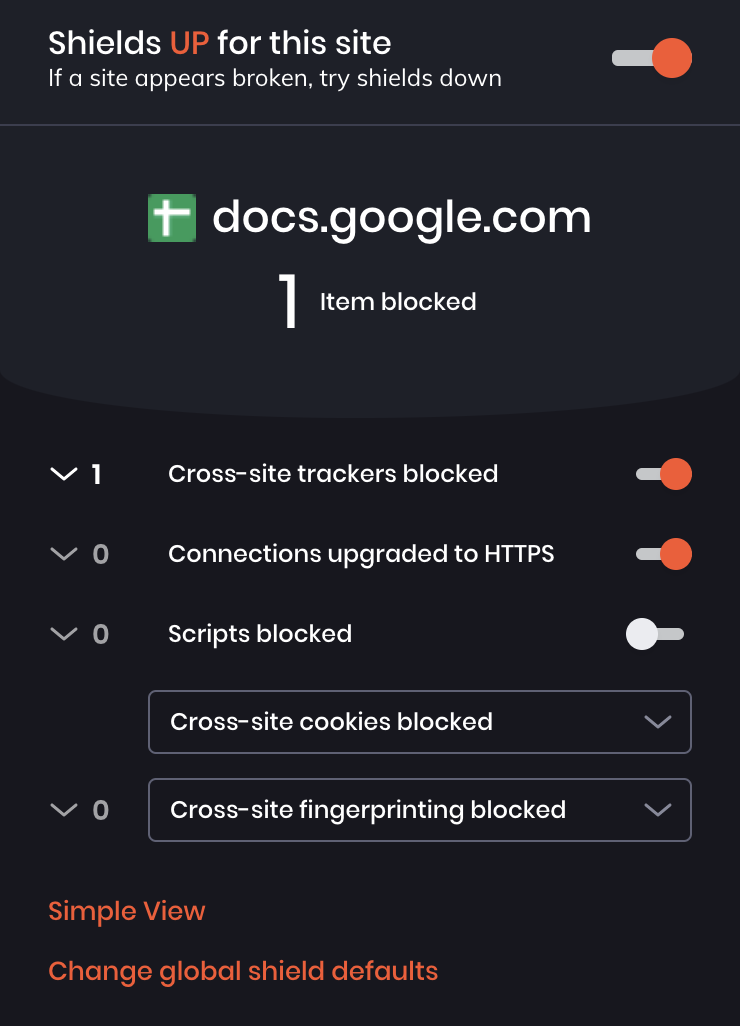
Once allowing fingerprint and then blocking it again seems to resolve the issue permanently. Number of blocked content remains at 1 instead of going back to 3. Even opening new sheets which have previously never been opened in this browser seem to work correctly. Looks like some cookie being set in the fingerprinting process that "enables" the correct render.
 akshaybhalotia
on 14 May 2020
akshaybhalotia
on 14 May 2020
Could not attempt trying in private mode before disabling the fingerprint experiment. Cannot reproduce after, so not sure if this is consistent.
akshaybhalotia
on 14 May 2020
I can't reproduce either. I expect our new fingeprinting protections will solve, and that this is related to us blocking some font-measurement APIs in the previous fingerprinting protections system.
If anyone is still seeing, could you share a link to a google doc thats showing the problem (even if its in read-only mode) and I can figure out exactly whats going on with this and fingerprinting protections? Otherwise, if no one is still seeing, lets close the issue
pes10k
on 15 May 2020
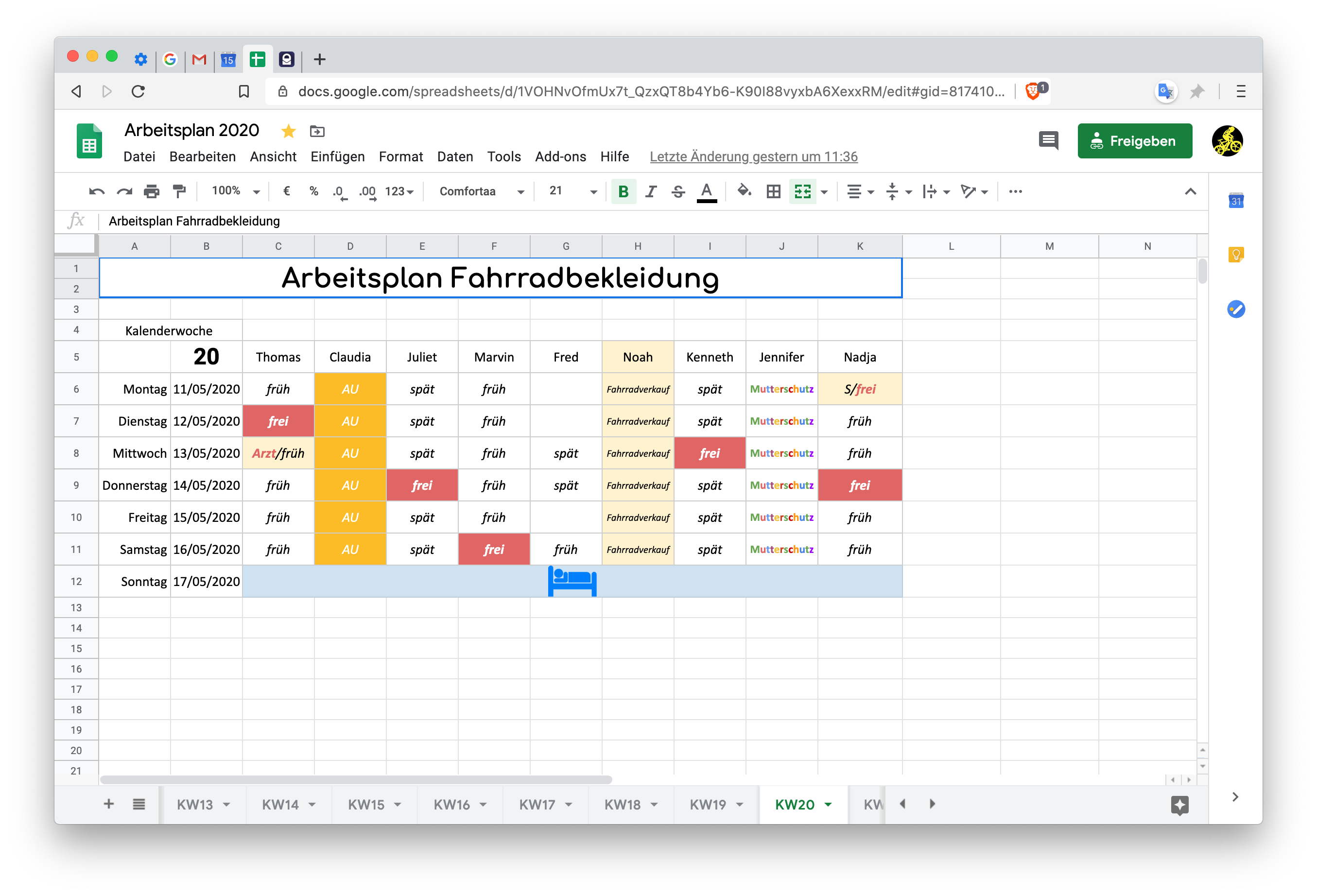
@pes10k hi, so for me the issue is solved. If I go to the sheet I had trouble with at the time I started this bug, it looks well now.
Cheers,
Thomas
thommesborg
on 15 May 2020
Related issues
 Sondro
·
3Comments
Sondro
·
3Comments
 moritzhaller
·
3Comments
moritzhaller
·
3Comments
 pitsi
·
3Comments
pitsi
·
3Comments
 jonathansampson
·
3Comments
jonathansampson
·
3Comments
 AlexeyBarabash
·
3Comments
AlexeyBarabash
·
3Comments
Most helpful comment
@pes10k hi, so for me the issue is solved. If I go to the sheet I had trouble with at the time I started this bug, it looks well now.
Cheers,
Thomas