Brave-browser: Full screen does not show navigation bar nor tabs
Description
When you make Brave fullscreen on macOS by clicking the green arrow at the top left right next to the minimize button, Brave shows only the content of the webpage, but cuts out all tabs and the address bar. It is impossible to reveal them even if you CMD+L to focus the address bar and start typing.
Chrome on other hand properly shows tabs and address bar in fullscreen mode.
Brave version (brave://version info)
Version 0.63.55 Chromium: 74.0.3729.131 (Official Build) (64-bit)
 Sh1d0w
All 10 comments
@Sh1d0w Can you post a screenshot? I'm not able to reproduce on macOS. We were able to reproduce this on Windows and Linux.
 rebron
on 10 May 2019
rebron
on 10 May 2019
@rebron Even better, I've made a video:
Sh1d0w
on 10 May 2019
@Sh1d0w that is the behavior we get on Windows and Linux. What version of macOS are you running?
 bsclifton
on 13 May 2019
bsclifton
on 13 May 2019
@bsclifton
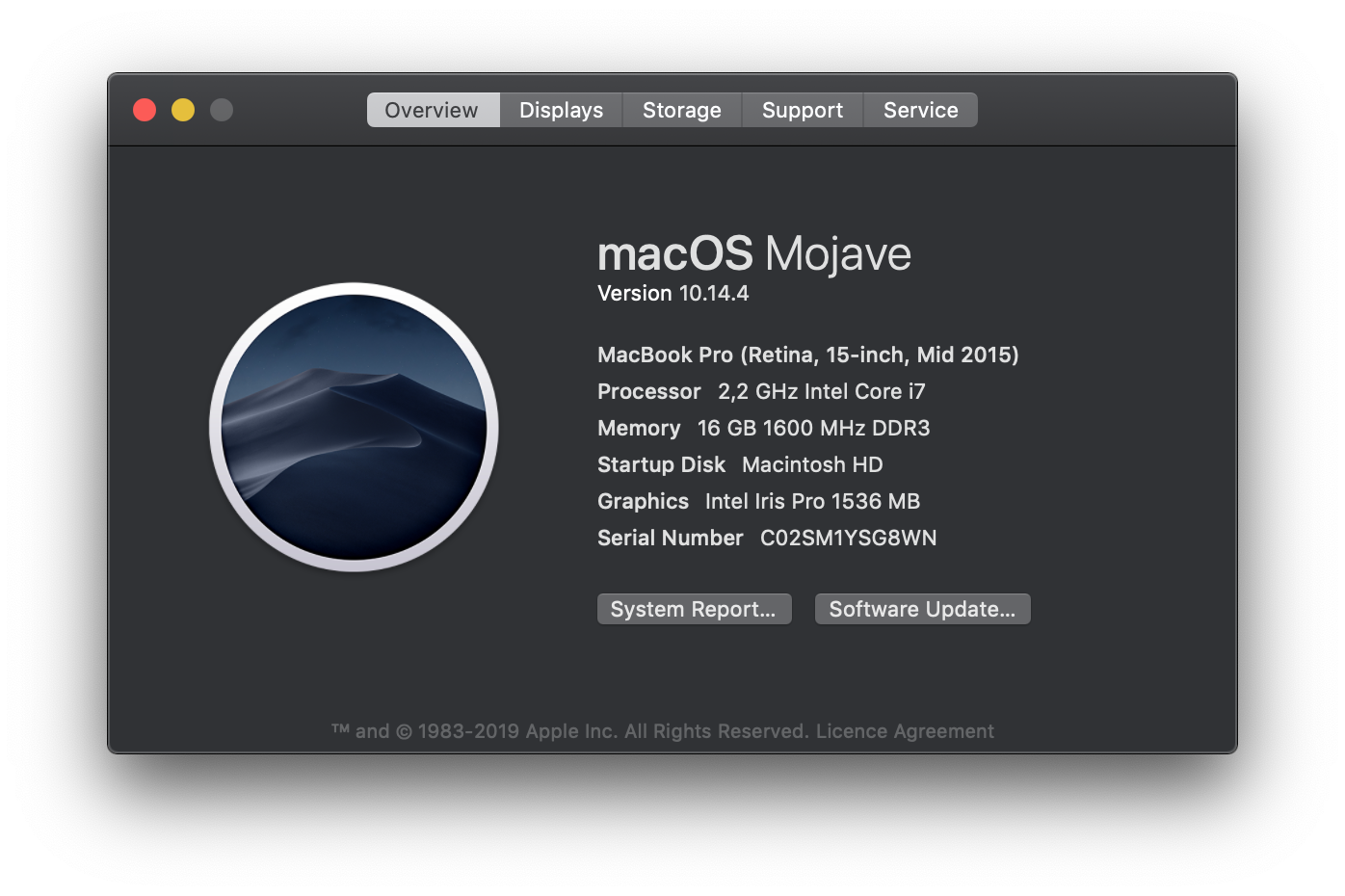
Edit: Quitting Brave with CMD+Q and re - opening it has no effect, the problem still exists.
Sh1d0w
on 13 May 2019
I've the same issue using the Nightly build. Version 0.67.41 Chromium: 75.0.3770.38 (Official Build) nightly (64-bit).
macOS Mojave (10.14.5).
 morbec
on 22 May 2019
morbec
on 22 May 2019
Actually reproduced on macOS 10.14.5. It shows the same behaviour similar to Linux/Windows
 srirambv
on 22 May 2019
srirambv
on 22 May 2019
I can confirm this is also happening on macOS Catalina 10.15.1
 AlexWang-16
on 2 Nov 2019
AlexWang-16
on 2 Nov 2019
@Sh1d0w and @AlexWang-16 There's a setting "Always show toolbar in full screen" under View in the menu at the top. Can you guys select that and see if that works for you?
rebron
on 2 Nov 2019
Yes, that's what I was looking for. The description of this option was not obvious to me. Thanks for your help!
AlexWang-16
on 2 Nov 2019
Solution for windows? doesn't appear that option here.
 PragmaticMeru
on 23 May 2020
PragmaticMeru
on 23 May 2020
Related issues
 traffisco
·
3Comments
traffisco
·
3Comments
 bbondy
·
3Comments
bbondy
·
3Comments
 GeetaSarvadnya
·
3Comments
GeetaSarvadnya
·
3Comments
 AlexCombas
·
3Comments
AlexCombas
·
3Comments
 kjozwiak
·
3Comments
kjozwiak
·
3Comments
Most helpful comment
@Sh1d0w and @AlexWang-16 There's a setting "Always show toolbar in full screen" under View in the menu at the top. Can you guys select that and see if that works for you?