Brave-browser: All the import options are not shown for Brave
Description
When user navigates to Book marks>Import book marks and settings. After selecting Brave from import drop down, all the import options are not shown.
Steps to Reproduce
- Launch b-l and add few sites and close the browser
- Launch b-c with clean profile from CLI
- Navigate to Bookmarks>Import book marks and settings
- Select 'Brave' option from drop down
Actual result:
All the import options are not shown for Brave
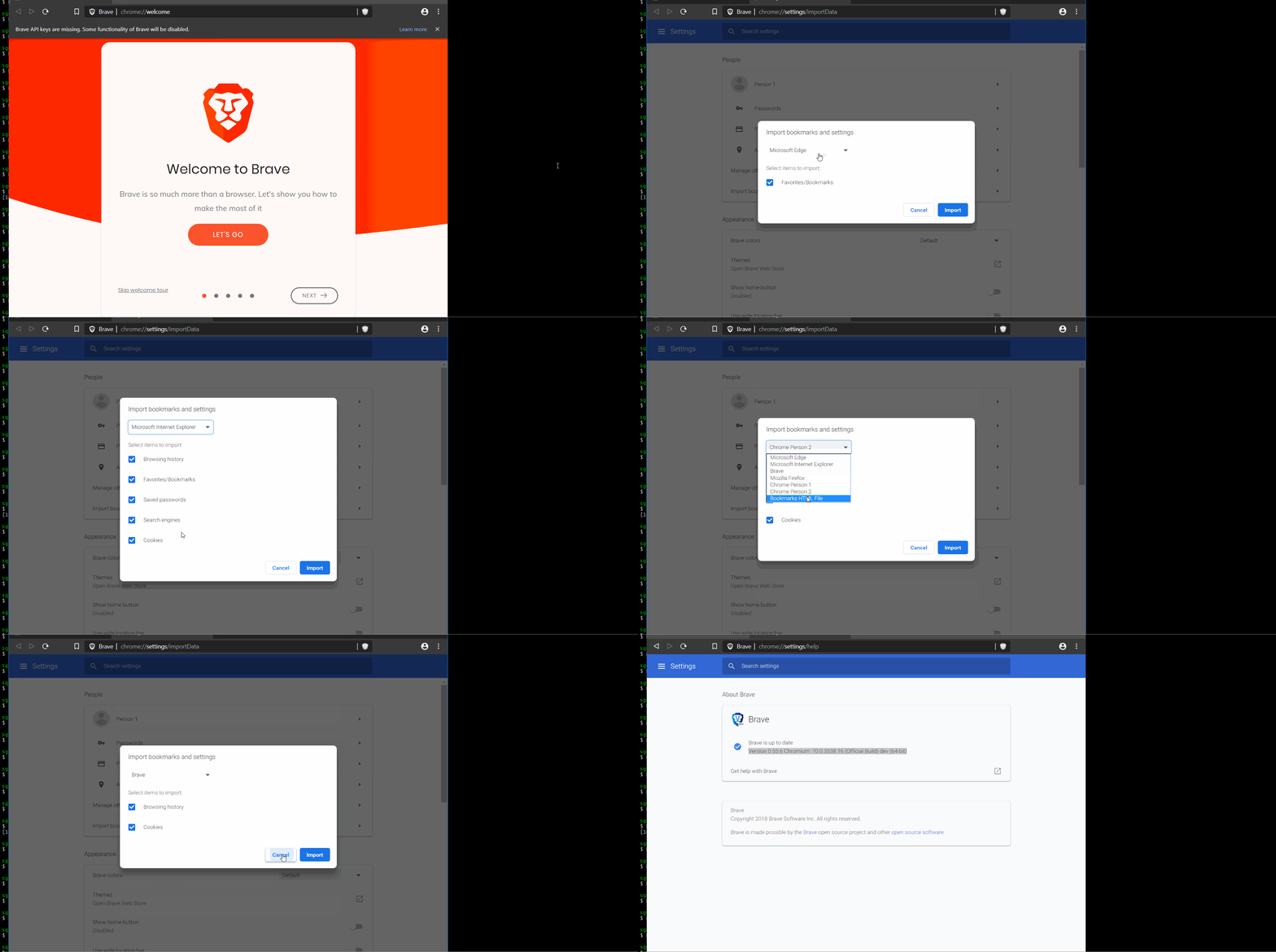
Expected result:
All the options should be displayed
Reproduces how often:
Always
Brave version (chrome://version info)
Brave | 0.55.6 Chromium: 70.0.3538.16 (Official Build) dev (64-bit)
-- | --
Revision | 16ed95b41bb05e565b11fb66ac33c660b721f778-refs/branch-heads/3538@{#306}
OS | Windows
Reproducible on current release:
NA
Website problems only:
- Does the issue resolve itself when disabling Brave Shields? - No
- Is the issue reproducible on the latest version of Chrome? - No
Additional Information
@kjozwiak @LaurenWags @srirambv @btlechowski
 GeetaSarvadnya
All 7 comments
Moreover, none of the Brave bookmarks are imported.
 vdbm
on 28 Sep 2018
vdbm
on 28 Sep 2018
I managed to reproduce this on macOS 10.13.6 x64 as well but this only happens when you initially install b-l. Example:
- ensure that you have
0.55.10 Chromium: 70.0.3538.22opened/running - install & open b-l
0.24.0 - load
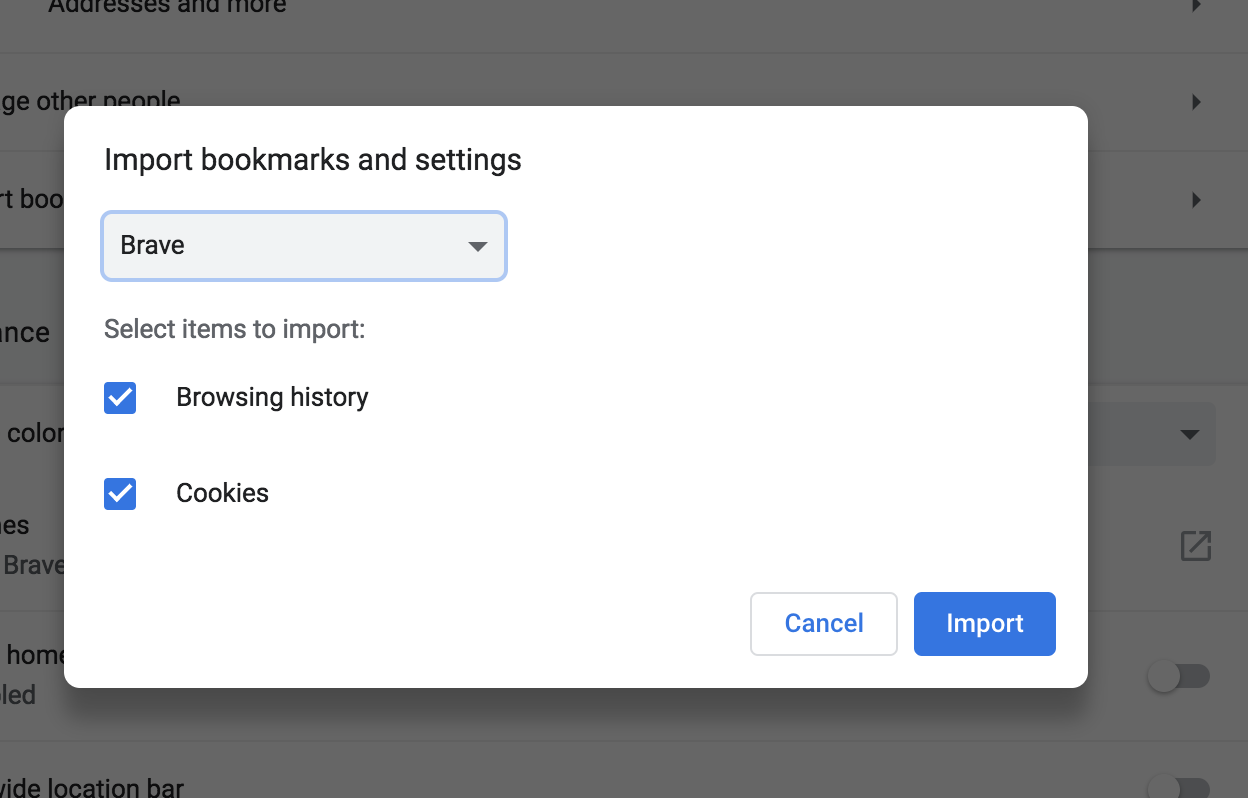
chrome://settings/importDataunder0.55.10 Chromium: 70.0.3538.22and selectBrave
You'll notice that Favourites/Bookmarks & Stats are missing:
- restart
0.24.0 - once
0.24.0has been relaunched, loadchrome://settings/importDataunder0.55.10 Chromium: 70.0.3538.22and selectBrave
You'll notice that Favourites/Bookmarks & Stats is now appearing under Import bookmarks and settings.
 kjozwiak
on 4 Oct 2018
kjozwiak
on 4 Oct 2018
Looks like until the session file is created on b-l the other options doesn't get listed in the importer
 srirambv
on 4 Oct 2018
srirambv
on 4 Oct 2018
Looks like until the session file is created on b-l the other options doesn't get listed in the importer
yup, looks like that's definitely the case 👍
kjozwiak
on 4 Oct 2018
Yup, this is intentional. BraveImporterCanImport checks to see what b-l state files are available and only offers the option to import state types if the corresponding state files exist.
 garrettr
on 4 Oct 2018
garrettr
on 4 Oct 2018
@vdbm Can you open a separate issue for https://github.com/brave/brave-browser/issues/1248#issuecomment-425517171? I cannot reproduce, but would be happy to investigate further if I had some more information to work with.
garrettr
on 4 Oct 2018
@garrettr yup, makes senes 👍 Thanks for taking a look!
kjozwiak
on 4 Oct 2018
Related issues
 bbondy
·
3Comments
bbondy
·
3Comments
 moritzhaller
·
3Comments
GeetaSarvadnya
·
3Comments
moritzhaller
·
3Comments
GeetaSarvadnya
·
3Comments
 traffisco
·
3Comments
traffisco
·
3Comments
 fmarier
·
3Comments
fmarier
·
3Comments
Most helpful comment
Yup, this is intentional.
BraveImporterCanImportchecks to see what b-l state files are available and only offers the option to import state types if the corresponding state files exist.