Brackets: File tree collapses by itself when opening directories.
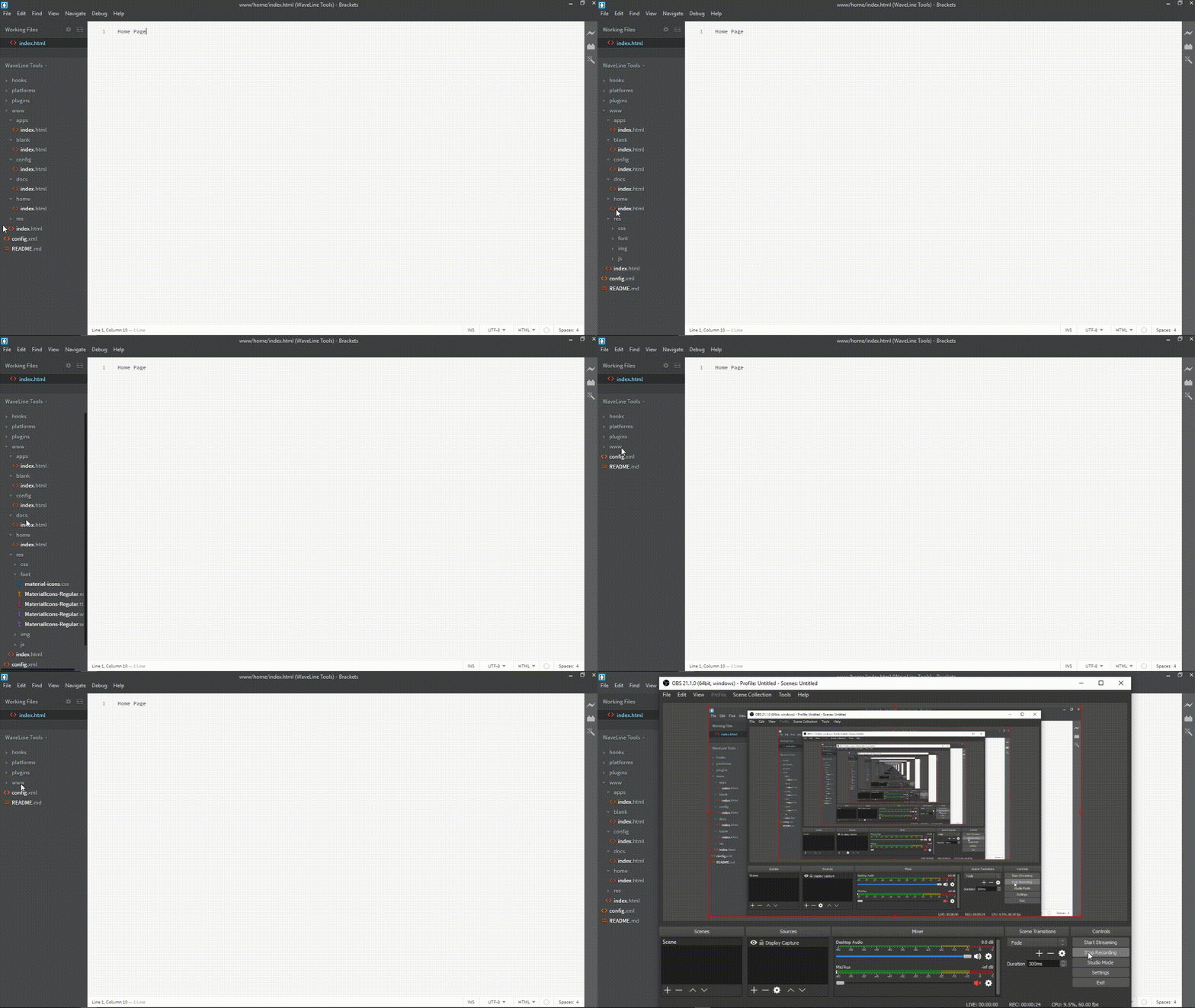
When I open a subdirectory in the file tree, it completely collapses, and I have to uncollapse the directory I was working in. Basically, when I open or close a directory, the whole file tree collapses. This is really annoying, and I really need help fixing it.
Here's a GIF showing what's happening:
 sykeben
All 13 comments
Is anyone going to help fix this? It's been 13 days, and it's really bugging me.
sykeben
on 26 Mar 2019
Okay, it's been more than a month? Has this been fixed yet?
sykeben
on 25 Apr 2019
@sykeben Did you try reloading brackets without extensions? Looks to me a problem caused by some extension which is modifying file tree DOM.
 swmitra
on 25 Apr 2019
swmitra
on 25 Apr 2019
Ill take a look, I tried that before but I don't remember it working, but I'll check again for my own sanity.
sykeben
on 25 Apr 2019
So, I reloaded without extensions (through the debug menu) and the issue still happens. If you need to know, the version I have is windows-release-1.13.1 fc2ebbeea.
sykeben
on 26 Apr 2019
Thanks for reporting this @sykeben. We're looking into the issue at the moment. Meanwhile can you help us by checking the console in developer tools, and report if there are any warnings or errors logged.
Also, can you provide us with the list of extensions that you currently work with. Thanks again for reporting. Allow us sometime to debug the issue.
 shubhsnov
on 26 Apr 2019
shubhsnov
on 26 Apr 2019
I'll take a look at the logs, and send you my list of extensions. Thanks a ton for looking into this!
sykeben
on 27 Apr 2019
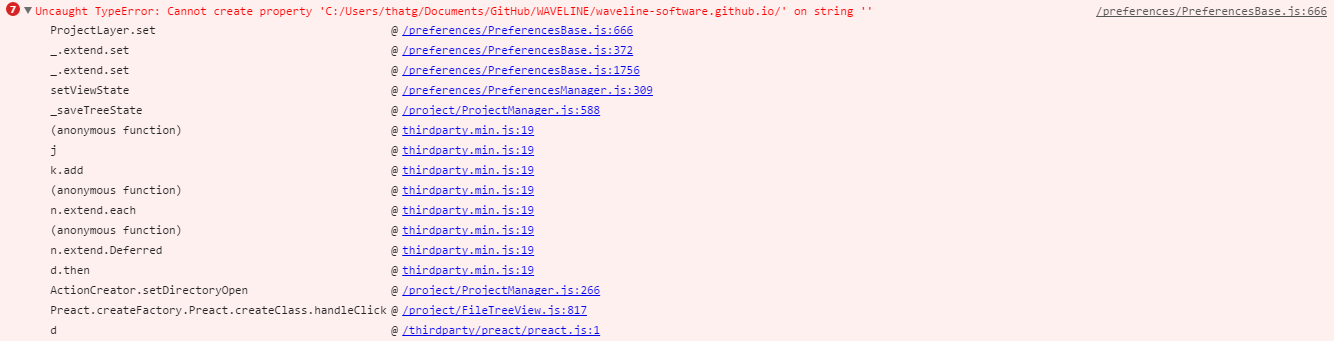
Below are the logs (I couldn't copy-paste or use the "save as..." menu item from the console so I had to insert screenshots).
With Extensions
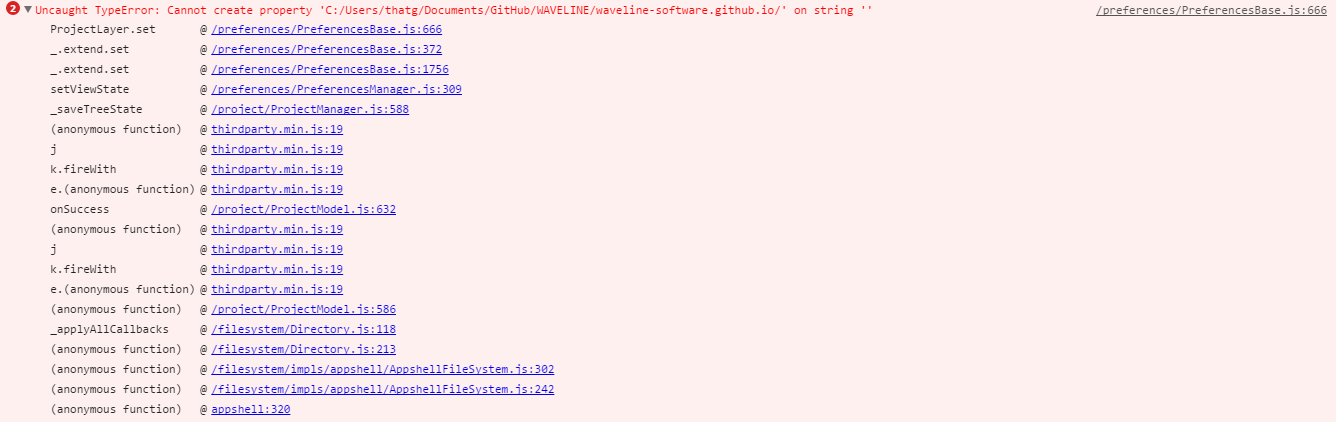
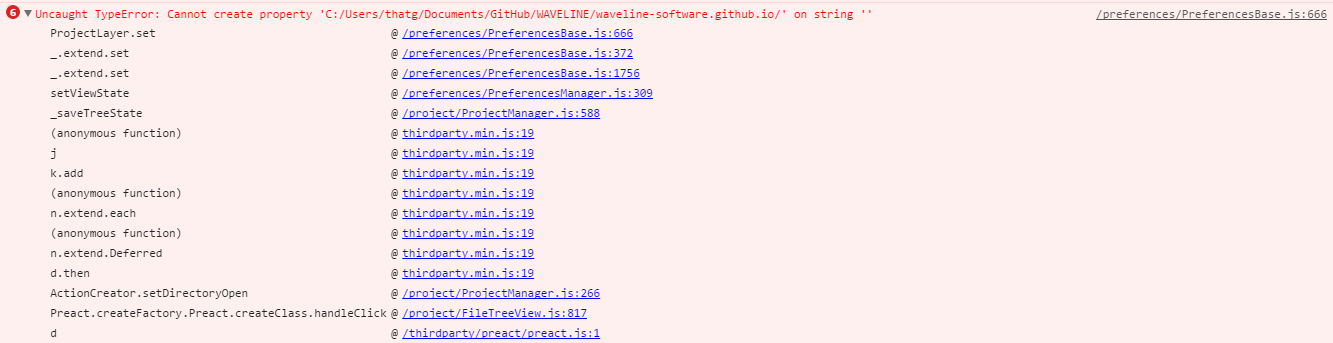
Without Extensions
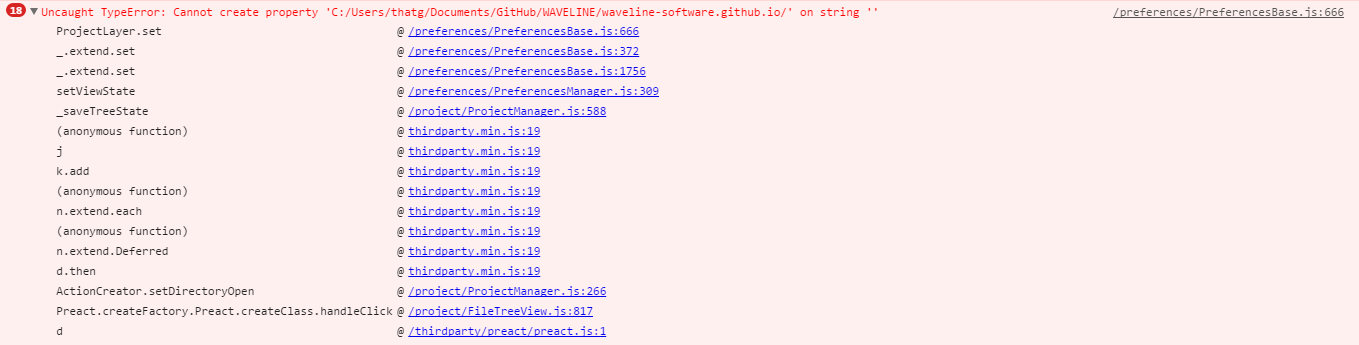
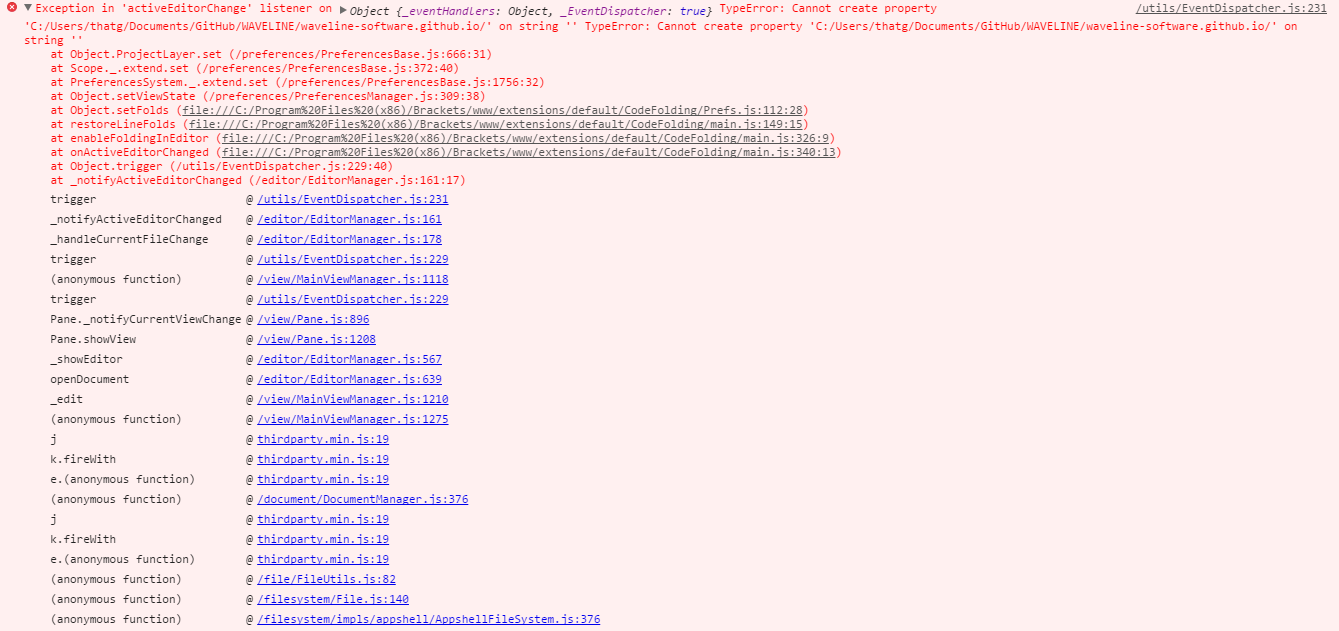
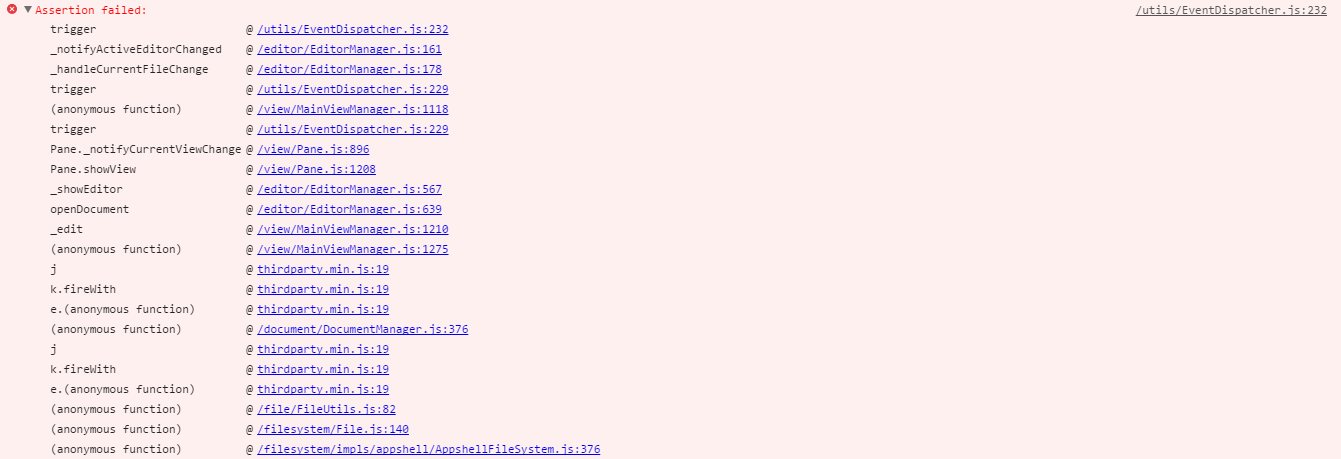

Once again, thanks for all your help!
sykeben
on 27 Apr 2019
Thanks a ton for the error logs. I'll take a look into this. Also, do provide me with list of extension if you can.
shubhsnov
on 28 Apr 2019
Here's a list of non-default extensions I'm currently running:
sykeben
on 28 Apr 2019
Thanks.
shubhsnov
on 28 Apr 2019
I am not able to reproduce this on my machine. But, this might be due to a corrupted state.
Try this:
- Completely close Brackets (very important)
- Open Run Command Box (Win + R)
- Paste
%appdata% - Open
BracketsFolder - Copy the
state.jsonto some safe location, and then delete it from the Brackets folder - Relaunch Brackets
You'll start over from a fresh state.
Check if the problem is solved. If so then probably something went wrong with the serialization of your existing state.
If the problem still occurs, close Brackets again (important) and restore your original state.json back.
shubhsnov
on 29 Apr 2019
Looks like moving the original state.json file away from the Brackets appdata folder fixed it. Thank you guys so much for helping me fix this.
sykeben
on 29 Apr 2019
Related issues
 ghost
·
3Comments
ghost
·
3Comments
 edlau
·
3Comments
edlau
·
3Comments
 declanmarks
·
3Comments
declanmarks
·
3Comments
 AgamlaRage
·
4Comments
AgamlaRage
·
4Comments
 udaykapur
·
4Comments
udaykapur
·
4Comments
Most helpful comment
Looks like moving the original
state.jsonfile away from theBracketsappdata folder fixed it. Thank you guys so much for helping me fix this.