Brackets: Unable to install brackets on Ubuntu 20.xx (both via PPA and via .deb file)
Prerequisites
- [x] Can you reproduce the problem with
Debug -> Reload Without Extensions? - [x] Did you perform a cursory search to see if your bug or enhancement is already reported?
- [x] Did you read the Troubleshooting guide?
For more information on how to write a good bug report read here
For more information on how to contribute read here
Description
It appears the PPA is not being maintained actively as it doesn't have versions mapped for Ubuntu 20.xx (Focal Fossa). Also, .deb file for version 1.14.1 downloaded from www.brackets.io is giving error with unmet dependencies without further details.
Steps to Reproduce
- Tried installing via .deb file - no success. The .deb file for version
1.14.1downloaded from www.brackets.io is giving the following error message with no details on the unmet dependencies. Decided to install via command line (details in the next step)

- Tried the following steps from this link - https://github.com/adobe/brackets/wiki/Brackets-Linux-Guide
Solution 2: Install from PPA
Ubuntu has a PPA for Brackets installs which will automatically import libcrypt11 while also keeping Brackets up to date automatically. To install from PPA, open a terminal and then:
sudo add-apt-repository ppa:webupd8team/brackets
    If asked to install key say “yes”
sudo apt-get update
sudo apt-get install brackets
404 Error when trying to update the newly added PPA repository saying no release file linked to the current version of Ubuntu (focal fossa)

Expected behavior:
The installation would proceed and complete as normal with either of these solutions provided.
Actual behavior:
Installation fails with
a) An error message with "unmet dependencies" without listing the names of packages/unmet dependencies (this could possibly be due to an issue with Ubuntu's error message alert within Software Center with the actual message containing details of packages/unmet dependencies being truncated - unsure though so maybe someone else could validate this).
b) Alternate solution to install via PPA fails as well due to 404 error when attempting to update the repo for Ubuntu's latest release (focal fossa) not being mapped correctly within the repository
Versions
Please include the OS and what version of the OS you're running.
Ubuntu 20.04 running on Virtual box 6.1.8 on Win 10 Pro 64-bit

Please include the version of Brackets. You can find it under Help -> About Brackets (Windows and Linux) or Brackets -> About Brackets (macOS)
Trying to install current Brackets version 1.14.1
 udaykapur
All 4 comments
sudo snap install brackets --classic
 ReductoAdAbsurdum
on 20 May 2020
ReductoAdAbsurdum
on 20 May 2020
I posted a workaround here https://github.com/adobe/brackets/issues/15151#issue-619571301
Working on Debian 10 aka buster
 UbuntuStrike
on 21 May 2020
UbuntuStrike
on 21 May 2020
Ran into the same problem and almost just gave up trying to use the program.
Pity it does not install on the current LTS version of the most common Linux distribution without workarounds or methods not documented on the download page.
 johann-petrak
on 3 Aug 2020
johann-petrak
on 3 Aug 2020
Also the official linux guide for Brackets has not been updated in almost 3 years.
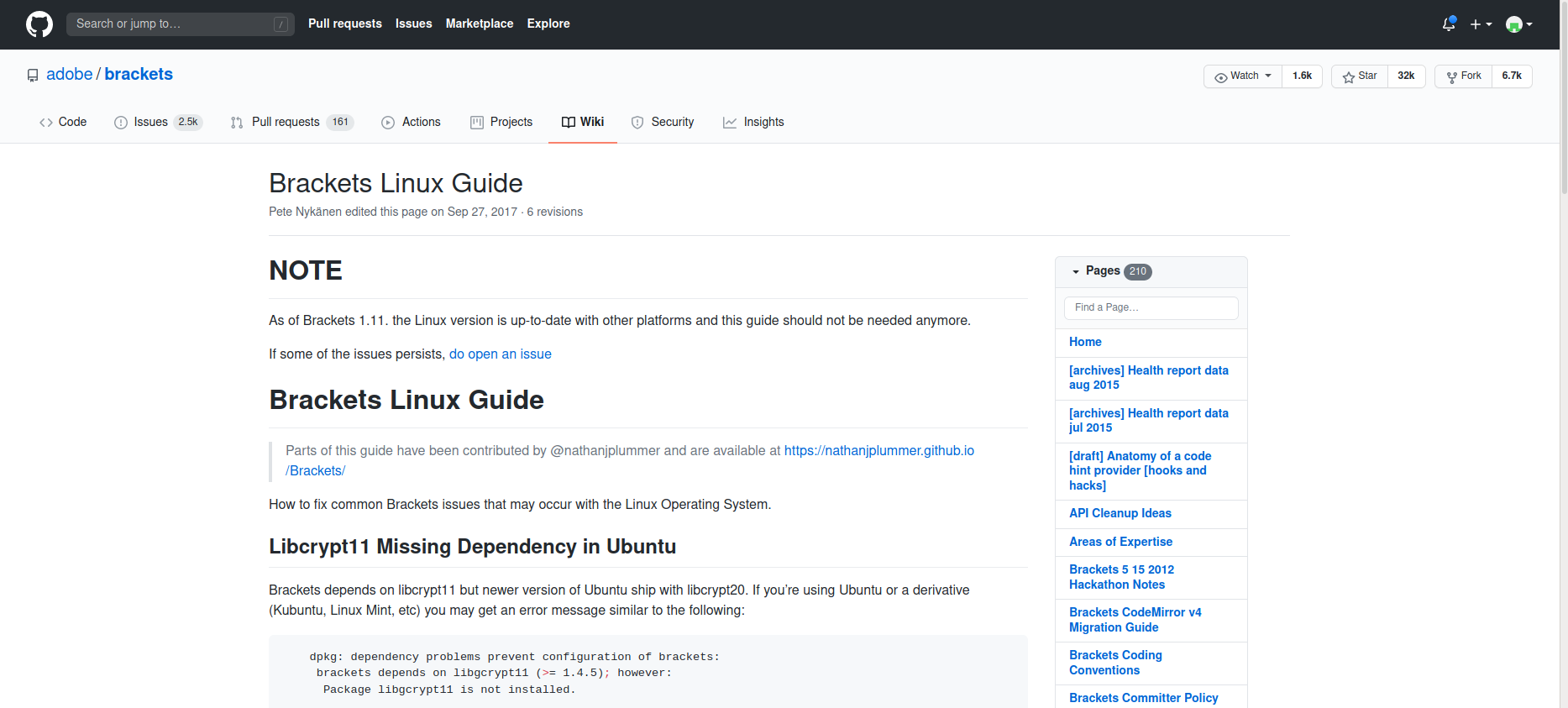
Revision history says it was last updated on 27-Sep-2017 as of Oct 2020.
Could you please add a note there to say the wiki is outdated and the steps mentioned in that wiki are no longer valid for Brackets ver. 1.14.x / Ubuntu ver. 20.04.xx LTS
udaykapur
on 1 Oct 2020
Related issues
 Bluefirecracker
·
4Comments
Bluefirecracker
·
4Comments
 armandbancila
·
4Comments
armandbancila
·
4Comments
 10polarbears
·
3Comments
10polarbears
·
3Comments
 RaymondLim
·
5Comments
RaymondLim
·
5Comments
 zaggino
·
4Comments
zaggino
·
4Comments
Most helpful comment
Ran into the same problem and almost just gave up trying to use the program.
Pity it does not install on the current LTS version of the most common Linux distribution without workarounds or methods not documented on the download page.