Botframework-webchat: Clicking a button does not scroll down
Video
Version
4.6.0
Describe the bug
When the bot displays buttons and the user has scrolled up, upon clicking a button he needs to manually scroll down.
To Reproduce
Steps to reproduce the behavior:
- Go to https://microsoft.github.io/BotFramework-WebChat/01.a.getting-started-full-bundle/
- Type help
- Scroll up and click a button.
- The user needs to manually scroll down to see a bot reply
Expected behavior
I would expect that when the user clicks a button that the webchat would scroll to his message. After clicking a button, there is nothing to do anyways and the user wants to see the bot response.
Additional context
I have seen a number of reports in the past. For instance https://github.com/Microsoft/BotFramework-WebChat/issues/1031 but I'm unsure why we would need a workaround here.
This was already implemented in https://github.com/microsoft/BotFramework-WebChat/issues/411
 jvanderbiest
All 7 comments
Interesting - I hadn't seen the second issue you linked. I will mention this to the team. However, as discussed in https://github.com/microsoft/BotFramework-WebChat/issues/2556, this is not currently a feature that Web Chat is planning on implementing.
 corinagum
on 19 Nov 2019
corinagum
on 19 Nov 2019
@jvanderbiest Thanks for bringing this up. I spoke with our team about possibly bringing v3 parity on this issue. However, we've seen enough instances of people NOT wanting this feature that we think modification through React is a great compromise.
For those interested in scrolling to the bottom, we have a PR that will allow users to implement a scroll to bottom feature on click using React Hooks. This isn't merged in yet but we're hoping that this will get in today. For further details on how to implement this using middleware, please see this comment: https://github.com/microsoft/BotFramework-WebChat/issues/1031#issuecomment-459397736
I will add this to our list of FAQ and close as a non-action item. Thanks again. :)
corinagum
on 19 Nov 2019
thanks for the prompt reply, I will use some customization then!
jvanderbiest
on 19 Nov 2019
I have a need to scroll down the messages when the user has scrolled up. I tried the workaround but it's not ideal at all. For most messages, it scrolls the whole page so that the last message from the bot is at the top of the browser. Suddenly the whole chat is out of view except the latest message so this isn't practical.
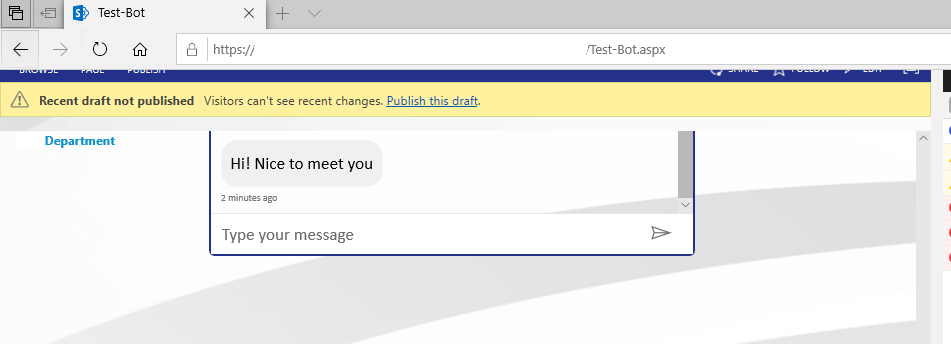
Is it possible to get it to scroll the messages inside the chat only (without scrolling the webpage)? Or at least scroll webpage to the top of the webchat div
 wal88
on 5 Dec 2019
wal88
on 5 Dec 2019
@wal88 depends on your page layout. Try without selecting the lastChild on the ul element
document.querySelector('ul[role="list"]').scrollIntoView({behavior: 'smooth', block: 'start'});
jvanderbiest
on 6 Dec 2019
@jvanderbiest, thanks for the help. I tried that and it's scrolling to the top of chat div which is good, but also scrolling to the beginning of the messages. I think it might be working for most people because they have it at absolute position in the corner but for me I'm embedding it in the page (using webchat not iframe)
wal88
on 8 Dec 2019
Finally found something that works. The div that scrolls is parent to it and I just scroll that div to its scrollHeight which seems to work well, it doesn't scroll the page only the webchat. This is what I'm using:
  const store = window.WebChat.createStore(
      {},
      ({ dispatch }) => next => action => {
          if (action.type === 'DIRECT_LINE/POST_ACTIVITY_FULFILLED') {
              var scrollDiv = $('ul[role="list"]').first().parent();
              scrollDiv.scrollTop(scrollDiv[0].scrollHeight);
          }
          return next(action);
      }
  );
And of course chuck that in the renderWebChat function:
  window.WebChat.renderWebChat(
  {
      directLine: window.WebChat.createDirectLine({
        token: 'mySecret'
      }),
      store,
      ...
wal88
on 8 Dec 2019
Related issues
corinagum
·
3Comments
 compulim
·
3Comments
compulim
·
3Comments
 marcasmar94
·
3Comments
marcasmar94
·
3Comments
 vikramdadwal
·
3Comments
vikramdadwal
·
3Comments
 Kellym-Kainos
·
4Comments
Kellym-Kainos
·
4Comments
Most helpful comment
Finally found something that works. The div that scrolls is parent to it and I just scroll that div to its scrollHeight which seems to work well, it doesn't scroll the page only the webchat. This is what I'm using:
And of course chuck that in the renderWebChat function: