Botframework-sdk: [Azure Bot Service] An internal error occured at the server (Can't access bots anymore)
Bot Info
- Deployment Environment: Azure Bot Service
Issue Description
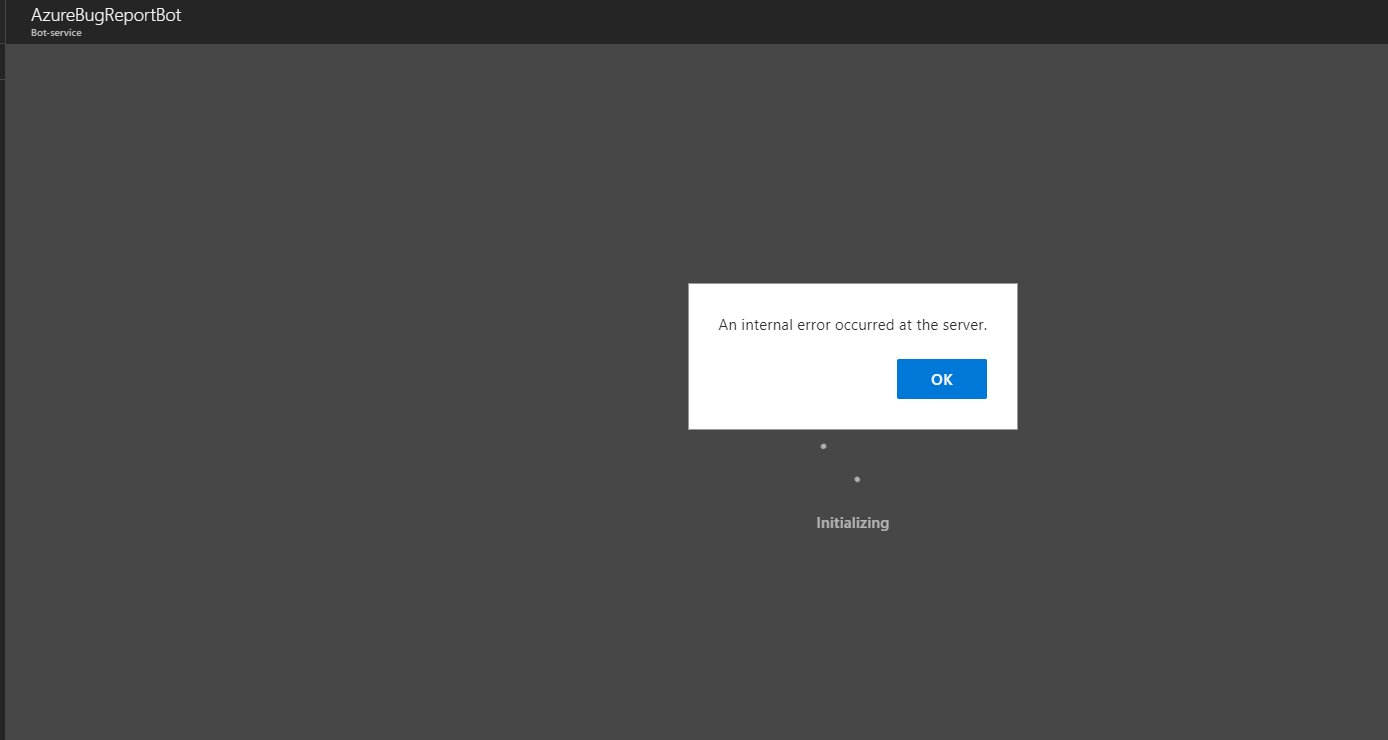
Can't access my bot due message "Error occured on Server"
Reproduction Steps
- Login to Azure
- Go to resource group
- Add a Bot Service
- existing subscription (on which multiple working bots were created)
- exisiting resourcegroup (on which ...)
- using a free app service plan (on which 2 or 3 bots are running)
- Click create
- Wait to finish
- Open
- See error zipmi7ay
Expected Behavior
The bot settings to open
Actual Results
a message "An internal error occured at the server"
zipmi7ay
Extra info
This happened after I had another issue in Azure Bot Service. Which I contacted @Azure for then they told me to file a bug report about that. When I wanted to that I got this error (this is several days ago).
I created around 5 bots that give this error.
 jochem4207
All 16 comments
@jochem4207 Thank you for reporting this. The Bot Framework team is actively investigating the issue. I'll report back here once we've determined the root cause.
 EricDahlvang
on 18 Oct 2017
EricDahlvang
on 18 Oct 2017
Same issue. Just created a new BOT on Azure and getting the "internal error" issue.
 petemh
on 19 Oct 2017
petemh
on 19 Oct 2017
Any update @EricDahlvang ?
jochem4207
on 23 Oct 2017
Hello everybody.
I had the same issue with the bot service. My solution was to create the bot service with a new account, without tenants suscriptions. I gave access to the new account to my tenant suscription, with the new account created, create the bot service, it should works. The new account was an outlook account.
Hope it could be usefull for someone.
 mlimache
on 23 Oct 2017
mlimache
on 23 Oct 2017
@jochem4207 @mlimache @petemh
Do you have a guest account in the target tenant for the subscription being used?
EricDahlvang
on 23 Oct 2017
Yes. I have a lot of users on that subscription. Just create a new outlook account, gave him a contribuitor role on the Azure subscription and try to create a bot service with the new account. It should works.
mlimache
on 23 Oct 2017
@mlimache Thank you for your reply. However, I am attempting to help determine root cause: not find a work-around.
EricDahlvang
on 23 Oct 2017
@EricDahlvang good luck, and don't forget to share your information with us.
mlimache
on 23 Oct 2017
Hi @EricDahlvang I am a guest in a customer's subscription (they gave me the contributor role) and I am facing the same issue
 sebastinovich
on 23 Oct 2017
sebastinovich
on 23 Oct 2017
@sebastinovich do you have another subscriptions in your account? Use a new account, with an only tenant, like the image.
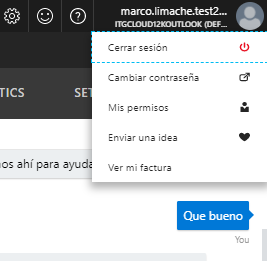
It's a temporary solution to continue the develop. The problem is not the role.
mlimache
on 23 Oct 2017
@mlimache I appreciate that you've found a temporary solution: but that is not a permanent solution, as it does not address the root cause of the issue.
EricDahlvang
on 23 Oct 2017
@sebastinovich
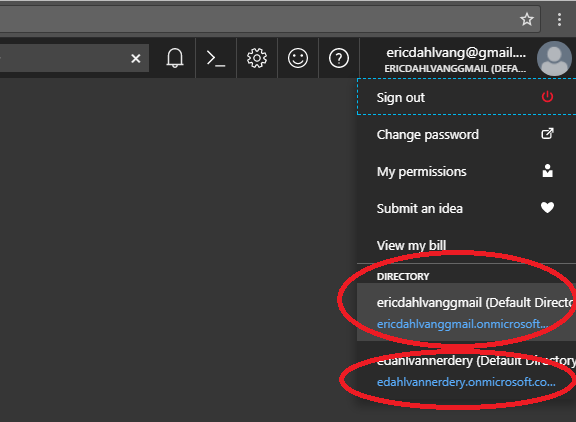
mlimache has a good point. When you attempt to access the bot in your customer's subscription, do you first change the Directory to the subscription for the customer within the Azure portal?
I have two subscriptions here:
EricDahlvang
on 24 Oct 2017
@EricDahlvang for me i've to switch directories indeed
jochem4207
on 24 Oct 2017
Is anyone still experiencing this issue?
EricDahlvang
on 27 Oct 2017
@EricDahlvang for me its fixed. I will close it, feel free to reopen it as needed. Thank you very much!
jochem4207
on 27 Oct 2017
Fixed. Thank you!
sebastinovich
on 30 Oct 2017
Related issues
 arpan14
·
3Comments
arpan14
·
3Comments
 stijnherreman
·
3Comments
stijnherreman
·
3Comments
 Arimov
·
3Comments
Arimov
·
3Comments
 clearab
·
3Comments
clearab
·
3Comments
 vaditya04
·
3Comments
vaditya04
·
3Comments
Most helpful comment
Is anyone still experiencing this issue?