Botframework-sdk: [Question] Can't Connect to Azure Hosted Bot?
System Information
- SDK Language: .NET
- SDK Version: 3.9
- Development Environment: Azure API
Bot Info
- Bot name: BeyondBotEY
- Bot handle: beyondbotey
- App ID: 75069f6a-5d72-40ab-97fd-2f60d71fde64
- Connected channels: Skype, Web
Issue Description
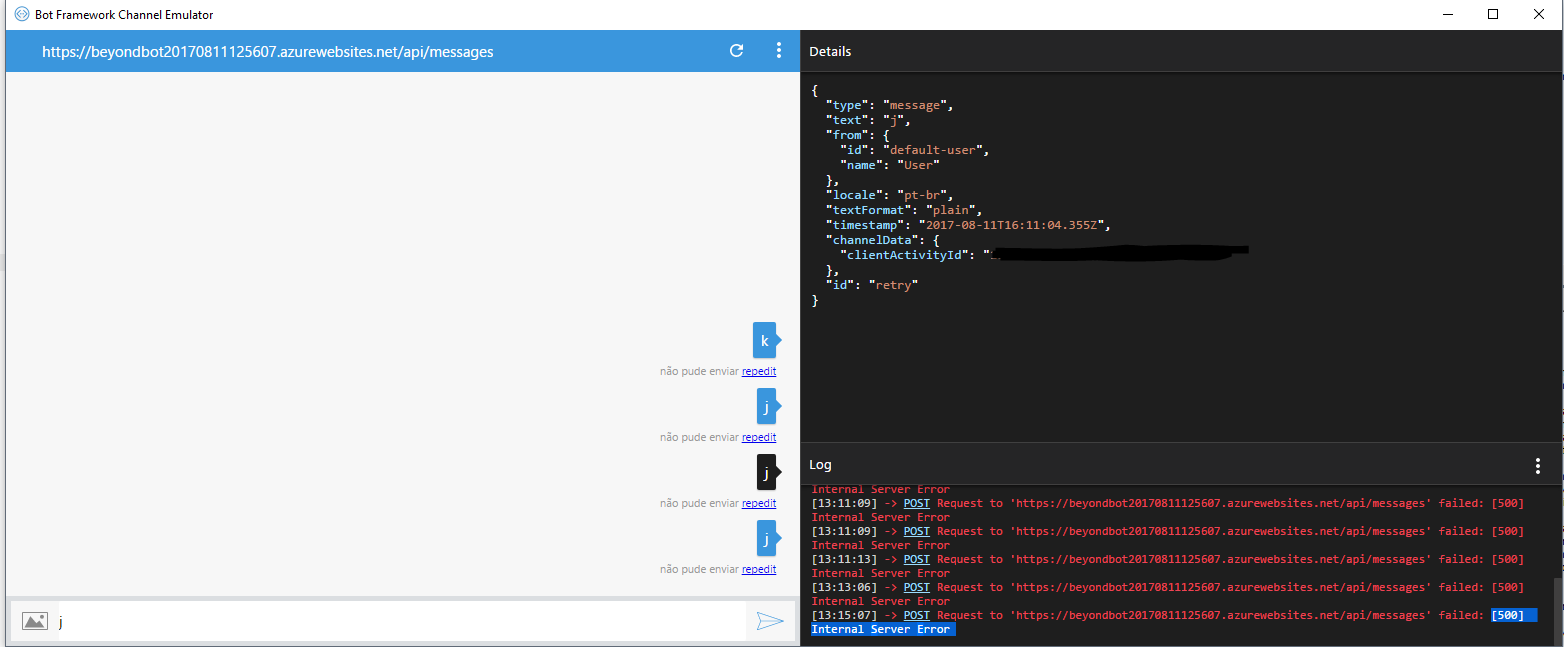
When turn on the auth (without auth everything is all right), the bot seems to connect to remote host (I'm using Bot Emulator), but when I try to send some message, I got [500] Internal Server Error. Reading a lot (most time here), I even checked the OAuth authorization using curl -k -X POST https://login.microsoftonline.com/botframework.com/oauth2/v2.0/token -d "grant_type=client_credentials&client_id=APP_ID&client_secret=APP_PASSWORD&scope=https%3A%2F%2Fapi.botframework.com%2F.default" I tried to remove LUIS integration, just to make sure there is no issues related with that. But no success. The auth method is by Web.Config. Tried to remove BotId, but not working... Change the vms from Free, Shared and S1. My latests tests were with S1 instances. What I'm missing? :(
Using the Fiddler, I got more details, it seems to be something related to OAuth, {
"message": "An error has occurred.",
"exceptionMessage": "Unauthorized",
"exceptionType": "Microsoft.Bot.Connector.MicrosoftAppCredentials+OAuthException",
"stackTrace": " at Microsoft.Bot.Connector.MicrosoftAppCredentials.
The answer was fine.
I remove the bot and created on, same as application. No success.

 michelpf
All 9 comments
There seems to be a problem with your bot code. Do you have your code in a repo so we can look? In the dev portal I see a bunch of errors in the webchat channel.

 JasonSowers
on 11 Aug 2017
JasonSowers
on 11 Aug 2017
The errors are related to connection as related, for example "There was an error sending this message to your bot: HTTP status code InternalServerError", same in bot emutator.

michelpf
on 11 Aug 2017
I don't have the code in a repo. :(
I'm using the template project.
michelpf
on 11 Aug 2017
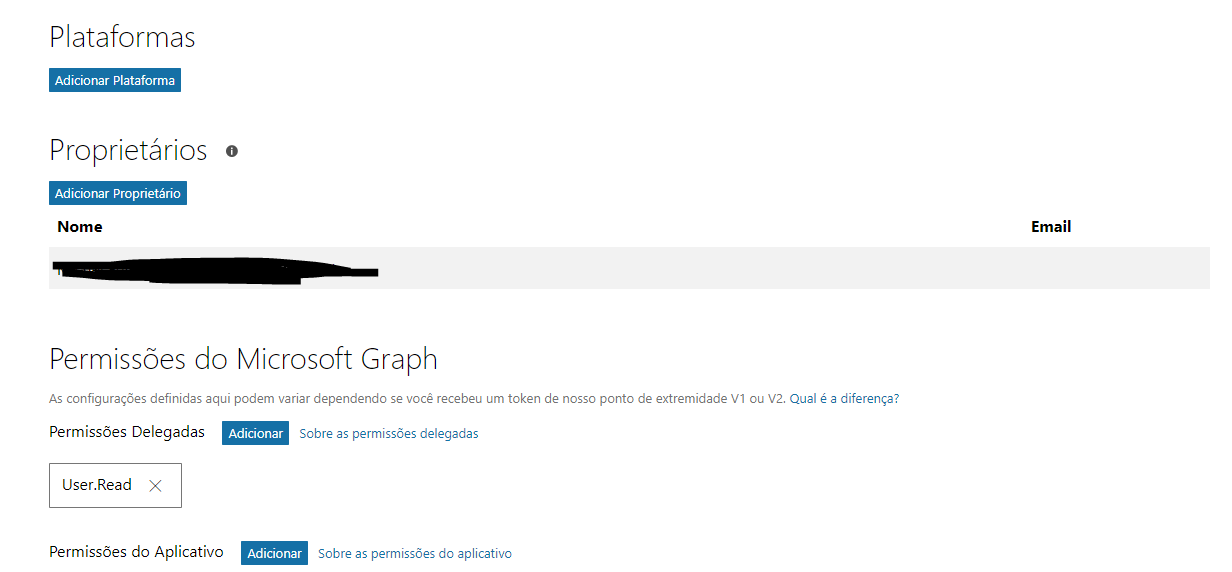
In Microsoft App Dev, there are other configurations that I didn't set up. In some tutorials they don't exist.
For example, I should set a platform or grant any rule to Graph? (I don't think so).
michelpf
on 11 Aug 2017
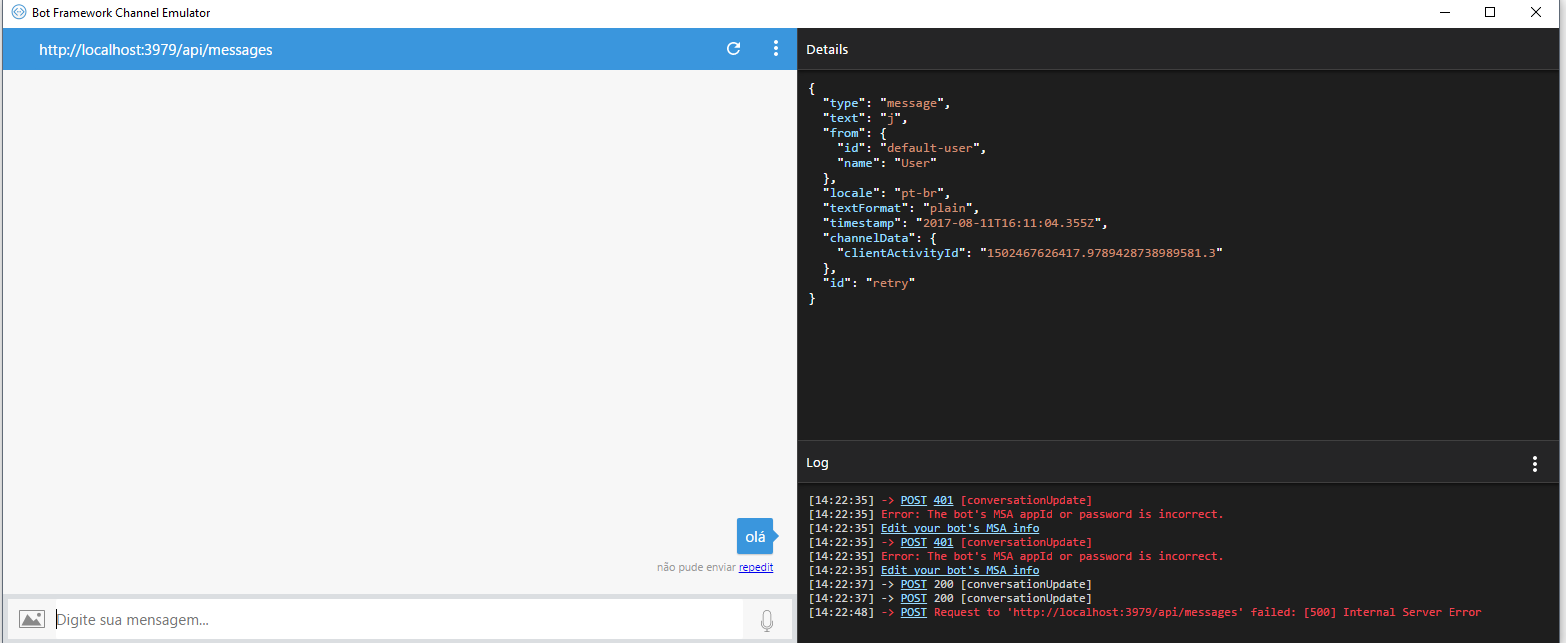
Running local, with auth (AppiId and AppPassword), same error:
Microsoft.Bot.Connector.MicrosoftAppCredentials+OAuthException: Unauthorized ---> System.Net.Http.HttpRequestException: Response status code does not indicate success: 401 (Unauthorized).
at System.Net.Http.HttpResponseMessage.EnsureSuccessStatusCode()
at Microsoft.Bot.Connector.MicrosoftAppCredentials.
--- End of inner exception stack trace ---
at Microsoft.Bot.Connector.MicrosoftAppCredentials.
michelpf
on 11 Aug 2017
500 error generally means there is a problem with your bot code.
JasonSowers
on 11 Aug 2017
Hi @michelpf
Is your bot deployed to the messaging endpoint configured in dev.botframework.com? https://YourSiteName.azurewebsites.net/api/messages
There are a few ways to debug locally. The easiest is to remove the MicrosoftAppId and MicrosoftAppPassword from the web.config, and do not supply them in the emulator. This method doesn't use BotAuthentication security, and doesn't require a bot registration on dev.botframework.com
 EricDahlvang
on 16 Aug 2017
EricDahlvang
on 16 Aug 2017
I don't know what happend, but I solved in the worst way for developers... Deleted bot account, app account, create new ones, create a new bot app, copy from old app and paste same code in the new app and Voilá, started to work. :(
michelpf
on 16 Aug 2017
@michelpf I'm glad you've got it working now. Thanks for letting us know. And, I agree: your resolution method is not something any developer wants to do, ever. Let's just pretend this didn't happen (since we don't know what actually happened anyway).
EricDahlvang
on 16 Aug 2017
Related issues
 clearab
·
3Comments
clearab
·
3Comments
 hailiang-wang
·
3Comments
hailiang-wang
·
3Comments
 sebsylvester
·
3Comments
sebsylvester
·
3Comments
 mattlanham
·
3Comments
mattlanham
·
3Comments
 maba4891
·
3Comments
maba4891
·
3Comments