Botframework-emulator: 500 Error when changing AppId/Pass. Requires Emulator restart.
Related (probably): https://github.com/microsoft/BotBuilder-Samples/issues/1523
I've seen this happen before, too.
Version
4.4.1-60043 (although I'm fairly certain this isn't new)
Describe the bug
In order for a change to MicrosoftAppId / MicrosoftAppPassword to take effect in the Emulator, the whole Emulator application must be restarted, not just the opened bot or the "Live Chat" window. I have a feeling this is tied to caching it for an endpoint, but I haven't tested different endpoints.
This can be a problem in the following scenarios:
- Having a typo in appId/pass and then trying to change it. It will appear to never work unless user restarts Emulator
- Testing a local bot with and without an appId/appPass
- Testing multiple bots on the localhost endpoint
- Needing to change the password while testing -- maybe user accidentally uploads to repo
To Reproduce
Get two valid AppIds/AppPasswords. I'll refer to them as AppA/PassA, AppB/PassB.
FAIL:
- Start a bot with AppA/PassA set in
appsettings.json - Connect to the bot in Emulator using Open Bot, using AppA/PassA
- Stop the bot
- Change the bot to use AppB/PassB in
appsettings.json - Close Live Chat window in Emulator
- Open Bot in Emulator with AppB/PassB
- Receive 500 Error
- Close Emulator entirely
- Open Bot in Emulator with AppB/PassB
- Success
SUCCESS:
- Start a bot with AppA/PassA set in
appsettings.json - Connect to the bot in Emulator using Open Bot, using AppA/PassA
- Stop the bot
- Change the bot to use AppB/PassB in
appsettings.json - Close Emulator entirely
- Open Bot in Emulator with AppB/PassB
- Success
Expected behavior
Opening a new Bot session in Emulator should not use an old AppId/AppPassword.
Additional context
I've tested various ways of stopping/restarting the bot and with/without ngrok. Pretty sure this is an Emulator issue.
The completely breaks in C#, presenting the 500 error and then not connecting. In Node, it seems to first try to connect with the old AppId/Pass, but then tries to connect with the new one and works. See image:

Note that when connecting in Emulator, I used 94ea2b04-ccba-437e-b3f1-3f0376fcbc98. It showed the error in console, but actually worked in the Emulator.
[bug]
 mdrichardson
All 9 comments
I've been able to repro this on some scenarios as well. I believe this change will solve the issue.
 justinwilaby
on 22 May 2019
justinwilaby
on 22 May 2019
@mdrichardson try updating to the most recent nightly build and see if the change fixes the issue.
 tonyanziano
on 24 May 2019
tonyanziano
on 24 May 2019
@tonyanziano Still able to repro:

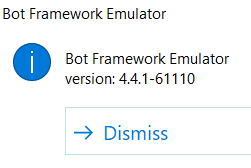
Restarting the Emulator still "fixes" it and I'm using Win+V to paste, so I'm definitely using the same/correct id/pass.
mdrichardson
on 24 May 2019
@mdrichardson - Sorry for the late reply. #1597 fixes this issue with your repro steps above. Feel free to test the latest nightly build with your scenario to see if it's been solved. If not, let's plan to meet in person or via teams to solve it.
justinwilaby
on 5 Jun 2019
@justinwilaby Still experiencing this:

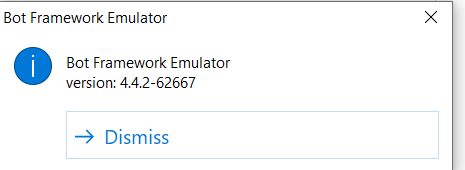
I'd be a little surprised if that fixed it, since I can repro this without ngrok.
Let's meet tomorrow in person. Reach out to me on Teams when you're free and I'll pop down--I'm pretty flexible outside of 10-1030am.
mdrichardson
on 5 Jun 2019
@justinwilaby @mdrichardson Did you two end up working this out, or is this still an outstanding issue?
tonyanziano
on 26 Jun 2019
@tonyanziano Still outstanding. I haven't tested this in awhile, though.
mdrichardson
on 26 Jun 2019
Tried to repro on 4.5 and seems to be fixed now.
tonyanziano
on 13 Jul 2019
@tonyanziano Confirmed fix! Good work!
mdrichardson
on 15 Jul 2019
Related issues
 giorgobiani
·
3Comments
giorgobiani
·
3Comments
 saiteja21
·
4Comments
saiteja21
·
4Comments
 madenwala
·
6Comments
madenwala
·
6Comments
 giorigor
·
4Comments
giorigor
·
4Comments
 stephanbisser
·
4Comments
stephanbisser
·
4Comments