Botframework-emulator: Bot Inspector Mode missing
Version
4.7.0
Describe the bug
The Bot Inspector Mode is described in my emulator under Help, but I have no option under View to enable the Bot Inspector Mode:
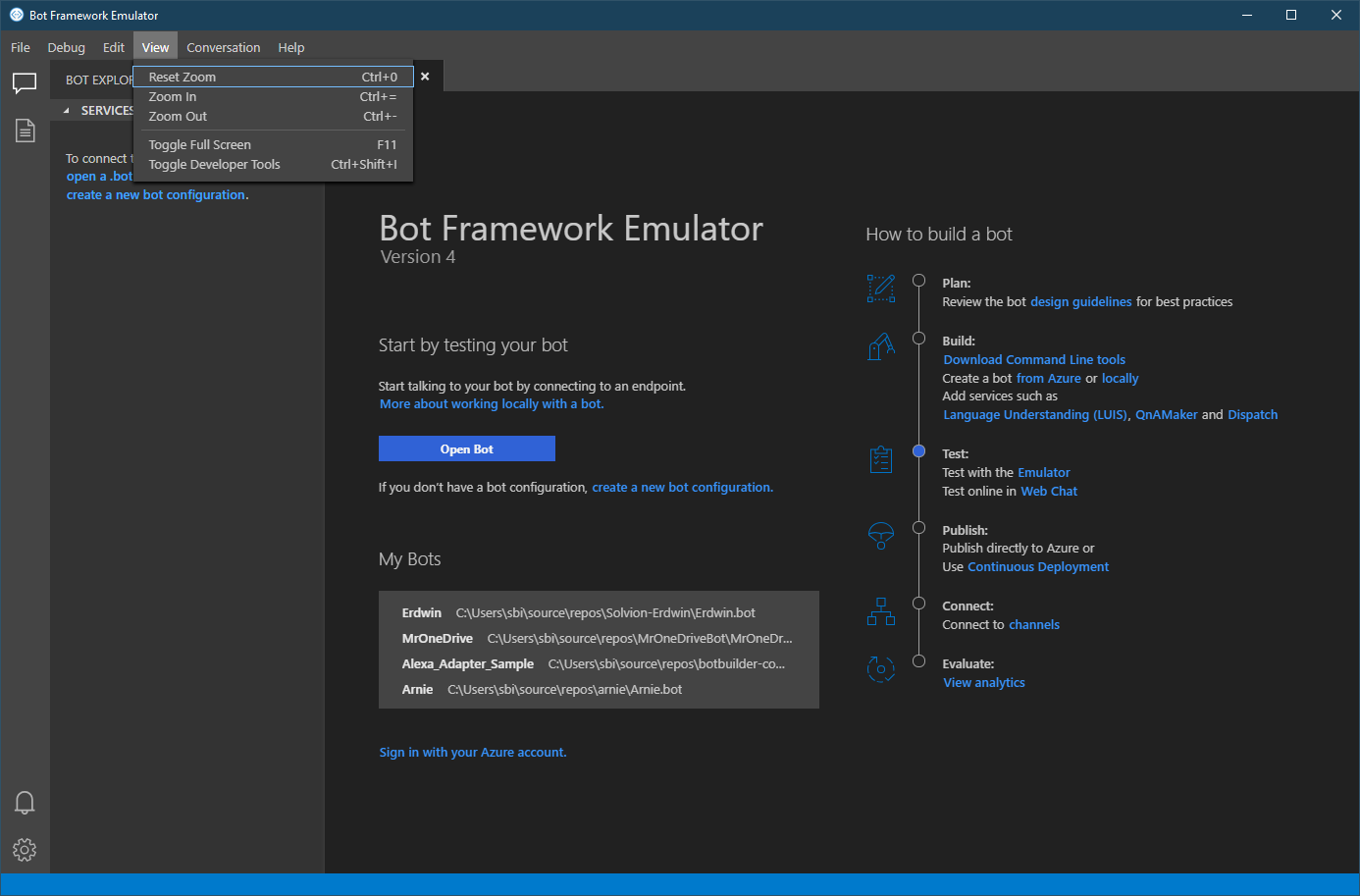
How can I enable that mode as I want to debug Teams using the emulator...
[bug]
 stephanbisser
All 4 comments
@stephanbisser
There's a couple of things you could/might be talking about, so I'll cover both.
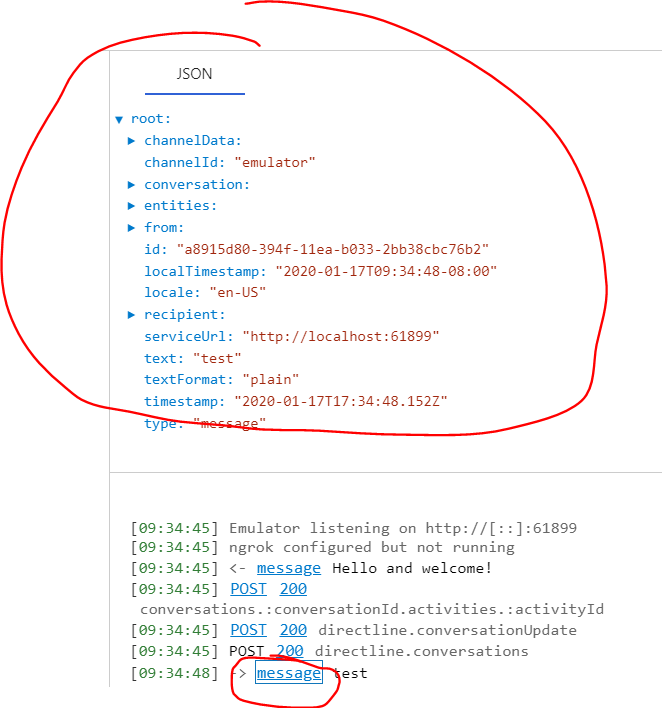
JSON Inspector
The JSON Inspector is a panel within Emulator that allows you to view Activity JSON as well as LUIS and QnA Maker data.
You don't need to enable it. You just need to click on what you want to inspect after connecting with the bot:
Inspection Middleware / Sidecar Debugging / Debug Mode
I think this may be what you're actually looking for. It allows you to inspect bot state as well as all activity flow. Follow the docs to add it to your bot.
If you want to test it quickly:
- Download Sample 47 (C# / Node)
- Start the bot
- Open Emulator
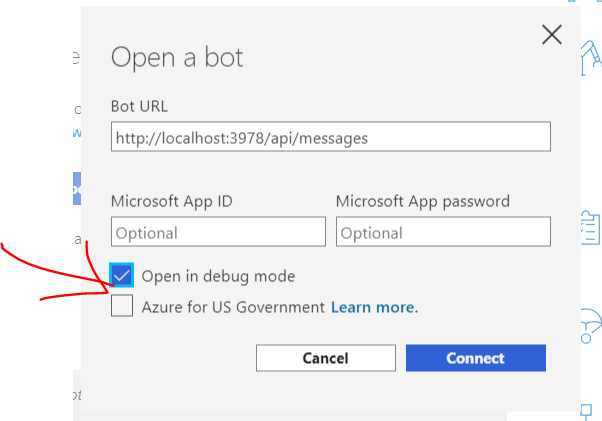
- When opening the bot, ensure you click "Open in debug mode"
- Open another Emulator window or tab, and open the bot again, but not in debug mode
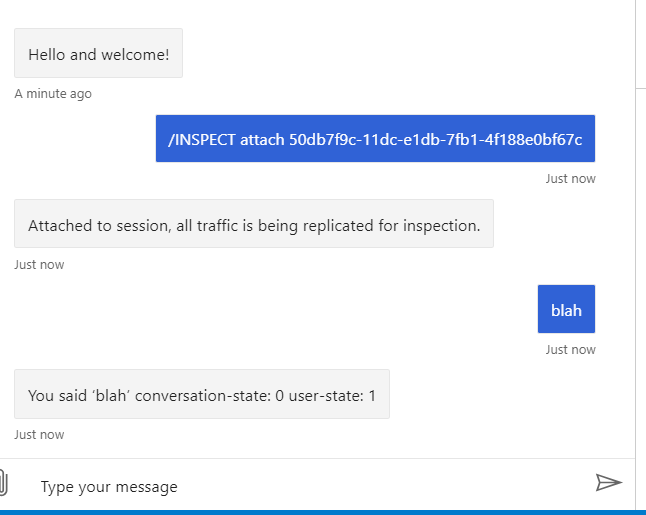
- Copy/paste the inspect command from the first tab/window into the new one
- Talk to the bot in the newer tab/window

 mdrichardson
on 17 Jan 2020
mdrichardson
on 17 Jan 2020
@mdrichardson the second option is what I might be looking for. But I actually want to use the emulator to inspect the bot which is served through Teams and I see this in my emulator under help:

is the 2nd option you described the same as this?
stephanbisser
on 17 Jan 2020
@stephanbisser Yep, that's the second option!
mdrichardson
on 17 Jan 2020
Great thanks for the information, issue can be closed!
stephanbisser
on 17 Jan 2020
Related issues
 weewey
·
6Comments
weewey
·
6Comments
 Kumar2608
·
3Comments
Kumar2608
·
3Comments
 giorgobiani
·
3Comments
giorgobiani
·
3Comments
 cwhitten
·
5Comments
cwhitten
·
5Comments
 Spydernaz
·
5Comments
Spydernaz
·
5Comments