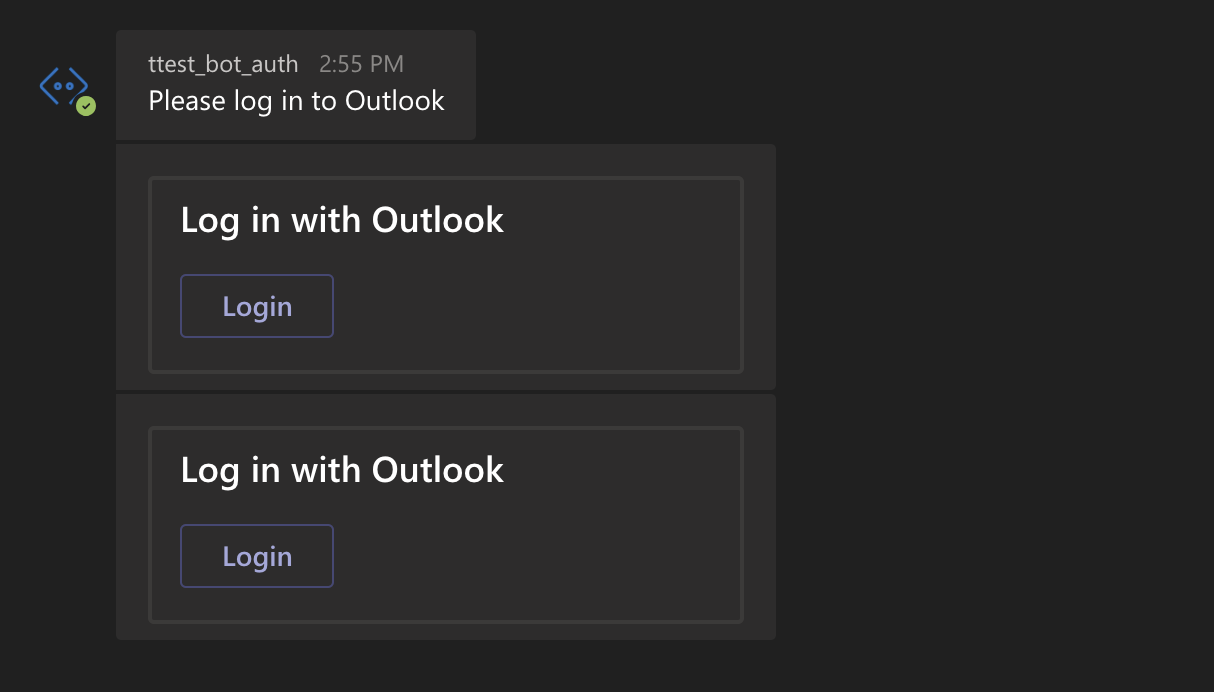
Botbuilder-samples: Azure OAuthPrompt shows twice when calling dialog outside the onMessage event
Github issues for JS
Sample information
- Sample type: teams-auth
- Sample language: nodejs
- Sample name: 46.teams-auth
Describe the bug
I am following this example 46.teams-auth
But I do not call command
await this.dialog.run(context, this.dialogState);
on event onMessage

bot.js
async handleTeamsSigninVerifyState(context, state) {
  await this.dialog.run(context, this.dialogState);
}
I am calling it from an API I have opened to receive requests from other services. The OmniAuth display as well, but it always shows 2 times. The first time I click and sign in, but after that, it shows again and I have to click button login again. Then I get the token. I guess the function handleTeamsSigninVerifyState has a problem.
if i call that function within onMessage it will work well
bot.js
this.onMessage(async (context, next) => {
  await this.dialog.run(context, this.dialogState);
  await next();
});
To Reproduce
Steps to reproduce the behavior:
After editing the code as above,
- I use postman to send a request to URL http://localhost:3978/api/2/proactive
- in Teams Click on 'login` button
- See the OAuthPrompt again
Expected behavior
The OAuthPrompt shows one time and gets the token
Screenshots
Additional context
I have spent 4 days but still have not found a solution to this problem, please help me.
[bug]
 tamnguyen39
All 11 comments
You've changed the sample bot beyond what I'm seeing here and I'm having trouble repro'ing what you're doing. Can you post the entirety of both your index.js and your dialogBot.js?
 jwiley84
on 25 Jun 2020
jwiley84
on 25 Jun 2020
Excellent. Thank you for your patience while I look into this.
jwiley84
on 26 Jun 2020
Your dialogBot.js and dialogBase.js are identical. Do you have 2 separate files, or did you rename dialogBot to dialogBase? I want to make sure I can repro this correctly.
jwiley84
on 26 Jun 2020
@jwiley84 Oh, Sorry, I updated that file. Have a nice weekend.
tamnguyen39
on 27 Jun 2020
@jwiley84 Could you please help me take a look that code?
tamnguyen39
on 30 Jun 2020
Hi @tamnguyen39 The files baseDialog.js and dialogBot.js are still identical.
jwiley84
on 30 Jun 2020
@jwiley84 I'm so sorry, I updated. Please help me check it again. 🙇
tamnguyen39
on 1 Jul 2020
@jwiley84 To save your time
I've created this repo and add steps to reproduce the bug
Please take a look.
Many thanks. 🙇
tamnguyen39
on 1 Jul 2020
Excellent, thank you for the repo. I'll go ahead and test this now, see what's going on.
jwiley84
on 1 Jul 2020
@jwiley84 Thank you very much. If you discover something or have difficulty reproducing it, please let me know. 🙇
tamnguyen39
on 2 Jul 2020
I am very happy to be able to announce that the issue has been resolved with the help of MS
So, the solution is:
- in proactive I have to use
await myBot.run(turnContext);
instead
await myBot.dialog.run(turnContext, myBot.dialogState);
And use event this.onEvent
I hope this comment will help someone
tamnguyen39
on 13 Jul 2020
Related issues
 stevengum
·
3Comments
stevengum
·
3Comments
 daveRendon
·
6Comments
daveRendon
·
6Comments
 cleemullins
·
5Comments
cleemullins
·
5Comments
 HesselWellema
·
9Comments
HesselWellema
·
9Comments
 EricDahlvang
·
9Comments
EricDahlvang
·
9Comments