Botbuilder-js: QnAMessage score not logged to bot telemetry
Versions
What package version of the SDK are you using: 4.13
What nodejs version are you using: 12
What os are you using: Mac OS Catalina
Describe the bug
QnAMessage score not logged to bot telemetry
I've created a bot using javascript and the botbuilder-ai package. I've added telemetry using botbuilder-applicationinsights to the bot and it's logging the properties except the score. Checking the source code here I can see that it's added as a metric but I can't find it in customEvents - 'QnaMessage' nor under customMetrics, if it's supposed to be there. Need the score for analytics/dashboard.
Screenshots
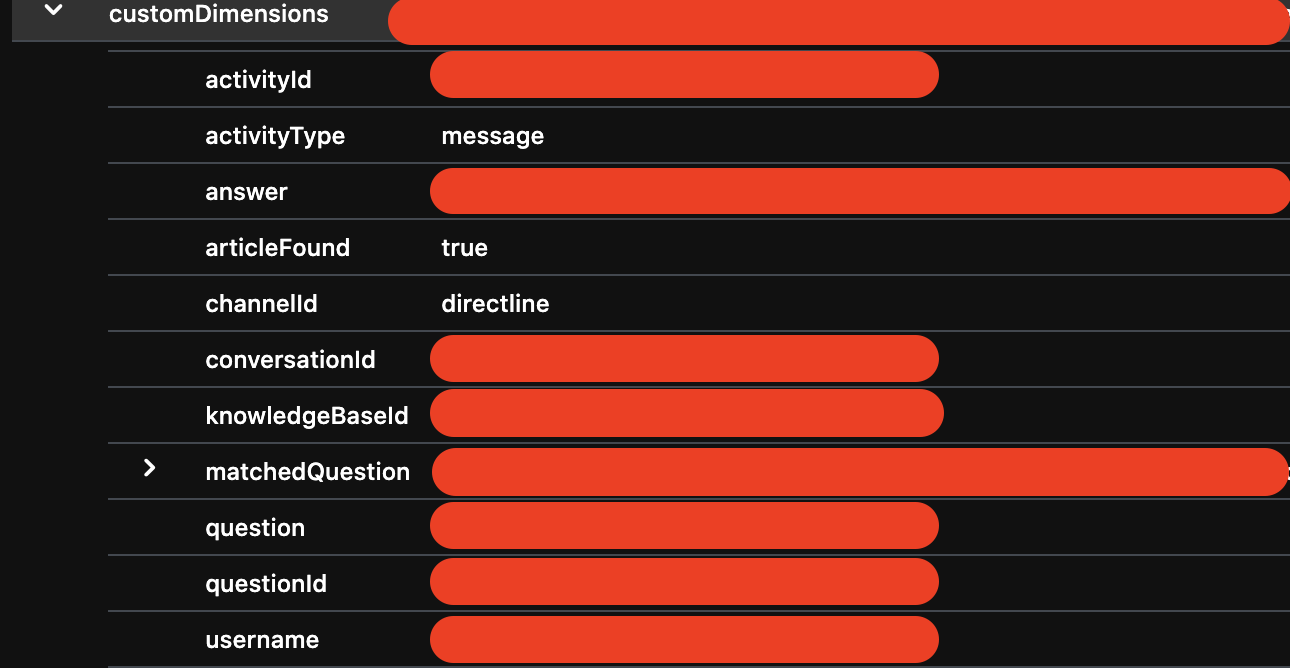
P.S. I had raised this on StackOverflow here and it was acknowledged but didn't get a solution.
 ryub3n
All 15 comments
Thank you for raising this. I will attempt a repro and see if I can track down what's going on here.
 jwiley84
on 28 Apr 2021
jwiley84
on 28 Apr 2021
Thanks, @jwiley84
In the past when I've tried digging into this, I wired up App Insights into 11.qnamaker bot like this:
// Copyright (c) Microsoft Corporation. All rights reserved.
// Licensed under the MIT License.

// index.js is used to setup and configure your bot

// Import required packages
const path = require('path');

// Note: Ensure you have a .env file and include QnAMakerKnowledgeBaseId, QnAMakerEndpointKey and QnAMakerHost.
const ENV_FILE = path.join(__dirname, '.env');
require('dotenv').config({ path: ENV_FILE });

const restify = require('restify');

// Import required bot services.
// See https://aka.ms/bot-services to learn more about the different parts of a bot.
const { BotFrameworkAdapter } = require('botbuilder');
const { ActivityTypes, TelemetryLoggerMiddleware  } = require('botbuilder-core');
const { ApplicationInsightsTelemetryClient, TelemetryInitializerMiddleware } = require('botbuilder-applicationinsights')

// The bot.
const { QnABot } = require('./bots/QnABot');

// Create adapter.
// See https://aka.ms/about-bot-adapter to learn more about adapters.
const adapter = new BotFrameworkAdapter({
    appId: process.env.MicrosoftAppId,
    appPassword: process.env.MicrosoftAppPassword
});

// Catch-all for errors.
const onTurnErrorHandler = async (context, error) => {
    // Create a trace activity that contains the error object
    const traceActivity = {
        type: ActivityTypes.Trace,
        timestamp: new Date(),
        name: 'onTurnError Trace',
        label: 'TurnError',
        value: `${ error }`,
        valueType: 'https://www.botframework.com/schemas/error'
    };
    // This check writes out errors to console log .vs. app insights.
    // NOTE: In production environment, you should consider logging this to Azure
    //       application insights. See https://aka.ms/bottelemetry for telemetry
    //       configuration instructions.
    console.error(`\n [onTurnError] unhandled error: ${ error }`);

    // Send a trace activity, which will be displayed in Bot Framework Emulator
    await context.sendActivity(traceActivity);

    // Send a message to the user
    await context.sendActivity('The bot encountered an error or bug.');
    await context.sendActivity('To continue to run this bot, please fix the bot source code.');
};

adapter.onTurnError = onTurnErrorHandler;

// Add telemetry middleware to the adapter middleware pipeline
var telemetryClient = getTelemetryClient(process.env.InstrumentationKey);
var telemetryLoggerMiddleware = new TelemetryLoggerMiddleware(telemetryClient, true);
var initializerMiddleware = new TelemetryInitializerMiddleware(telemetryLoggerMiddleware);
adapter.use(initializerMiddleware);

// Create the main dialog.
const bot = new QnABot(telemetryClient);

// Create HTTP server
const server = restify.createServer();
server.listen(process.env.port || process.env.PORT || 3978, function() {
    console.log(`\n${ server.name } listening to ${ server.url }`);
    console.log('\nGet Bot Framework Emulator: https://aka.ms/botframework-emulator');
});

// Listen for incoming activities and route them to your bot main dialog.
server.post('/api/messages', (req, res) => {
    // Route received a request to adapter for processing
    adapter.processActivity(req, res, async (turnContext) => {
        // route to bot activity handler.
        await bot.run(turnContext);
    });
});

// Enable the Application Insights middleware, which helps correlate all activity
// based on the incoming request.
server.use(restify.plugins.bodyParser());

// Creates a new TelemetryClient based on a instrumentation key
function getTelemetryClient(instrumentationKey) {
    if (instrumentationKey) {
        return new ApplicationInsightsTelemetryClient(instrumentationKey);
    }
    return new NullTelemetryClient();
}
However I had also failed to see how exactly we can query for the score property of a QnA result.
All other details of a QnA result are shoved into customDimension, which we can view just fine in App Insights in Azure, following the add telemetry to your bot docs. However as @ryub3n points out, score is specifically placed into metric, which we can't seem to figure out how to query for
When I asked Gary Pretty how to query for the result's score associated with the QnAMessage event, he said he believes we could do so using customMeasurements instead of customDimensions, however I hadn't been able to figure it out from that either
 Zerryth
on 28 Apr 2021
Zerryth
on 28 Apr 2021
Thanks @Zerryth ! I"ll give this a try.
jwiley84
on 29 Apr 2021
Goodish news!
I tested this in C#, as our current doc is written for C#, and was able to find the metric you're looking for:
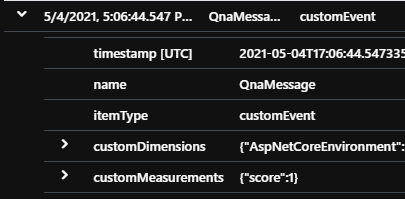
That being said, I'm now checking for parity in JS. Please standby for an answer.
jwiley84
on 4 May 2021
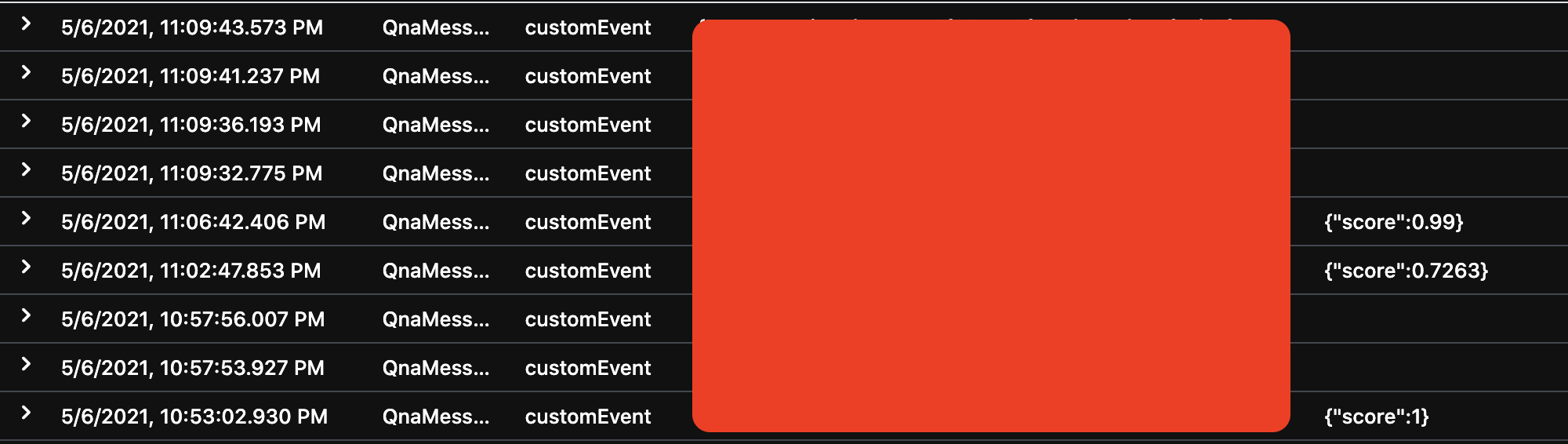
Ok. i'm able to repro your issue. The JS telemetry does not appear to pass in the customMeasurements field, which should contain the score.
As you can see from my image here, the top timestamp is the C# response, and the bottom is the JS, and they're clearly logging information differently:

jwiley84
on 4 May 2021
@joshgummersall Is it possible we're not passing in the metrics/customMeasurements on the BotTelemetryClient for QnA?
jwiley84
on 4 May 2021
@jwiley It's definitely possible! I think I found the issue. See https://github.com/microsoft/botbuilder-js/pull/3651 for details.
 joshgummersall
on 5 May 2021
joshgummersall
on 5 May 2021
Great! Can't wait to use it 🙂
ryub3n
on 5 May 2021
@ryub3n would you mind trying this version: 4.14.0-experimental.04dfe6b. If you are using any botbuilder package versions that include -preview you would replace the version with 4.14.0-preview.experimental.04dfe6b.
joshgummersall
on 5 May 2021
@joshgummersall - I tried it and It's working but I noticed that it doesn't show the score if it's below the threshold (ours is set to 0.7).
ryub3n
on 6 May 2021
@jwiley84 is this score threshold behavior consistent with .NET?
joshgummersall
on 6 May 2021
This is consistant behaviour. Setting my threshold to 0.7, and asking a question i knew would fall at 0.6, gave me the following in the emulator:

and the following in the Telemetry:

It doesn't show the score, because it doesn't show an answer, and as you can see on QnAMaker.ai, the score is attached to the answer, not the question:

jwiley84
on 6 May 2021
@ryub3n so it looks like this is expected behavior and not a bug. Omitting score entirely was indeed a bug! There will be a proper fix in the next release of the SDK.
joshgummersall
on 6 May 2021
Thank you. It would be good to have the score along with the answer for the one's that weren't answered because of the threshold. Currently we're using both the bot's logs and the qnamaker's logs to build our dashboard with the data of questions with low confidence score and other data and we'd rather prefer querying only the bot's log rather than both.
ryub3n
on 6 May 2021
@ryub3n please file an issue here using the "Feature Request" template since this is a request that would affect all the SDKs.
joshgummersall
on 6 May 2021
Related issues
 tomlm
·
3Comments
tomlm
·
3Comments
 luspac
·
9Comments
luspac
·
9Comments
 KatieProchilo
·
5Comments
KatieProchilo
·
5Comments
 VictorGrycuk
·
7Comments
VictorGrycuk
·
7Comments
 christopheranderson
·
6Comments
christopheranderson
·
6Comments