Boostnote: With v0.8.20 doesn't work save storage
Hello,
the application for mac gives me several problems, the first is that it does not load the storage, I try to create a new storage and I create it but when I close the preferences panel and I go to the dashboard I do not have it, besides if I reload the application, it disappears even from the preferences panel. Besides that, the date to fold and unfold the side panel does not work ...
I have deleted and reinstalled the application several times but I have not been able to solve the problems,
Do I have any way to go back to the previous version?
Thank you
Pilar.
 pilargmez
All 12 comments
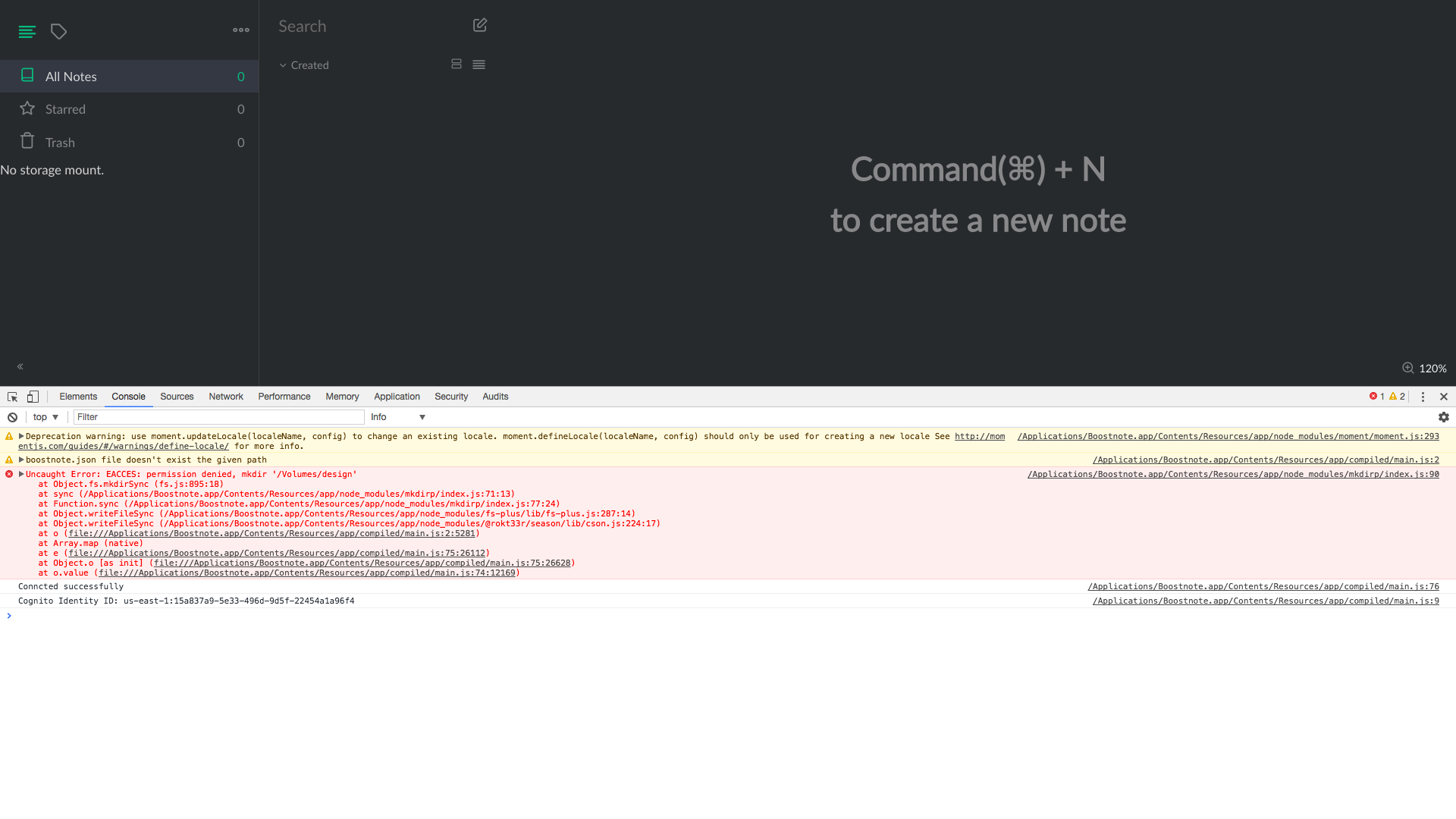
Seems your data is corrupted by some reasons. Could you open devtool and attach a screenshot of the error?
Btw, you can download the previous version from the below link.
https://github.com/BoostIO/boost-releases/releases/tag/v0.8.19
(Don't restart the app because it will be updated)
 Rokt33r
on 17 Jan 2018
Rokt33r
on 17 Jan 2018
Thank you!
This is the error in the devtool
pilargmez
on 17 Jan 2018
I just downloaded the previous version and without recharging the application, it directly gives me the same problem that I was saying ...
pilargmez
on 17 Jan 2018
Boostnote does not have access to your volume design so it cannot create the storage folder. Are your sure this volume is connected?
 mslourens
on 17 Jan 2018
mslourens
on 17 Jan 2018
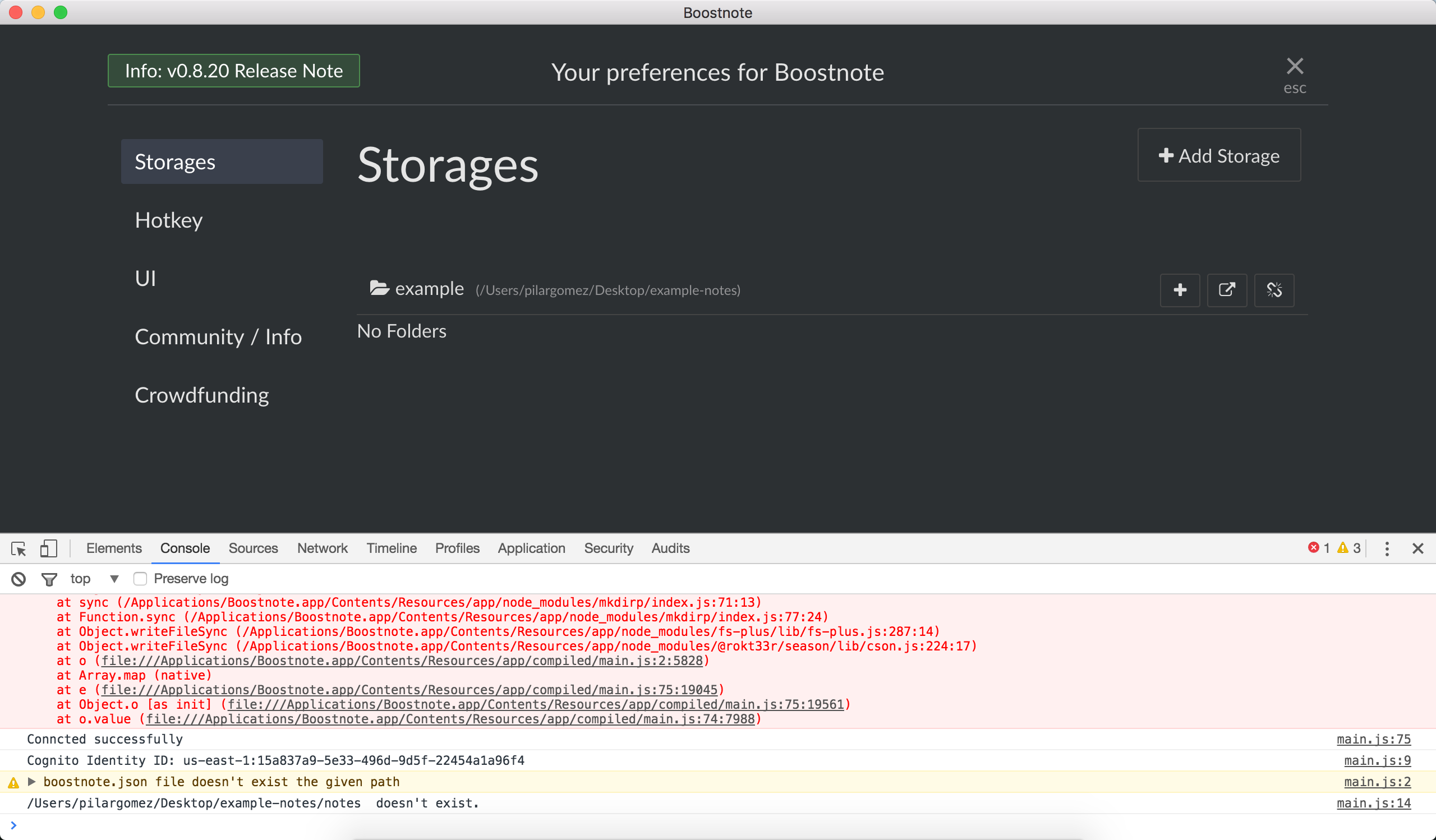
It is true that in this case I am not having access to the design folder, but when I try to add another storage that can be linked to a new folder, I create it but just after when I go to the dashboard to add a note to that storage, this is not, so, I can not create a new storage I pass a screenshot.
pilargmez
on 17 Jan 2018
I would suggest trying to remove all Boostnote config files, because it appears that Boostnote is trying to store your storage config in a file which doesn't exist. When you remove all config files, Boostnote should still be able to startup and will create new files for you in the default directory.
mslourens
on 17 Jan 2018
Ok, thank you!
can you tell me where the configuration files on mac are usually?
pilargmez
on 17 Jan 2018
it's stored in your home folder (~/Boostnote), which contains a notes folder and a config file (boostnote.json). If it's not in that folder, you should search for boostnote.json.
mslourens
on 17 Jan 2018
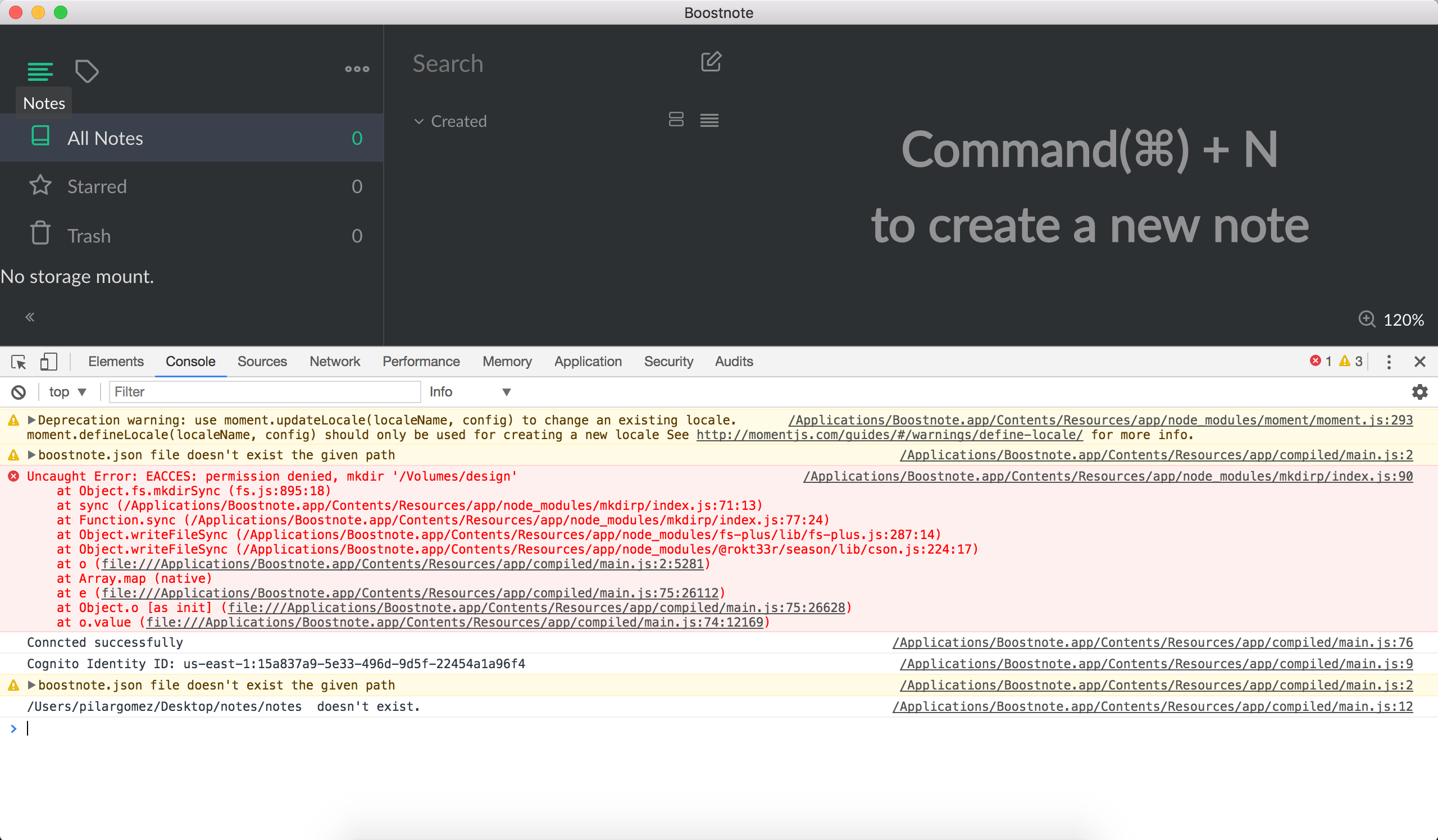
I deleted all the boostnote.json files that I had on my computer and the same thing keeps happening to me, I told a co-worker that has the application, it will update to the latest version and it has given the same error ...
pilargmez
on 17 Jan 2018
It still tries to write the config file to volumes/design. Try clearing the localStorage from the developer tools (under the Application tab).
mslourens
on 17 Jan 2018
Perfect now!! thank you! and congrats for this app, is amazing!
pilargmez
on 17 Jan 2018
You're welcome, please close the issue.
mslourens
on 17 Jan 2018
Related issues
 necan
·
3Comments
necan
·
3Comments
 NourEldin275
·
3Comments
NourEldin275
·
3Comments
 shunchuan
·
3Comments
shunchuan
·
3Comments
 lijinglue
·
3Comments
lijinglue
·
3Comments
 gavvvr
·
3Comments
gavvvr
·
3Comments
Most helpful comment
You're welcome, please close the issue.