Boostnote: Scrolling with scrollwheel doesn't work after editing markdown note
How to reproduce:
- Open a loooooong note. --> Scrolling works in the view mode, both with the scrollbar and the scrollwheel.
- Enter the edit mode.
- Make an edit that affects the markdown structure. E.g. change the level of a heading or add a bullet in a list.
- Exit the edit mode. --> Scrolling does not work with the scrollwheel, but works with the scrollbar.
- Open another note and then return to the previous one. Now scrolling works again.
Observations
- If I simply enter and exit the edit mode, there is no problem.
- If I do only trivial changes that do not involve any changes in the markdown, there is no problem.
Versions
Boostnote: 0.8.11 (I also noticed this in 0.8.10 and maybe it was introduced in 0.8.10 or in a recent previous version).
Platform: Ubuntu 16.04 64bit.
 MakisH
All 15 comments
Hi @MakisH , thanks for your reporting!
It did not reproduce in my dev environment.
Boostnote v0.8.11 / macOS 10.12.3
Would you please attach a movie or gif?
 kazup01
on 5 Jul 2017
kazup01
on 5 Jul 2017
This seems to be the same issue discussed in #170
I can also reproduce it.
 AlexEshoo
on 5 Jul 2017
AlexEshoo
on 5 Jul 2017
Here is a short video:
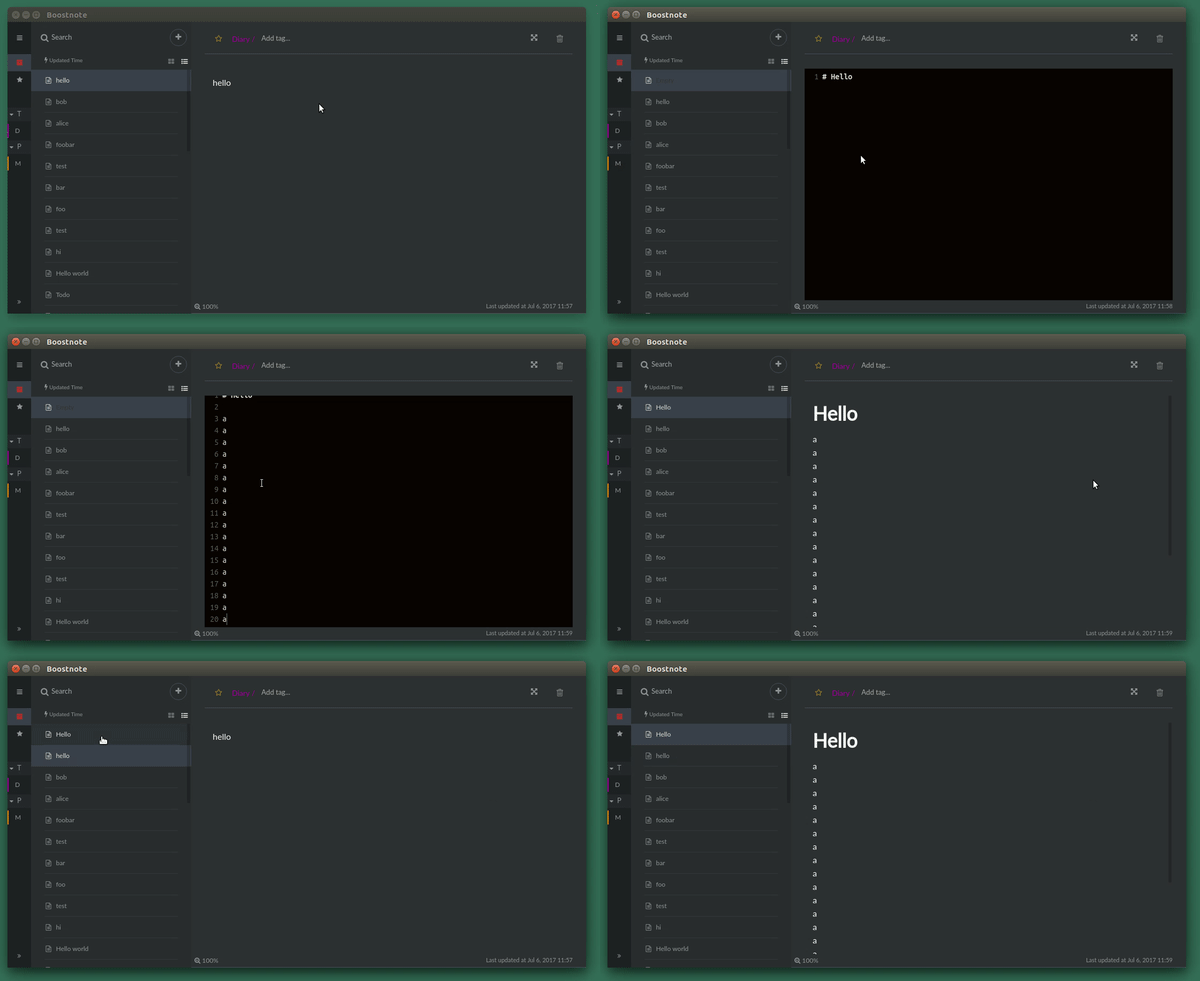
Now that I see #170 closer, it looks like it's the same or very similar issue. Except that for me scrolling works in editing mode.
MakisH
on 6 Jul 2017
Thanks for your cooperation @MakisH ! I will fix it.
kazup01
on 6 Jul 2017
Hi, any updates on this? :)
 Mindstormer619
on 24 Oct 2017
Mindstormer619
on 24 Oct 2017
I still have this issue in 0.8.15. I think this is an important issue, because it occurs almost every time a user edits a note (at least for my setup).
I noticed that you try to draw attention to some issues with the "Hacktoberfest" label. I suggest that you draw also some attention on this issue with this tag.
MakisH
on 27 Oct 2017
For now I have a quick-n-dirty fix that I use as a fast "refresh" mechanism. You need to have at least two notes in the folder for this to work.
- Edit your note.
- Exit the editor using
Ctrl + W - Quickly type
Ctrl + JthenCtrl + K. This will take you to the next and then back to your current note quickly, forcing the refresh. You can leave your finger on theCtrlkey and just hitJthenKin quick succession. - Note is refreshed. Now you can scroll 😄
Granted, this does not fix the issue at hand. It is, however, a workable alternative for the time being.
Mindstormer619
on 27 Oct 2017
I'm sorry to have kept you guys waiting so long in the wrong UX.
I've fixed it just now. #1149
We will update to v0.8.17 in this week. Thank you for waiting!
kazup01
on 21 Nov 2017
v0.8.17 is out!
kazup01
on 25 Nov 2017
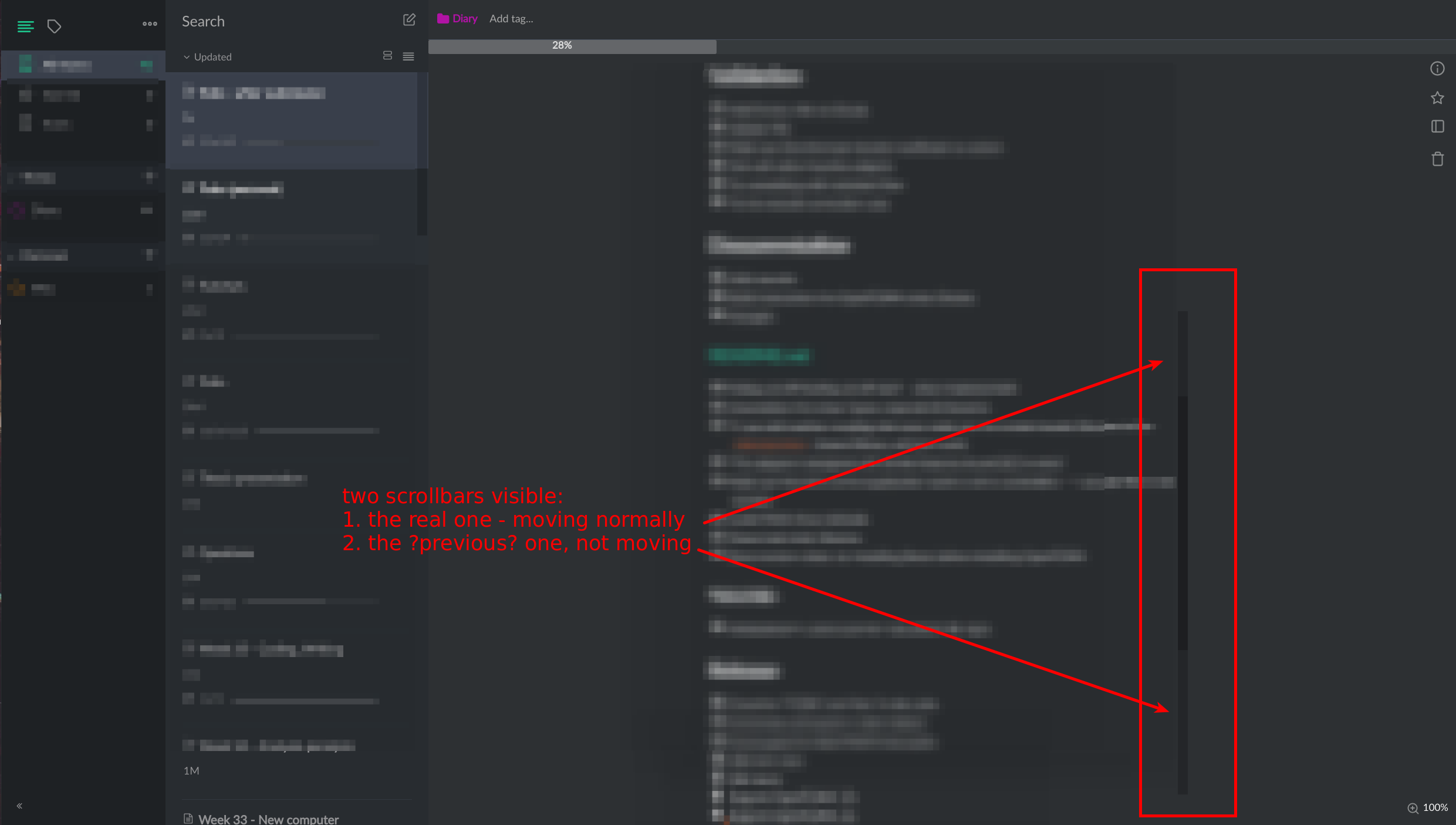
@kazup01: Almost there...! Scrolling is working, however I get two scrollbar thumbs after exiting the edit mode:
Maybe related to #1174, #1175, #1091.
MakisH
on 26 Nov 2017
Thanks @MakisH , I will fix it.
kazup01
on 28 Nov 2017
Hi @MakisH , how about this layout?
https://github.com/BoostIO/Boostnote/issues/1173#issuecomment-346989681
kazup01
on 30 Nov 2017
@kazup01 I am not sure I understand what I should see. The problem I mentioned above is with the scrollbars, not with the layout. :-) As soon as the scrollbar is ok, everything else is another issue.
MakisH
on 30 Nov 2017
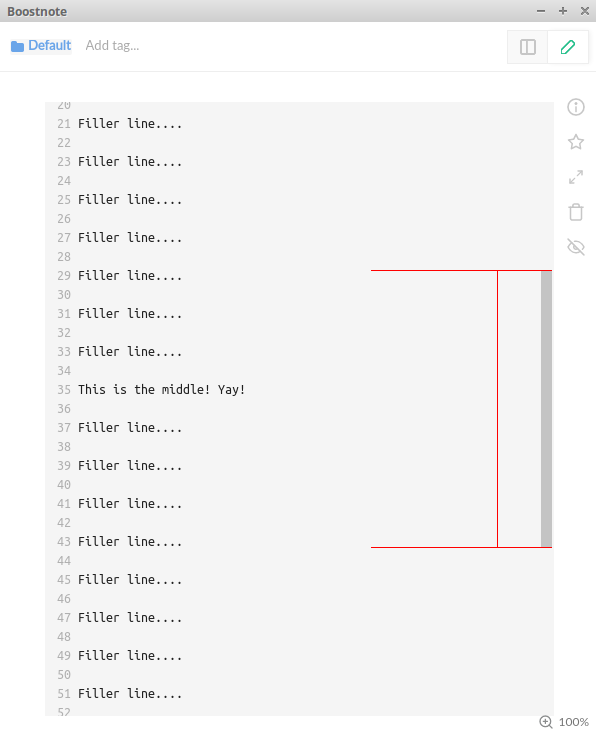
@kazup01 I'm not sure what the status is on this, but I just installed 0.8.19 and got the same issue MakisH is talking about. It looks like the scrollbar from the edit mode is still visible in the preview mode (but, we can use the scroll wheel now!!!).
Here's what I mean for visual reference. (Red = edit scrollbar, Green = preview scrollbar)
In edit mode:
In preview mode (scrolled to top):
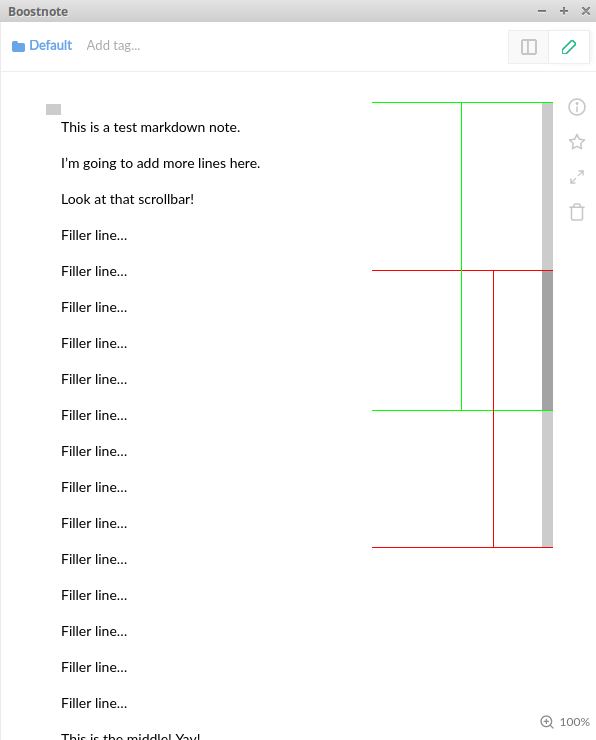
In preview mode (scrolled to bottom):
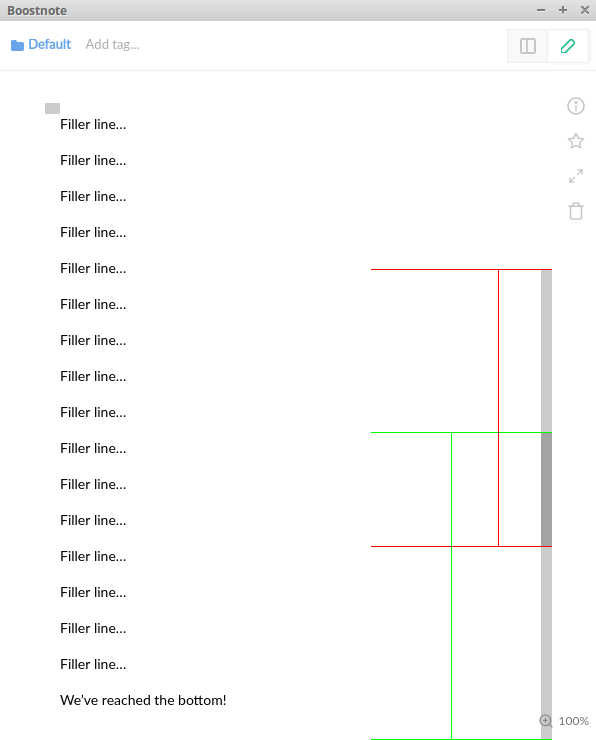
I hope this helped clarify what the issue was. Thanks for all of your hard work!
 WazzaSoft
on 9 Jan 2018
WazzaSoft
on 9 Jan 2018
In 0.8.20 on Ubuntu it looks mostly fixed for me! The underlying scrollbar is still shown in the beginning, but disappears instantly after I start scrolling.
MakisH
on 15 Jan 2018
Related issues
 croulibri
·
3Comments
croulibri
·
3Comments
 gavvvr
·
3Comments
gavvvr
·
3Comments
 ysshah
·
3Comments
ysshah
·
3Comments
 NonlinearFruit
·
3Comments
NonlinearFruit
·
3Comments
 luong-komorebi
·
3Comments
luong-komorebi
·
3Comments
Most helpful comment
Thanks for your cooperation @MakisH ! I will fix it.