Blueprint: How can I interact with multiple open drawers at once?
Environment
- __Package version(s)__: @blueprintjs/core: 3.13.0
- __Browser and OS versions__: MacOS 10.14.2, Chrome Version 72.0.3626.96 (Official Build) (64-bit)
Question
We have a requirement to have multiple drawers open at once, say top and bottom header/footer editors. However they both open with their own portals. Even though it's transparent, the footer portal covers the header drawer, swallowing all interaction events.
How can we configure the drawers to ensure they're both interact-able?
 mltejera
All 8 comments
Looks like I was able to get this solved. For posterity:
On the drawer that receives events, you need to let the events pass through.
I created a style:
.pass-through-portal {
  pointer-events: none;
}
And assigned it to:
portalClassName={'pass-through-portal'}
However that also lets events fall through the dialog, where you want users to be able to interact.
So in the style for the drawer, I set:
.footer-editor-drawer {
  pointer-events: all;
}
and assign it to the drawer itself:
<Drawer
   className={`footer-editor-drawer`}
   portalClassName={'pass-through-portal'}
   .../>
Thanks for raising the issue... I don't think that pointer-events workaround is clean enough to declare this a "supported" feature...
But, stepping back a bit, I wonder if this is a design choice we actually want to support in Blueprint-based interfaces (multiple drawers open at once in different locations). @pkwi any thoughts?
 adidahiya
on 12 Feb 2019
adidahiya
on 12 Feb 2019
Internally, we don't have any use cases with multiple drawers open at once. So, it wasn't our goal to enable this feature.
However, I can see how this can be a requirement in some cases, so yes, it would be great if this is a supported future in Blueprint.
 pkwi
on 13 Feb 2019
pkwi
on 13 Feb 2019
hot take here - Drawer is meant to cover the UI (hence the use of overlays & portals & backdrops) so there shouldn't really be more than one in focus at a time. sounds like @mltejera wants a multi-panel UI, which is trivially built (and animated) with CSS flex.
 giladgray
on 13 Feb 2019
giladgray
on 13 Feb 2019
Yeah - @giladgray, our use case is to have drawers more within the app, rather than on top of. We're hijacking dialogs and not using them for their intended purpose, but it gets the job done. And correct, we were able to achieve what we wanted via simple styling.
Still, our solutions feel a little hacky, and built in support would be much appreciated.
mltejera
on 14 Feb 2019
I would be interested in this as well.
Again, I'm also looking to use it for a multi panel UI with a collapsible drawer that will not stop you from interacting with the main UI (think something like the terminal drawer in VSCode for example). I understand that was not the intent of this component, but the current drawer component already comes with a long list of configuration options that are perfect for my use case, so it feels a bit frustrating if I need to build the same thing just without an overlay.
 zkwsk
on 7 Apr 2020
zkwsk
on 7 Apr 2020
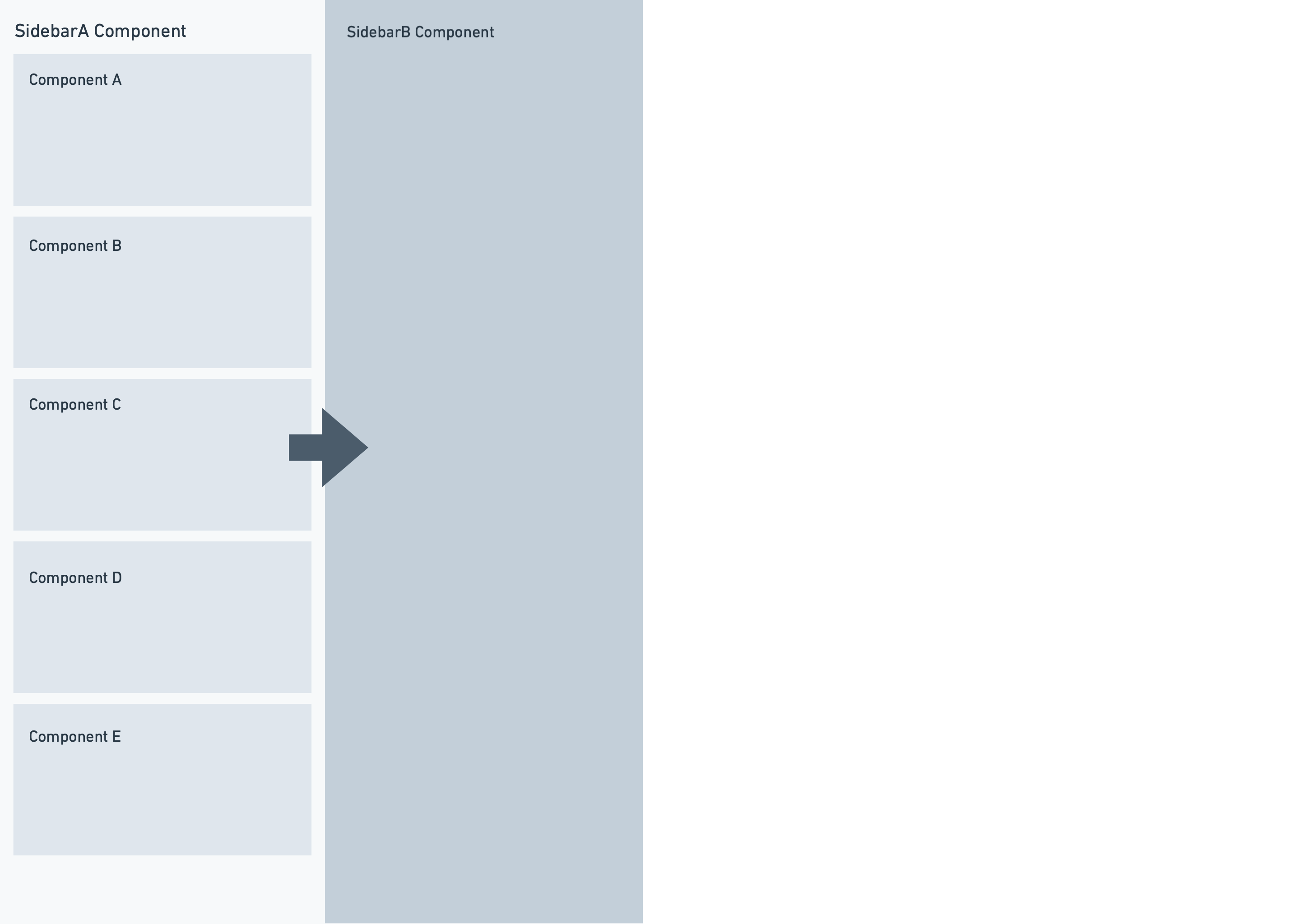
I've got a similar scenario as well. I would love to get input from folks here. I use the Drawer component to render SidebarA & SidebarB. My target is for content in SidebarB to update as selection is SidebarA is selected.
 kudigaracoder
on 8 Jun 2020
kudigaracoder
on 8 Jun 2020
@kudigaracoder Were you able to find any solution on your use case? or perhaps a different library?
 jaymendez
on 4 Feb 2021
jaymendez
on 4 Feb 2021
Related issues
 vinz243
·
3Comments
vinz243
·
3Comments
 tgreenwatts
·
3Comments
tgreenwatts
·
3Comments
 Goddak
·
3Comments
Goddak
·
3Comments
 havesomeleeway
·
3Comments
havesomeleeway
·
3Comments
 mdebeus
·
3Comments
mdebeus
·
3Comments
Most helpful comment
Internally, we don't have any use cases with multiple drawers open at once. So, it wasn't our goal to enable this feature.
However, I can see how this can be a requirement in some cases, so yes, it would be great if this is a supported future in Blueprint.