Blokada: I want to hide Blokada from the recent apps to avoid accidently stop Blokada from MIUI
Actual behaviour
I am a MIUI user, and I couldn't swipe it away from my multi-task menu or it will be wholely killed by the system, then the VPN will be not working. I know I can PIN it and set background mode to unlimited, but I still couldn't swipe it away or it still stops, it didn't happens on my old HTC Desire 650 and HTC One X9.
Expected behaviour
To hide Blokada from the multi-task menu.
I think this may be a good way to do it.
(But I don't know how to do it😅)
Steps to reproduce
Swipe Blokada away from the multi-task menu.
(I have the habit to keep multi-task menu empty)
Configuration
- Blokada version: 4.4.4
- Device model: Redmi Note 3 (Qualcomm)
- Android version / ROM: Android 6.0.1 /MIUI 10.2.1
Questions
Do you know about recent updates (for example system update, security patch update)?
NoHow often does this problem happen to you?
Every time I swipe Blokada away accidently on my Redmi phone
 iambjlu
All 3 comments
I had similar problem on MIUI.
It was a battery setting for me, I dont remember exactly now...
Are you sure you haven't enabled any limitations in settings?
I'm on MIUI 11 now, so maybe it's different.
But check:
- Autostart
- Background settings
- Battery optimization
- Notifications
- Doze
- Energy Saving
- VPN always connected
- MIUI optimization.
- Security app
There are a lot of configurations, i cant remember what i changed sorry. I hope you find.
That's because miui force close apps in background.
 And96
on 3 May 2020
And96
on 3 May 2020
Actual behaviour
I am a MIUI user, and I couldn't swipe it away from my multi-task menu or it will be wholely killed by the system, then the VPN will be not working. I know I can PIN it and set background mode to unlimited, but I still couldn't swipe it away or it still stops, it didn't happens on my old HTC Desire 650 and HTC One X9.
Expected behaviour
To hide Blokada from the multi-task menu.
I think this may be a good way to do it.
(But I don't know how to do it😅)Steps to reproduce
Swipe Blokada away from the multi-task menu.
(I have the habit to keep multi-task menu empty)Configuration
1. Blokada version: 4.4.4

2. Device model: Redmi Note 3 (Qualcomm)

3. Android version / ROM: Android 6.0.1 /MIUI 10.2.1
Questions
1. Do you know about recent updates (for example system update, security patch update)?
   No

2. How often does this problem happen to you?
   Every time I swipe Blokada away accidently on my Redmi phone
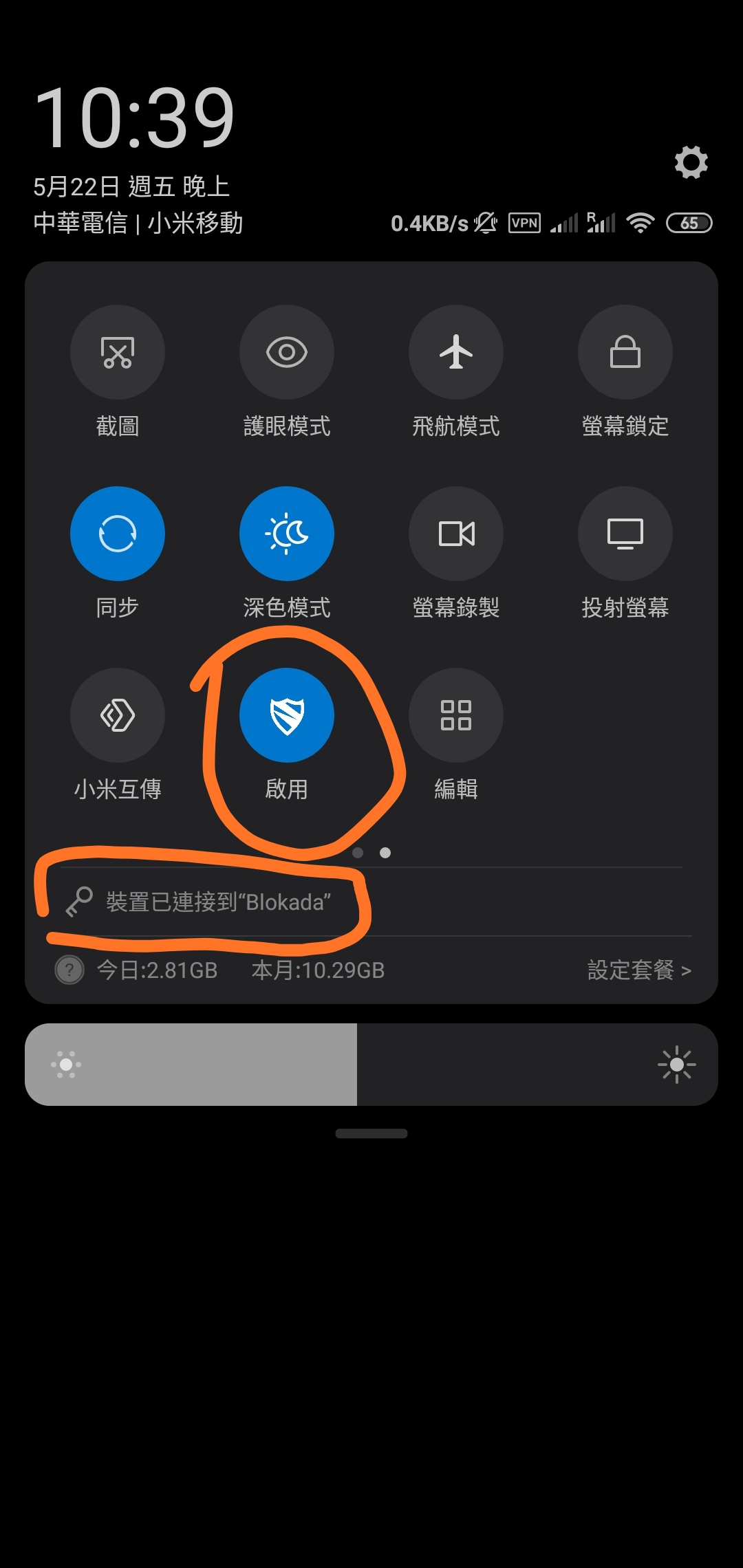
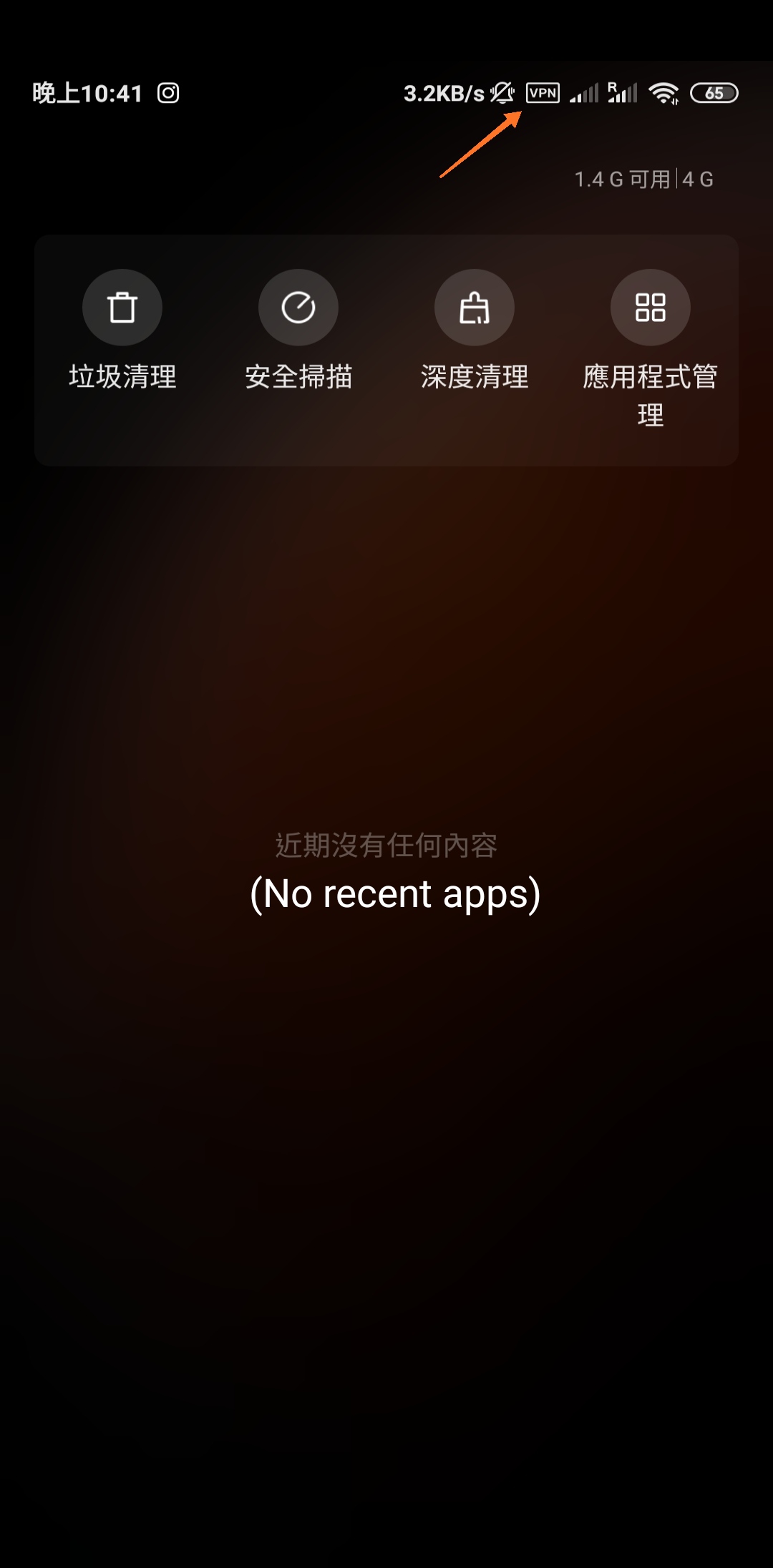
use quick toggle for enabling,then you can remove it from recent apps
 berlin46
on 22 May 2020
berlin46
on 22 May 2020
Thank you for your suggestion!
It finally works on my Redmi Note 6 Pro(MIUI 11/Pie)
But I don't think it can works as same as on my Redmi Note 3(MIUI 10/Marshmallow) because Android 6 doesn't support custom toggles
iambjlu
on 22 May 2020
Related issues
 JosefJezek
·
4Comments
JosefJezek
·
4Comments
 immanuelfodor
·
6Comments
immanuelfodor
·
6Comments
 tungmilan
·
3Comments
tungmilan
·
3Comments
 androidacybot
·
8Comments
androidacybot
·
8Comments
 thecyberd3m0n
·
9Comments
thecyberd3m0n
·
9Comments
Most helpful comment
Thank you for your suggestion!
It finally works on my Redmi Note 6 Pro(MIUI 11/Pie)
But I don't think it can works as same as on my Redmi Note 3(MIUI 10/Marshmallow) because Android 6 doesn't support custom toggles