Blog-plugin: Problem with "published date" selector
Hi.
I've created an admin user for my client, to create blog posts, with "Publisher" role and only these permissions allowed:
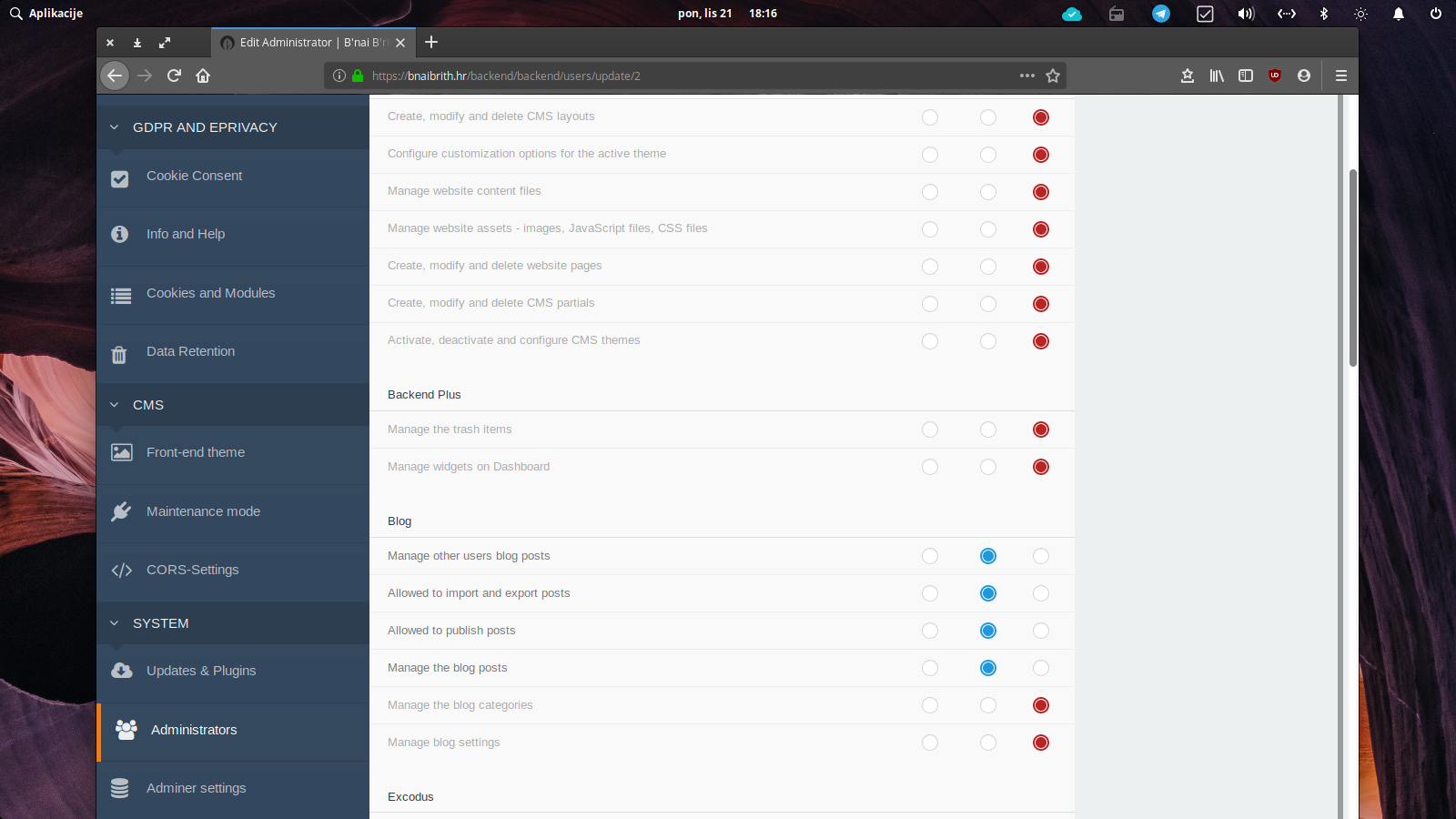
Now my client has an issue with the "Published date" selector - it doesn't work. It seems that that new user doesn't have permission to load storm-min.js:
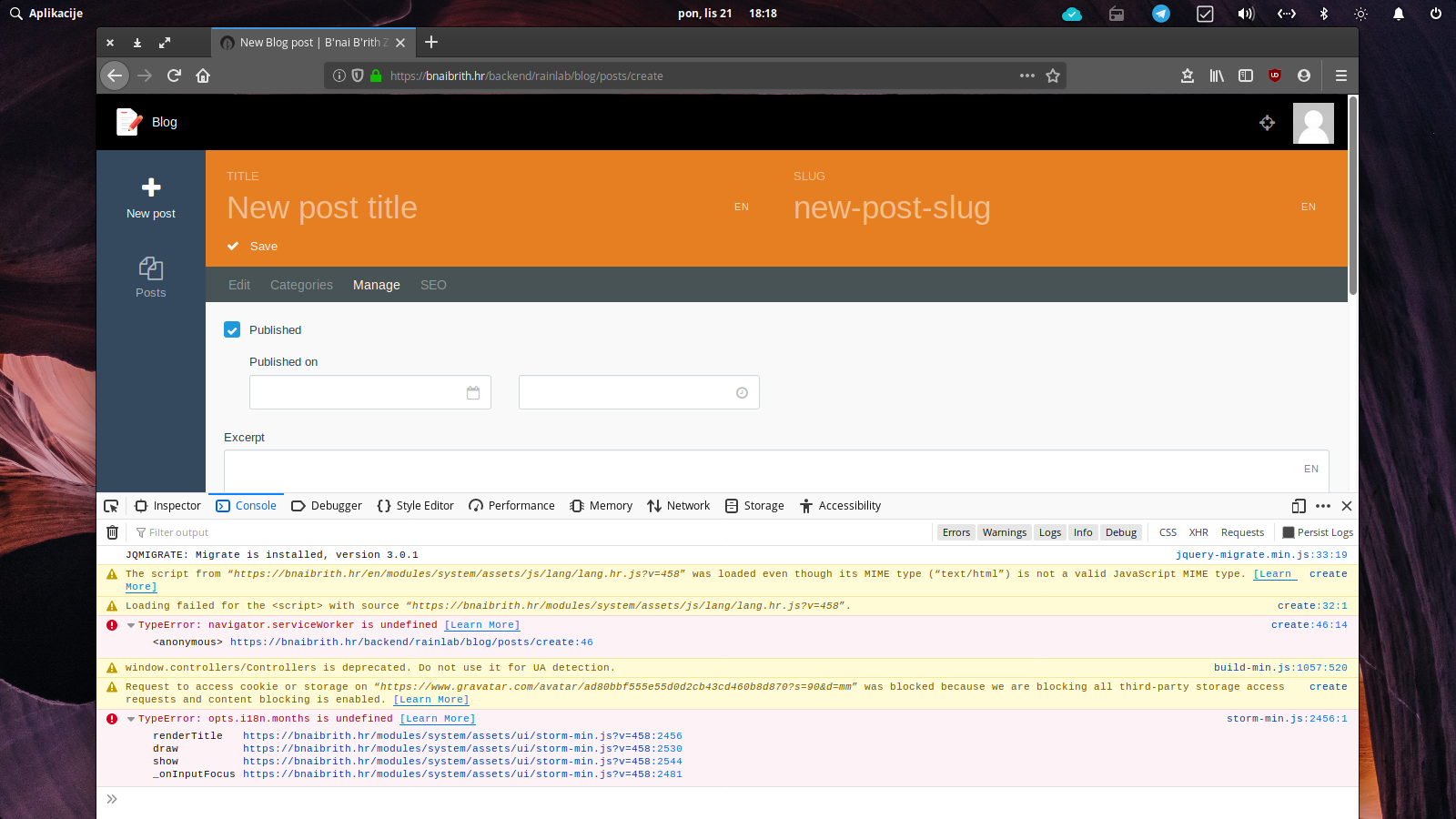
When I log in, as a super admin, everything works and there is no error message in the console. OK, navigator.serviceWorker error is there and I don't know what it is, but it's not in the way and it does not affect date selector.
Thank you for your time and effort.
Cheers.
 WebShapedBiz
All 11 comments
UPDATE:
Even adding the superuser rights to my Publisher administrator I cannot get a "published date" selector to work, and this is making my client angry as hell since I'm doing all the publishing at the moment.
What is interesting that when I'm impersonating this Publisher administrator, everything works fine.
Could somebody please at least share some ideas about this issue?
WebShapedBiz
on 30 Oct 2019
@WebShapedBiz can you try run php artisan october:util compile assets in your command line where the site is hosted, and see if that makes a difference?
 bennothommo
on 30 Oct 2019
bennothommo
on 30 Oct 2019
Thank you so much @bennothommo for your reply. Unfortunately, nothing has changed. It seems that Pikaday has an issue with i18n (see my screenshot with an error). I can create a more elaborate screencast with this issue. I also observed that there are some issues reported on GitHub regarding
Pikaday and i18n on some other projects.
To recapitulate:
- The latest version of OctoberCMS and all plugins, on 30th October 2019.
- Primary language EN and another HR (Croatian) which is not added as a backend language in CMS nor any plugin, only as a second site language via Translate plugin.
- Rainlab Blog plugin and Sensit BlogDisplayDate plugin as an extension of Rainlab Blog, adding another date field that I use for event announcements.
- Only me as an installation creator and first admin/superuser can see both dates selectors (date published and another date from BlogDisplayDate plugin) when creating or editing blog posts.
- I cannot create any type of user with any permissions/groups setup that could see the date selectors in a blog post.
- I and all other users can see the time selector in Date Published, which again points to Pikaday and i18n issue since time selector doesn't use i18n, as I can understand.
- If I impersonate any other user I can see the date selector, no issues whatsoever.
Please help me out here with this puzzling issue.
WebShapedBiz
on 30 Oct 2019
@bennothommo @WebShapedBiz is this because the Translate plugin is setting the locale to HR (Croatian), which might not exist as a backend locale? @WebShapedBiz if you use the account of the client and set their backend preference to use the english locale does that resolve the issue?
 LukeTowers
on 30 Oct 2019
LukeTowers
on 30 Oct 2019
Thank you @LukeTowers for joining in.
The backend preference was never changed from the English locale, but I was thinking that this may be the reason behind the issue, so I've copied lang.php file from en folder to hr folder in both CMS and Blog plugin to try to "fool" the system to think there is a Croatian locale, while leaving the backend locale to English.
It didn't work. It's so frustrating because I cannot see the logic behind it. It works for impersonated users but not for actual logged-in user :-(
WebShapedBiz
on 30 Oct 2019
@WebShapedBiz try setting it explicitly to another locale then, note that there's also a client side localization file that would be used by pickadate that wouldn't be generated from just copying over the lang.php file.
LukeTowers
on 30 Oct 2019
@LukeTowers we could add a fallback option to a default locale if the chosen language is not supported in pickaday.js:opts.i18n: https://github.com/octobercms/october/blob/fb2aa1730cc08e8563908b54b70e942bd2988f5e/modules/system/assets/ui/vendor/pikaday/js/pikaday.js#L244
_wrong link was :)_
 w20k
on 30 Oct 2019
w20k
on 30 Oct 2019
@LukeTowers you pointed me to the right direction and it's working now :-D
- When creating a new "Publisher administrator", OctoberCMS is not setting a locale for that user to be the same locale that the Admin is having, and it is not asking which locale to set. Unfortunately, for some reason, the locale for each new administrator is set the "Bahasa Indonesia" by default, or maybe not set at all, and OctoberCMS is automatically picking the first one from the list if it is a mandatory field.
- As I didn't want my client to do anything with the system except writing blog posts, I've denied "Manage backend preferences" permission.
- For that reason, I was unable to see which locale my new administrator has because it is not visible from the "New administrator" form in the backend, and also, logged as a new administrator, I didn't have the access to backend preferences.
- When I allowed "Manage backend preferences" permission and logged in as a new administrator I was able for the first time to see what locale is set for this user - and it was "Bahasa Indonesia". Changing that to English (United States) solved everything.
I'm not an expert here, but all this could be avoided if the system makes mandatory to set a locale for each new administrator. At least one could be aware of that information, instead of chasing it around.
Thank you again @LukeTowers @w20k @bennothommo for your time and effort helping me.
WebShapedBiz
on 30 Oct 2019
@WebShapedBiz check the value of app.locale, users should be defaulting to that: https://github.com/octobercms/october/blob/master/config/app.php#L78. The backend locale shouldn't have to be set on a user unless it's going to be different from the main one.
LukeTowers
on 30 Oct 2019
This was my app.locale:
```/*
|--------------------------------------------------------------------------
| Application Locale Configuration
|--------------------------------------------------------------------------
|
| The application locale determines the default locale that will be used
| by the translation service provider. You are free to set this value
| to any of the locales which will be supported by the application.
|
*/
'locale' => 'hr',

/*
|--------------------------------------------------------------------------
| Application Fallback Locale
|--------------------------------------------------------------------------
|
| The fallback locale determines the locale to use when the current one
| is not available. You may change the value to correspond to any of
| the language folders that are provided through your application.
|
*/

'fallback_locale' => 'en',
```
Was that where I've scr*d up?
WebShapedBiz
on 30 Oct 2019
@WebShapedBiz yup. If hr doesn't exist as a locale in October then you shouldn't be setting it there. Set it to en instead, the translation plugin will still work.
LukeTowers
on 30 Oct 2019
Related issues
 sabuz
·
5Comments
sabuz
·
5Comments
 rowild
·
4Comments
rowild
·
4Comments
 nycparking
·
7Comments
nycparking
·
7Comments
 rickmills
·
5Comments
rickmills
·
5Comments
 dnlnrs
·
3Comments
dnlnrs
·
3Comments
Most helpful comment
@LukeTowers you pointed me to the right direction and it's working now :-D
I'm not an expert here, but all this could be avoided if the system makes mandatory to set a locale for each new administrator. At least one could be aware of that information, instead of chasing it around.
Thank you again @LukeTowers @w20k @bennothommo for your time and effort helping me.