Hi,
I started a project for managing some stores,
my project structure is like this:
i'v a home page that contains a list of stores and a button for creating new store
when user click on button we navigate him to second screen (with Navigator.push method)
and there he/she will create the store and after submitting the form we will redirect him to first page with (Navigator.pop method)
I've a bloc named as StoreBloc in first screen, i passed it to second screen with constructor argument
now the problem is, when i navigate back to the first screen and click on button and navigate to second screen, i cant create new store, it seems bloc dismissed, and no event fired and no state is changed,
can anybody help me what's the problem?
and another question is :
I need to refresh list of stores in first page after creating new store in second page(just after navigator.pop method), how can i achieve this?
 farrokhpey
All 8 comments
Can you show us an example of your code?
 tenhobi
on 21 Oct 2019
tenhobi
on 21 Oct 2019
Can you show us an example of your code?
it's too dirty :'(
farrokhpey
on 21 Oct 2019
first screen wdget definition:
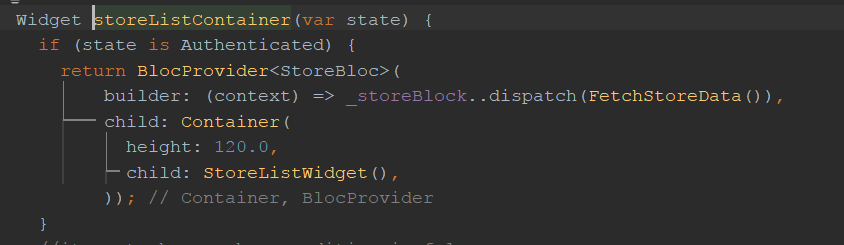
widget definition:
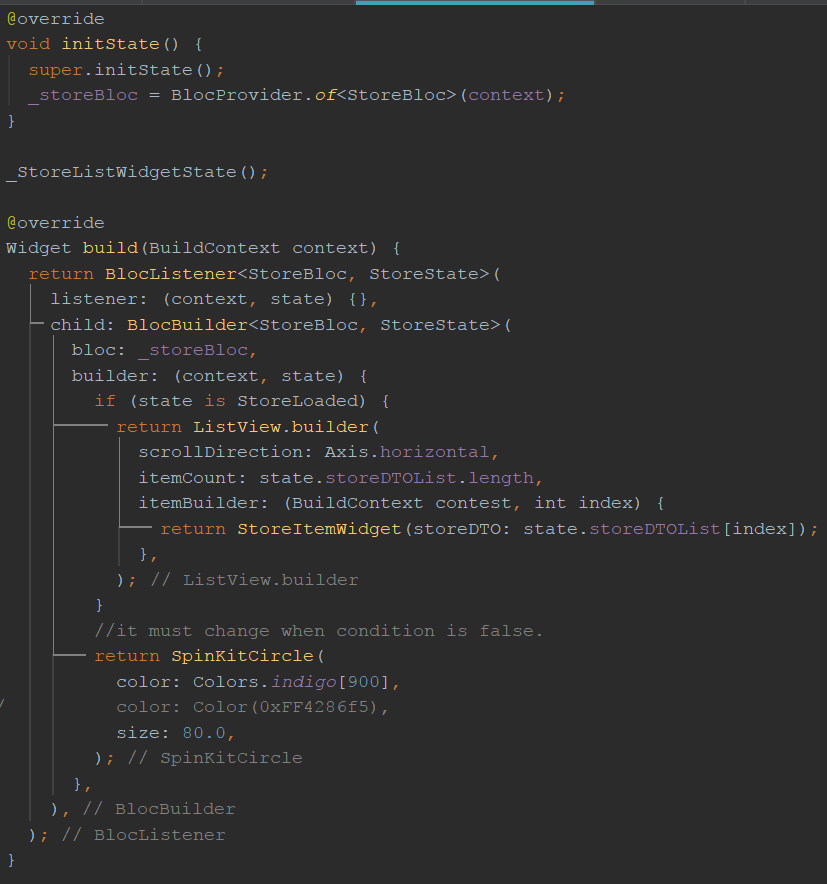
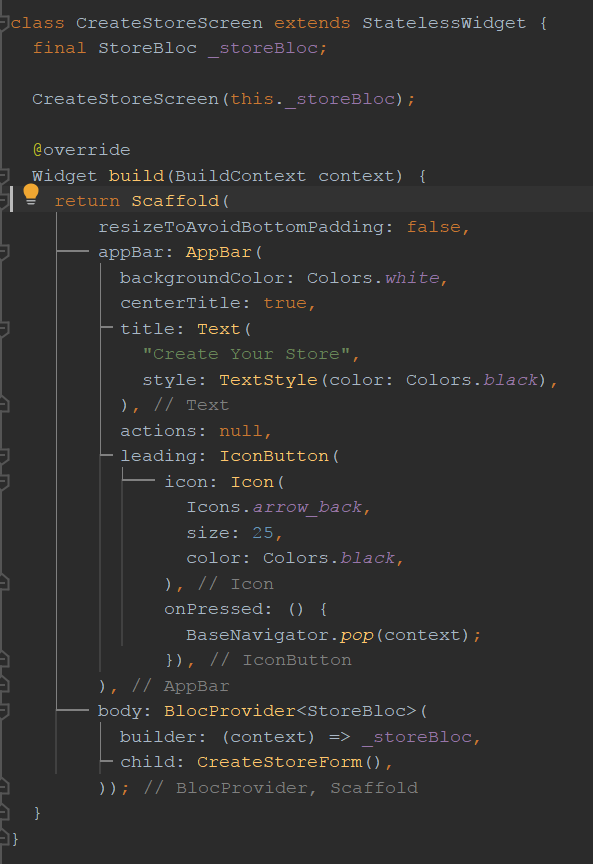
second screen definition:
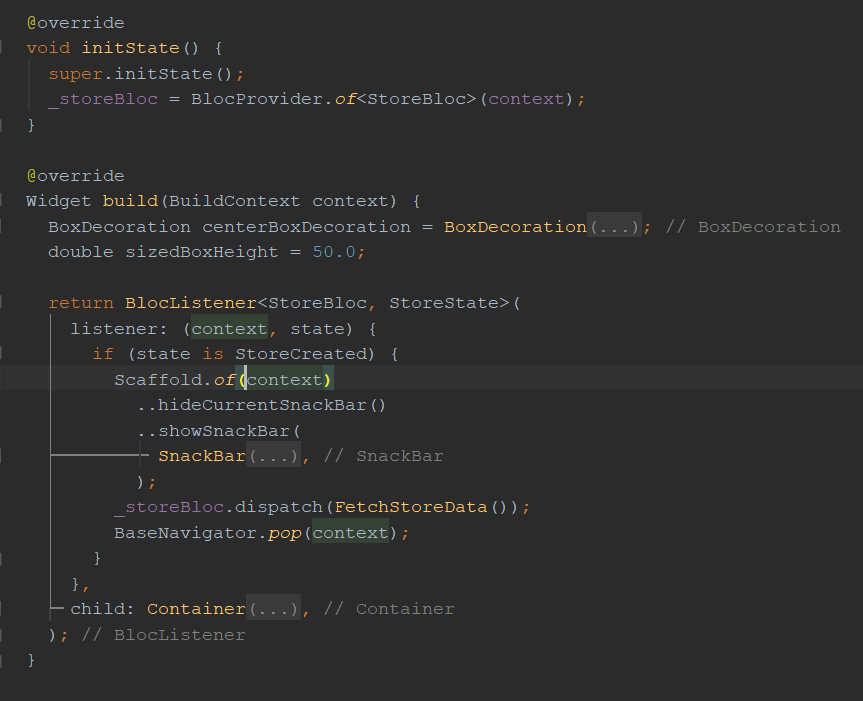
second screen form:
farrokhpey
on 21 Oct 2019
Hi @farrokhpey 👋
Thanks for opening an issue!
The problem is BlocProvider automatically disposes/closes the bloc when BlocProvider itself is disposed. In your setup, when the second screen is disposed, it will also call dispose/close on the store bloc which makes it unusable on the first screen.
You should use BlocProvider.value everywhere where you are providing an existing bloc because BlocProvider.value does not automatically close the bloc. You can read more about this in the bloc access recipe.
Hope that helps 👍
 felangel
on 21 Oct 2019
felangel
on 21 Oct 2019
@felangel thank you for your response
but still there was another question
I need to refresh list of stores in first page after creating new store in second page(just after navigate back to first page with navigator.pop method), how can i achieve this?
farrokhpey
on 22 Oct 2019
@farrokhpey you just need to change your nested BlocProvider to use BlocProvider.value and make sure that only the top-most BlocProvider is using a builder to create a new instance of the bloc. That way you avoid having the bloc automatically be closed by BlocProviders even when it is still needed. Hope that helps 👍
felangel
on 22 Oct 2019
@felangel ,my problem is: i need to change state of main storeBlock in first page from second page, do you understand what i need?i need to access first page block from second page :(
farrokhpey
on 23 Oct 2019
@farrokhpey yes I understand. You just need to use BlocProvider(builder: (context) => StoreBloc()..dispatch(FetchStoreData(), child: StoreListWidget())
Then in your second screen use BlocProvider.value(value: BlocProvider.of
Like I mentioned above please refer to the bloc access recipe for more information.
felangel
on 23 Oct 2019
Related issues
 timtraversy
·
3Comments
timtraversy
·
3Comments
 krusek
·
3Comments
krusek
·
3Comments
 tigranhov
·
3Comments
tigranhov
·
3Comments
 1AlexFix1
·
3Comments
1AlexFix1
·
3Comments
 nerder
·
3Comments
nerder
·
3Comments
Most helpful comment
@farrokhpey yes I understand. You just need to use BlocProvider(builder: (context) => StoreBloc()..dispatch(FetchStoreData(), child: StoreListWidget())
Then in your second screen use BlocProvider.value(value: BlocProvider.of(context), child: CreateStoreForm()).
Like I mentioned above please refer to the bloc access recipe for more information.