Describe the bug
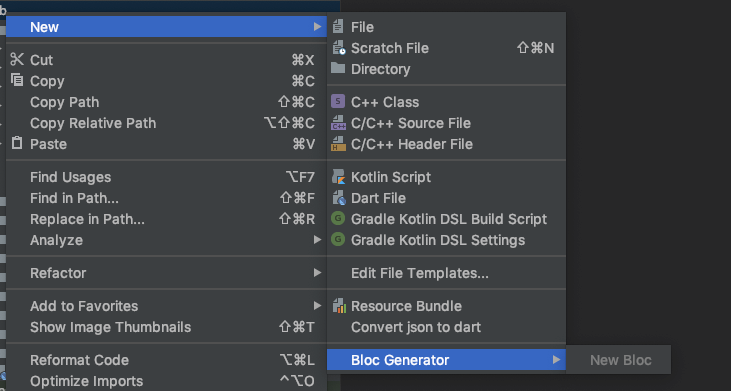
Right click on any folder, New -> Bloc Generator -> New Bloc is always disabled.
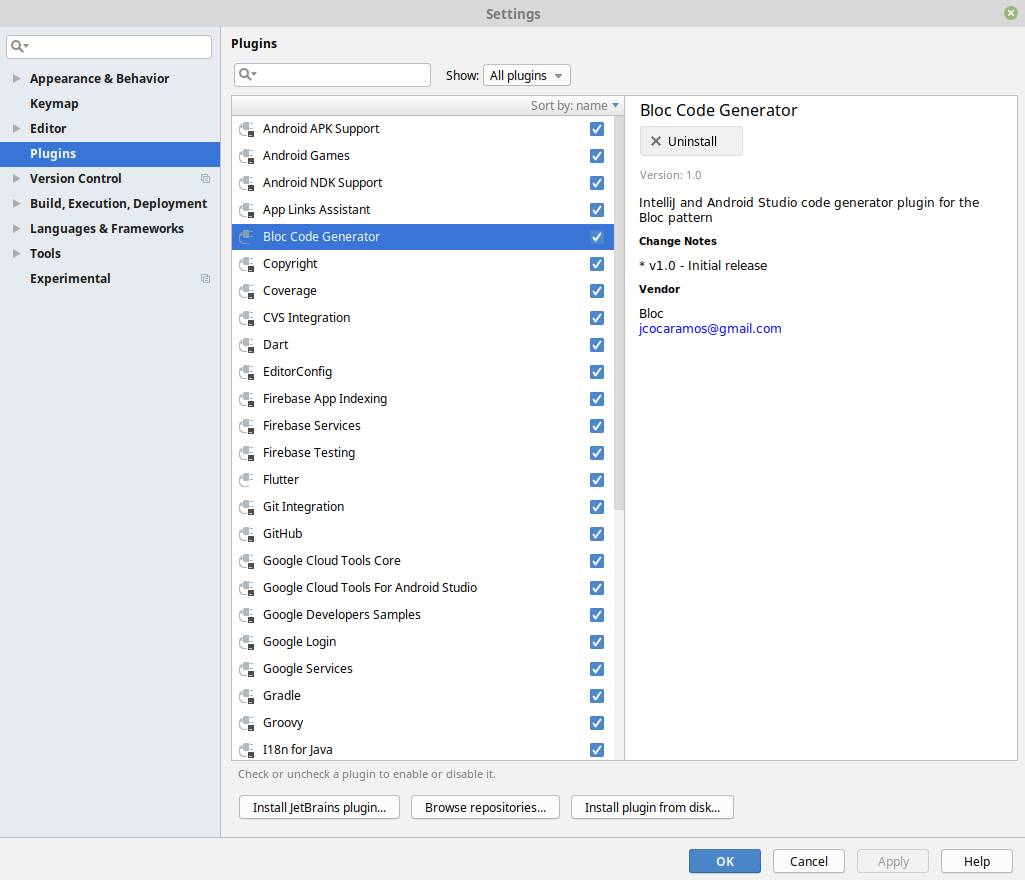
Android Studio 3.3.2
Build #AI-182.5107.16.33.5314842, built on February 15, 2019
JRE: 1.8.0_152-release-1248-b01 amd64
JVM: OpenJDK 64-Bit Server VM by JetBrains s.r.o
Linux 4.15.0-46-generic
Awesome work, guys =)
 vendramini
All 16 comments
@vendramini thanks for reporting this! 💯
@jorgecoca have you been able to test the published plugin? I need to update my Android Studio still but I'll try to do that later this evening and see if I can reproduce this.
 felangel
on 22 Mar 2019
felangel
on 22 Mar 2019
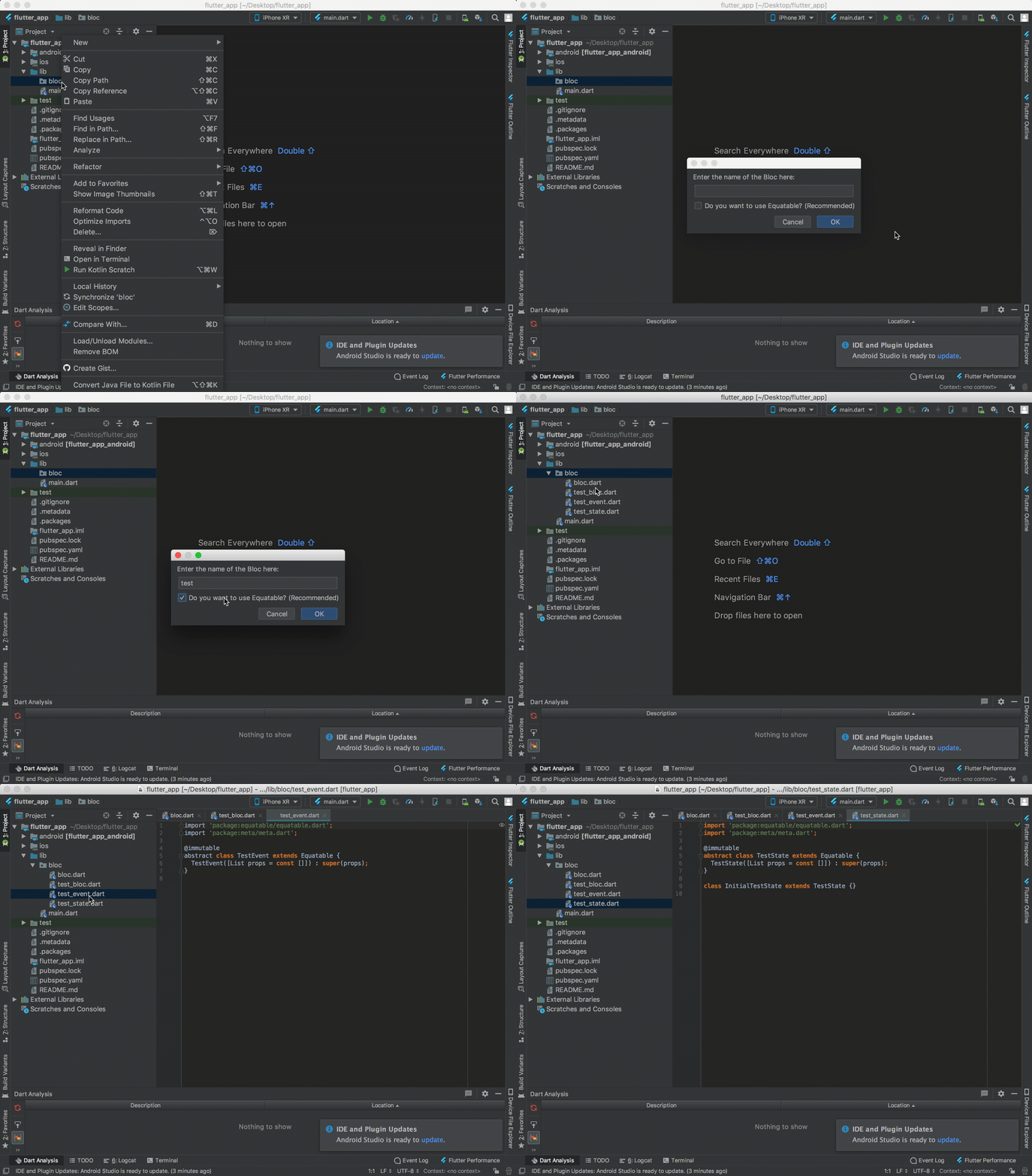
Nope, it is not disabled, see this:

 jorgecoca
on 23 Mar 2019
jorgecoca
on 23 Mar 2019
@vendramini can you give more details about how to reproduce the problem you're having?
felangel
on 23 Mar 2019
I just downloaded the plugin directly from Android Studio.
Every folder with context menu shows me the "New Bloc" disabled.
How could I get more information for you?

vendramini
on 23 Mar 2019
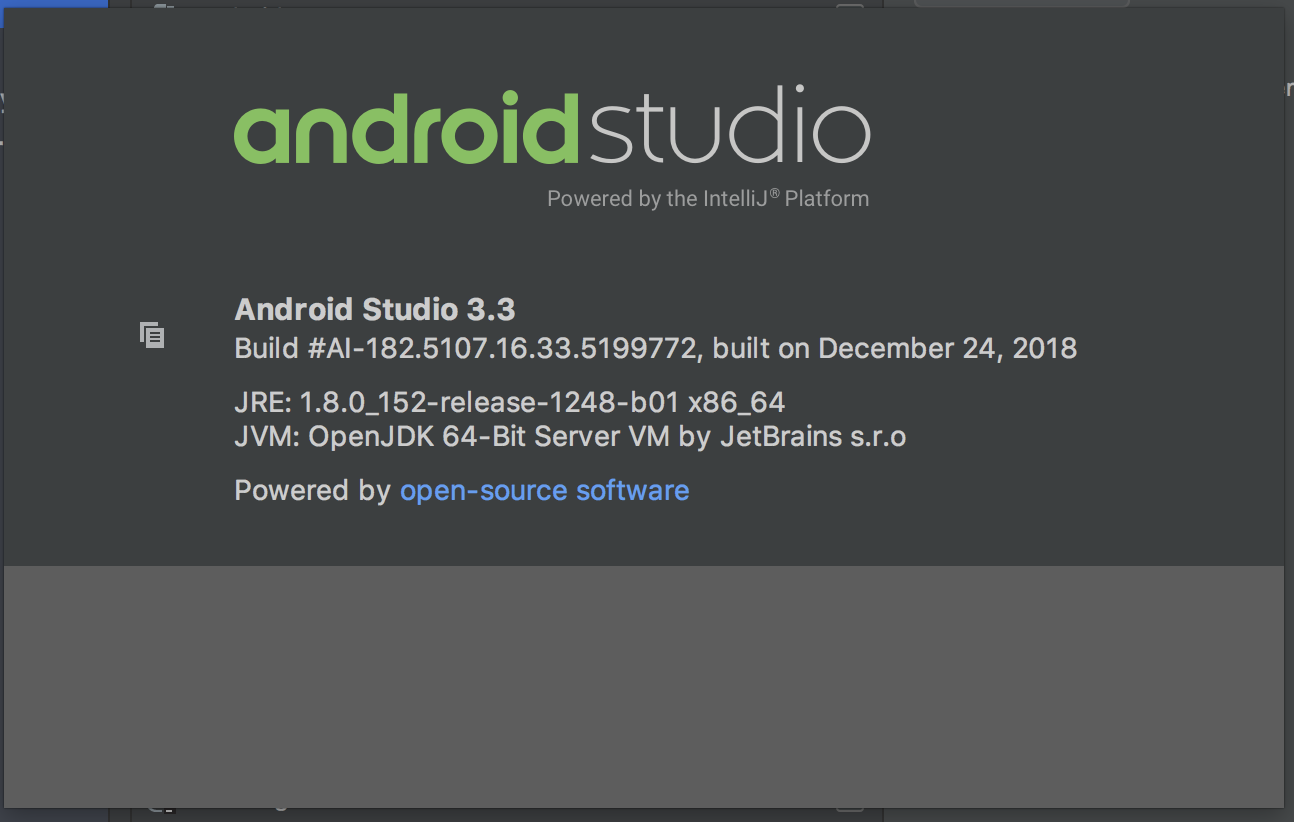
@vendramini I confirmed that it works for me as well
Android Studio 3.3.2
Build #AI-182.5107.16.33.5314842, built on February 15, 2019
JRE: 1.8.0_152-release-1248-b01 x86_64
JVM: OpenJDK 64-Bit Server VM by JetBrains s.r.o
macOS 10.12.6
are you able to try on a different machine? The only difference I see is @jorgecoca and I are on macOS and you're on Linux 🤔
felangel
on 23 Mar 2019
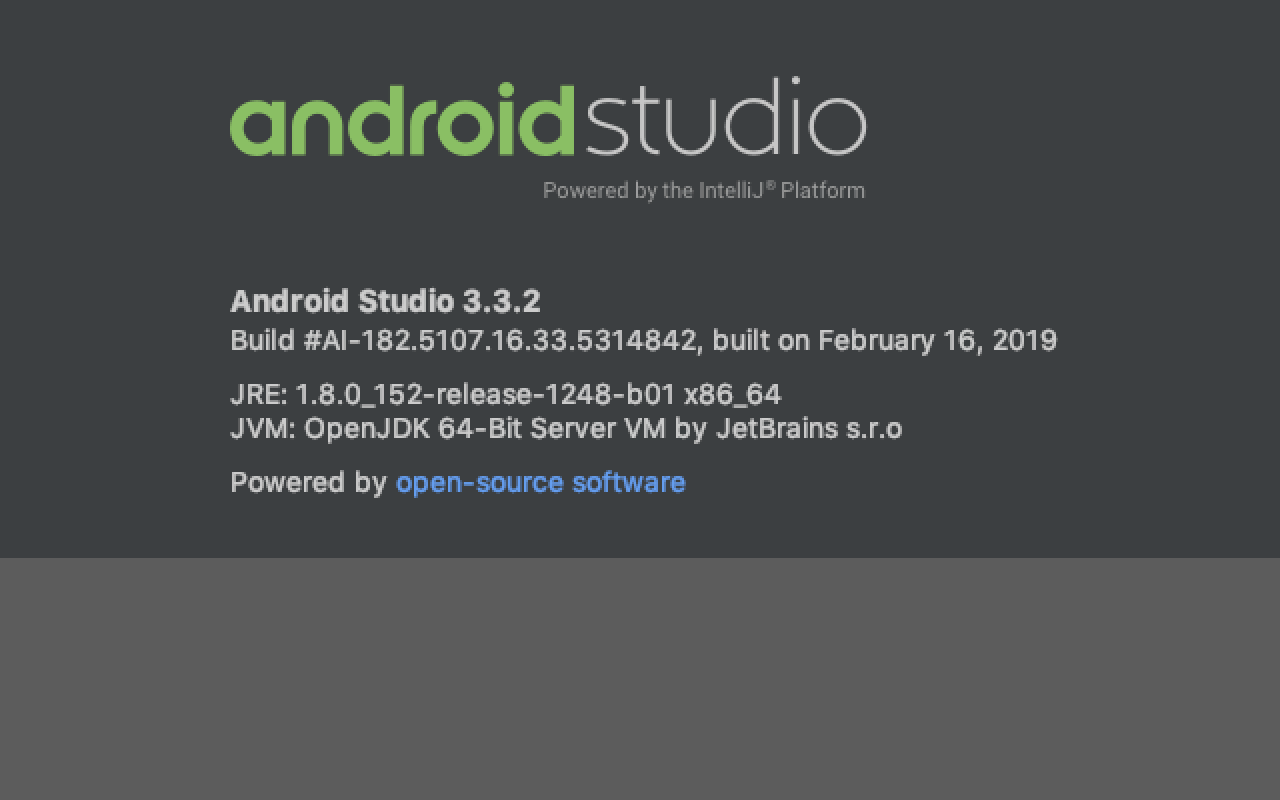
@felangel I have the same problem on mac
 yy1300326388
on 25 Mar 2019
yy1300326388
on 25 Mar 2019
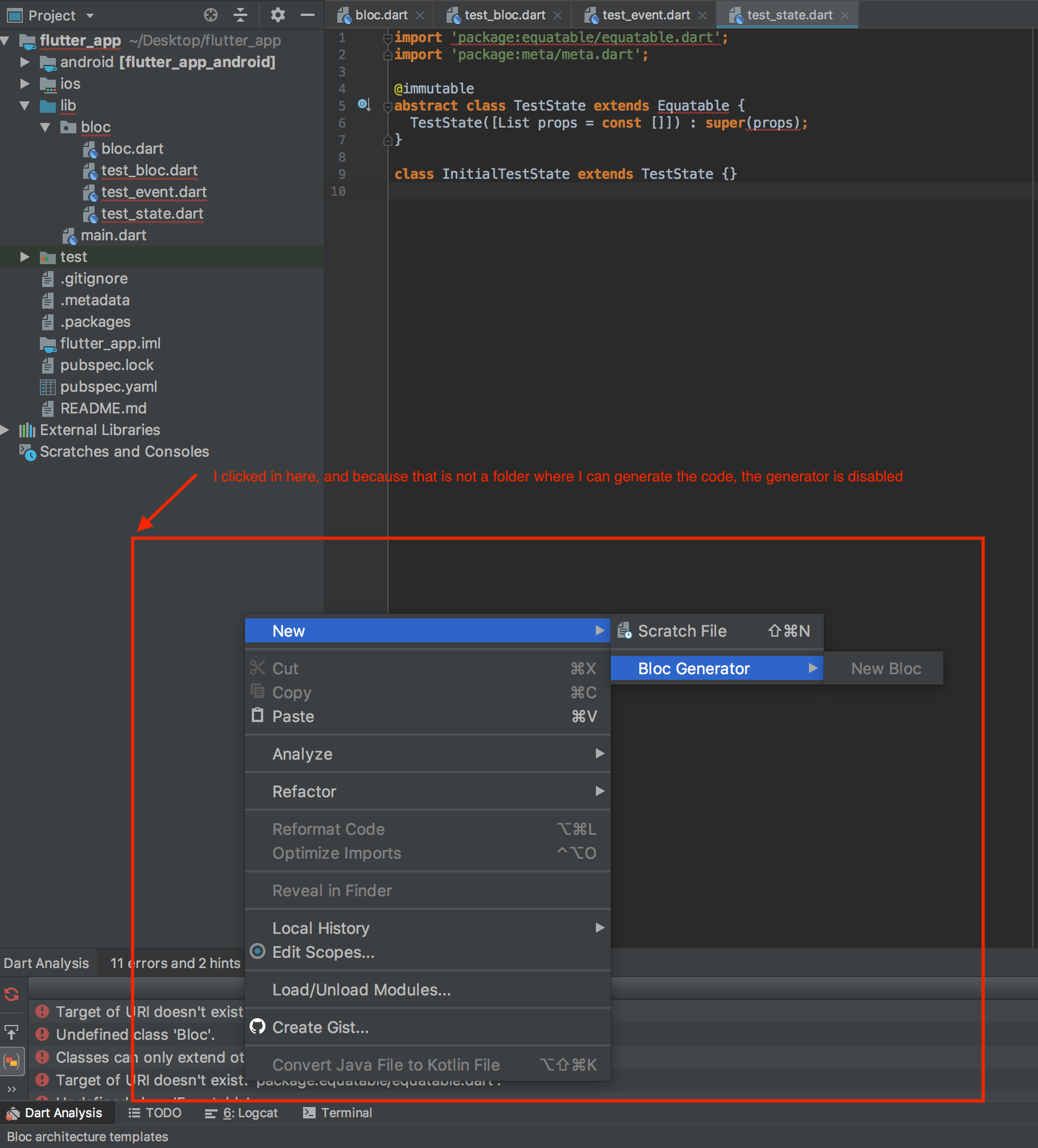
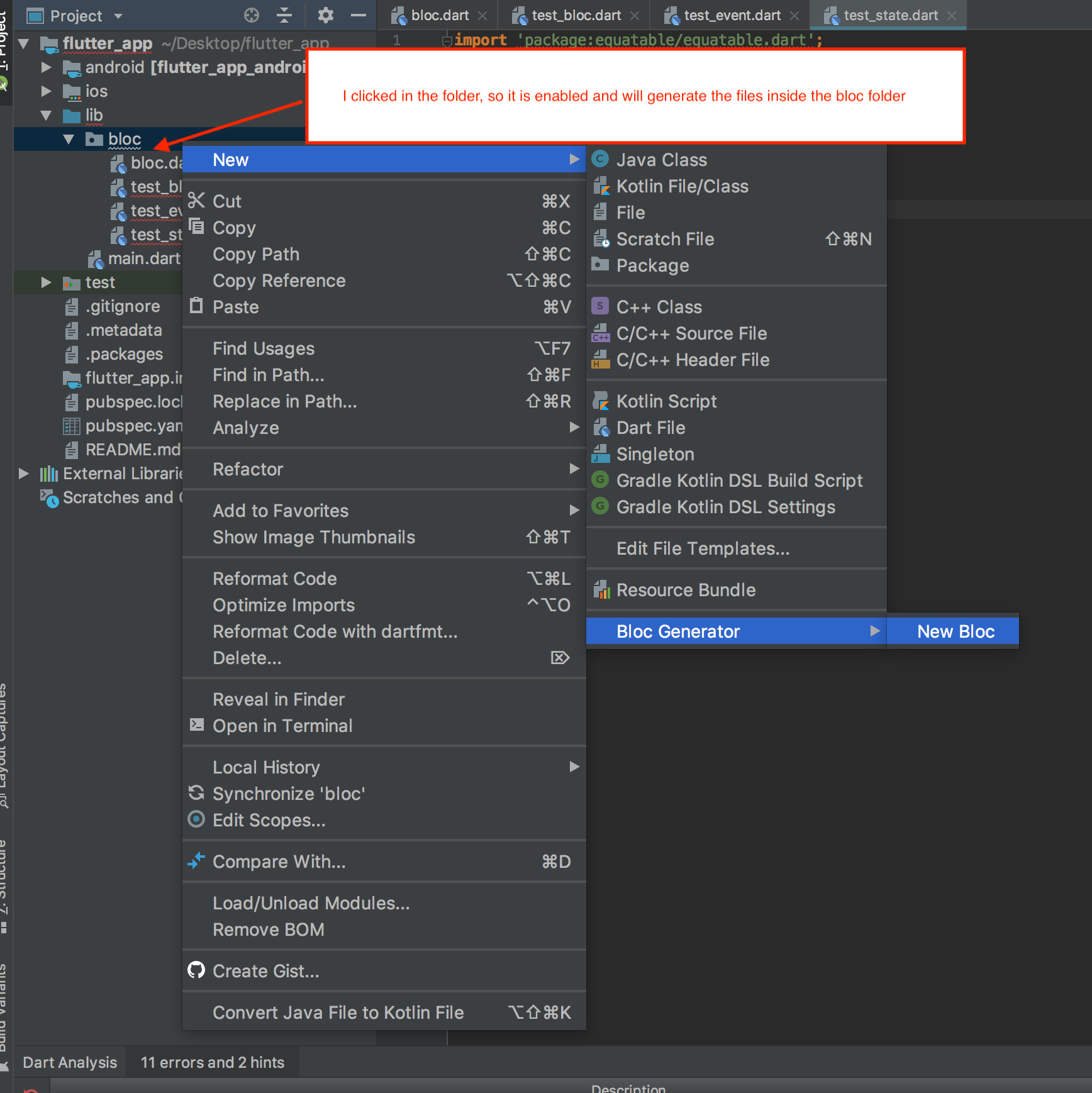
Make sure that you are "right-clicking" on a folder of your project.
This is what happens when you do not click on a folder:
This is what happens when you click on a folder:
jorgecoca
on 25 Mar 2019
If it does not work still, please check the Event Log of Android Studio, and see if there is something wrong. If so, could you send us a copy of the logs? Thanks!
jorgecoca
on 25 Mar 2019
Yes, I do clicked in the folder =)
~/.AndroidStudio3.3/system/log is the only folder I found with logs.
2019-03-25 12:18:11,736 [entQueue-0] INFO - llij.ide.plugins.PluginManager - Loaded custom plugins: Bloc Code Generator (1.0), Dart (182.5215), Flutter (33.4.1)
Is the only line about Bloc Plugin.
https://developer.android.com/reference/android/util/EventLog this page says another log location, but I can't find it - and I don't know if it really has something about.
vendramini
on 25 Mar 2019
@jorgecoca I also clicked on the folder first.
yy1300326388
on 26 Mar 2019
Update: I was able to reproduce the issue so I'll try to figure out the root cause and hopefully we'll have a fix out in the next few days. 👍
Just from my initial observations it seems like if the directory doesn't contain any .dart files, "New Bloc" is disabled.
@vendramini @yy1300326388 can you confirm that the directories you are right clicking on contain .dart files?
felangel
on 27 Mar 2019
@felangel sorry the delay, I traveled.
I tried both folders: with and without .dat files. Same problem.
I opened my Android IDE now and the plugin has updated. But the problem here still.
vendramini
on 3 Apr 2019
@vendramini no problem! Thanks for following up 👍
We're continuing to investigate the issue but if you discover any new information which can help us please let us know!
felangel
on 4 Apr 2019
@vendramini the issue should be resolved by #228 I am just waiting for it to be reviewed published 👍
felangel
on 19 Apr 2019
Just pushed the update (v1.3) so it should be available in the next few days 👍
Closing this for now but feel free to open another issue if the problem persists in v1.3
felangel
on 21 Apr 2019
Awesome =)
vendramini
on 23 Apr 2019
Related issues
 RobPFarley
·
3Comments
RobPFarley
·
3Comments
 rsnider19
·
3Comments
rsnider19
·
3Comments
 craiglabenz
·
3Comments
craiglabenz
·
3Comments
 MahdiPishguy
·
3Comments
MahdiPishguy
·
3Comments
 Reidond
·
3Comments
Reidond
·
3Comments
Most helpful comment
Make sure that you are "right-clicking" on a folder of your project.
This is what happens when you do not click on a folder:
This is what happens when you click on a folder: