Blenderproc: Using GPU for PhysicsPositioning (ShapeNet with ScenenNet)
Hi,
I think the physics simulation part does not benefit from GPU (only the rendering part does).
This results in a serious performance issue when throwing multiple ShapeNet objects (even only a few) into a single scene (e.g., > 5 min to simulate 5 objects in a scene for a duration of 1 sec).
I am wondering if there is any way to harness the GPU for this operation for acceleration.
Happy to hear if there are alternative solutions for this issue as well.
Thanks !!
 ggaziv
All 10 comments
Hey,
the simulation depends greatly on your chosen hyperparameters. Some of them greatly affect the rendering time. Especially, what kind of shape you use:
Try to check if adjusting those to helps:
We are aware that the physics simulation is not super fast, but as we are relying here on the internal blender simulation we are bound by what they offer. If you find a better solution for this, we would be really interested in hearing it.
Max
 themasterlink
on 8 Dec 2020
themasterlink
on 8 Dec 2020
Thanks @themasterlink.
I guess I just find it difficult to believe that this is the fastest their physical simulations get. After all it is an extremely simple graphics task compared with computer gaming counterparts.
Are you sure that Blender can only utilize GPU for rendering but not for physical simulation??
ggaziv
on 14 Dec 2020
We are not developers from the Blender Foundation. So as far as I found out through googling :D There is no specific way of enabling GPU usage.
However, the point is in games they usually do convex approximations to do quick and fast physics, which is possible in BlenderProc, too. However, they will be incorrect and sometimes weird. We all have seen weird physics in computer games before. Perfect physics in real time is sadly not a thing, yet.
So try playing with the values, till it is fast enough for you and the results are still okayish.
PS: I read somewhere in the internet that starting from blender 2.8 they use the gpu for physics. However, I could not verify that anywhere in the blender change logs. So, do whatever you want with that information :D
themasterlink
on 14 Dec 2020
@themasterlink is correct, there is currently no GPU accelerated physics in Blender. CPUs are still preferred when performing physics simulation not only in Blender (mostly because of higher precision and single core performance) but I think we will see more GPU solutions in near future. Games are faking it.
You can also fake it further in Blender. So currently I assume you are using collision_shape: "MESH" for all objects. This is the most accurate and necessary when dealing with non-convex indoor rooms. However, you can use the EntityManipulator to set collision_shape: "CONVEX_HULL" only for the shapenet objects you want to throw in. This will speed up the computation quite a lot.
For the physics simulation to create the BOP Challenge scenes we took around 6 seconds per scene this way.
 MartinSmeyer
on 14 Dec 2020
MartinSmeyer
on 14 Dec 2020
Interesting... Will check it out - thanks !!
Just regarding faking: i) In fact I found some issues also with the simulations here in Blender, specifically objects that partially run through another object in the scene (e.g., closet, cabin), so was hard to tell the superiority over gaming in that regard, and ii) Gaming graphics is quite amazing for a while now, otherwise it wouldn't be convincing and fun. Therefore, even if it takes clever optimization shortcuts it appears like the speed-accuracy tradeoff is significantly in favor of these shortcuts, giving rise to highly reliable real-time simulation graphics !
ggaziv
on 15 Dec 2020
Hi,
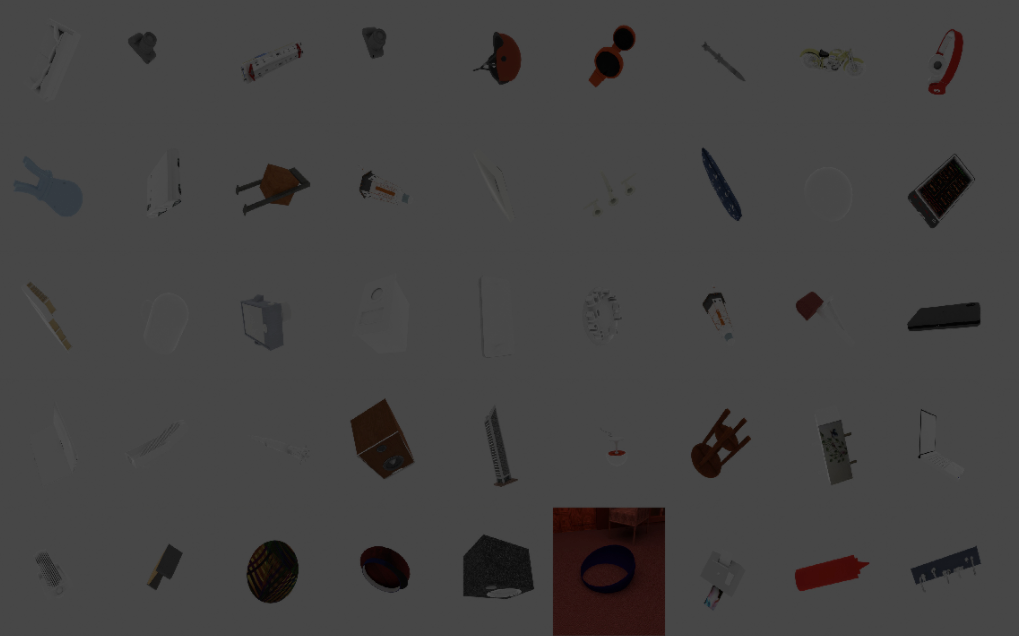
Switching MESH -> CONVEX_HULL indeed gives a significant x2-3 speed boost but then there is again no background (leaving aside the lighting issue that I believe is orthogonal)
ggaziv
on 28 Dec 2020
Can you please open a new issue for your problem.
I assume the reason for no background is that the objects now fall through the floor. Fast and accurate is sadly not so easy to achieve, try playing around with the physics settings until it works.
themasterlink
on 28 Dec 2020
@ggaziv
Note the following parameters of the PhysicsPositioning specifically:
collision_mesh_sourcecollision_shapesubsteps_per_framesolver_iters
Different values will result in different simulation speed/result accuracy ratios. I don't think there is much more that can be done in regards to faster simulation given the functionality of the module.
 ideas-man
on 28 Dec 2020
ideas-man
on 28 Dec 2020
@themasterlink is correct, there is currently no GPU accelerated physics in Blender. CPUs are still preferred when performing physics simulation not only in Blender (mostly because of higher precision and single core performance) but I think we will see more GPU solutions in near future. Games are faking it.
You can also fake it further in Blender. So currently I assume you are using
collision_shape: "MESH"for all objects. This is the most accurate and necessary when dealing with non-convex indoor rooms. However, you can use the EntityManipulator to setcollision_shape: "CONVEX_HULL"only for the shapenet objects you want to throw in. This will speed up the computation quite a lot.For the physics simulation to create the BOP Challenge scenes we took around 6 seconds per scene this way.
Hi, would you point out how to set `collision_shape: "CONVEX_HULL" using EntityManipulator?
 ken012git
on 5 Mar 2021
ken012git
on 5 Mar 2021
What a great question :D people keep asking for stuff, which we literally just merged internally.
I will have to say, that you have to wait for 1.11 to see this added. For now you have to manually change it through the code.
themasterlink
on 5 Mar 2021
Related issues
 luigifaticoso
·
4Comments
luigifaticoso
·
4Comments
 soans1994
·
3Comments
soans1994
·
3Comments
 shreeramsigdel77
·
4Comments
shreeramsigdel77
·
4Comments
 albertotono
·
3Comments
albertotono
·
3Comments
 b-yogesh
·
3Comments
b-yogesh
·
3Comments
Most helpful comment
@themasterlink is correct, there is currently no GPU accelerated physics in Blender. CPUs are still preferred when performing physics simulation not only in Blender (mostly because of higher precision and single core performance) but I think we will see more GPU solutions in near future. Games are faking it.
You can also fake it further in Blender. So currently I assume you are using
collision_shape: "MESH"for all objects. This is the most accurate and necessary when dealing with non-convex indoor rooms. However, you can use the EntityManipulator to setcollision_shape: "CONVEX_HULL"only for the shapenet objects you want to throw in. This will speed up the computation quite a lot.For the physics simulation to create the BOP Challenge scenes we took around 6 seconds per scene this way.