Blenderproc: shapenet_with_scenenet renders object without the scene
Hi,
When trying the shapenet_with_scenenet example,
python run.py examples/shapenet_with_scenenet/config.yaml resources/scenenet/SceneNetData/1Bedroom/SceneFiles.obj resources/texture_library /data/guyga/datasets/ShapeNetCore.v2 examples/shapenet_with_scenenet/output,
I get shapes rendered on top of empty background (scene):
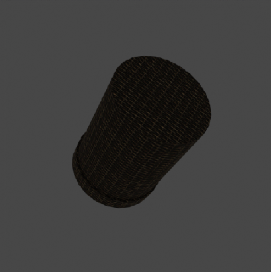
However, when trying to render the scene alone,
python run.py examples/scenenet/config.yaml resources/scenenet/SceneNetData/1Bedroom/SceneFiles.obj resources/texture_library examples/scenenet/output,
it appears to render the scene fine:
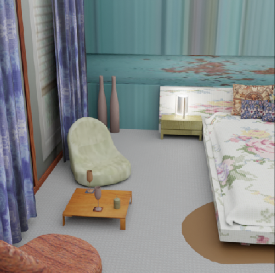
Any idea what the problem might be?
 ggaziv
All 9 comments
Hi @ggaziv,
thanks for reporting and sorry for the late response. I think I found the reason for this issue, it seems to be caused by the PhysicsPositioning module.
At some point we set the collision shape of rigid body objects to CONVEX_MESH instead of MESH.
This seems to have broken this example, as walls and floor are one single object and therefore its convex collision mesh fills the whole room.
Therefore, the shapenet object is thrown outside into empty space which results in the renderings you described.
To solve this issue it should be enough to set the collision shape back to MESH in line 87 of the config file:
    {
      "module": "object.PhysicsPositioning",
      "config": {
        "solver_iters": 30,
        "steps_per_sec": 250,
        "min_simulation_time": 0.5,
        "max_simulation_time": 4,
        "check_object_interval": 0.25,
        "mass_scaling": True,
        "mass_factor": 2000,
        "collision_margin": 0.00001,
        "collision_shape": "MESH" # <-- this
      }
    },
Let me know if you experience any further issues :)
Dominik
 cornerfarmer
on 18 Nov 2020
cornerfarmer
on 18 Nov 2020
This should be fixed with 1.7.0, if not please open a new issue.
 themasterlink
on 1 Dec 2020
themasterlink
on 1 Dec 2020
This should be fixed with 1.7.0, if not please open a new issue.
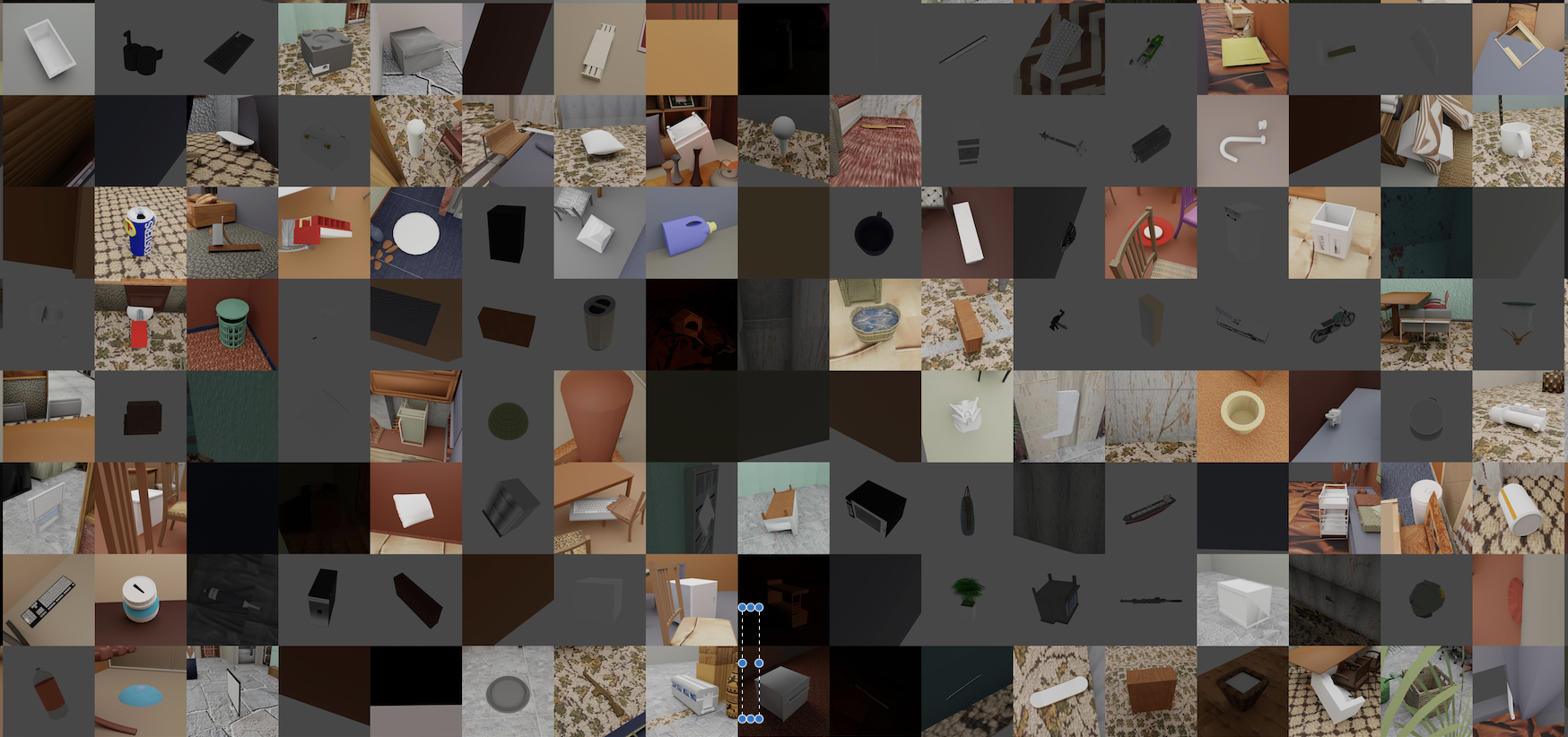
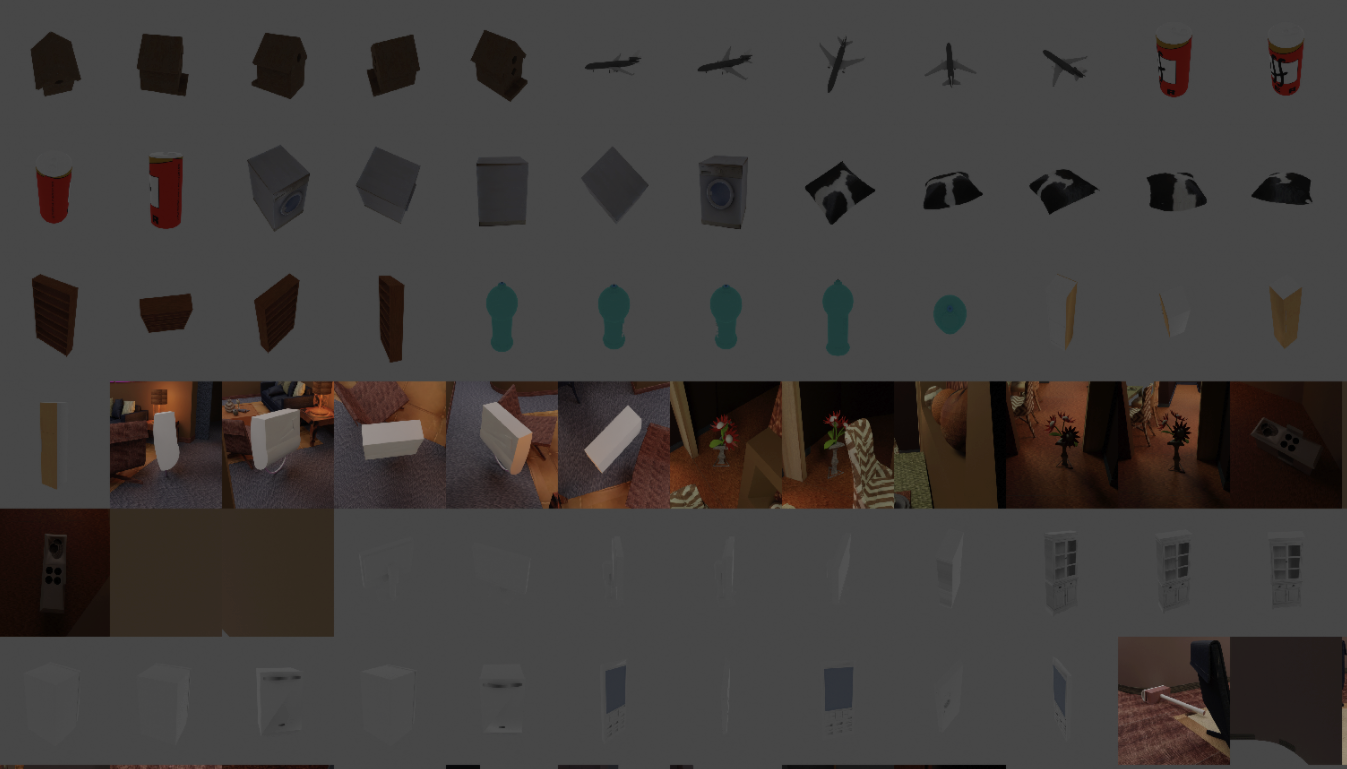
I am currently running all scenes with all shapes and it appears to still be somewhat problematic in many cases:
ggaziv
on 3 Dec 2020
Hey @ggaziv,
can you provide one or mulitple specific combinations where it repeatedly does not work?
This would be great to replica the issue
cornerfarmer
on 3 Dec 2020
Here is a few in bold (they follow row major order of the collage). Let me know if you need more. Thanks !
1 1Living-room/cnh_blender_name_and_mat.obj 03325088
2 1Living-room/cnh_blender_name_and_mat.obj 02843684
3 1Living-room/cnh_blender_name_and_mat.obj 04074963
4 1Living-room/cnh_blender_name_and_mat.obj 02691156
5 1Living-room/cnh_blender_name_and_mat.obj 02946921
6 1Living-room/cnh_blender_name_and_mat.obj 04554684
7 1Living-room/cnh_blender_name_and_mat.obj 03938244
8 1Living-room/cnh_blender_name_and_mat.obj 02871439
9 1Living-room/cnh_blender_name_and_mat.obj 02876657
10 1Living-room/cnh_blender_name_and_mat.obj 03337140
11 1Living-room/cnh_blender_name_and_mat.obj 02773838
12 1Living-room/cnh_blender_name_and_mat.obj 03593526
13 1Living-room/cnh_blender_name_and_mat.obj 02747177
14 1Living-room/cnh_blender_name_and_mat.obj 04330267
15 1Living-room/cnh_blender_name_and_mat.obj 03211117
16 1Living-room/cnh_blender_name_and_mat.obj 02933112
17 1Living-room/cnh_blender_name_and_mat.obj 03759954
18 1Living-room/cnh_blender_name_and_mat.obj 03207941
19 1Living-room/cnh_blender_name_and_mat.obj 02992529
20 1Living-room/cnh_blender_name_and_mat.obj 03710193
21 1Living-room/cnh_blender_name_and_mat.obj 02828884
22 1Living-room/cnh_blender_name_and_mat.obj 03624134
23 1Living-room/cnh_blender_name_and_mat.obj 02958343
24 1Living-room/cnh_blender_name_and_mat.obj 02954340
25 1Living-room/cnh_blender_name_and_mat.obj 03790512
26 1Living-room/cnh_blender_name_and_mat.obj 03261776
27 1Living-room/cnh_blender_name_and_mat.obj 03001627
28 1Living-room/cnh_blender_name_and_mat.obj 03085013
...
29 1Living-room/cnh_blender_name_and_mat.obj 03761084
30 1Living-room/cnh_blender_name_and_mat.obj 04468005
31 1Living-room/cnh_blender_name_and_mat.obj 04225987
32 1Living-room/cnh_blender_name_and_mat.obj 03948459
33 1Living-room/cnh_blender_name_and_mat.obj 04004475
34 1Living-room/cnh_blender_name_and_mat.obj 04460130
35 1Living-room/cnh_blender_name_and_mat.obj 04099429
36 1Living-room/cnh_blender_name_and_mat.obj 04379243
37 1Living-room/cnh_blender_name_and_mat.obj 04256520
38 1Living-room/cnh_blender_name_and_mat.obj 03046257
39 1Living-room/cnh_blender_name_and_mat.obj 02880940
40 1Living-room/cnh_blender_name_and_mat.obj 02801938
41 1Living-room/cnh_blender_name_and_mat.obj 03513137
42 1Living-room/cnh_blender_name_and_mat.obj 02924116
43 1Living-room/cnh_blender_name_and_mat.obj 02818832
44 1Living-room/cnh_blender_name_and_mat.obj 03636649
45 1Living-room/cnh_blender_name_and_mat.obj 04530566
46 1Living-room/cnh_blender_name_and_mat.obj 02808440
47 1Living-room/cnh_blender_name_and_mat.obj 03642806
48 1Living-room/cnh_blender_name_and_mat.obj 03928116
49 1Living-room/cnh_blender_name_and_mat.obj 03691459
50 1Living-room/cnh_blender_name_and_mat.obj 04090263
51 1Living-room/cnh_blender_name_and_mat.obj 04401088
52 1Living-room/cnh_blender_name_and_mat.obj 03467517
53 1Living-room/cnh_blender_name_and_mat.obj 03797390
54 1Living-room/cnh_blender_name_and_mat.obj 03991062
55 1Living-room/cnh_blender_name_and_mat.obj 02942699
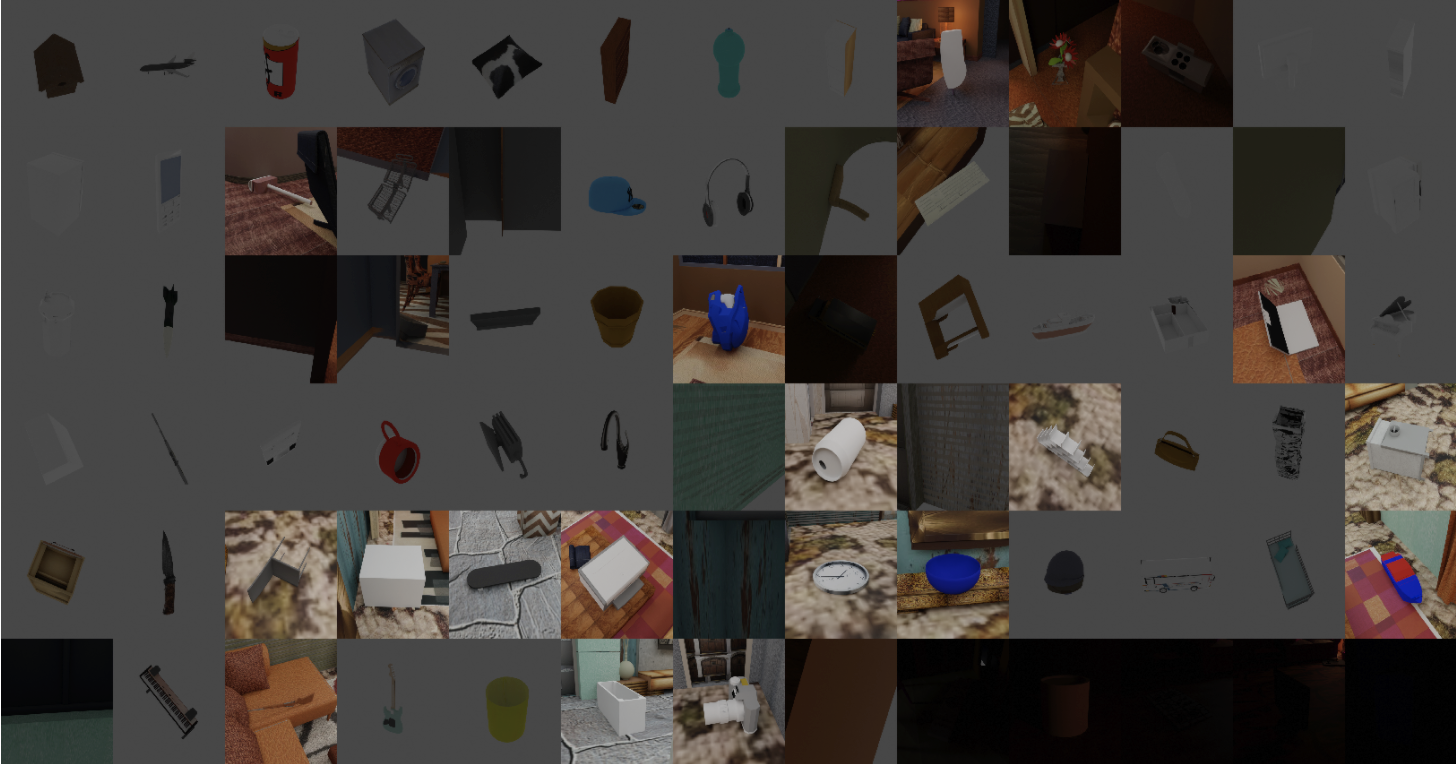
ggaziv
on 3 Dec 2020
Hey @ggaziv ,
thanks for the detailed information.
As you are using a living room scene with no bed, above which object type do you sample the object? Above the floor?
cornerfarmer
on 4 Dec 2020
Possibly there is no bed there, but I switched the "above entity" to be floor:
# Sets the location of this entity above a bed
        "location": {
          "provider": "sampler.UpperRegionSampler",
          "min_height": 0.3,
          "to_sample_on": {
              "provider": "getter.Entity",
              "conditions": {
                # "cp_category_id": 4, # 4 is the category of the bed
                "cp_category_id": 2, # Floor
                "type": "MESH"
              }

          }
        },
Then this is probably the problem. The UpperRegionSampler samples above the bounding box of the given object. As the floor is not rectangular here, its bound box extends beyond its borders and therefore the object might be sampled outside of the room.
One thing you could do is to enable the option use_ray_trace_check of the UpperRegionSampler:
        "location": {
          "provider": "sampler.UpperRegionSampler",
          "min_height": 0.3,
          "use_ray_trace_check": True, #<---
          "to_sample_on": {
              "provider": "getter.Entity",
              "conditions": {
                # "cp_category_id": 4, # 4 is the category of the bed
                "cp_category_id": 2, # Floor
                "type": "MESH"
              }

          }
        },
In this way, after sampling the object's position, a ray is sent straight down and if the floor object is not hit by this ray, the sampling is repeated. So in this way the object should always be sampled inside the room.
cornerfarmer
on 4 Dec 2020
Works ! Thanks @cornerfarmer !
ggaziv
on 4 Dec 2020
Related issues
 soans1994
·
5Comments
soans1994
·
5Comments
 manuelli
·
3Comments
manuelli
·
3Comments
 Lotfi-MERAD
·
3Comments
soans1994
·
3Comments
Lotfi-MERAD
·
3Comments
soans1994
·
3Comments
 elientumba2019
·
4Comments
elientumba2019
·
4Comments
Most helpful comment
Works ! Thanks @cornerfarmer !