Blazorise: Autocomplete with some data containing null
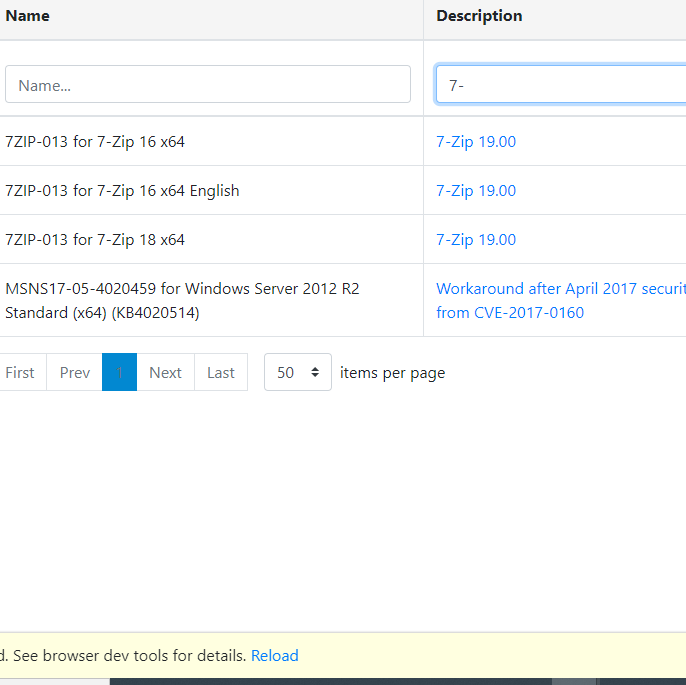
Using the 9.3.1 Autocomplete with TValue and TItem crashes when having a certain amount of data. Typing a search with only 6 items in Data works but having 331 items crashes using the same DataGrid and Autocomplete.
- Create a gird a custom filtertemplete using autocomplete
- Fill the same grid with the same data just different amount of data
- Try any filter
On 9.2 it worked like a charm with "huge" data.


 itsLollo1000
All 8 comments
Can you provide us with a sample project to reproduce the issue?
Also, are you using latest 0.9.3-preview3.1?
 stsrki
on 11 Dec 2020
stsrki
on 11 Dec 2020
Yes I am using the latest preview 3.1.
Unfortunately this it not possible since it has confidential data. But let me have a look into this if it is possibel for me to create a sample projec with the same error.
itsLollo1000
on 11 Dec 2020
I'm aware you can't post a real project. We just need a small fully working project with the error to reproduce.
stsrki
on 11 Dec 2020
Yes I am doing that right now.
itsLollo1000
on 11 Dec 2020
Can it be because not every item in the grid has a value in the description? Because every other column works and has a value for each item.
Edit: nope thats not the issue still searching.
itsLollo1000
on 11 Dec 2020
After further testing, it does seem to be the issue.
itsLollo1000
on 11 Dec 2020
 itsLollo1000
on 11 Dec 2020
itsLollo1000
on 11 Dec 2020
Can be fixed by changing this:
TextField="@((item)=>item.Name.ToString())"
                          ValueField="@((item)=>item.Name)"
to this
TextField="@((item)=>item.Name.ToString() ?? "")"
                          ValueField="@((item)=>item.Name ?? "")"
itsLollo1000
on 11 Dec 2020
Related issues
 brettwinters
·
4Comments
brettwinters
·
4Comments
 tamunaKap
·
6Comments
tamunaKap
·
6Comments
 robalexclark
·
4Comments
robalexclark
·
4Comments
 danlbb
·
4Comments
stsrki
·
3Comments
danlbb
·
4Comments
stsrki
·
3Comments