Blazorise: Add support for Regular and Brands FontAwesome Icons styles
The FA Icon Provider forces Solid Style (fas) even for string icon names.
Could you add support for Regular (far) and Brands (fab), and possibly Light (fal) and Duotone (fad) if someone buys the FontAwesome Pro? (I may buy it in the future).
Testing this code:
fas--> <Button Color="Color.Primary" Clicked="@Save"><Icon Name="@("fas fa-square")" Margin="Margin.Is3.FromRight" />Save</Button>
far--> <Button Color="Color.Primary" Clicked="@Save"><Icon Name="@("far fa-square")" Margin="Margin.Is3.FromRight" />Save</Button>
Renders to both solid icons:

I think if this line https://github.com/stsrki/Blazorise/blob/4755349c7080856b6bebcaed2bea768b4c72380d/Source/Blazorise/Icon.razor.cs#L23 was not executed for FA and when Name is string https://github.com/stsrki/Blazorise/blob/4755349c7080856b6bebcaed2bea768b4c72380d/Source/Blazorise/Icon.razor.cs#L28 then the others would automatically work. Probably checking for FA in the component would be a bad practice, and the FAIconProvider should handle this somehow.
I would greatly appreciate if you can implement this when reviewing and adding the new planned icons.
Thank you,
Willian Gruber
 WillianGruber
All 13 comments
To help to the investigation,
I try to use the "fab fa-docker" icon and it's not on the IconName enumeration and this is the result:

after checking the generated HTML, I saw this:
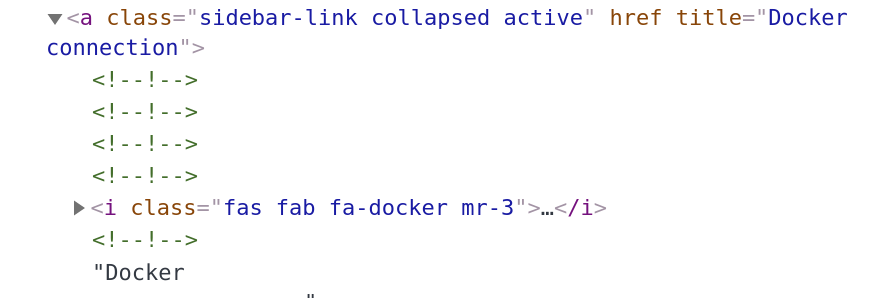
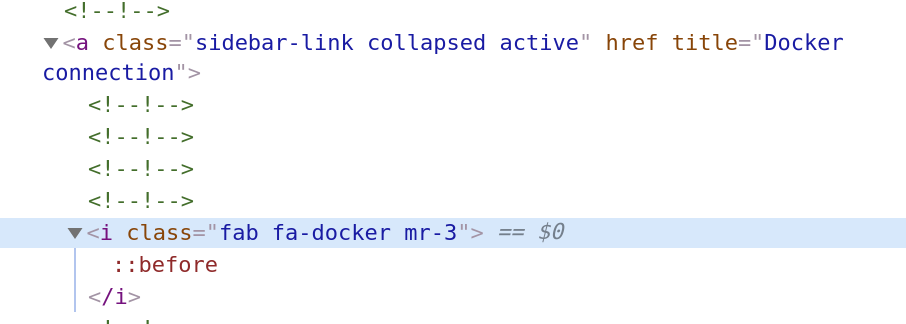
there are an extra "fas" in the class...
if I remove it, the docker symbol appears ...

I like the solution of @WillianGruber because we can still use the same property. Nevertheless, there should be an easy way to use other icons from the FontAwesome or any other source.
Hope this helps on the investigation of this issue
best wishes
Paulo Aboim Pinto
 aboimpinto
on 28 Nov 2019
aboimpinto
on 28 Nov 2019
Hi @aboimpinto ,
I submitted a PR for it and I think @stsrki will probably merge it soon.
After that I'll refactor the icons constants class to include the other icons.
For now I'm using the available ones.
WillianGruber
on 28 Nov 2019
I will probably merge it tonight. 0.8.7 is basically finished, just need to write release notes and update documentation.
 stsrki
on 28 Nov 2019
stsrki
on 28 Nov 2019
It's merged and released. @aboimpinto Can you try new version and see how it behaves?
stsrki
on 29 Nov 2019
@stsrki works fine
with the code
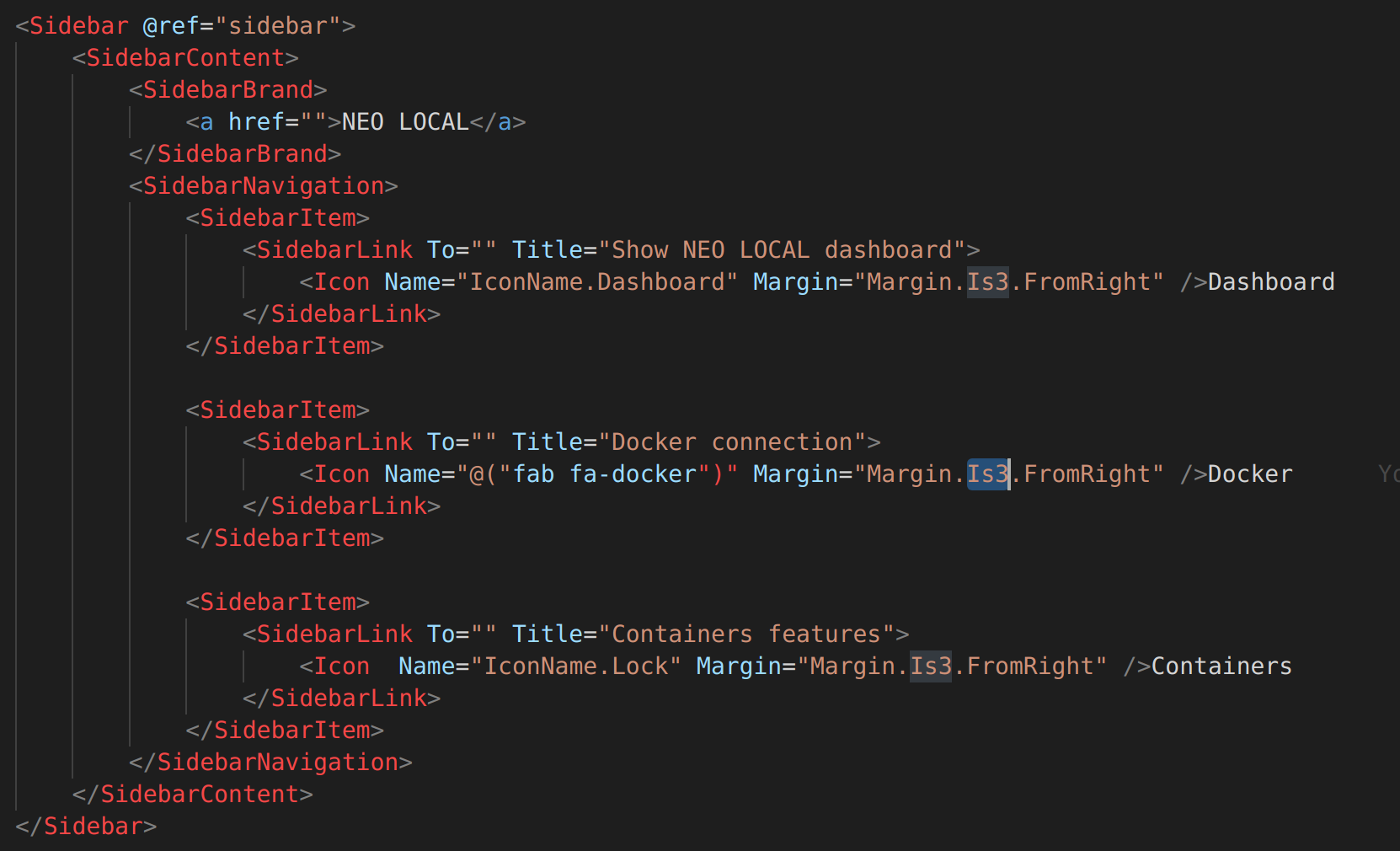
I got this
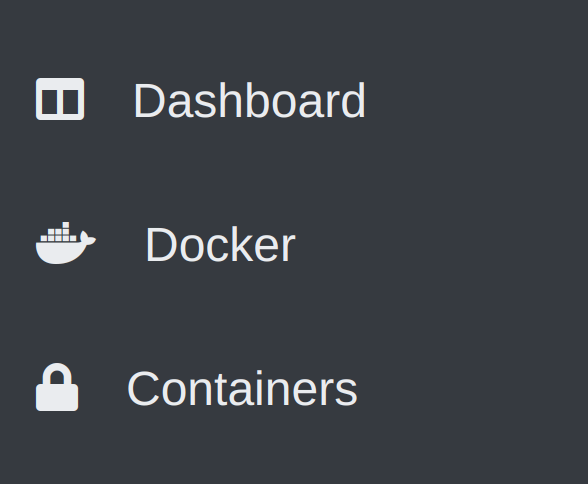
and if you zoom, you will able to see that using the custom icon, we have extra space between the icon and the label.
I try to play with the Margin could not align the labels.
aboimpinto
on 30 Nov 2019
There should be a way that we can extend the IconName enumeration with icons that you don't have defined.
With this feature, you don't need to map all the icons ... a developer should be able to map the icons that he wants and like and this should be able to be shared.
aboimpinto
on 30 Nov 2019
@aboimpinto The alignment should be fixed if you use another alignment, and not from the right.
As the main problem with this issue is fixed, I'm closing it. If needed, open another issue for alignment.
WillianGruber
on 2 Dec 2019
@aboimpinto Check https://fontawesome.com/how-to-use/on-the-web/styling/fixed-width-icons
I'll add fa-fw to all my icons
WillianGruber
on 11 Dec 2019
@WillianGruber this could be a good idea...
I went in a different way because there are different source icons and with this strategy, we cannot catch all possible situations ...
I create my own Icon component for Fontawesome icons and I will create for the Open Iconic icons ...
you can can see here
https://github.com/aboimpinto/NeoLocalDashboard/blob/master/NeoLocal.Dashboard/Shared/FontawesomeIcon.razor
and the usage
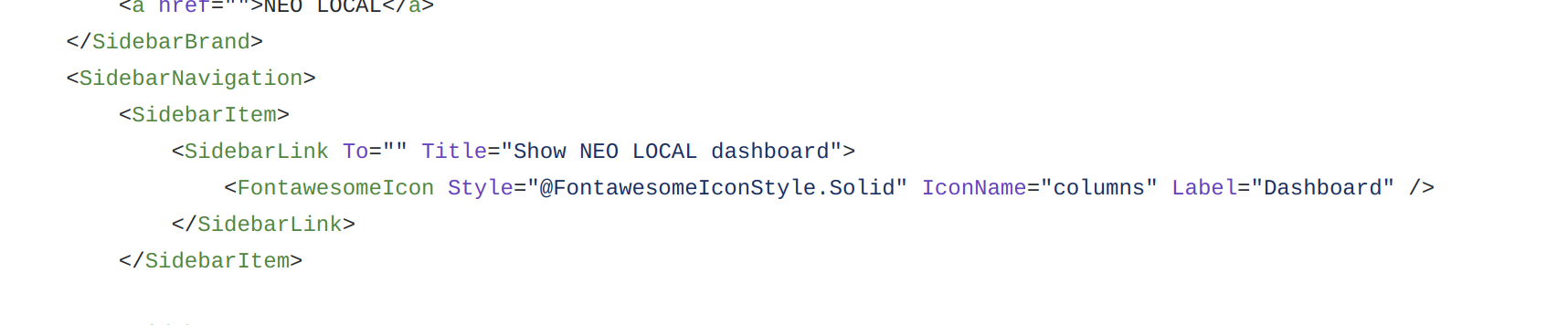
Another thing that I prefer is to include the label in the icon component reducing the usage of HTML tags in development. Of course, the spacing is hardcoded but in the future can be overwritten (not yet implemented) or even the location of the label can be defined in the icon tag.
what do you think about this approach?
Maybe I can make a PR with this?
aboimpinto
on 15 Dec 2019
@stsrki It would be great if this would have shown up in the change log, as all my <Icon> elements broke with this update:

The "fas" class is now missing from the generated <i> elements.
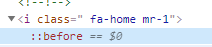
What's the correct way to specify the <Icon> now?
This is how it worked before this change:
<Icon Name="@IconName">
 Herdo
on 18 Dec 2019
Herdo
on 18 Dec 2019
Whats your value in the IconName variable? It should be something like "fas fa-home"
WillianGruber
on 18 Dec 2019
@WillianGruber It was fa-home prior to version 0.8.7.2.
If it should be fas fa-home with the new update, then I either missed that info from the change log, or this change was not documented there.
The second issue is, that there's a blank space generated before the fa-home (as you can see in the previous screenshot). This led me to the thought that Blazorise would still generate the fas in front of my icon name.
Herdo
on 18 Dec 2019
@Herdo Thanks for the report. It seems I forgot to document the change in the last release. I will push this to the next 0.8.8 so it can be released as soon as possible.
stsrki
on 18 Dec 2019
Related issues
 danielheddelin
·
5Comments
danielheddelin
·
5Comments
 brettwinters
·
4Comments
brettwinters
·
4Comments
 sroy2020
·
5Comments
sroy2020
·
5Comments
 satwo
·
5Comments
satwo
·
5Comments
 DDDenisSobek
·
4Comments
DDDenisSobek
·
4Comments
Most helpful comment
@Herdo Thanks for the report. It seems I forgot to document the change in the last release. I will push this to the next 0.8.8 so it can be released as soon as possible.