Bit: Bit aliases is not working in capsule
Steps to Reproduce
- git clone [email protected]:valor-software/ngx-bootstrap.git
- npm i
- bit init 4.
bit add src/*/ -e 'src/chronos,src/component-loader,src/mini-ngrx,src/positioning,src/spec,src/locale,src/common'
bit add src/chronos src/component-loader src/mini-ngrx src/positioning -n internal
- copy this to the config of bit in package.json:
"bit": {
    "env": {
      "compiler": "bit.envs/[email protected]"
    },
    "componentsDefaultDirectory": "components/{name}",
    "packageManager": "npm",
    "resolveModules": {
      "aliases": {
        "ngx-bootstrap": "src"
      }
    },
    "overrides": {
      "*": {
        "dependencies": {
          "@angular/forms": "-",
          "@angular/animations": "-"
        },
        "peerDependencies": {
          "@angular/forms": "^8.0.0",
          "@angular/animations": "^8.0.0"
        }
      }
    }
  }
- import the compiler: https://bit.dev/bit/envs/angular
- bit s (need to be ok)
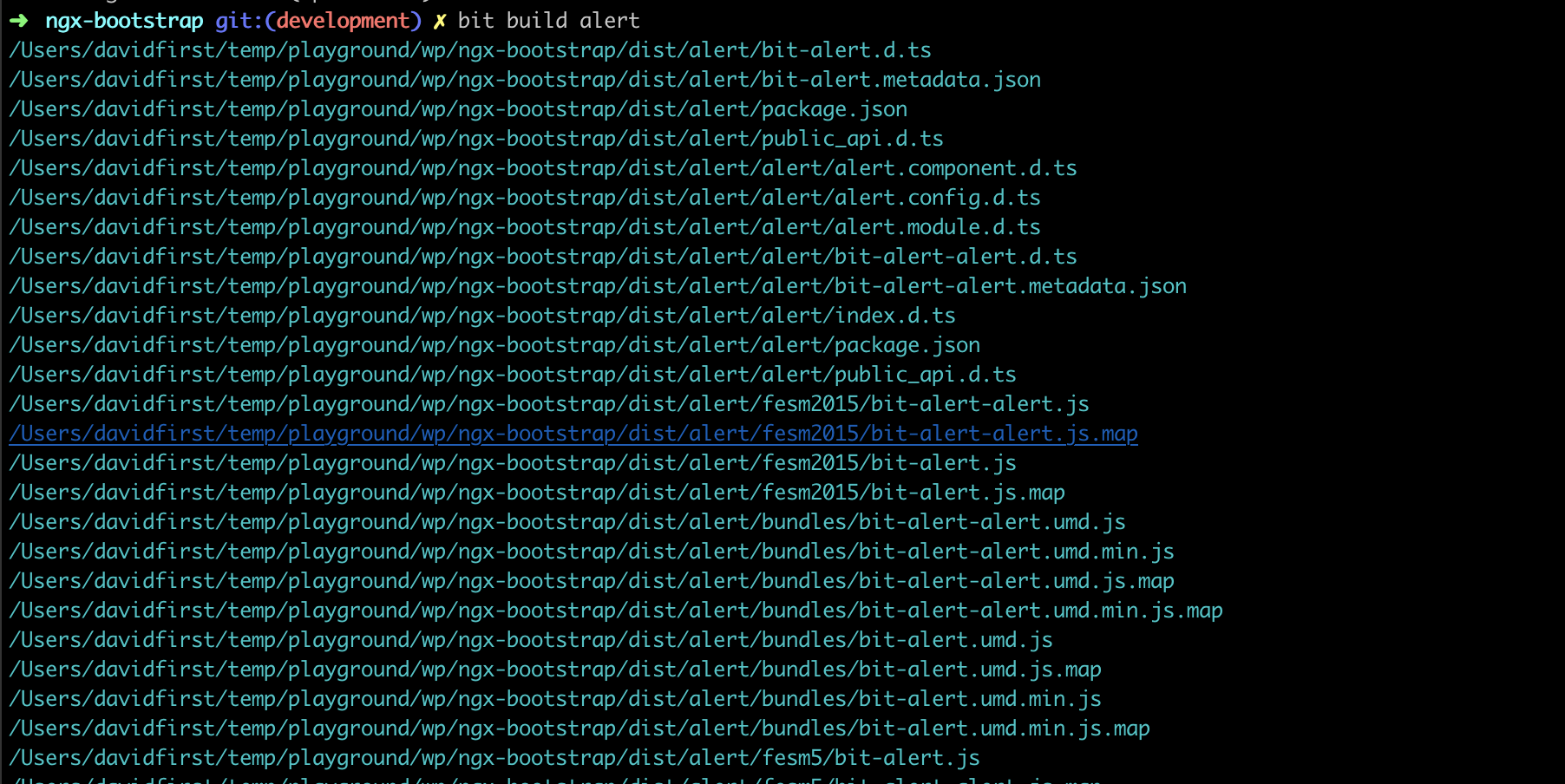
- bit build alert
This is the error you will get:
BUILD ERROR
alert/alert.component.ts(11,26): error TS2307: Cannot find module 'ngx-bootstrap/utils'.
Screenshots, exceptions and logs
If applicable, add screenshots, exceptions, and logs to help explain your problem.

Specifications
- Bit version: 14.2.2
- Node version: 12.7.0
- npm version: 6.10.0
- Platform: macOS
- Bit compiler (include version): https://bit.dev/bit/envs/angular?version=0.1.3
 JoshK2
All 12 comments
@JoshK2 , I have done the exact same steps as above and it's working as expected.
We did have a similar bug where it didn't recognize the alias after running npm run build, but it got fixed in v14.2.1. Make sure that your version is really v14.2.2.
 davidfirst
on 25 Jul 2019
davidfirst
on 25 Jul 2019
@davidfirst I forget to tell you that sometimes is working and sometimes not.
On my computer, it worked yesterday, and today is not.
JoshK2
on 25 Jul 2019
@davidfirst I try now to reproduce it on another computer and I update you.
JoshK2
on 25 Jul 2019
@JoshK2 , do you have this path node_modules/ngx-bootstrap? if so, you were running npm run build before, which still should work, but if not, try to delete it and see if it works.
davidfirst
on 25 Jul 2019
@davidfirst I removed the node_modules folder, run npm i and bit build alert and it's working.
So I don't know what was the problem with Bit.
JoshK2
on 25 Jul 2019
I think that I found the solution, I downgrade the version of npm to 6.9.0, and the build process work perfectly on all the components.
JoshK2
on 25 Jul 2019
@davidfirst let's take a look if it's something we can make work on v6.10 as well. If no, let's close this issue (maybe we can open a bug to npm if we have a proper reproduce for them).
Let's don't waste too much time on this.
 GiladShoham
on 25 Jul 2019
GiladShoham
on 25 Jul 2019
@GiladShoham , it's easily reproducible by creating a capsule bit isolate alert --use-capsule -d my-capsule and then running npm i inside the capsule.
With [email protected] it doesn't delete the node_modules/ngx-bootstrap directory. With [email protected] it does.
We have two options here:
- as discussed before, expose a function to the compiler to install packages. This function, once done, will run kind of
bit linkto restore the node-modules symlinks/links. - expose a function to rewrite the links.
davidfirst
on 25 Jul 2019
@davidfirst It happens also with npm 6.7.0 and 6.10.2.
In general, I would go with both options.
The install package will call the other one internally.
But we want to provide the link functionality as well for my opinion.
GiladShoham
on 25 Jul 2019
@davidfirst @GiladShoham
When its work with npm version 6.9.0 it was with node version 10.16.0.
And now I try with npm version 6.7.0 and 6.10.2 with node 10.16.0, and its also not work.
After that I try npm version 6.9.0 (that work) with node version 10.15.1 and its also not working.
So for now, its work only with node 10.16.0 and npm 6.9.0.
JoshK2
on 25 Jul 2019
Interesting. For me, [email protected] was working for node 12.0.0 and node 12.7.0.
@GiladShoham , actually there is another option. I can let the compiler pass a list of packages to install on the capsule. Then, this list will be added to the main package.json before npm install is running.
It's the most performant option.
davidfirst
on 25 Jul 2019
Ended up exposing three more functions for the capsule.
writeLinks, to write all links.installPackagesto install NPM packages and then write the links of node-modules.capsuleExecto easily runexecon the capsule, with no need to deal with the childProcess, stdin/stdout etc.
There is also a bug in the compiler itself, which doesn't wait for the exec call to complete. As a result, it sometimes shows an error about angular/core is missing.
I fixed the compiler and I'm waiting to get the permission to export it.
davidfirst
on 26 Jul 2019
Related issues
 yairEO
·
19Comments
yairEO
·
19Comments
 DeividZavala
·
15Comments
DeividZavala
·
15Comments
 KutnerUri
·
12Comments
KutnerUri
·
12Comments
 itaymendel
·
16Comments
itaymendel
·
16Comments
 seed-of-apricot
·
21Comments
seed-of-apricot
·
21Comments