Beaker: Folder sync keeps on "loading" and I am unable to "auto sync"
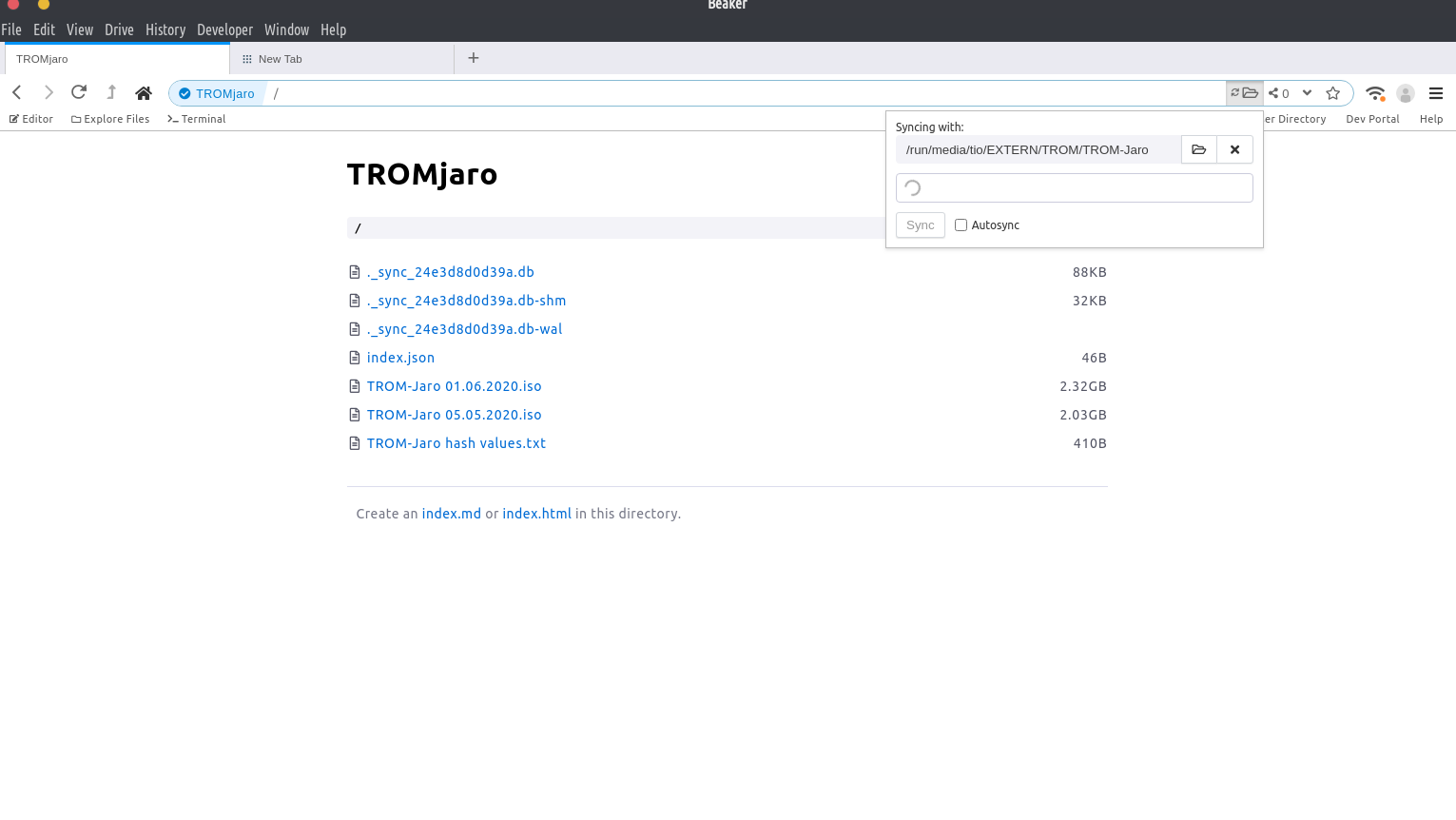
The latest 4 beta of Beaker seems to not work 100% well with folder sync. I simply added a folder to sync but it keeps on "loading" despite all files being properly loaded from the folder. I also can't autosync, maybe because of that. I can tick the option but if I refresh that synced folder in Beaker the autosync is not ticked anymore.
bug
 tiotrom
All 2 comments
Sorry for the issue! I never tested with files that large -- I'd bet that's a factor here. I'll teest that first.
 pfrazee
on 5 Jun 2020
pfrazee
on 5 Jun 2020
👍1
Folder sync now assumes != if a file is too large to compare, which causes it to fallback on the mtime comparison.
pfrazee
on 23 Jun 2020
🎉1
👍1
Was this page helpful?
0 / 5 - 0 ratings
Related issues
 hossameldeen
·
4Comments
hossameldeen
·
4Comments
 LWFlouisa
·
4Comments
LWFlouisa
·
4Comments
 johanbove
·
3Comments
johanbove
·
3Comments
 flpvsk
·
4Comments
flpvsk
·
4Comments
 aaronshaf
·
4Comments
aaronshaf
·
4Comments
Most helpful comment
Folder sync now assumes != if a file is too large to compare, which causes it to fallback on the mtime comparison.