Bat: `--tabs` should be 0 by default instead of 4
What version of bat are you using?
bat 0.15.0
Describe the bug you encountered:
bat is a cat-like tool, which means it prints file content, currently it will replace
tabs in file to 4 spaces by default when printing content.
I can understand many people set tab length to 4 in their editors, but bat is not
a code editor, when I use bat, I just want to know what's in my file.
If a file contains a tab, bat should show a tab like what cat do, right? If bat by
default shows 4 spaces instead of a tab here, I need another tool to open file
and to see if there is really 4 spaces or a tab.
Set tab to 4 spaces is OK for some people and some conditions, but for a
printing tool in terminal like bat, just show a tab by default is better, so
--tabs should be 0 by default.
What bat shows by default (4 spaces):

What my file really contains (a tab, I have to use cat here):
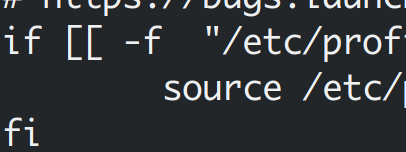
I can do alias bat="bat --tabs=0" myself, but it's not correct that a file printing
tool replaces some content by default.
Describe what you expected to happen?
Set --tabs to 0 by default so I can see whether my file really contains 4 spaces.
How did you install bat?
Arch Linux, pacman
system
$ uname -srm
Linux 5.6.11-arch1-1 x86_64
$ lsb_release -a
LSB Version: 1.4
Distributor ID: Arch
Description: Arch Linux
Release: rolling
Codename: n/a
bat
$ bat --version
bat 0.15.0
$ env
PAGER=less -irf
bat_config
bat_wrapper
No wrapper script for 'bat'.
bat_wrapper_function
$ /usr/bin/zsh --login -i -c type bat
bat is an alias for bat --tabs=0
No wrapper function for 'cat'.
tool
$ less --version
less 551 (PCRE regular expressions)
 AlynxZhou
All 5 comments
Thanks for bringing this up!
I can definitely see what you mean about how tabs should be represented as-is, but we actually run into a couple issues with that:
Before we made tab expansion the default, we had issues #166 (wrapping doesn't work with tabs) and #184 (misaligned tab stops). #166 can sort of be worked around if you don't mind the code assuming that all terminals have equal tabstops of exactly 8 characters. But #184 can't really be fixed because it's a consequence of having a sidebar. The best we can do for that one without altering the terminal tabstops (which can't be reset after) is to make the sidebar exactly 8 characters wide, and I'm not a fan of that because it reduces the line width.
On top of that, if we make --tabs=0 the default behavior, we're also going to run into #894 (less expands tabs when --tabs=0) which is something we haven't found a way to fix without disabling paging entirely.
Until we find out a compatible way to disable tab expansion in less, changing the default to --tabs=0 would come with some pretty bad downsides. In the meantime, maybe --tabs=8 would be a more accurate default?
On the other hand, a temporary workaround to not knowing whether the file is spaces or tabs would be to use bat -A/bat --show-all. It's not ideal since you lose syntax highlighting, but it's completely accurate about showing what kind of whitespace the file contains. Or if you don't mind losing the pager and the sidebar, bat -pp file.rs would print the tabs as-is.
 eth-p
on 9 May 2020
eth-p
on 9 May 2020
It is sad to know there are bugs related, for me, --tabs=8 does not help because if sometimes I copy code, I don't want spaces here...
AlynxZhou
on 10 May 2020
In that case, can I recommend using bat -pp while either removing the --tabs option from your alias, or adding --tabs=0?
For example, bat -pp --tabs=0 file.txt.
That will print the tabs directly and disable the pager and sidebar, which is perfect for when you might want to copy something as-is.
eth-p
on 10 May 2020
In that case, can I recommend using
bat -ppwhile either removing the--tabsoption from your alias, or adding--tabs=0?For example,
bat -pp --tabs=0 file.txt.That will print the tabs directly and disable the pager and sidebar, which is perfect for when you might want to copy something as-is.
I am using bat --tabs=0. If this happens with less, I will try to use cat when I want to copy something.
AlynxZhou
on 10 May 2020
@AlynxZhou Thank you for reporting this. @eth-p Thank you for the detailed response.
In addition to what has been said: I often find myself wanting to copy a whole file to the clipboard after displaying a file with bat. I know that there are tools like xclip which I can pipe into to make this work, but I often thought about the idea of having a special bat command line option to do this in a OS-independent manner. Something like -c/--copy, which would still display the file, but also copy the content to the system clipboard. Not really sure if that's in line with bats goals, though.
 sharkdp
on 11 May 2020
sharkdp
on 11 May 2020
Related issues
 samuelcolvin
·
3Comments
samuelcolvin
·
3Comments
 scalp42
·
3Comments
scalp42
·
3Comments
 yannallain
·
3Comments
yannallain
·
3Comments
 mjlbach
·
3Comments
mjlbach
·
3Comments
 tomgoren
·
3Comments
tomgoren
·
3Comments