(copied from my comment in #107)
I installed bat on a recent Windows 10 Pro x64 build today and tried it in Cmder, the Cmder installation of ConEmu, PowerShell, and the regular Command Prompt. The first two gave me this:
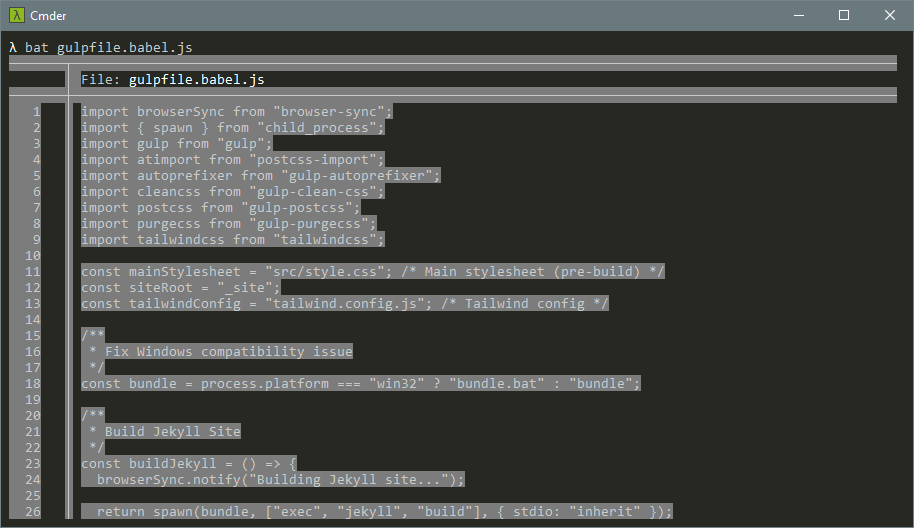
PowerShell gave me this (presumably just different default terminal colours; please excuse the crude black censor bar):

Command Prompt gave me this, like the first two:
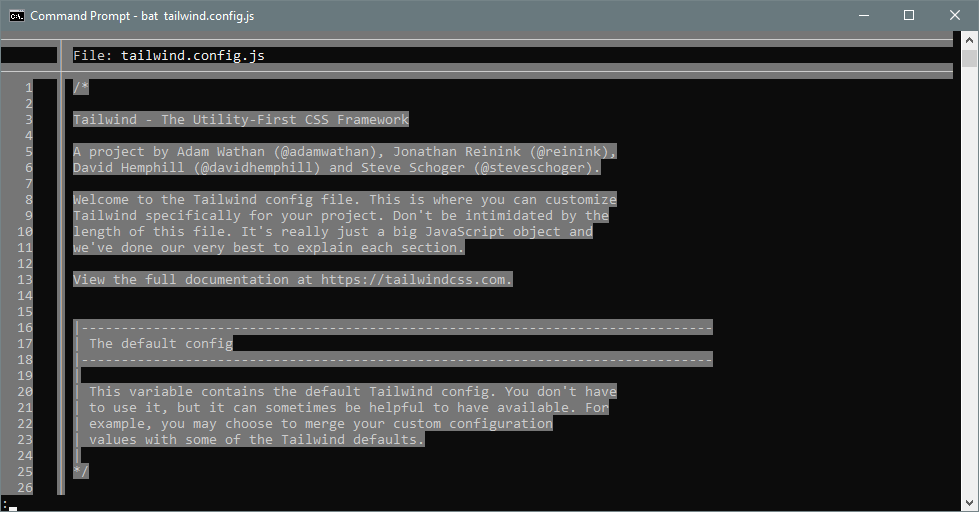
bat looks really exciting and I’m eager to use it, so I hope this is just a misconfiguration on my end! FWIW, I get the same results without a BAT_THEME and with a BAT_THEME of Monokai Extended Bright.
 Aankhen
All 17 comments
Thank you for the bug report!
This does not look like the same error as #252 because you actually get the styling (grid, line numbers, etc.) as well as some colors (although incorrect ones).
Something seems wrong with ANSI code handling on your terminals. Can you try to use --color=never to see if that produces a correct (colorless) output? Could you also try to switch off the pager (--paging=never) to make sure that nothing else is interfering?
 sharkdp
on 3 Sep 2018
sharkdp
on 3 Sep 2018
Sure thing. Here’s --color=never:

And here’s --paging=never:
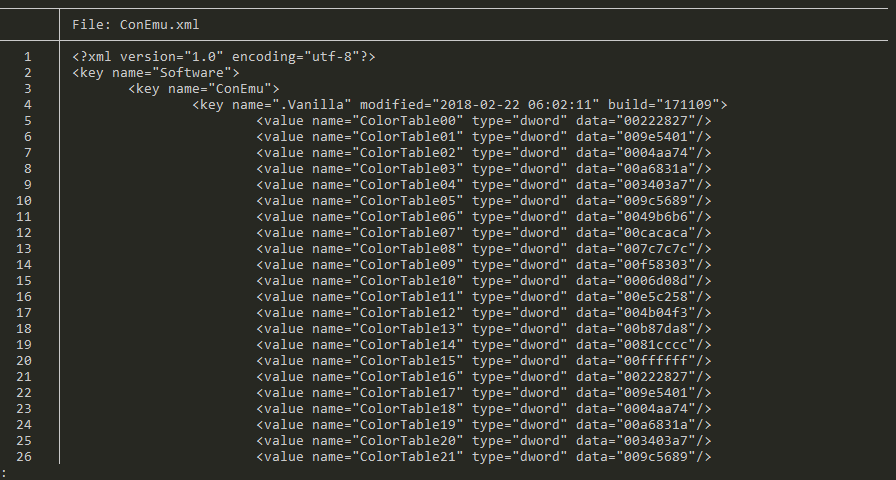
Looks like that’s indeed where the issue is, so I did some digging…
The less being used was from Git Windows. I also have the one from UnxUtils, so I temporarily removed the Git one. Now I get ‘invalid charset name’, because, as it turns out, the UnxUtils version of less only supports a handful of encodings. I can get it work in general by unsetting LESSCHARSET, but bat explicitly sets it:
https://github.com/sharkdp/bat/blob/7b803a50af9ed4eeebd2f48f62c878c181c07a3e/src/output.rs#L36
I tried removing it, but apparently this less won’t handle colour codes, and nor will a newer version I found:
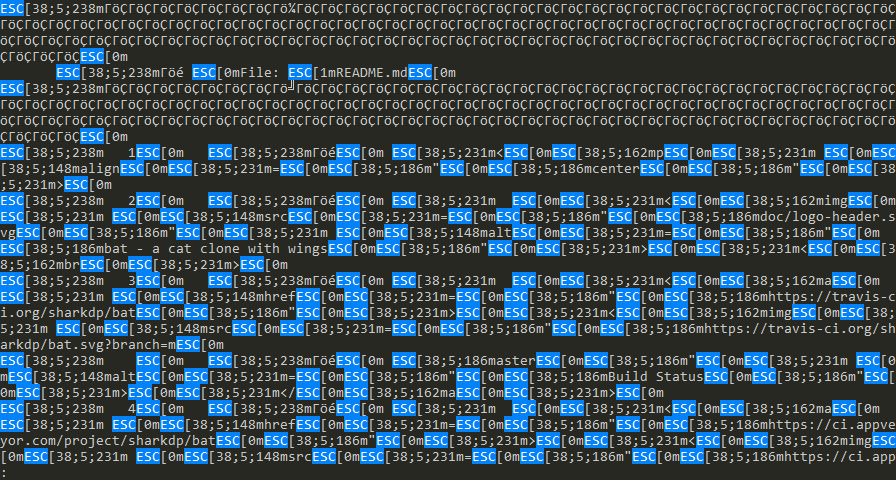
FWIW, Git’s version in Git Bash gives the single-colour result from my original post, just as it does everywhere else, so that wouldn’t appear to be the problem.
At any rate, it looks like this is an issue with pagers on Windows, not with bat. Sorry for the noise.
Aankhen
on 4 Sep 2018
Ok, thank you for the detailed analysis!
Maybe we should think about disabling automatic paging by default. Users could opt in by setting BAT_PAGER=less or maybe by setting BAT_PAGING=auto.
sharkdp
on 4 Sep 2018
Maybe, although I really wish I could figure out a way to have my paging ~and eat it too~. Alternatively, paging could be opt-in only on Windows.
Aankhen
on 4 Sep 2018
If you find a pager that can handle ANSI codes, you can just set the BAT_PAGER environment variable (see README).
I can get it work in general by unsetting LESSCHARSET, but bat explicitly sets it:
You can use a separate script (as also suggested in the README) to set specific environment variables like LESSCHARSET and then call less from the script. bat will only set this environment variable if $BAT_PAGER == less or when no other pager is specified.
sharkdp
on 5 Sep 2018
I tried it without LESSCHARSET; that’s when I discovered that the three less binaries I tried couldn’t handle the ANSI codes. I haven’t yet found a pager for Windows that can, unfortunately. I’l keep looking, though.
Aankhen
on 5 Sep 2018
Colours work for me after installing the version found on Chocolatey.
PS> Get-Command less

CommandType     Name                                               Version    Source
-----------     ----                                               -------    ------
Application     less.exe                                           0.0.0.0    C:\Program Files\Git\usr\bin\less.exe

PS> less --version
less 529 (PCRE regular expressions)
Copyright (C) 1984-2017  Mark Nudelman

less comes with NO WARRANTY, to the extent permitted by law.
For information about the terms of redistribution,
see the file named README in the less distribution.
Homepage: http://www.greenwoodsoftware.com/less

PS> bat .\readme.md
# no colours...
PS> choco install less
PS> Get-Command less

CommandType     Name                                               Version    Source
-----------     ----                                               -------    ------
Application     less.exe                                           0.8.1.0    C:\ProgramData\chocolatey\bin\less.exe

PS> less --version
less 529 (Spencer V8 regular expressions)
Copyright (C) 1984-2017  Mark Nudelman

less comes with NO WARRANTY, to the extent permitted by law.
For information about the terms of redistribution,
see the file named README in the less distribution.
Homepage: http://www.greenwoodsoftware.com/less

PS> bat .\readme.md
# all the colours
 nickcox
on 6 Sep 2018
nickcox
on 6 Sep 2018
Strange… using less 5.30 from the same source as Chocolatey or less 5.29 from Chocolatey itself in PowerShell, Command Prompt, or ConEmu, I see garbled codes instead of colours. I must have something misconfigured.
Aankhen
on 6 Sep 2018
Make sure that you use the -R option of less (either by wrapping it in a script or by setting the environment variable LESS="-R")
sharkdp
on 6 Sep 2018
FWIW, I didn't have to set any options or environment variables to get this to work. (I guess _bat_ does that for me automatically?) Just:
bat ./readme.md
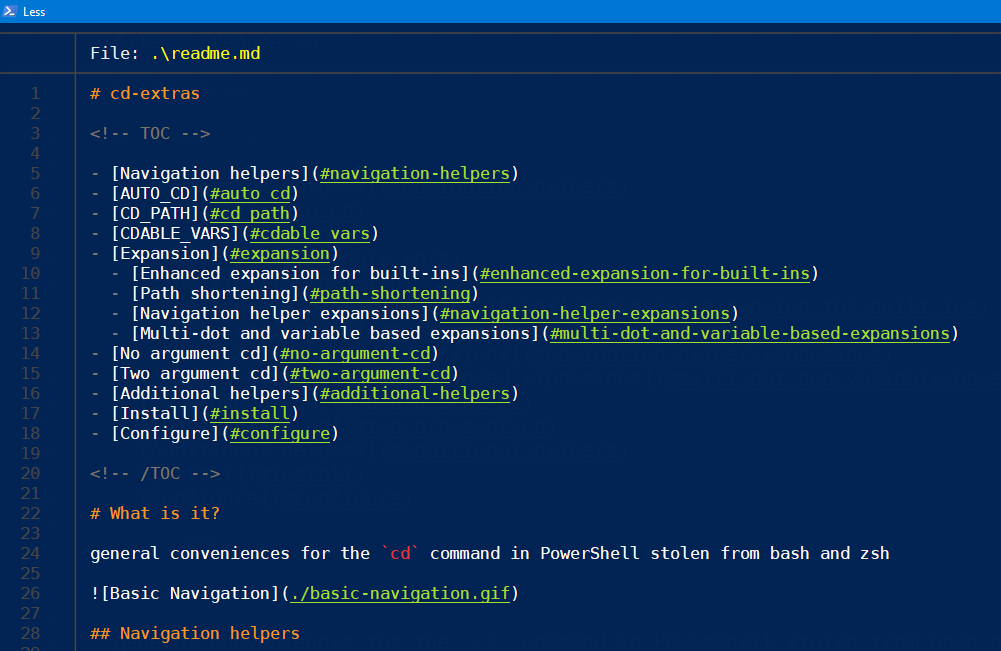
I do have HKEY_CURRENT_USER\Console\VirtualTerminalLevel=1. Not sure if that's important for conhost.exe?
nickcox
on 6 Sep 2018
Yup, I’ve got that set too. What version of Windows are you running? I’m on Windows 10 Pro x64.
EDIT:
I’ve found some interesting things. An answer on Stack Overflow pointed out that you can set the LESS environment variable to include -r to always allow colours in less output. This led me down an interesting rabbit hole.
- Without any changes, I get the white-on-grey text from my very first screenshot.
- Then I set
BAT_PAGERto the downloadedless5.30. I get garbled ANSI codes like in my last screenshot. No change so far. I
set LESS=-Xr. Now I see something almost correct: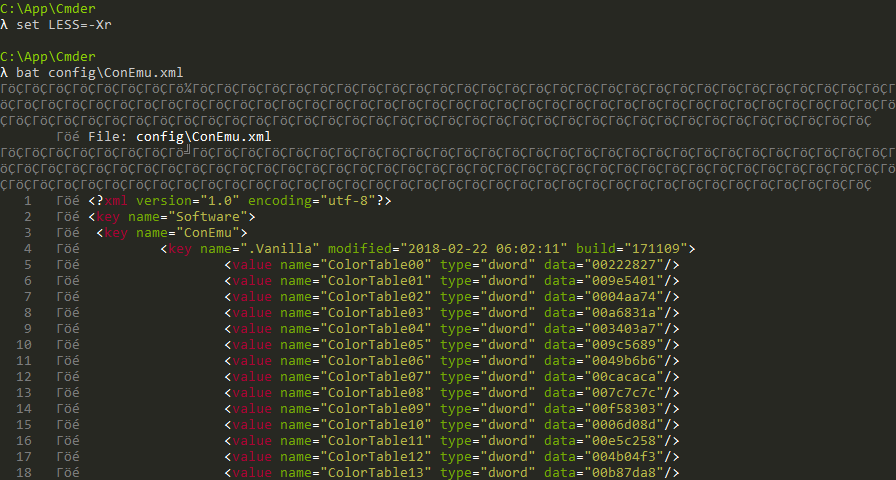
This was so close!
I looked for something else I could run to test colourized output. Fortunately, another answer in that SO thread mentioned
jq -C, so I gave that a whirl. It works fine, but it doesn’t involve any borders: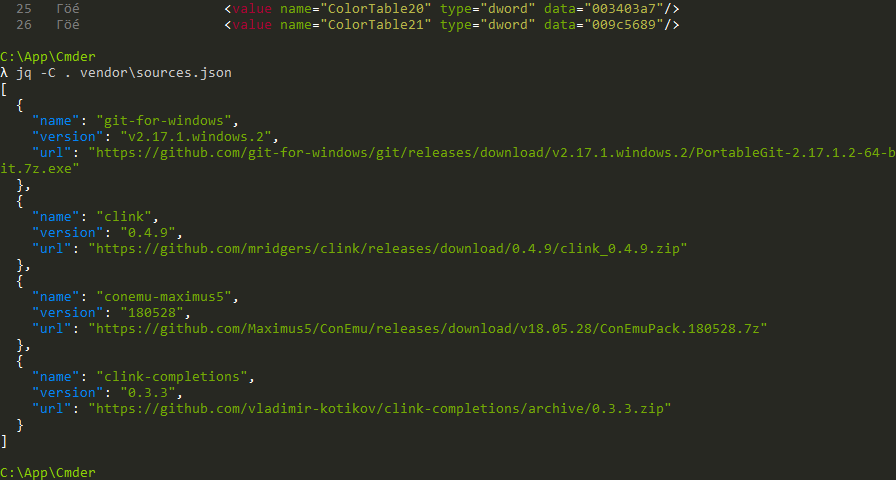
On an impulse, I tried
batagain. Lo and behold: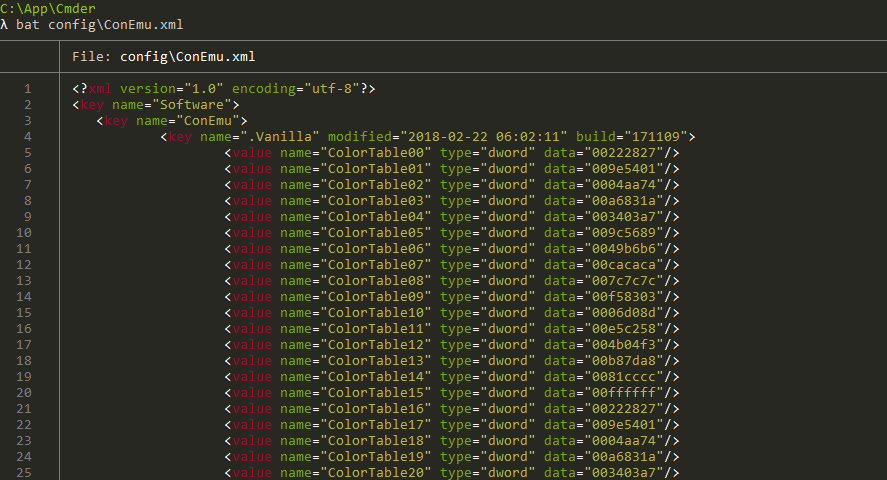
I can reliably reproduce this: if I set the environment variables and run bat, I get the right colours but the borders are messed up. If I run jq -C once, then run bat any number of times, I get the right output. Maybe jq -C prints something that makes the terminal behave itself.
Aankhen
on 6 Sep 2018
bat should set the right flags (you need -R, not -r) if either
PAGERandBAT_PAGERare unset orBAT_PAGERis unset andPAGER == "less"BAT_PAGER == "less"
sharkdp
on 6 Sep 2018
Ah, I see. I have to specify the full path to less since it’s not the default one, so in my case, BAT_PAGER != "less". I just tried swapping the order so that the default one is correct, and it solved everything—no environment variables required! I do still see the issue with encoding if I set BAT_PAGER to the full path and set LESS to include either -r or -R, if that’s something you want to look into, but it seems like my issue is solved. Thank you very much for following up on this.
EDIT:
It just needed LESSCHARSET to be set to utf-8, which bat does if the executable is less or ends with /less, which is not the case with an absolute path or a filename with extension on Windows.
Aankhen
on 6 Sep 2018
@Aankhen So with your PR merged, what's the full story with using less on Windows?
Is there something we should add to the README (Troubleshooting?) or will it work out of the box with your fix (and less installed)?
sharkdp
on 7 Sep 2018
Git’s less (which I believe is MSYS’s less) won’t be able to handle colours—you’ll get the white-on-grey from my first screenshot—and I can’t find a way to make it work, so maybe the README should mention that. Other than that, it should indeed work out of the box! We could mention that if the user doesn’t have a pager installed, they can get a working less either through Chocolatey or from the author directly at http://www.greenwoodsoftware.com/less/.
Aankhen
on 7 Sep 2018
Thanks! Let's add a "Using a pager on Windows" section (or similar) to the Troubleshooting section with both of your points.
sharkdp
on 7 Sep 2018
Done, #295.
Aankhen
on 8 Sep 2018
Related issues
sharkdp
·
45Comments
 adiabatic
·
19Comments
adiabatic
·
19Comments
 LunarLambda
·
23Comments
LunarLambda
·
23Comments
 andreyorst
·
17Comments
andreyorst
·
17Comments
 itkovian
·
31Comments
itkovian
·
31Comments
Most helpful comment
Done, #295.