Recently installed this on a Kubuntu system using Konsole with a slightly transparent window background.
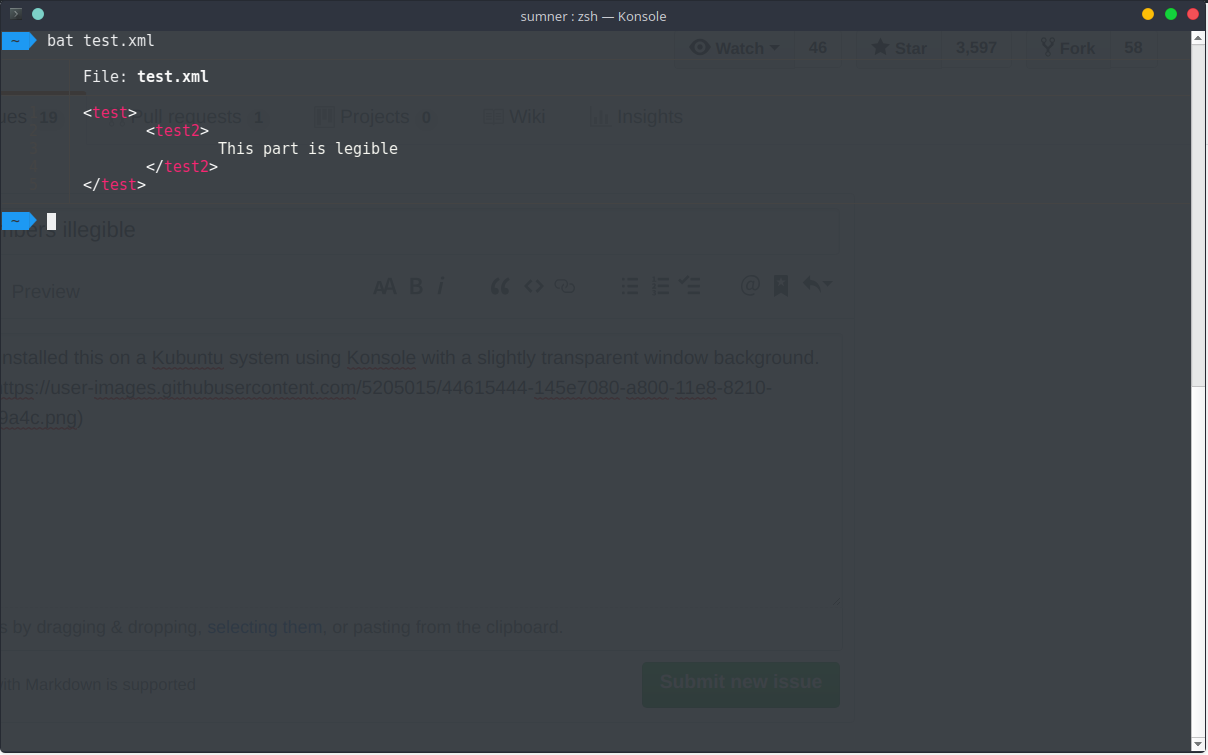
I've tried other themes but none of them change the color of the line numbers. Would it be possible to change them separately or just include brighter line number colors in certain themes?
 crunchyintheory
All 8 comments
Thank you for the feedback.
I have recently changed bat to use the gutterForeground color for line numbers and the grid. This seems to be consistent with what Sublime Text does. However, it is only now that I realize that none of the included color schemes actually defines this color. In this case, bat will use ANSI color 238 (#444444) as a fallback - which is hardly visible on your background color.
You can edit one of the existing themes and add gutterForeground in the <key>settings</key> part:
<key>gutterForeground</key>
<string>#777777</string>
Finally, you would need copy the modified theme to bats config folder and run bat cache --init (see Adding new themes).
However, it would be great if we could change bat to use a line-number color that is defined in more of the themes, but I'm not sure which one would work (maybe invisibles?).
 sharkdp
on 27 Aug 2018
sharkdp
on 27 Aug 2018
Another option is to use a theme that actually defines this color like OneHalfDark.
sharkdp
on 27 Aug 2018
Thanks, OneHalfDark works for me!
crunchyintheory
on 28 Aug 2018
While line numbers with theme OneHalfDark works in dark background terminal. But why this is not the default setting in bat?
 mitnk
on 10 Apr 2019
mitnk
on 10 Apr 2019
Because this is only a problem on some (terminal) color schemes. The current default works great in other terminals.
sharkdp
on 11 Apr 2019
Will the other themes shipped with bat receive the gutterForeground colour in a future release of bat?
 fdcds
on 12 Nov 2019
fdcds
on 12 Nov 2019
I have recently changed
batto use thegutterForegroundcolor for line numbers and the grid. This seems to be consistent with what Sublime Text does. However, it is only now that I realize that none of the included color schemes actually defines this color. In this case,batwill use ANSI color 238 (#444444) as a fallback - which is hardly visible on your background color.You can edit one of the existing themes and add
gutterForegroundin the<key>settings</key>part:<key>gutterForeground</key> <string>#777777</string>
  <key>gutterSettings</key>
  <dict>
    <key>background</key>
    <string>#073642</string>
    <key>divider</key>
    <string>#586e75</string>
    <key>foreground</key>
    <string>#839496</string>
    <key>selectionBackground</key>
    <string>#586e75</string>
    <key>selectionForeground</key>
    <string>#a6e22e</string>
  </dict>
Copying gutterSettings.foreground to settings.settings.gutterForeground looks reasonably well. :)
Could gutterSettings.foreground be used by bat directly?
fdcds
on 12 Nov 2019
I don't know by heart. We would have to try that for the available schemes and do some research what is actually meant by those entries.
sharkdp
on 24 Nov 2019
Related issues
 septatrix
·
20Comments
septatrix
·
20Comments
 joeycozza
·
20Comments
joeycozza
·
20Comments
 tbrodbeck
·
30Comments
tbrodbeck
·
30Comments
 tnemeth
·
20Comments
sharkdp
·
45Comments
tnemeth
·
20Comments
sharkdp
·
45Comments
Most helpful comment
Another option is to use a theme that actually defines this color like OneHalfDark.