Babylon.js: Recreate a standard material with NME
Would be a fantastic demo for 4.1
 deltakosh
All 91 comments
+ a PBR material if possible? :D
 Vinc3r
on 10 Jan 2020
Vinc3r
on 10 Jan 2020
Not for 4.1 as some blocks will be missing but this is the goal for 4.2
deltakosh
on 10 Jan 2020
I assume that the #ifdef parts of the shaders should be treated as regular "if" when converting to nme?
So, for something like:
#ifdef MULTIVIEW
    if (gl_ViewID_OVR == 0u) {
        gl_Position = viewProjection * worldPos;
    } else {
        gl_Position = viewProjectionR * worldPos;
    }
#else
    gl_Position = viewProjection * worldPos;
#endif
we would create a MULTIVIEW float constant, with either the value 0 or 1. Both parts of the #ifdef would be created in the editor and the output would be something like lerp(result2, result1, MULTIVIEW): is that what you had in mind?
Side question: I don't think gl_ViewID_OVR is available in the nme?
And what about gl_PointSize?
 Popov72
on 10 Jan 2020
Popov72
on 10 Jan 2020
So we should not treat ALL the special cases. Multiview for instance is out of the equation.
Same for pointSize.
Let's chat here of the special cases but most of the time we will either ignore them or add special blocks later
deltakosh
on 10 Jan 2020
Ok, going for the vertex shader first.
Should we support:
- bones? I assume yes as we do have the block in NME
- instances? I assume yes as we do have the block in NME
- clip planes?
- fog? I assume yes as we do have the block in NME
- morph targets? I assume yes as we do have the block in NME
- logarithmic depth?
- multiview? no / not now
- shadows? I assume yes as we do have the block in NME (Lights)
- point cloud? no / not now
Here are all the defines we should handle:
- NORMAL, TANGENT, UV1, UV2, VERTEXCOLOR, MAINUV1, MAINUV2, DIFFUSE, AMBIENT, OPACITY, EMISSIVE, LIGHTMAP, SPECULAR, SPECULARTERM, BUMP, PARALLAX, CLEARCOAT_BUMP, CLIPPLANE, CLIPPLANE2, CLIPPLANE3, CLIPPLANE4, CLIPPLANE5, CLIPPLANE6, FOG, REFLECTIONMAP_SKYBOX, REFLECTIONMAP_SKYBOX_TRANSFORMED, REFLECTIONMAP_EQUIRECTANGULAR_FIXED, REFLECTIONMAP_MIRROREDEQUIRECTANGULAR_FIXED, LOGARITHMICDEPTH,
- those are the ones ending up as a float constant with a 0 or 1 value in the nme: can you acknowledge that all these defines must be supported?
- DIFFUSEDIRECTUV, AMBIENTDIRECTUV, OPACITYDIRECTUV, EMISSIVEDIRECTUV, LIGHTMAPDIRECTUV, SPECULARDIRECTUV, BUMPDIRECTUV
- those are the ones with 3 possible values, 0, 1 or 2: can you acknowledge that all these defines must be supported?
Thanks!
Popov72
on 10 Jan 2020
- Clip planes: not now
- log depth: not now
The reflectionMap should already be done by the reflection texture block
No support for all the xxxDirectUV. the texture node handle that differently
deltakosh
on 10 Jan 2020
Ok thanks.
I have an error I don't understand: https://nme.babylonjs.com/#JDCSVX#2
This one does work.
Now, link the output of the normalWorld block to the worldNormal input of the Reflection texture block and you get this error:
Shader compilation error: VERTEX SHADER ERROR: 0:35: 'normalOutput' : undeclared identifier ERROR: 0:35: 'constructor' : not enough data provided for construction
https://nme.babylonjs.com/#JDCSVX#3
It seems it should work?
Popov72
on 11 Jan 2020
Here are my comments after creating the vertex shader:
- MULTIVIEW / clip planes / log depth not handled (reminder)
- Bones: no
matricesIndicesExtra/matricesWeightsExtrablocks in the nme interface - It seems the MorphTargets block does not generate code inside the main function of the vertex shader as it should (I checked with "Export shaders")
- Could not handle:
    #ifdef NONUNIFORMSCALING
        normalWorld = transposeMat3(inverseMat3(normalWorld));
    #endif
as there are no transposeMat / inverseMat blocks
- There's a
###___ANCHOR0___###in the vertex code generated by "Export shaders" (?) - Fog: it seems it does not work yet? When doing a "Export shaders", I can see the code is here but enclosed by
#ifdef FOGand there's no way to enableFOGin the nme interface (or I didn't find it). - It seems something like that can't be done (found in the bump code):
vTBN = mat3(finalWorld) * mat3(tbnTangent, tbnBitangent, tbnNormal);
we can't construct a matrix based on 3 vectors? More generally, I think we need a special block in the nme for bump, as there are a number of specific functions called in the fragment code (cotangent_frame, parallaxOcclusion, etc)?
If it can help: https://nme.babylonjs.com/#JDCSVX#4
Popov72
on 11 Jan 2020
I think we need a special block in the nme for bump, as there are a number of specific functions called in the fragment code (cotangent_frame, parallaxOcclusion, etc)?
the bump portion can be handled with the perturbNormal block
issue found for https://nme.babylonjs.com/#JDCSVX#3. I will send an update in a couple of hours :)
- morph target should work (like fog) but cannot be tested directly in NME (but can be tested from a playground)
deltakosh
on 12 Jan 2020
Thanks.
This one also has an error:

https://nme.babylonjs.com/#JDCSVX#5
It happened when connecting the output from "Perturb normal" to the input of "Reflection texture".
If I connect the output from "Normal world" to the input of "Reflection texture", it does work.
Popov72
on 13 Jan 2020
I also have an error with this one that uses morph targets:

PG: https://www.babylonjs-playground.com/#HPV2TZ#41
Node material to use: https://nme.babylonjs.com/#6E8GQ2
Popov72
on 13 Jan 2020
Can you create an issue for each?
deltakosh
on 14 Jan 2020
Ok I fixed the #JDCSVX#5
deltakosh
on 14 Jan 2020
And I fixed the second :)
Nightly incoming
deltakosh
on 14 Jan 2020
Cool, thanks!
Popov72
on 14 Jan 2020
I think there are too many calculations done in the vertex shader for the reflection part compared to the existing standard shaders because I get this error when wiring the two sided lighting calculation (which uses gl_frontFacing):
FrontFacingBlock must only be used in a fragment shader
https://nme.babylonjs.com/#6E8GQ2#1
In the existing standard vertex shader, there is only this code related to reflection:
#if defined(REFLECTIONMAP_EQUIRECTANGULAR_FIXED) || defined(REFLECTIONMAP_MIRROREDEQUIRECTANGULAR_FIXED)
    vDirectionW = normalize(vec3(finalWorld * vec4(positionUpdated, 0.0)));
#endif
Did you tried with the latest fix I did? I should have moved the bump computation to fragment only (like frontFacing block which is fragment only)
Btw: I see no error in the link you shared :(
deltakosh
on 14 Jan 2020
Is the online nme updated with your changes?
It still does not work for me:
- indeed, the last url I shared does not show any error anymore, however there is a never ending "Please wait loading" on top of the preview frame
- this link still shows the same error: https://nme.babylonjs.com/#JDCSVX#5
- this one too: https://www.babylonjs-playground.com/#HPV2TZ#41 (node material: https://nme.babylonjs.com/#6E8GQ2)
Popov72
on 14 Jan 2020
Yes apparently we are facing a deployment issue (cc @sebavan )
deltakosh
on 14 Jan 2020
Np, I'm now using the local nme, I see the changes are in.
So, I don't have the error in the first link anymore, however I have a new one with the morph example:

Popov72
on 14 Jan 2020
This happens when you click on which node?
deltakosh
on 14 Jan 2020
Hum, I think it happened when I bound:
- this material: https://nme.babylonjs.com/#KPP0Z2
- to this nodeMaterial: https://playground.babylonjs.com/#R7CMMJ
but I don't have the error anymore... Maybe it was a transient error.
I also added the option to flag a float as boolean (from the UI standpoint only)
I can't see the option in my local nme, have you already committed it?
Popov72
on 14 Jan 2020
I added it in the list of tasks :D
deltakosh
on 14 Jan 2020
Ok :)
So, now the shader works with morph targets, however I need to know how it is supposed to work when no morph target are there. For the time being, the shader does not work, I have a uniform grey color whereas I would expect to see my reflection texture when the mesh has no morph targets.
I would have supposed that the block:

would output updated position/normal/tangent/uv if the mesh has morph targets, else would output the unmodified position/normal/tangent/uv data. But it seems it outputs 0-vector data instead. Is it expected? Should I create a float like "HASMORPHTARGETS" and take the output from "MorphTargets" if it is one, else take the standard position/normal/... values instead?
I would have thought that all the blocks "Instances", "Bones", "MorphTargets", "Perturb normal" would output modified data if the corresponding feature is enabled on the mesh ("mesh has instances", "mesh has bones", ...) but else would output unmodified but still usable data. Is that not the case ?
Popov72
on 14 Jan 2020
It should be the case: https://nme.babylonjs.com/#C39T6E
deltakosh
on 14 Jan 2020
It's a problem with the #define NORMAL / UV / ... not being set correctly I think.
Try:
- browse this PG: !! Online Playground does not work at the time being, so here's the code:
var scrambleUp = function(data) {
    for (index = 0; index < data.length; index ++) {
        data[index] += 0.4 * Math.random();
    }
}

var scrambleDown = function(data) {
    for (index = 0; index < data.length; index ++) {
        data[index] -= 0.4 * Math.random();
    }
}

var createScene = function () {

    // This creates a basic Babylon Scene object (non-mesh)
    var scene = new BABYLON.Scene(engine);

    // This creates and positions a free camera (non-mesh)
    var camera = new BABYLON.ArcRotateCamera("camera1", 1.14, 1.13, 10, BABYLON.Vector3.Zero(), scene);

    // This targets the camera to scene origin
    camera.setTarget(BABYLON.Vector3.Zero());

    // This attaches the camera to the canvas
    camera.attachControl(canvas, true);

    // This creates a light, aiming 0,1,0 - to the sky (non-mesh)
    var light = new BABYLON.HemisphericLight("light1", new BABYLON.Vector3(0, 1, 0), scene);

    // Default intensity is 1. Let's dim the light a small amount
    light.intensity = 0.7;

    // Our built-in 'sphere' shape. Params: name, subdivs, size, scene
    var sphere = BABYLON.Mesh.CreateSphere("sphere1", 16, 2, scene, true);

    var materialSphere = new BABYLON.StandardMaterial("mat", scene);
    materialSphere.diffuseTexture = new BABYLON.Texture("textures/misc.jpg", scene);

    var nodeMaterial = new BABYLON.NodeMaterial("node material", scene, { emitComments: true });

            scene.debugLayer.show({
              embedMode: true
            });
            scene.debugLayer.select(nodeMaterial);

    sphere.material = nodeMaterial;

    var sphere2 = BABYLON.Mesh.CreateSphere("sphere2", 16, 2, scene);
    sphere2.setEnabled(false);
    sphere2.updateMeshPositions(scrambleUp);

    /*var manager = new BABYLON.MorphTargetManager();
    sphere.morphTargetManager = manager;

    var target0 = BABYLON.MorphTarget.FromMesh(sphere2, "sphere2", 0.25);
    manager.addTarget(target0);

    angle = 0;
    scene.registerBeforeRender(function() {
        target0.influence = Math.sin(angle)*Math.sin(angle);
        angle += 0.01;
    })*/

    return scene;

};
- bind this material: https://nme.babylonjs.com/#WTSLCL
- it does not work, the sphere is uniformly brown. If we look at the beginning of the vertex shader in Spector:

- it does not work, the sphere is uniformly brown. If we look at the beginning of the vertex shader in Spector:
- now bind this material: https://nme.babylonjs.com/#4T6H8Y
- it does work, the sphere is correctly shaded. In Spector:

- it does work, the sphere is correctly shaded. In Spector:
- bind the first material (https://nme.babylonjs.com/#WTSLCL) that did not work: it does work now.

Popov72
on 14 Jan 2020
I also think there's a problem with the "Perturb normal" block.
In the fragment shader, first line for this block is:
//Perturb normal
vec4 output7 = vec4(0.);
I think it should be initialized with the input "worldNormal" instead, so that if "BUMP" is not defined, we end up with the worldNormal unmodified. For the time being, if "BUMP" is not defined, we end up with a normal = vec4(0.) because of this line.
Popov72
on 14 Jan 2020
yep! I'm on it (thanks btw :))
deltakosh
on 14 Jan 2020
I also think there's a problem with the "Perturb normal" block.
I do not think as BUMP is defined by the perturbNormal itself
deltakosh
on 14 Jan 2020
It's a problem with the #define NORMAL / UV / ... not being set correctly I think.
I can repro..Looking for a fix now
deltakosh
on 14 Jan 2020
Well actually no I cannot repro :(
(PG is back btw)
I do not see how this could fail: https://github.com/BabylonJS/Babylon.js/blob/master/src/Materials/Node/nodeMaterial.ts#L663
We are using the raw data of the mesh directly to flag the correct define
deltakosh
on 14 Jan 2020
I do not think as BUMP is defined by the perturbNormal itself
Indeed, but how do you want the end user to use the material from the node editor?
I thought I would recreate the whole standard material with all the features in (morph, bones, instances, bump, reflection, etc) and the end user would disable some features by "some mean".
For some blocks, it's automatic because it depends on the mesh itself:
- if no morph targets, the "MorphTargets" block will output unmodified position/normal/tangent/uv so it's ok to keep this block even if no morph targets
- if no instances, the "Instances" block will output the world matrix given as input so it's ok to keep this block even if no instances
- if no bones, the "Bones" block will output the world matrix given as input so it's ok to keep this block even if no bones
However, for other features like BUMP, it is the choice of the user to use it or not, it does not depend on the mesh itself: how do you let the user choose to use BUMP or not? Removing the block from the material seems complicated to me, I thought there would be some way to #define or not "BUMP" (and all other associated defines to BUMP: CLEARCOAT_BUMP, PARALLAX, ANISOTROPIC, PARALLAXOCCLUSION, etc).
If we keep the "Perturb normal" block even when bump is disabled, we should make sure we output the normal as given in the input.
Same thing for other features like Reflection.
Popov72
on 14 Jan 2020
Understood. The need here is to get the code with a "full fledged" std material. If the user does not want bump it can remove it from the node material.
deltakosh
on 14 Jan 2020
In the future we could think about adding an "isEnabled" boolean per block
deltakosh
on 14 Jan 2020
Well actually no I cannot repro :(
(PG is back btw)I do not see how this could fail: https://github.com/BabylonJS/Babylon.js/blob/master/src/Materials/Node/nodeMaterial.ts#L663
We are using the raw data of the mesh directly to flag the correct define
It does not work for me, I did the steps I explained in the previous post in the online Playground.
What I did:
- browse this PG: https://playground.babylonjs.com/#IY2BBD
- open https://nme.babylonjs.com/#WTSLCL and save it locally with name "mat0.json"
- click on the "Node material editor" button in the PG and load "mat0.json": the sphere is all gray

- open https://nme.babylonjs.com/#4T6H8Y and save it locally with name "mat1.json"
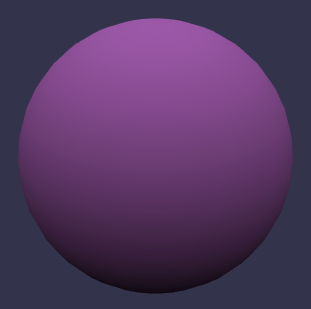
- load "mat1.json" in place of "mat0.json" for the node material in the PG: it does work, the sphere is pink and shaded
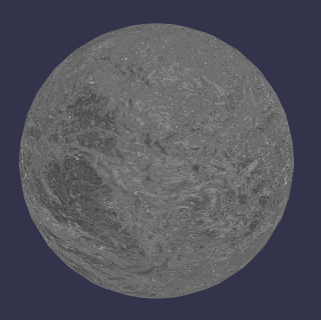
- load "mat0.json" in place of "mat1.json" for the node material in the PG: it now works, the sphere has the reflective map:
Popov72
on 14 Jan 2020
In the future we could think about adding an "isEnabled" boolean per block
Ok!
Popov72
on 14 Jan 2020
It does not work for me, I did the steps I explained in the previous post in the online Playground.
I feel like it was fixed by another fix I did :) Let's wait for the next nightly to merge and see how it goes. I will publish it asap
deltakosh
on 14 Jan 2020
Ok.
Another thing, I think the answer will be "no" but I still have to ask :)
Do you plan to allow to link two vectors bullets if the source one has more components than the destination one?
For eg, my source vector is "Vertex color" which is a vec4 whereas my destination is a bullet that is a vec3. Linking them would make the shader code to use vertexcolor.xyz automatically, instead of requiring the user to put a color splitter to get the xyz output needed. If the user needs something else than the automatic conversion (which would be x / xy / xyz when the destination is vec1, vec2, vec3), he still can use a splitter.
Color / vector splitter are quite big blocks in the graph, they take some room :)
Popov72
on 14 Jan 2020
Haha! You'll be surprised but we have all wwe need to support that :)
Node can define compatible inputs:
https://github.com/BabylonJS/Babylon.js/blob/master/src/Materials/Node/Blocks/Fragment/fragmentOutputBlock.ts#L23
deltakosh
on 14 Jan 2020
Which blocks would you like to add compatible inputs? I can do it quite easliy
deltakosh
on 14 Jan 2020
In fact that would be all blocks, with the rule explained above (source vector has more components than the destination vector) :p
But my use case was with "mesh.color" that I wanted to input to a multiply block.
Popov72
on 14 Jan 2020
Multiply block is an autodetect block so it will take the format of what you have (say you have the first input connected on a vec3 then the second one must be a vec3)
deltakosh
on 14 Jan 2020
Indeed, but I need to multiply the diffuse.rgb with vertexcolor (vec4). I guess I have to use the splitter then.
Popov72
on 14 Jan 2020
yes :)
deltakosh
on 14 Jan 2020
I downloaded the latest source code for the nme (I did get new sources from github), but my procedure above still not work.
When I do the first step (connecting the first node material to the sphere in the PG), I get this in the console (when loading the material into the node editor):
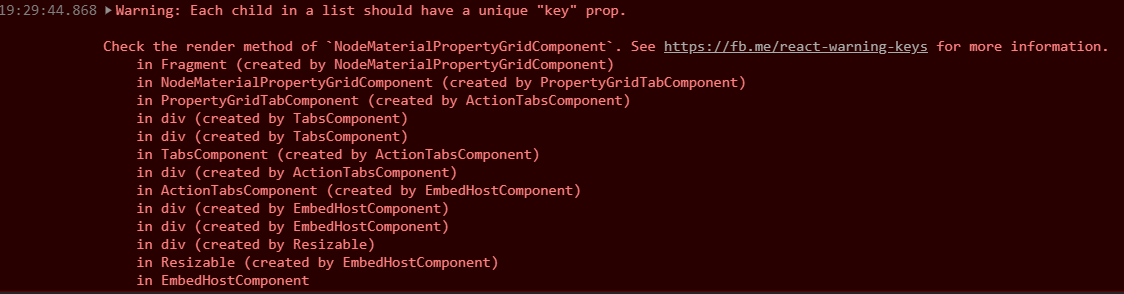
and my sphere is gray.
I need to load the second material then reload the first material to get the right display (and this time no error in the console).
Popov72
on 14 Jan 2020
Annoying bug: when using the "DEL" key in the X/Y or Z value of a Vector3, it deletes the currently selected block!
Popov72
on 14 Jan 2020
I will fix that!
deltakosh
on 14 Jan 2020
Additional request: do you have an example of a PG with a standard material with all features enabled (bump, reflection, ambient, diffuse, etc)?
Popov72
on 14 Jan 2020
Additional request: do you have an example of a PG with a standard material with all features enabled (bump, reflection, ambient, diffuse, etc)?
Unfortunately no :(
deltakosh
on 14 Jan 2020
Annoying bug: when using the "DEL" key in the X/Y or Z value of a Vector3, it deletes the currently selected block!
Will be fixed by next nightly.
Checking the other issue now
deltakosh
on 14 Jan 2020
Ok your repro actually works..Working on a real fix now
deltakosh
on 14 Jan 2020
For the sake of testing I'm adding this construct:
BABYLON.NodeMaterial.ParseFromSnippetAsync("WTSLCL", scene).then(nodeMaterial => {})
cc @PatrickRyanMS and @PirateJC FYI
deltakosh
on 14 Jan 2020
It is live
deltakosh
on 14 Jan 2020
@Popov72 : https://playground.babylonjs.com/#IY2BBD#1
deltakosh
on 14 Jan 2020
It works, and ParseFromSnippetAsync is very cool too.
Thanks!
Popov72
on 14 Jan 2020
"Is boolean" is cool too :)!
Popov72
on 14 Jan 2020
It seems CTRL+C / CTRL+V does not work for frames.
Try here: https://nme.babylonjs.com/#WTSLCL
Do you plan to also implement "undo" / "redo"?
Popov72
on 14 Jan 2020
no undo/redo for now..Maybe in the future through upworks ;)
It seems CTRL+C / CTRL+V does not work for frames.
yeah it acts weirdly...WIll check asap
deltakosh
on 14 Jan 2020
Will be fixed by next nightly
deltakosh
on 14 Jan 2020
Ah, we can't set the alpha value of a color4 in the GUI!
Popov72
on 14 Jan 2020
What do you mean?
deltakosh
on 14 Jan 2020
I have a Color4 block and what I can edit is:
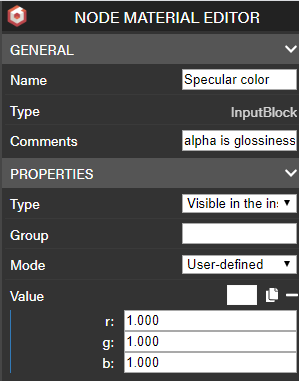
I can't edit the alpha value (not in the color chooser either).
Popov72
on 14 Jan 2020
ok make sense! will fix that
deltakosh
on 14 Jan 2020
Also, I can't clamp a vector, the Clamp block assumes the input/output to be float: it should be like multiply and adapt to its input.
Popov72
on 14 Jan 2020
Some comments/questions:
- How the Light information block is supposed to be used? It seems it is not needed (at least for the standard material)?
- I think I don't handle Refraction, as I saw it's a block planned for nme v2?
- I don't think I can handle all the things related to _Fresnel_?
Popov72
on 14 Jan 2020
Another one:
At the end of the fragment shader there is:
#ifdef IMAGEPROCESSINGPOSTPROCESS
    color.rgb = toLinearSpace(color.rgb);
#else
    #ifdef IMAGEPROCESSING
        color.rgb = toLinearSpace(color.rgb);
        color = applyImageProcessing(color);
    #endif
#endif
We do have a ImageProcessing node but I can't see a node for "toLinearSpace"?
Popov72
on 15 Jan 2020
How the Light information block is supposed to be used? It seems it is not needed (at least for the standard material)?
Not required for stdmaterial
I think I don't handle Refraction, as I saw it's a block planned for nme v2?
Correct
I don't think I can handle all the things related to Fresnel?
We need to create the block
We do have a ImageProcessing node but I can't see a node for "toLinearSpace"?
We need to create the block
deltakosh
on 15 Jan 2020
Thanks for your answers.
This one is annoying:
Also, I can't clamp a vector, the Clamp block assumes the input/output to be float: it should be like multiply and adapt to its input.
Do you think you can so something for it, or should I create 3 clamps, one for each component? (will need to do a Vector Splitter, 3 clamps and a Vector Merger). Going to bed now, so no hurry ;)
Popov72
on 15 Jan 2020
The clamp is now autodetect ;D
deltakosh
on 15 Jan 2020
I LOVE THIS! I have always split and multi-clamped but consolidation for the win!!
 PatrickRyanMS
on 15 Jan 2020
PatrickRyanMS
on 15 Jan 2020
ok make sense! will fix that
Also, it seems the alpha value of a color4 is 0 by default, 1 would be a better value I think, else the color is not really usable "as is".
Popov72
on 15 Jan 2020
Well my experience is that when drag n dorpping a color4 I get alpha to 1 (as expected):

Checking the other error (at least this issue will be really useful to stabilize nme before the release:))
deltakosh
on 15 Jan 2020
Well can you please create one issue by problem? The discussion here makes it really complicated to track :)
deltakosh
on 15 Jan 2020
Thanks for creating the issues!
deltakosh
on 15 Jan 2020
Thanks for creating the issues!
All done !
Popov72
on 15 Jan 2020
Here it is: https://nme.babylonjs.com/#PRXLT5
PG to test with: https://playground.babylonjs.com/#ZCJ2QX
I tried to make things as clearer as possible by making frames and moving them to limit line crossings, but I'm sure it's still possible to do better.
I added a number of float-const-boolean to enable/disable some parts of the rendering (corresponding to #define in the shaders), as it was easier for me for testing purpose: people can still remove the parts they don't want to use in the graph if they want to simplify the material. However, if drivers are good enough, they should be able to optimize something like lerp(a, b, 0) or lerp(a, b, 1) by not doing the lerp, keeping only the right operand and removing the calculations leading to the other operand if it is not used elsewhere.
I hope I did not make mistakes, I tried to closely follow the shader code and used namings as found in the code.
I think the single most important thing to explain to people about this material is that it is a transparency material by defaut (so, don't write in the zbuffer - only sorted / don't cast shadows by default), because something is connected to fragmentOutput.a! If people don't want / don't need transparency, they should remove the link to this input.
Popov72
on 16 Jan 2020
This is PERFECT!!!! Here are the next steps for me:
- Update the PG with a 4 buttons GUI: One with the material with alpha and one without and one to use a StandardMaterial instead (but with the same configuration)
- Clean the PG (remove/ add comments)
- Update the nme doc to add a "Recreate the StandardMaterial" chapter where we briefly explain the node material you created
- Profit!
deltakosh
on 16 Jan 2020
Is it expected that to get the same texture orientation in the nme compared to using a StandardMaterial we have to rotate U and V coordinates by 180°?
Popov72
on 17 Jan 2020
we should have the same orientation out of the box
deltakosh
on 17 Jan 2020
Also, if I'm not mistaken, there's no equivalent of the glossPower input of the Lights block in the standard material, so I must set it to 1 to be able to compare.
Popov72
on 17 Jan 2020
Correct
deltakosh
on 17 Jan 2020
Is it possible to put this texture (name: opacity.png) into the Playground/textures directory? I didn't really find a suitable texture for opacity in the textures/ directory...

Popov72
on 17 Jan 2020
sure! just do a PR to add it
deltakosh
on 17 Jan 2020
Done.
Popov72
on 17 Jan 2020
Here is the PG:
Popov72
on 17 Jan 2020
This is PERFECT!!!! Thanks a lot buddy!!! Now a good doc explaining all of that and we call it done
deltakosh
on 17 Jan 2020
PR done for the updated doc.
Popov72
on 17 Jan 2020
Congratulation buddy! this is perfect! Closing now!
deltakosh
on 17 Jan 2020
PR done for the updated doc.
Just to bring you up to date: I've modify your opacity.png to make it more "realtime" compliant ;)
Vinc3r
on 20 Jan 2020
Thanks, I'm working exclusively on desktop and 100ko is small for me :p
Popov72
on 20 Jan 2020
it was more about power of two width & height, plus make it tiling ^^
Vinc3r
on 20 Jan 2020
Related issues
 dad72
·
35Comments
dad72
·
35Comments
 thomlucc
·
61Comments
deltakosh
·
23Comments
thomlucc
·
61Comments
deltakosh
·
23Comments
 nbduke
·
21Comments
Vinc3r
·
18Comments
nbduke
·
21Comments
Vinc3r
·
18Comments
Most helpful comment
The clamp is now autodetect ;D