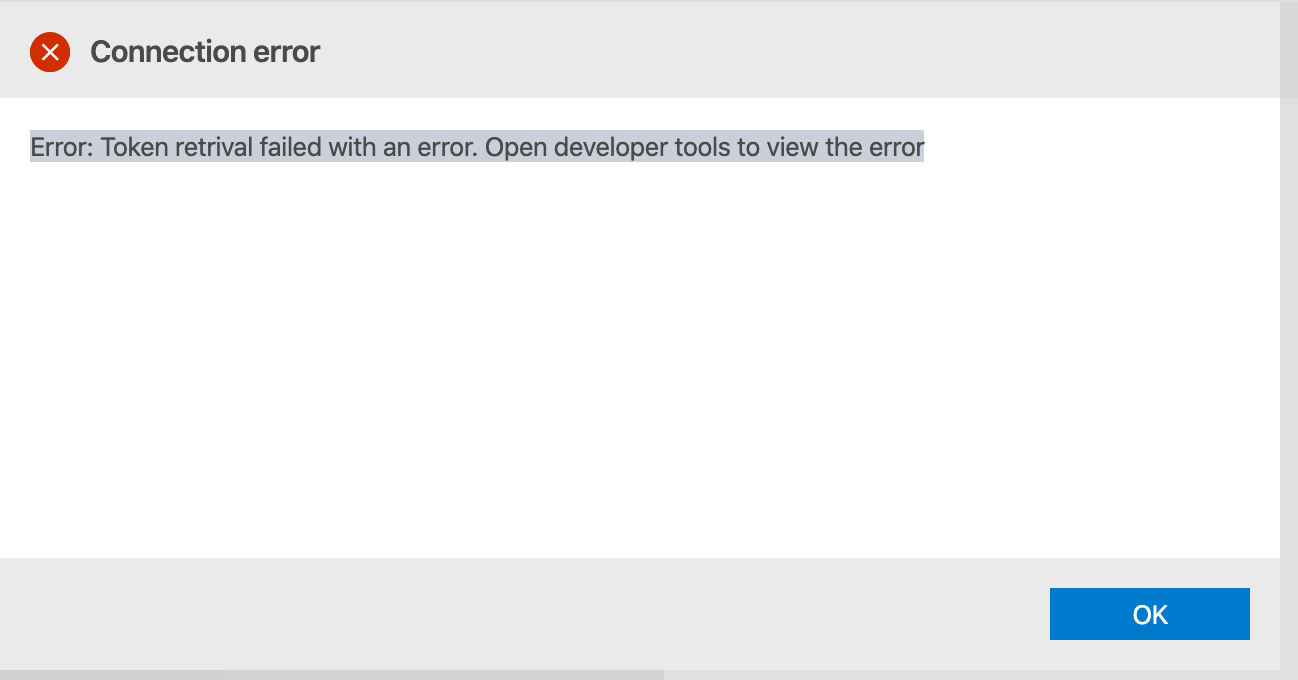
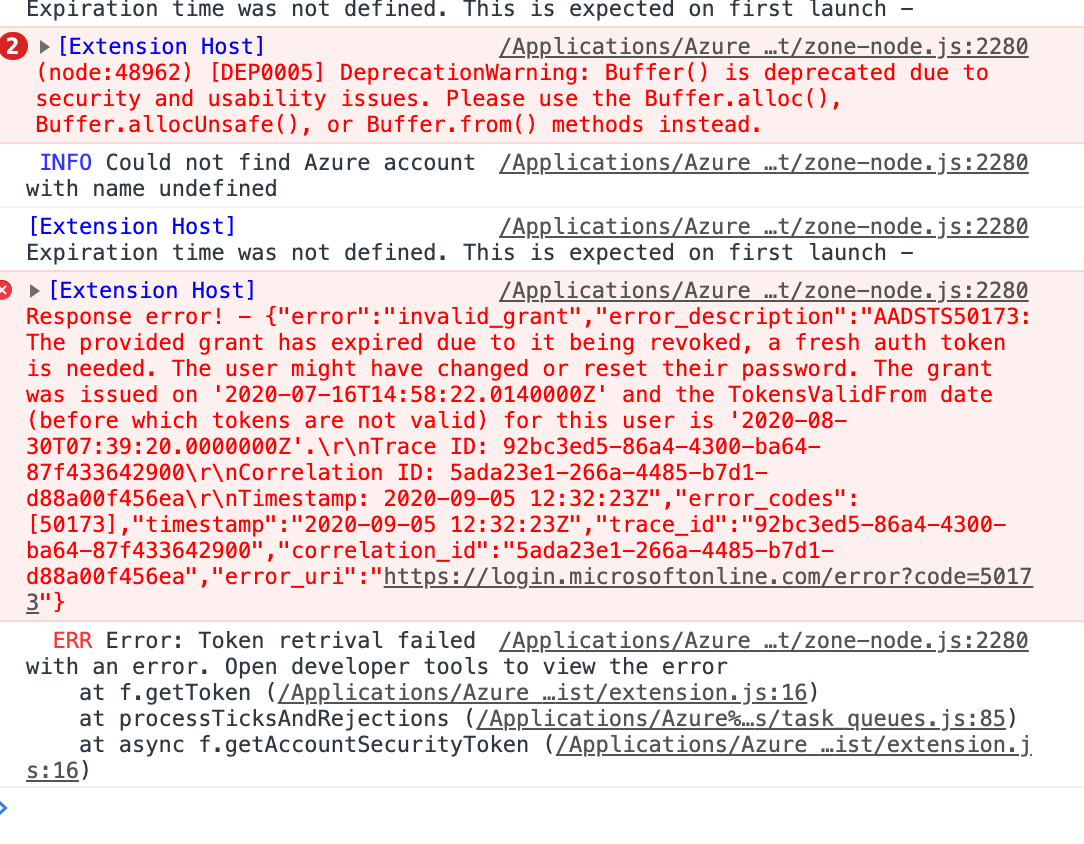
Azuredatastudio: Getting error while connecting to azure sql server. Error: Token retrival failed with an error. Open developer tools to view the error
- Azure Data Studio Version: 1.21.0 (macos)
Steps to Reproduce:
- followed below approach when i got this error
Token retrival failed with an error. Open developer tools to view the error - Add connection type as Microsoft SQL Server
- Choose Authentication type as Azure Active Directory - Universal with MFA support
- Put Database name
4 Try to connect
I remember i started getting this issue once i changed my AAD password.
 amanraj09
All 10 comments
I noticed this today as well, it was working fine a few days ago and didn't changed anything in the SQL instances (Azure SQL Servers)
 javiermarasco
on 14 Sep 2020
javiermarasco
on 14 Sep 2020
I am encountering similar issue as well.
Version Info
Version: 1.23.0
Commit: d296b6397e0acfddc57e9085e736e084969cdaeb
Date: 2020-10-13T22:58:36.079Z
VS Code: 1.49.0
Electron: 9.2.1
Chrome: 83.0.4103.122
Node.js: 12.14.1
V8: 8.3.110.13-electron.0
OS: Darwin x64 19.6.0
Error:
Error: Token retrival failed with an error. Open developer tools to view the error
 I90Runner
on 11 Nov 2020
I90Runner
on 11 Nov 2020
same action and error:
Version: 1.24.0
Commit: eb3c0f5d9df86b9490606aab7fffaa253b0aca4d
Date: 2020-11-10T23:35:27.682Z
VS Code: 1.48.0
Electron: 9.3.0
Chrome: 83.0.4103.122
Node.js: 12.14.1
V8: 8.3.110.13-electron.0
OS: Darwin x64 19.6.0
 gabrieljoelc
on 16 Nov 2020
gabrieljoelc
on 16 Nov 2020
I also experienced similar issue after changing by AAD password. Is there a work around to resolve this ?
 achand9
on 26 Nov 2020
achand9
on 26 Nov 2020
Same action and error

I was able to work around by clearing files from
C:Users\{UserNameHere}\AppData\Roaming\azuredatastudio\Azure Accounts
Then reloading the app. On first load got a blank error notification, second load OK then could connect to server
 shortall
on 3 Dec 2020
shortall
on 3 Dec 2020
@shortall 's answer was the only way to fix the error for me.
 gsaiz
on 8 Dec 2020
gsaiz
on 8 Dec 2020
Hi All,
Good Afternoon.
I am getting below error while connecting to azure data studio from jumphost.
Token retrieval failed with an error. Open developer tools to view the error
Could you please help me on the same.
Thanks ,
Gopinath
 Gopinathreddy6098
on 4 Jan 2021
Gopinathreddy6098
on 4 Jan 2021
I had this same issue after changing my Azure Active Directory password. @shortall 's workaround worked for me also. This really should be fixed so the application can gracefully handle when someone changes there AAD password. I am on version 1.25.1
 gregiare
on 6 Jan 2021
gregiare
on 6 Jan 2021
Hi,
Thanks for your response, but I'm not clear on fix.
Gopinathreddy6098
on 6 Jan 2021
This just started happening to me today, no changes to Data Studio or AAD or password etc... Clearing the connection cache as per @shortall 's answer fixed the issue and allowed me to reconnect.
 memblin-taurus
on 18 Jan 2021
memblin-taurus
on 18 Jan 2021
Related issues
 haydnlj
·
3Comments
haydnlj
·
3Comments
 stevenreddie
·
3Comments
stevenreddie
·
3Comments
 erickangMSFT
·
3Comments
erickangMSFT
·
3Comments
 Ungerfall
·
3Comments
Ungerfall
·
3Comments
 mayurrumal1
·
3Comments
mayurrumal1
·
3Comments
Most helpful comment
Same action and error

I was able to work around by clearing files from
C:Users\{UserNameHere}\AppData\Roaming\azuredatastudio\Azure Accounts
Then reloading the app. On first load got a blank error notification, second load OK then could connect to server