Azuredatastudio: Seeking community feedback on SQL Database Projects extension (Insiders preview)
To bring project-based SQL database development to a cross-platform experience, we are announcing SQL Database Projects Extension (Insiders Preview) is now available in the latest Azure Data Studio Insiders build.

Getting Started with SQL Database Projects
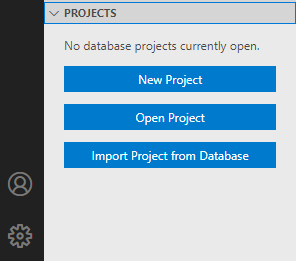
- Create a new database project by going to the Projects viewlet under Explorer, or by searching for New Database Project in the command palette.
- Existing database projects can be opened via Open Database Project in the command palette.
- Start from an existing database by using Import New Database Project from the command palette.
Official documentation is available here.
Get started with database projects in Azure Data Studio today by grabbing the latest Azure Data Studio Insiders build.
Area - SQL Project
 dzsquared
🎉2
All 2 comments
The linked "data tier application" article has too much confusing emphasis on .bacpac (and not enough on .dacpac)
 ErikEJ
on 30 Jun 2020
ErikEJ
on 30 Jun 2020
👍1
Firstly, great work team 👍 Huge thanks from our whole team ❤️ !!!
Our specific requests by priority:
- Ability to select verbosity of output for any SSDT tasks
(e.g. "Import Project from Database" only creates 1 line log for import task saying "Extract project files succeeded ...") - Closer integration between Azure Data Studio folder workspaces and active SSDT project
- Is it possible to have a default
*.sqlprojfile that is always opened in a workspace? Something we can specify in the workspace settings?
(ideally something that can be parameterized like"${workspaceFolder}/${workspaceFolderBasename}.sqlproj") - We have 1500+ objects in our SSDT project. This is tedious to navigate when the project is first opened. Could we have a "collapse folders" button on the
Projectspanel? (similar to "Collapse Folders in Explorer" button on folder panel) - For newly imported project from database, open the project folder as workspace when import starts
- Prompt to initialize Git repo with default
.gitignoreand.gitattributesgenerated for SSDT project (similar to VS Git initialization)
- Is it possible to have a default
- Ability to chain together build and deploy activities automatically from tasks. Maybe with https://github.com/microsoft/azuredatastudio/issues/10370
- SQL synonym support for multi-schema databases
Workaround available: manually edit*.sqlprojXML and add synonym that way - Simple support for pre/post deployment scripts. Maybe just allow users to use UI to add / remove these script
Workaround available: manually edit*.sqlprojXML and add pre/post deployment scripts that way - Self-contained SSDT support without requiring users to install .NET Core SDK
Acknowledge this is a big ask so low priority but very nice to have
 rrmistry
on 9 Jul 2020
rrmistry
on 9 Jul 2020
👍2
Was this page helpful?
0 / 5 - 0 ratings
Related issues
 kburtram
·
3Comments
kburtram
·
3Comments
 erickangMSFT
·
3Comments
erickangMSFT
·
3Comments
 Ungerfall
·
3Comments
Ungerfall
·
3Comments
 haydnlj
·
3Comments
haydnlj
·
3Comments
 kfrajtak
·
3Comments
kfrajtak
·
3Comments
Most helpful comment
Firstly, great work team 👍 Huge thanks from our whole team ❤️ !!!
Our specific requests by priority:
(e.g. "Import Project from Database" only creates 1 line log for import task saying "Extract project files succeeded ...")
*.sqlprojfile that is always opened in a workspace? Something we can specify in the workspace settings?(ideally something that can be parameterized like
"${workspaceFolder}/${workspaceFolderBasename}.sqlproj")Projectspanel? (similar to "Collapse Folders in Explorer" button on folder panel).gitignoreand.gitattributesgenerated for SSDT project (similar to VS Git initialization)Workaround available: manually edit
*.sqlprojXML and add synonym that wayWorkaround available: manually edit
*.sqlprojXML and add pre/post deployment scripts that wayAcknowledge this is a big ask so low priority but very nice to have