Azuredatastudio: Cannot connect SQL server from Ubuntu 20.04
- Azure Data Studio Version: 1.18.1 (I tried another same old versions that works on Ubuntu 19.10 and still same result )
Hi i cannot conect sql server from Ubuntu 20.04 however i can connect with DBeaver successfully. Azure studio hanging while connect. I can telnet/ping to sql server and it seems there is no network issue. Btw i can connect to local sql server which i run on docker
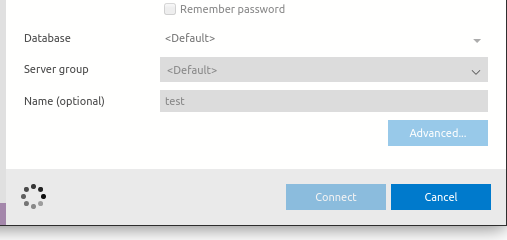
All logs folder attached.
logs.zip
Steps to Reproduce:
1.Fill server user and password information.
 OsmanAktemur
All 8 comments
I'm facing the same issue a fresh install of 20.04 on vmware.
nc / ping / rdp connection working as expected.

Steps to Reproduce
A fresh Ubuntu 20.04
sudo apt install libxss1 libgconf-2-4 libunwind8
download and install azuredatastudio then try to connect to any sqlserver instance.
 adlerdias
on 3 Jun 2020
adlerdias
on 3 Jun 2020
Another hint is;
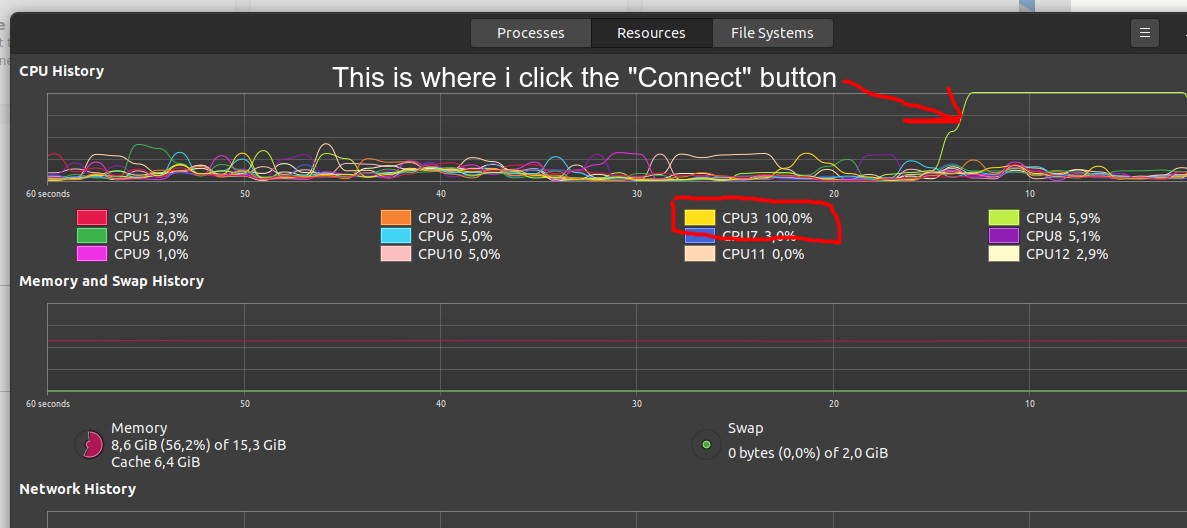
I tried with VS Code MS-SQL plugin and there is same issue there. Both apps use this process and while hanging conect "MicrosoftSqlToolsServiceLayer" is consuming too much CPU. One of CPU is peaking to 100%

OsmanAktemur
on 3 Jun 2020
@OsmanAktemur Thanks for opening the issue! Could you see if there' any error that pops up on the Developer Console (Ctrl/Cmd+Shift+I or Help->Toggle Developer Tools -> Console) and paste them here if any?
 abist
on 5 Jun 2020
abist
on 5 Jun 2020
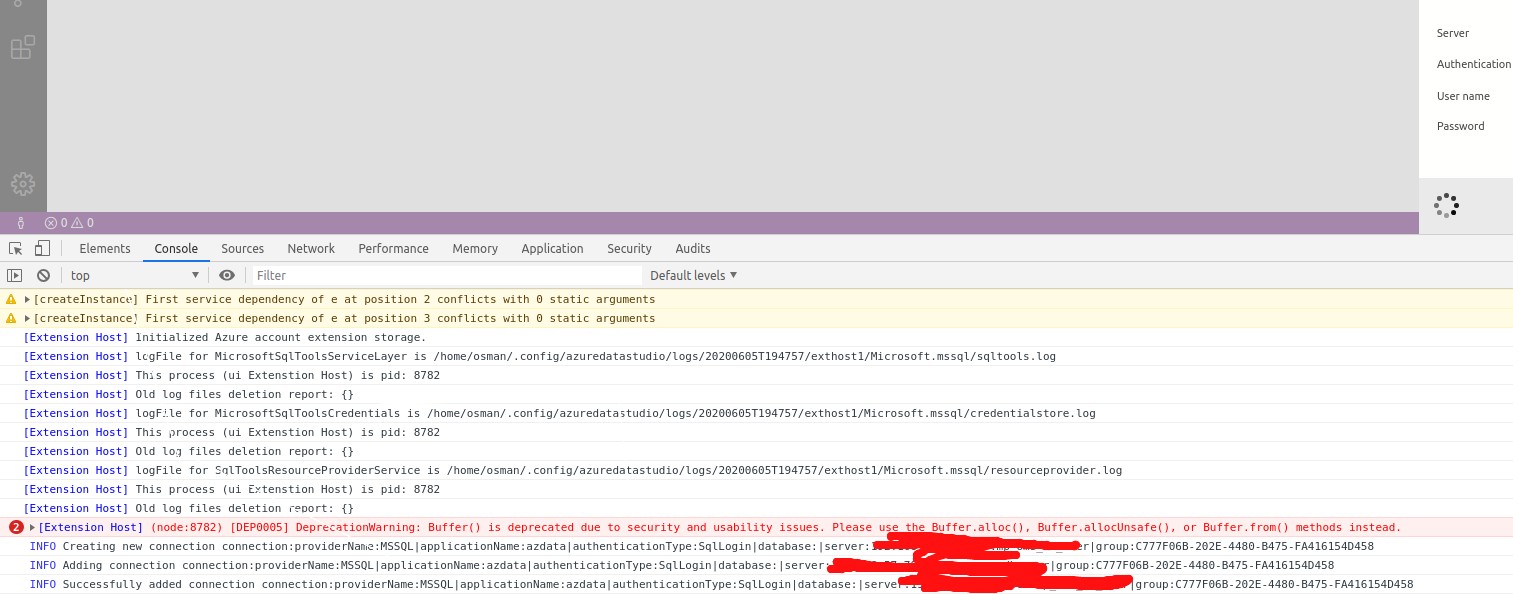
@abist Hi, Logs like this, seems only one error in the console, but it is alredy exsits before i try to connect
OsmanAktemur
on 5 Jun 2020
still bugged even on 1.19.0
INFO Creating new connection connection:providerName:MSSQL|applicationName:azdata|authenticationType:SqlLogin|database:|server:fcphasapl09|user:azure|group:8a62e1bf-4b98-49e1-8a0c-d312edb1d1cc
/usr/share/azuredatastudio/resources/app/node_modules.asar/zone.js/dist/zone-node.js:2280 INFO Adding connection connection:providerName:MSSQL|applicationName:azdata|authenticationType:SqlLogin|database:|server:fcphasapl09|user:azure|group:8a62e1bf-4b98-49e1-8a0c-d312edb1d1cc
/usr/share/azuredatastudio/resources/app/node_modules.asar/zone.js/dist/zone-node.js:2280 INFO Successfully added connection connection:providerName:MSSQL|applicationName:azdata|authenticationType:SqlLogin|database:|server:fcphasapl09|user:azure|group:8a62e1bf-4b98-49e1-8a0c-d312edb1d1cc
/usr/share/azuredatastudio/resources/app/node_modules.asar/zone.js/dist/zone-node.js:2280 INFO Deleting connection connection:providerName:MSSQL|applicationName:azdata|authenticationType:SqlLogin|database:|server:fcphasapl09|user:azure|group:8a62e1bf-4b98-49e1-8a0c-d312edb1d1cc (connecting)
/usr/share/azuredatastudio/resources/app/node_modules.asar/zone.js/dist/zone-node.js:2280 INFO Deleting connection connection:providerName:MSSQL|applicationName:azdata|authenticationType:SqlLogin|database:|server:fcphasapl09|user:azure|group:8a62e1bf-4b98-49e1-8a0c-d312edb1d1cc
its OK with DBeaver
 Barthezzcz
on 22 Jun 2020
Barthezzcz
on 22 Jun 2020
I'm moving to valentina studio free for now, if some test is needed just mention.
adlerdias
on 3 Jul 2020
Hi, i solved this issue by following these steps;
https://askubuntu.com/questions/1233186/ubuntu-20-04-how-to-set-lower-ssl-security-level
@adlerdias if you wanna try, check it
OsmanAktemur
on 17 Jul 2020
THANKS ! its working now
pá 17. 7. 2020 v 19:53 odesílatel OsmanAktemur notifications@github.com
napsal:
Hi again, i solved this issue by following these steps;
https://askubuntu.com/questions/1233186/ubuntu-20-04-how-to-set-lower-ssl-security-level
@adlerdias https://github.com/adlerdias if you wanna try check it
—
You are receiving this because you commented.
Reply to this email directly, view it on GitHub
https://github.com/microsoft/azuredatastudio/issues/10692#issuecomment-660254481,
or unsubscribe
https://github.com/notifications/unsubscribe-auth/AQBGKT5PI2WMPFRSPBX7543R4CFYHANCNFSM4NRQQ5QA
.
Barthezzcz
on 20 Jul 2020
Related issues
 kfrajtak
·
3Comments
kfrajtak
·
3Comments
 mayurrumal1
·
3Comments
mayurrumal1
·
3Comments
 haydnlj
·
3Comments
haydnlj
·
3Comments
 kburtram
·
3Comments
kburtram
·
3Comments
 erickangMSFT
·
3Comments
erickangMSFT
·
3Comments
Most helpful comment
still bugged even on 1.19.0
INFO Creating new connection connection:providerName:MSSQL|applicationName:azdata|authenticationType:SqlLogin|database:|server:fcphasapl09|user:azure|group:8a62e1bf-4b98-49e1-8a0c-d312edb1d1cc
/usr/share/azuredatastudio/resources/app/node_modules.asar/zone.js/dist/zone-node.js:2280 INFO Adding connection connection:providerName:MSSQL|applicationName:azdata|authenticationType:SqlLogin|database:|server:fcphasapl09|user:azure|group:8a62e1bf-4b98-49e1-8a0c-d312edb1d1cc
/usr/share/azuredatastudio/resources/app/node_modules.asar/zone.js/dist/zone-node.js:2280 INFO Successfully added connection connection:providerName:MSSQL|applicationName:azdata|authenticationType:SqlLogin|database:|server:fcphasapl09|user:azure|group:8a62e1bf-4b98-49e1-8a0c-d312edb1d1cc
/usr/share/azuredatastudio/resources/app/node_modules.asar/zone.js/dist/zone-node.js:2280 INFO Deleting connection connection:providerName:MSSQL|applicationName:azdata|authenticationType:SqlLogin|database:|server:fcphasapl09|user:azure|group:8a62e1bf-4b98-49e1-8a0c-d312edb1d1cc (connecting)
/usr/share/azuredatastudio/resources/app/node_modules.asar/zone.js/dist/zone-node.js:2280 INFO Deleting connection connection:providerName:MSSQL|applicationName:azdata|authenticationType:SqlLogin|database:|server:fcphasapl09|user:azure|group:8a62e1bf-4b98-49e1-8a0c-d312edb1d1cc
its OK with DBeaver