Azuredatastudio: Azure Data Studio completely blank
Issue Type: Performance Issue
I edited my widgets on the dashboard and saved the JSON. When I restarted Azure Data Studio the page was blank. I was unable to edit anything, and no buttons were working. I did find a work around by right clicking the icon and clicking 'new window'.
Azure Data Studio version: azuredatastudio 1.5.2 (f74080c96310354bc92211f1826c0fdce78ca2f6, 2019-03-22T06:25:26.627Z)
OS version: Windows_NT x64 10.0.17763
System Info
|Item|Value|
|---|---|
|CPUs|Intel(R) Core(TM) i5-8350U CPU @ 1.70GHz (8 x 1896)|
|GPU Status|2d_canvas: unavailable_software
checker_imaging: disabled_off
flash_3d: unavailable_software
flash_stage3d: unavailable_software
flash_stage3d_baseline: unavailable_software
gpu_compositing: unavailable_software
multiple_raster_threads: enabled_on
native_gpu_memory_buffers: disabled_software
rasterization: unavailable_software
video_decode: unavailable_software
video_encode: unavailable_software
webgl: enabled_readback
webgl2: unavailable_off|
|Memory (System)|15.88GB (9.81GB free)|
|Process Argv|-n|
|Screen Reader|no|
|VM|0%|
Process Info
CPU %   Mem MB     PID  Process
    0      118   12268  azuredatastudio main
    0      217   11964     window (Azure Data Studio)
    0      119   11780       extensionHost
    0       30    2036         "c:\Program Files\Azure Data Studio\resources\app\extensions\mssql\sqltoolsservice\Windows\1.5.0-alpha.71\SqlToolsResourceProviderService.exe" --log-file C:\Users\cstrout\AppData\Roaming\azuredatastudio\mssql\resourceprovider_11780.log --tracing-level Critical
    0       11     216           console-window-host (Windows internal process)
    0       28    2064         "c:\Program Files\Azure Data Studio\resources\app\extensions\mssql\sqltoolsservice\Windows\1.5.0-alpha.71\MicrosoftSqlToolsCredentials.exe" --log-file C:\Users\cstrout\AppData\Roaming\azuredatastudio\mssql\credentialstore_11780.log --tracing-level Critical
    0       11    1780           console-window-host (Windows internal process)
    0       44    9288         "c:\Program Files\Azure Data Studio\resources\app\extensions\mssql\sqltoolsservice\Windows\1.5.0-alpha.71\MicrosoftSqlToolsServiceLayer.exe" --log-file C:\Users\cstrout\AppData\Roaming\azuredatastudio\mssql\sqltools_11780.log --tracing-level Critical
    0       11    7484           console-window-host (Windows internal process)
    1       75   13420     window (Issue Reporter)
    0       74   14532     shared-process
Workspace Info
;
Extensions: none
 cstrout
All 5 comments
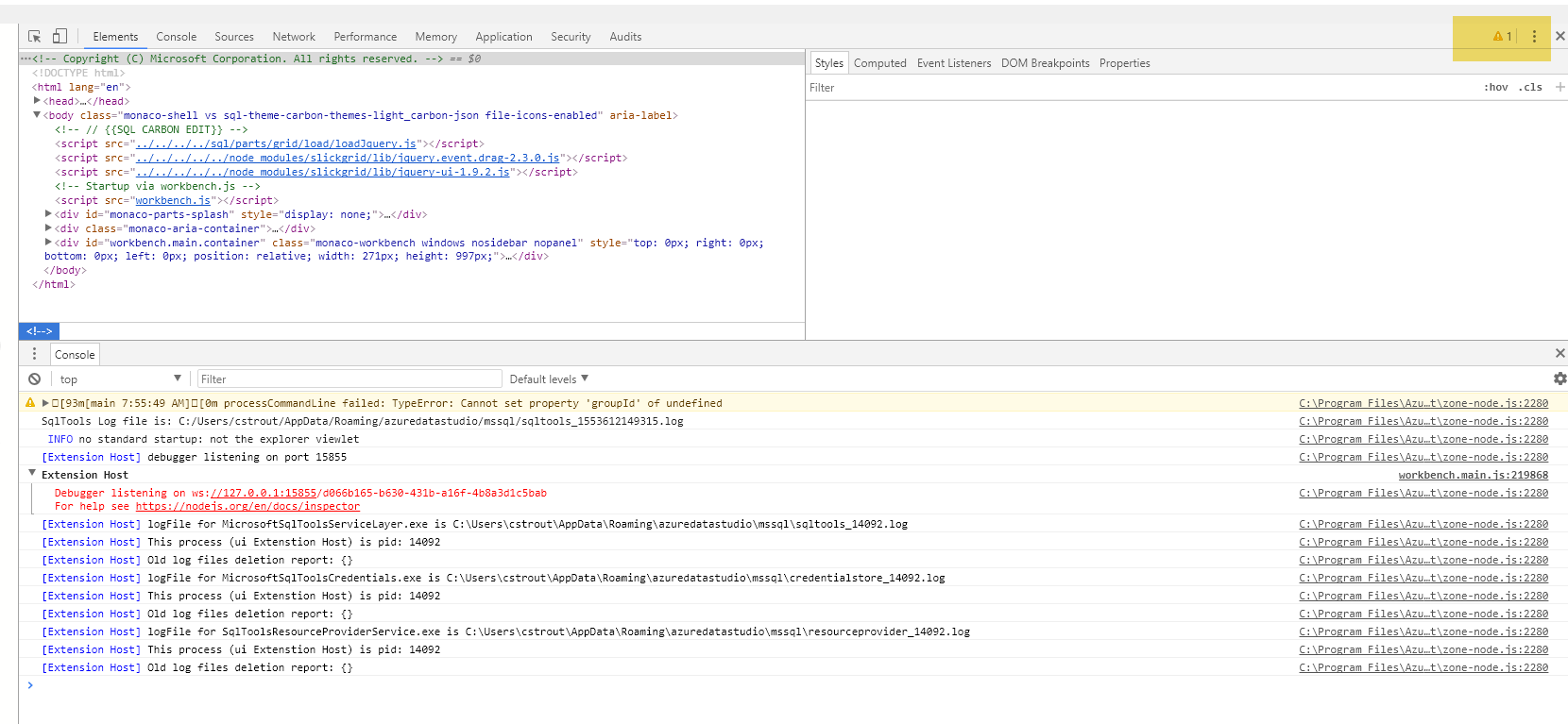
Hi @cstrout, thanks for reporting the issue. Could you toggle the developer tools (Ctrl + Shift + I) and check the console and paste any errors here, or perhaps take a screenshot?
 abist
on 26 Mar 2019
abist
on 26 Mar 2019
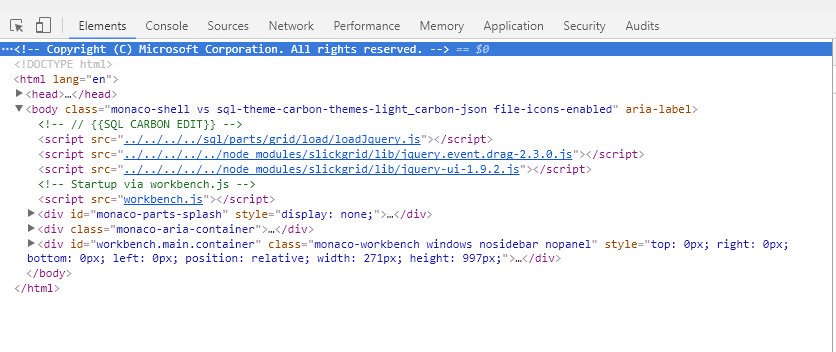
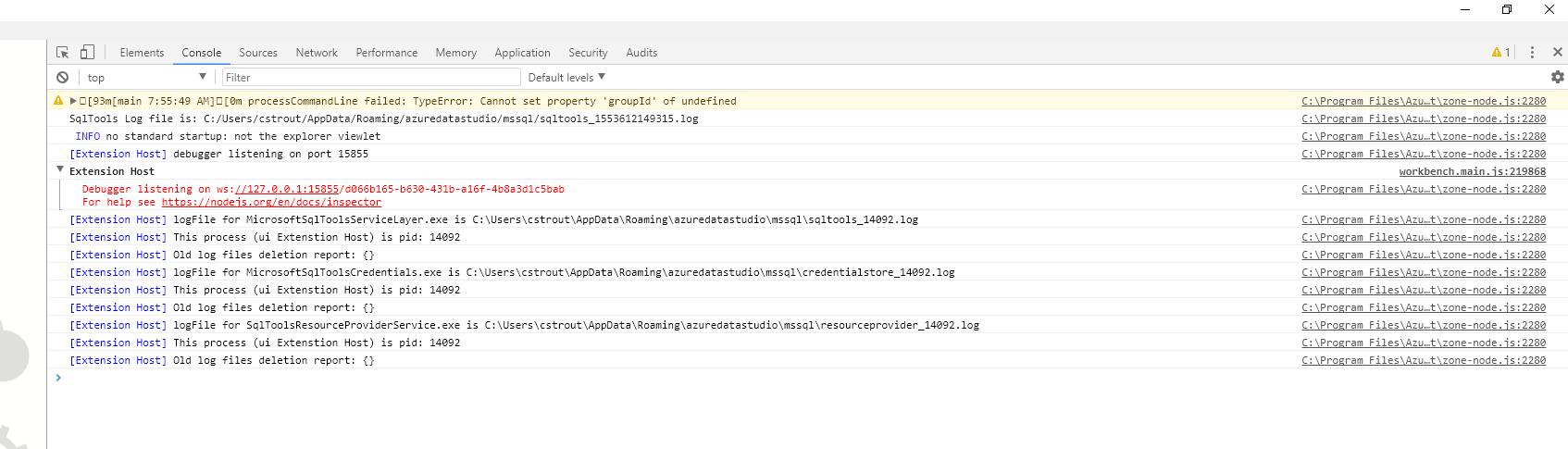
The screenshot below seems to be the only error
cstrout
on 26 Mar 2019
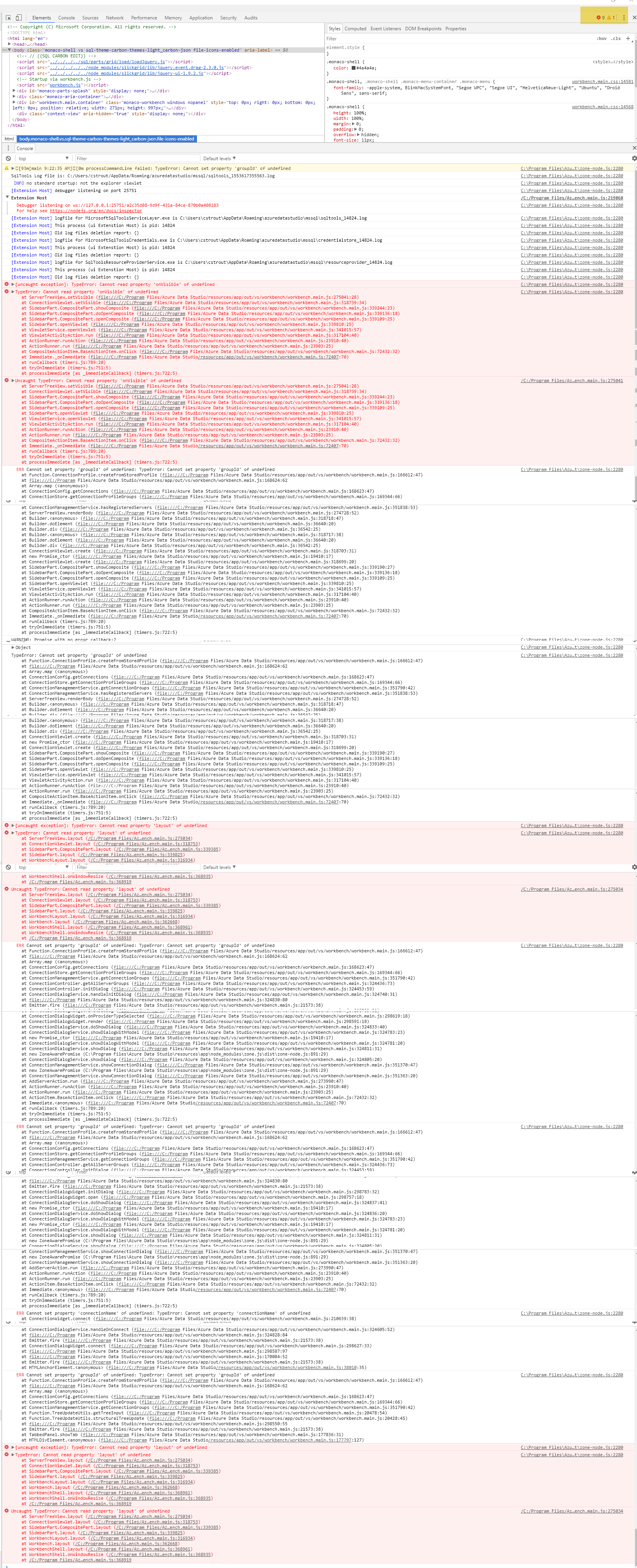
I've located some more errors on my end, I'm not sure why it didn't show up the first time. At any rate, see below:
cstrout
on 26 Mar 2019
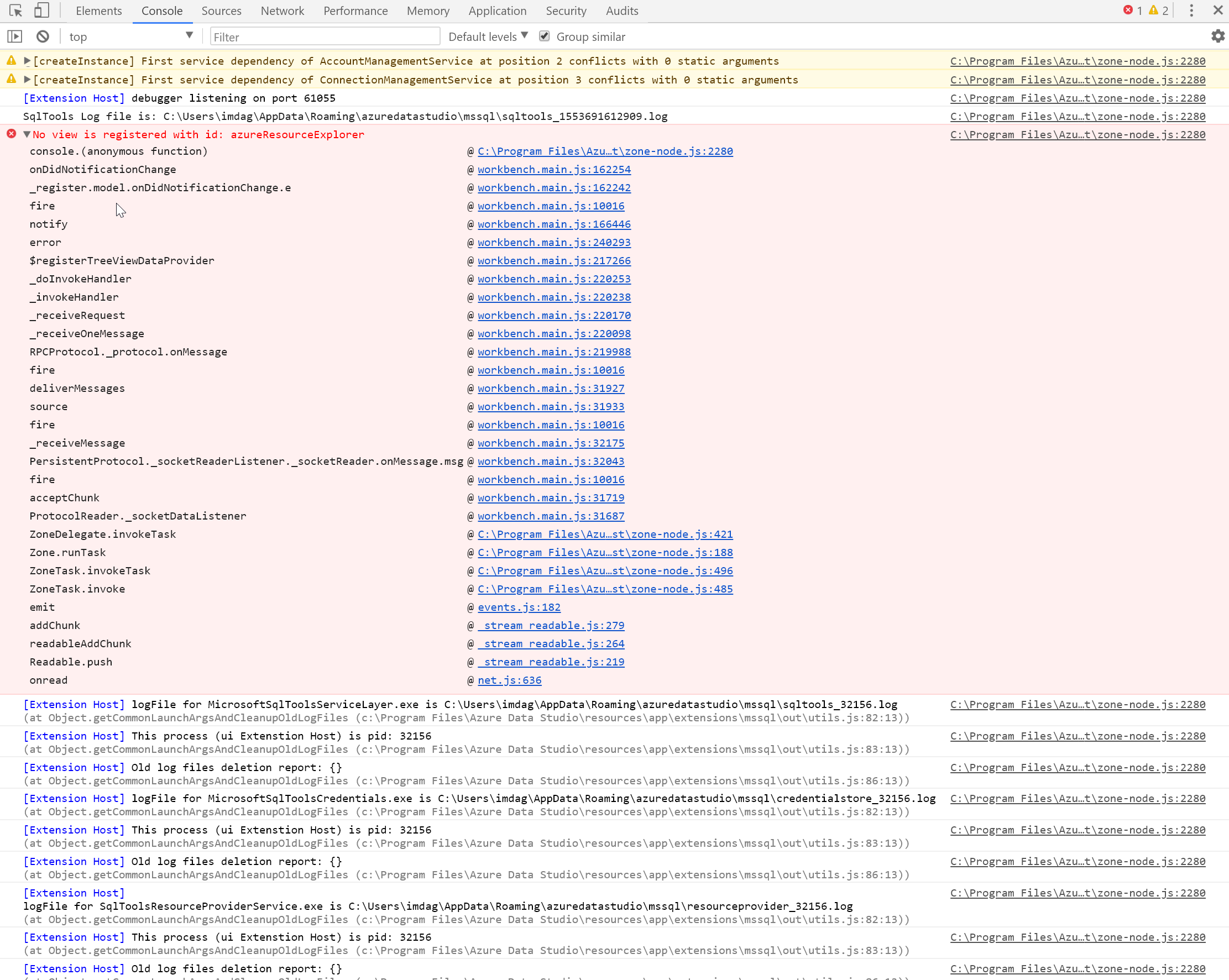
I also got a blank Data Explorer, but with another error/console output
 daghb
on 27 Mar 2019
daghb
on 27 Mar 2019
@cstrout @daghb Thanks for reporting the issue and the help. This issue has now been fixed and should be fixed in the coming insider's build.
abist
on 27 Mar 2019
Related issues
 kburtram
·
3Comments
kburtram
·
3Comments
 Ungerfall
·
3Comments
Ungerfall
·
3Comments
 carloscfcortez
·
3Comments
kburtram
·
3Comments
carloscfcortez
·
3Comments
kburtram
·
3Comments
 erickangMSFT
·
3Comments
erickangMSFT
·
3Comments
Most helpful comment
@cstrout @daghb Thanks for reporting the issue and the help. This issue has now been fixed and should be fixed in the coming insider's build.