Azuredatastudio: Intellisense delayed

- Azure Data Studio Version: 1.3.9
Steps to Reproduce:
- Download latest version of Azure Data Studio (1.3.9)
- Connect to localhost SQL Server 2017
- Open New Query Window
- Type S
- Intellisense has a clear delay
I have tried a fresh install and restarting computer, and refreshing intellisense cache. Computer is 16gb and 4 cores.
 yualan
All 7 comments
We haven't made any changes in this area in a while that I know of. @kburtram is it possible that it was caused by https://github.com/Microsoft/sqltoolsservice/commit/0fd98df79b27a25a23dcc3dea98dd1999144661d
 anthonydresser
on 18 Jan 2019
anthonydresser
on 18 Jan 2019
This was also repro-ed by @chlafreniere and appears to be affecting T-SQL notebooks. Thanks Anthony and Karl for investigating
yualan
on 18 Jan 2019
@anthonydresser this is not likely related to Microsoft/sqltoolsservice@0fd98df which bumps from a near-RTM preview of SqlClient to the RTM SqlClient. IntelliSense is handled by SMO, SQL Parser, and logic in SQL Tools Service, so any minor changes in SqlClient between those two versions is unlikely to impact IntelliSense perf. Most likely this is related to the issue we've always had populated the SMO MetadataProvider cache.
 kburtram
on 18 Jan 2019
kburtram
on 18 Jan 2019
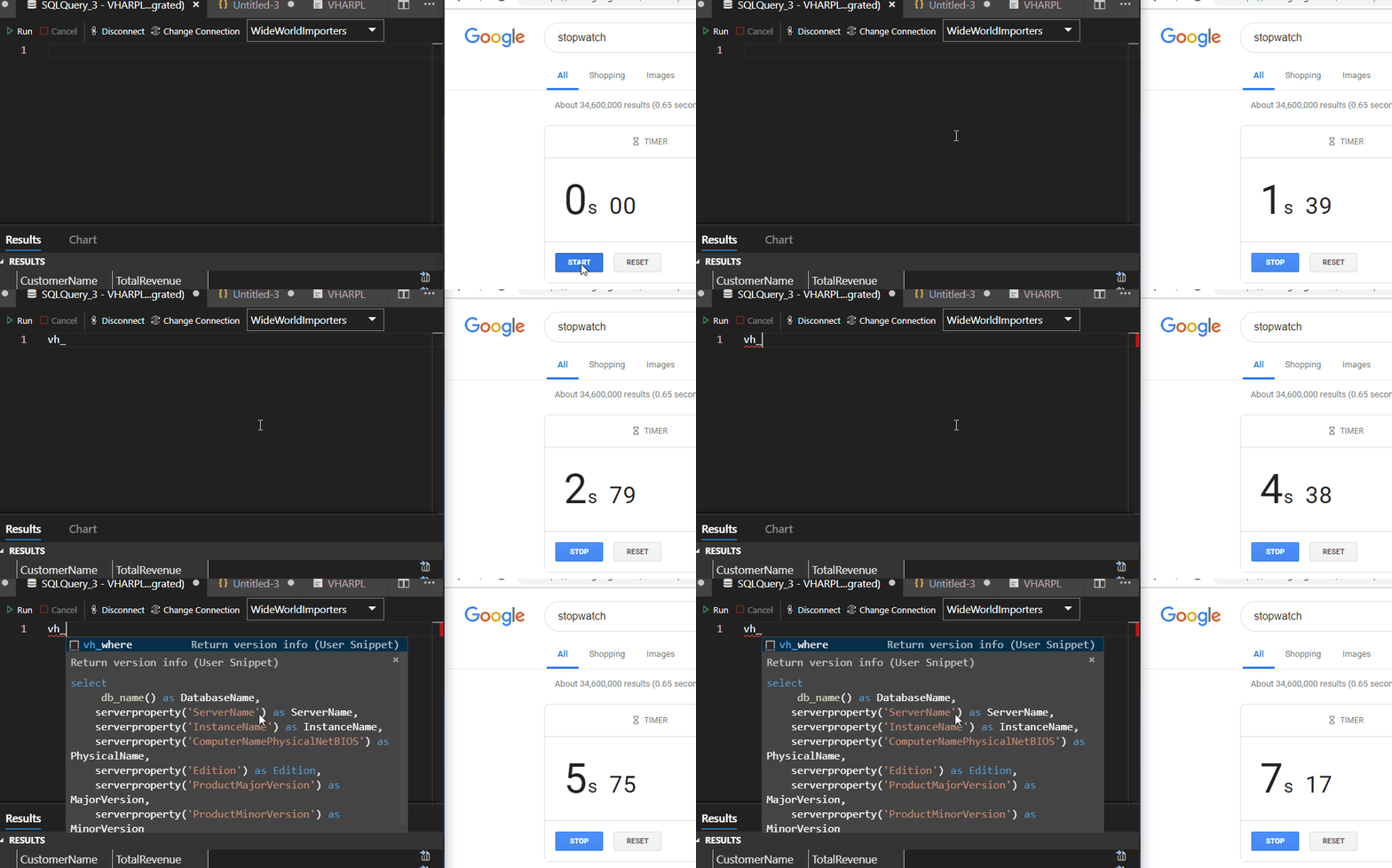
I'm experiencing this with snippet intellisense.
In this clip I am trying to use a snippet called vh_where.
2.33 sec: I finish typing vh_ and pause to autofill
3.13 sec: red squiggles appear
5.75 sec: user snippet hint appears
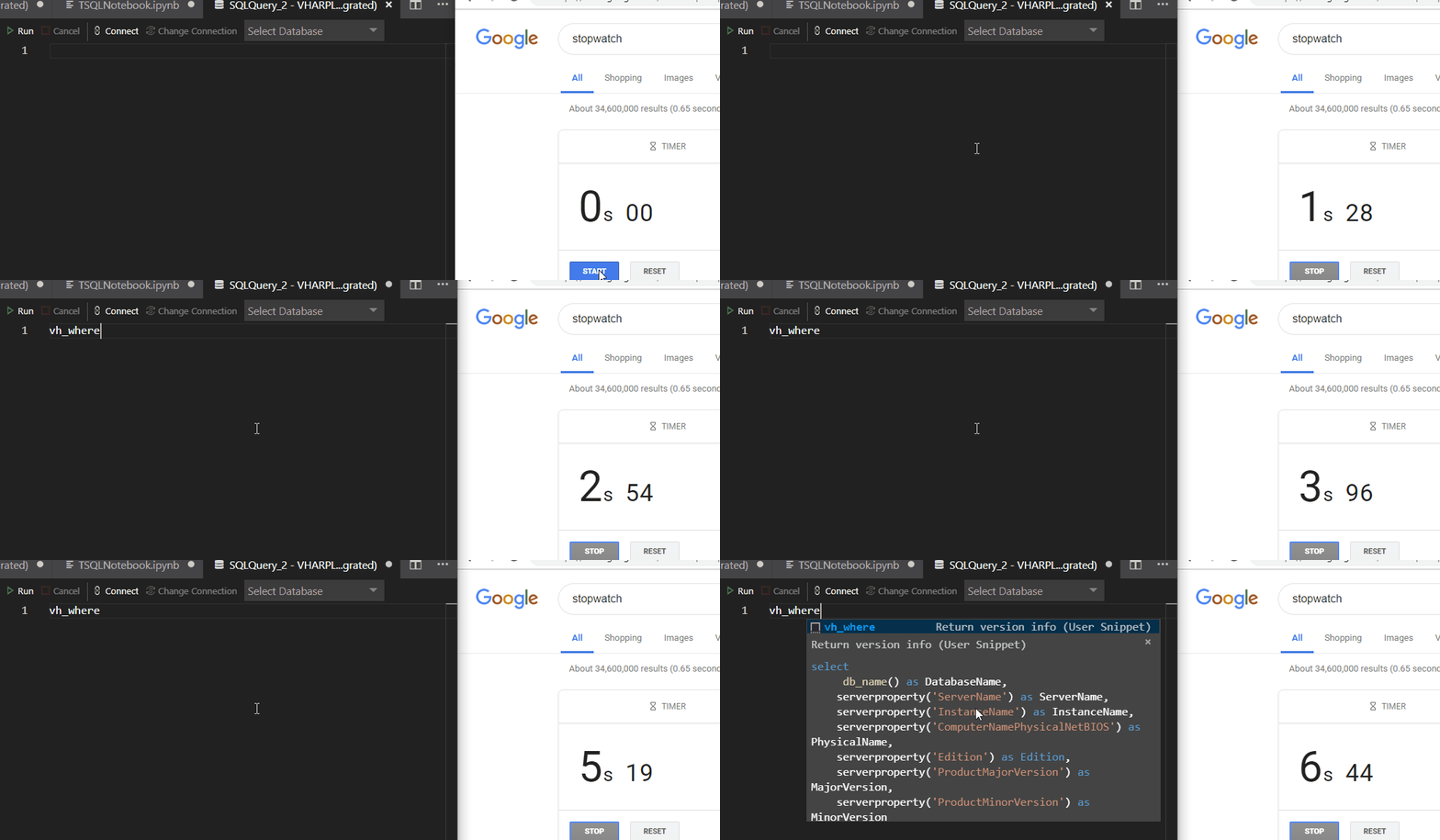
Here's another on a new query window that is entirely disconnected.
2.54 sec: I finish typing vh_where (the full snippet name)
5.67 sec: user snippet hint appears
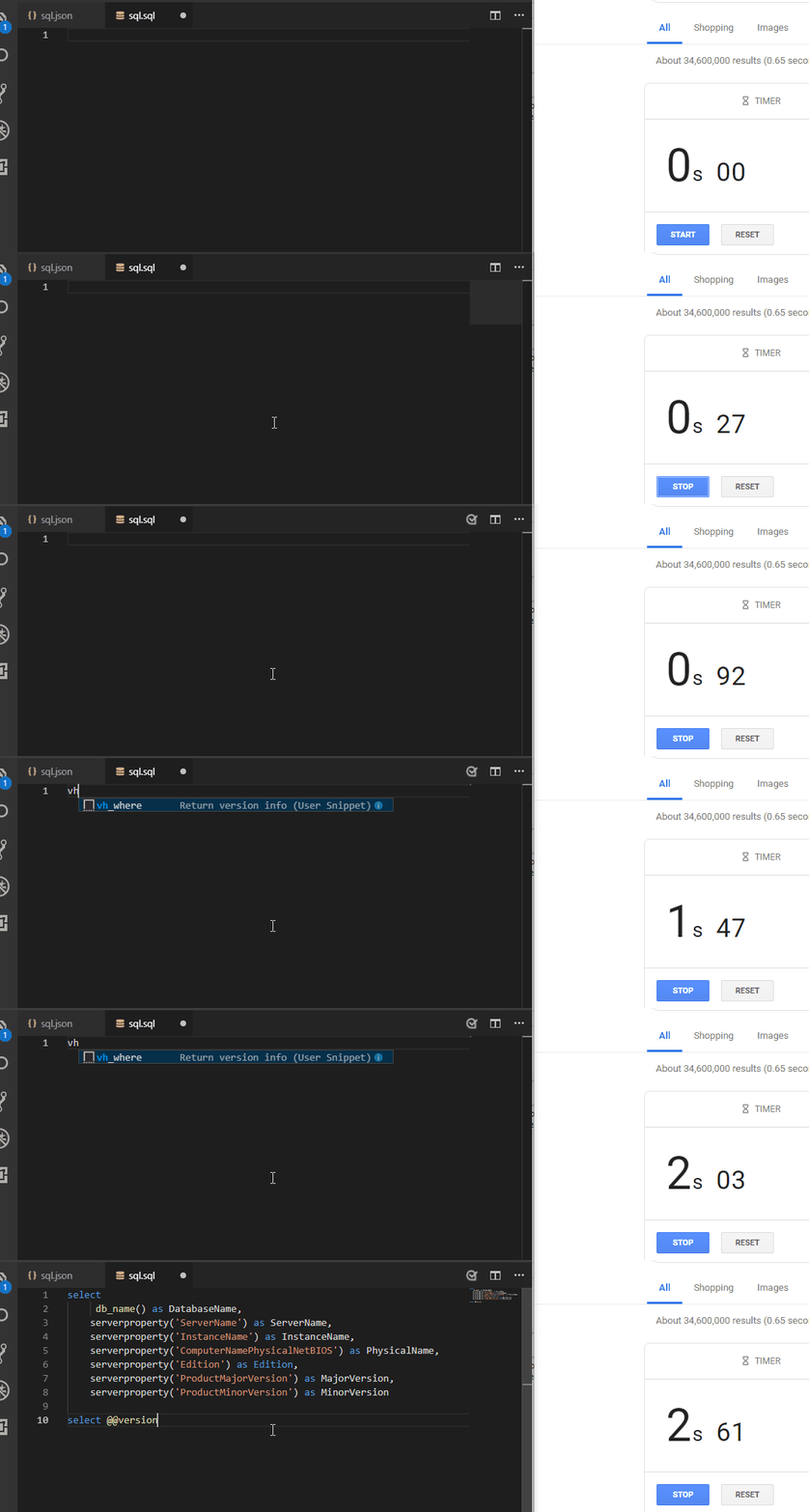
This is vscode with the exact same sql.json user snippet file.
1.25 sec: I type v
1.29 sec: user snippet hint appears
 vickyharp
on 24 Jan 2019
vickyharp
on 24 Jan 2019
We might need to do additional investigation on this issue since this is happening on Vicky's machine as well. I'll try the insider build
yualan
on 28 Jan 2019
This is a bug due to notebook support. Fixing and verifying now.
 kevcunnane
on 22 Feb 2019
kevcunnane
on 22 Feb 2019
Thanks Kevin!
yualan
on 22 Feb 2019
Related issues
 vnachimu
·
24Comments
vnachimu
·
24Comments
 Shawson
·
35Comments
Shawson
·
35Comments
 waldyd
·
30Comments
waldyd
·
30Comments
 samirbehara
·
34Comments
samirbehara
·
34Comments
 joelvega
·
26Comments
joelvega
·
26Comments
Most helpful comment
This is a bug due to notebook support. Fixing and verifying now.