Azuredatastudio: Failed to start Import serviceError
- Azure Data Studio Version: 1.0.0
Steps to Reproduce:
- Install SQL Server Import extension
- (Re-)start Azure Data Studio
- Error notification:
Failed to start Import serviceError: Request error: Error - Execute task
Flat File Import: Import wizardviaCtrl + Itriggers this error:command 'flatFileImport.start' not found
 SebastianPfliegel
All 22 comments
Well, it's a layer 8 issue ...
I forgot to set the proxy in my new installation. Therefore the download of the additional components failed. The error description might be better, though.
SebastianPfliegel
on 4 Oct 2018
@SebastianPfliegel I'll leave this open to assess if we can do anything to improve the error message, or be more helpful here.
 kburtram
on 4 Oct 2018
kburtram
on 4 Oct 2018
Not sure if this is the same thing but I'm having an error when trying to launch the import wizard. I have the option when I right click on a database to select the import wizard, but nothing happens when I press it. I tried doing the shortcut (control I) and this gave me an error (screenshot attached). Please let me know if there was a fix for this which I have missed.

 carolinegarrad1998
on 12 Feb 2019
carolinegarrad1998
on 12 Feb 2019
Hi @carolinegarrad1998, I mentioned earlier that I received this error message due to lacking the additional components which get downloaded after installing and reloading the extension. The download of these components failed for me as I didn't set up a proxy.
SebastianPfliegel
on 13 Feb 2019
Okay thank you.
carolinegarrad1998
on 13 Feb 2019
@carolinegarrad1998, did this the trick for you?
SebastianPfliegel
on 14 Feb 2019
I get on open up Failed to start Import serviceError: Request error and after trying to get import wizard open command 'flatFileImport.start' not found on fresh install of Azure Studio 1.5.2 with this extension.
Any solution to fix this ? :(
 xNaii
on 25 Mar 2019
xNaii
on 25 Mar 2019
@xNaii, you might have the same problem I had. As soon as you installed the extension Azure Data Studio tries to download additional dependencies. This might fail if you have a corporate proxy and you haven't configured Azure Data Studio to use this proxy.
SebastianPfliegel
on 25 Mar 2019
Yep, got it
xNaii
on 25 Mar 2019
Please open the connection. Do a right click on the database. Click on import. Do the import. You will see the additional files get installed. Next time onwards you will get import wizard when you press Cntrl + I shortcut

 riddhi95
on 27 Aug 2019
riddhi95
on 27 Aug 2019
@riddhi95 I have followed your suggestions and still have issue.

 rmvp
on 23 Sep 2019
rmvp
on 23 Sep 2019
Could you please open the developer console (Help -> Toggle Developer Tools) and then go to the Console tab and include any error messages you're seeing there?
 Charles-Gagnon
on 23 Sep 2019
Charles-Gagnon
on 23 Sep 2019
@Charles-Gagnon
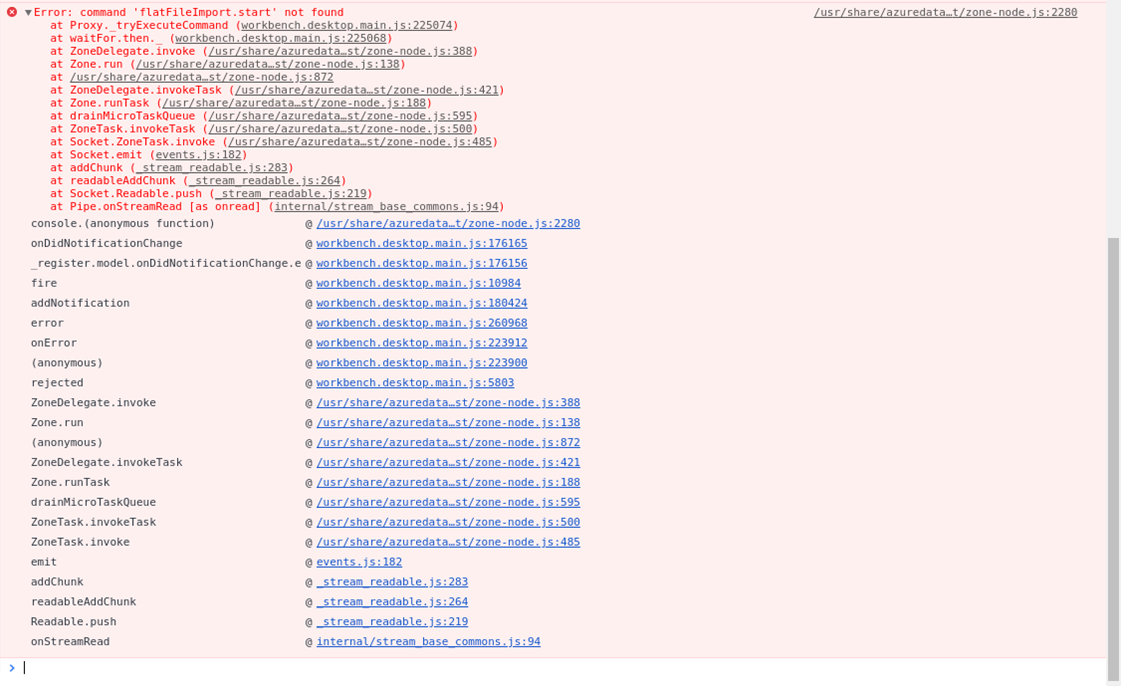
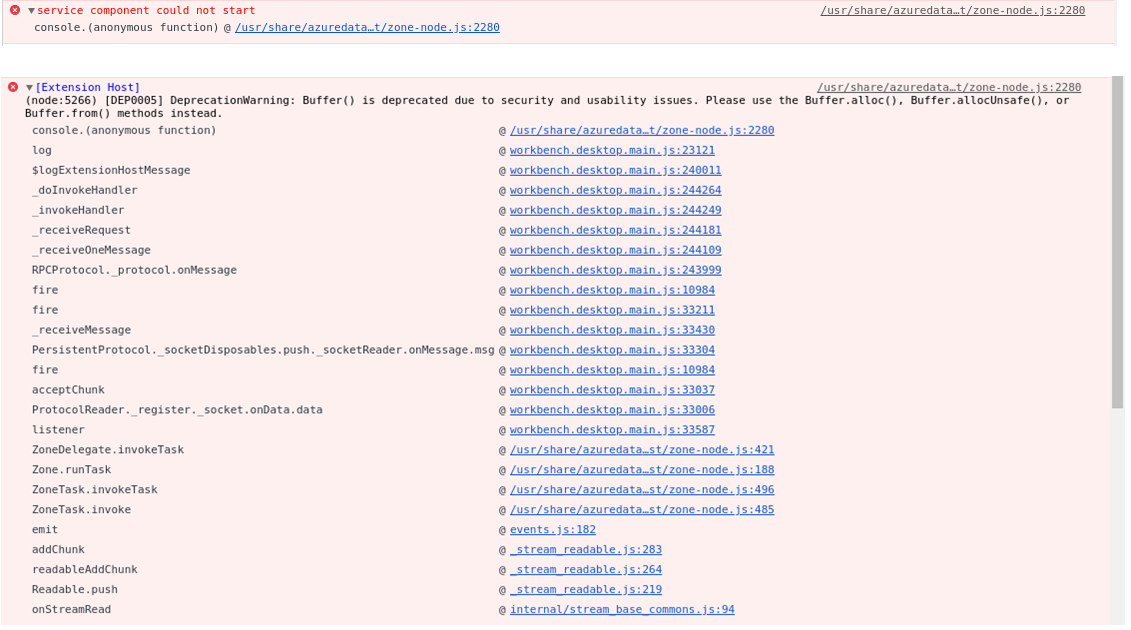
rmvp
on 23 Sep 2019
Hmm, nothing too useful. Could you also look in ~/.azuredatastudio/extensions/microsoft.import-0.10.0/ and see if you have a flatfileimportservice folder there? And does it contain anything if it is?
If it isn't then could you try
- Closing ADS
- Manually downloading https://sqlopsextensions.blob.core.windows.net/extensions/import/osx.tar.gz and then extracting the contents of that folder into
~/.azuredatastudio/extensions/microsoft.import-0.10.0/flatfileimportservice - Restarting ADS
And seeing if that works?
Charles-Gagnon
on 23 Sep 2019
@Charles-Gagnon
I think that the content of the folder in the link is for OSX. I am running Ubuntu 18.04
when I extract the content into ~/.azuredatastudio/extensions/microsoft.import-0.10.0/flatfileimportservice and I restart ADS, it installs Flat File Import Service service to ~/.azuredatastudio/extensions/microsoft.import-0.10.0/flatfileimportservice/Linux/0.0.2
rmvp
on 24 Sep 2019
Ah, my apologies - thought you were on a mac. But you're saying that ADS does install the flatfileimportservice correctly by itself?
Charles-Gagnon
on 24 Sep 2019
Correct,
I closed ADS
I deleted the Linux folder from ~/.azuredatastudio/extensions/microsoft.import-0.10.0/flatfileimportservice
Then when I re-start ADS, I can see in the Output window the installation script executes and creates /Linux/0.0.2 folders inside the flatfileimportservice.

rmvp
on 24 Sep 2019
Hmm, nothing too useful. Could you also look in
~/.azuredatastudio/extensions/microsoft.import-0.10.0/and see if you have a flatfileimportservice folder there? And does it contain anything if it is?If it isn't then could you try
- Closing ADS
- Manually downloading https://sqlopsextensions.blob.core.windows.net/extensions/import/osx.tar.gz and then extracting the contents of that folder into
~/.azuredatastudio/extensions/microsoft.import-0.10.0/flatfileimportservice- Restarting ADS
And seeing if that works?
These instructions helped to get the wizard _start_. However, it didnt show any preview and got stuck with a throbber when clicked on 'Next'.
OS: Mac OS Mojave Ver 10.14.6
ADS: 1.8.0
ADS Process Explorer shows 0 CPU for related service.
Related Log file:
20200325T112022.zip
Related issues: #9728
 jintolonappan
on 25 Mar 2020
jintolonappan
on 25 Mar 2020
I'm on a Mac with OS Catalina. Right-click context does not reveal the Import wizard.
^i
Brings up the wizard but I am not able to select my json file.
Version: 1.16.1
Commit: 16801c522df68e63218b39ccb5b4a7431f9bf667
Date: 2020-03-23T22:06:16.901Z
VS Code: 1.42.0
Electron: 7.1.11
Chrome: 78.0.3904.130
Node.js: 12.8.1
V8: 7.8.279.23-electron.0
OS: Darwin x64 19.4.0
 duyn9uyen
on 15 Apr 2020
duyn9uyen
on 15 Apr 2020
Any update on this?
 irshad-bluecast
on 9 May 2020
irshad-bluecast
on 9 May 2020
On Arch Linux, open ADS, first from Extensions (Ctrl + Shift + X) install SQL Server Import. Close ADS. Then:
$ mkdir /tmp/tmp_dir
$ cd /tmp/tmp_dir
$ wget https://sqlopsextensions.blob.core.windows.net/extensions/import/linux-x64.tar.gz
$ tar -xvzf linux-x64.tar.gz
$ cp -R /tmp/tmp_dir/* ~/.azuredatastudio/extensions/microsoft.import-0.14.0/flatfileimportservice/Linux
$ rm ~/.azuredatastudio/extensions/microsoft.import-0.14.0/flatfileimportservice/Linux/linux-x64.tar.gz
Open again ADS, and may works Import Wizard.
Cheers.
 carlosal1015
on 13 May 2020
carlosal1015
on 13 May 2020
There were some missing awaits that was causing this issue. Closing this bug for now.
 aasimkhan30
on 21 Sep 2020
aasimkhan30
on 21 Sep 2020
Related issues
 Ungerfall
·
3Comments
Ungerfall
·
3Comments
 jacobzed
·
3Comments
jacobzed
·
3Comments
 squillace
·
3Comments
squillace
·
3Comments
 carloscfcortez
·
3Comments
carloscfcortez
·
3Comments
 erickangMSFT
·
3Comments
erickangMSFT
·
3Comments
Most helpful comment
Please open the connection. Do a right click on the database. Click on import. Do the import. You will see the additional files get installed. Next time onwards you will get import wizard when you press Cntrl + I shortcut