Azure-sdk-for-js: Items.readChangeFeed optional changeFeedOptions is not actually optional
- Package Name: @azure/cosmos
- Package Version: 3.4.2
- Operating system: MacOS Catalina
- [x] nodejs
- version: 12.13.0
- [ ] browser
- name/version:
- [ ] typescript
- version:
- Is the bug related to documentation in
- [ ] README.md
- [x] source code documentation
- [x] SDK API docs on https://docs.microsoft.com
Describe the bug
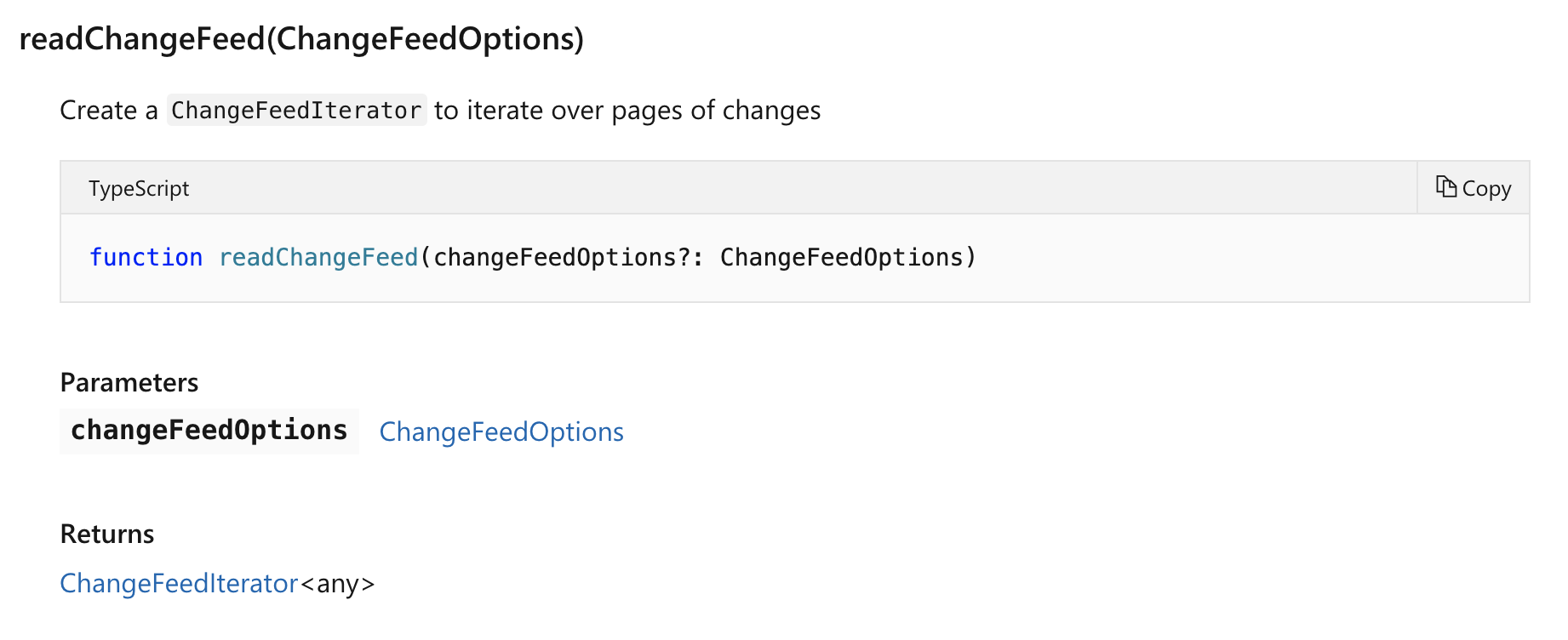
The API documentation lists changeFeedOptions as an optional parameter for Items.readChangeFeed(), however an object must be passed or the following error is thrown:
Error: changeFeedOptions must be a valid object
This works as expected when an empty object is passed: Items.readChangeFeed({}).
To Reproduce
Steps to reproduce the behavior:
- Construct a CosmosClient and connect it to a container.
- Call
client.container.items.readChangeFeed()with no parameters passed
Expected behavior
An error would not be thrown when no parameters are passed because there are no required parameters per the documentation. If the code requires an object, this should be defaulted within the readChangeFeed function itself.
OR
If a changeFeedOptions parameter IS required (this seems sensible), then the documentation should reflect that.
Screenshots
Here are the docs:
https://docs.microsoft.com/en-us/javascript/api/%40azure/cosmos/items?view=azure-node-latest#readchangefeed-changefeedoptions-
Here is my error:

Additional context
Thank you! Let me know if you need any more details 😄
 SlothFriend
All 3 comments
@SealedSaint Thanks for the report. Looks like a bug. I'll open a PR but in the meantime, you can work around by passing {}
 southpolesteve
on 19 Nov 2019
southpolesteve
on 19 Nov 2019
Thanks for working with Microsoft on GitHub! Tell us how you feel about your experience using the reactions on this comment.
![msftbot[bot] picture](https://avatars.githubusercontent.com/in/26612?v=4&s=40) msftbot[bot]
on 21 Nov 2019
msftbot[bot]
on 21 Nov 2019
Thanks, @southpolesteve
SlothFriend
on 21 Nov 2019
Related issues
 tomi
·
4Comments
tomi
·
4Comments
 mocasio-MSFT
·
4Comments
mocasio-MSFT
·
4Comments
 epomatti
·
4Comments
epomatti
·
4Comments
 nguerrera
·
3Comments
nguerrera
·
3Comments
 isaacjoe
·
4Comments
isaacjoe
·
4Comments
Most helpful comment
Thanks for working with Microsoft on GitHub! Tell us how you feel about your experience using the reactions on this comment.