Azure-pipelines-tasks: Azure CLI V2 sets "--allow-no-subscriptions" argument
Question, Bug, or Feature?
Type: Bug
Enter Task Name: AzureCLIV2
- Agent - Private:
Name | Value
-- | -- |
Agent.Version | 2.165.0
Agent.OS | Windows_NT
Agent.OSArchitecture | X64
Agent.OSVersion | 10.0.18363
AzurePS | 1.6.1
Task YAML:
steps:
- task: AzureCLI@2
  displayName: 'Upload DeploymentServerInterfaceDLL to Azure'
  inputs:
    azureSubscription: 'Visual Studio Ultimate with MSDN(Converted to EA) (xxx)'
    scriptType: ps
    scriptLocation: inlineScript
    inlineScript: |
     #my script here
    addSpnToEnvironment: true
    useGlobalConfig: true
    workingDirectory: '$(System.DefaultWorkingDirectory)\$(Release.PrimaryArtifactSourceAlias)'
Task fails with the following error:
The subscription of 'xxx' doesn't exist in cloud AzureCloud'.
I have noticed this failure in AzureCLI V2.0.14 where the only difference is "--allow-no-subscriptions" argument is being set. I am not sure why that argument is now being provided, as there have been no changes to the task on our end.

Last successful run was in AzureCLI V2.0.8

 MetalWing
All 5 comments
@MetalWing we set --allow-no-subscription to let customers run commands that are not scoped to one specific subscription.
The issue is not reproducible from my end.
It is likely that the service principal you're using for login, doesn't have access to the subscription any more (maybe it has expired). Could you try with a new Service Principal?
 issacnitin
on 2 Jun 2020
issacnitin
on 2 Jun 2020
You can run the command az account list to list all subscriptions that the service principal you use have access to.
issacnitin
on 2 Jun 2020
@issacnitin Thank you very much for your response!
You might be onto something. I will check the subscription access as soon as I can.
However, I think it's worth mentioning that we have two Azure CLI tasks. One is Azure CLI V1 and the following is Azure CLI V2.
They are setup the same way, and run one after another.

Our agent is set to use OAuth token:

And the tasks (V1 and V2) are both configured as follows:
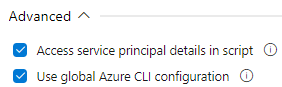
I am a bit confused why Azure CLI V1 (1.163.1) passes:
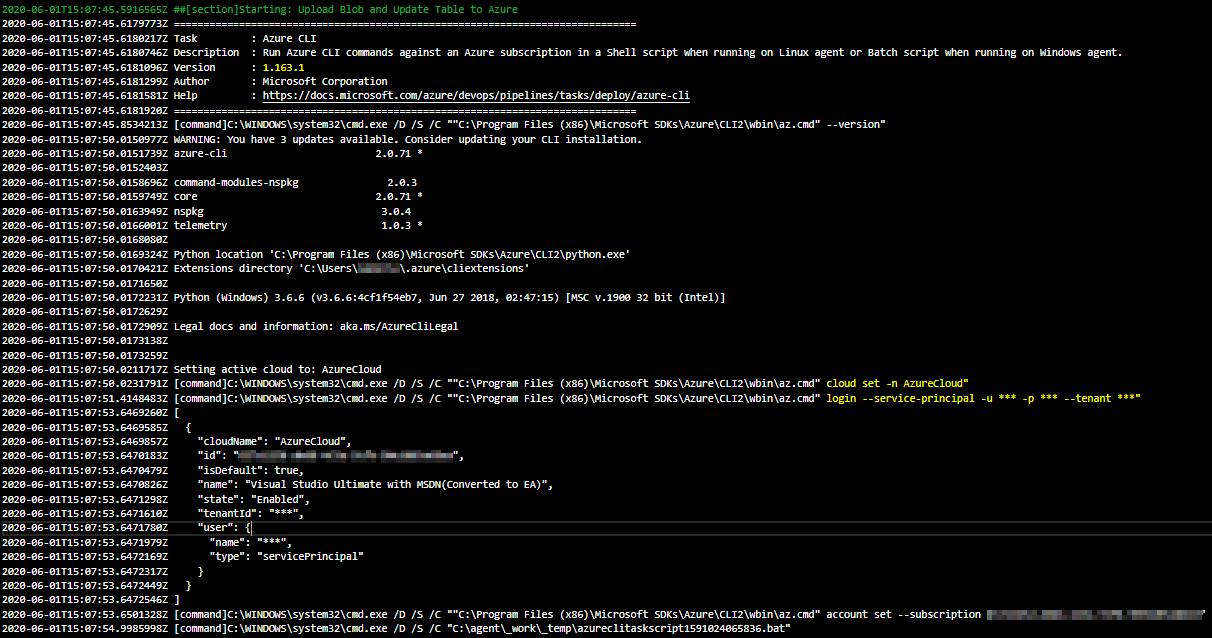
And Azure CLI V2 (2.0.14) fails (screenshots in original post) despite identical setup.
I can confidently say that all of our Azure CLI V1 tasks are working and are able to access the subscription.
Thoughts?
MetalWing
on 2 Jun 2020
@MetalWing I came across a bug in Az CLI version 2.0.71
https://github.com/Azure/azure-cli/issues/11059
Please update az cli version in your private agent to 2.0.77+, that should do the trick
issacnitin
on 2 Jun 2020
@issacnitin Thank you! That fixed the issue :)
MetalWing
on 2 Jun 2020
Related issues
 timfish
·
3Comments
timfish
·
3Comments
 TheRealEdwardCullen
·
3Comments
TheRealEdwardCullen
·
3Comments
 jared-hexagon
·
3Comments
jared-hexagon
·
3Comments
 gregpakes
·
3Comments
gregpakes
·
3Comments
 divyesh-parikh
·
3Comments
divyesh-parikh
·
3Comments
Most helpful comment
@MetalWing I came across a bug in Az CLI version 2.0.71
https://github.com/Azure/azure-cli/issues/11059
Please update az cli version in your private agent to 2.0.77+, that should do the trick