Azure-docs: EventHub SDK can't handle IotHub Connection String, so it doesn't support failover
It says to use IotHub connection string when using the EventHub client, in order to have disaster recovery:
"When receiving telemetry messages from the built-in endpoint using either the Event Hub client or event processor host, you should use the IoT hub connection string to establish the connection."
But the EventHub client doesn't support it: https://github.com/Azure/azure-sdk-for-net/issues/7175
Document Details
⚠ Do not edit this section. It is required for docs.microsoft.com ➟ GitHub issue linking.
- ID: a6874376-9df5-65b7-6908-eaaba67992d0
- Version Independent ID: c76d243b-a9a0-d37d-6cc5-53eb1bf589d2
- Content: Azure IoT Hub high availability and disaster recovery
- Content Source: articles/iot-hub/iot-hub-ha-dr.md
- Service: iot-hub
- GitHub Login: @jlian
- Microsoft Alias: philmea
 felipepessoto
All 11 comments
@felipepessoto Thanks for the feedback. We are investigating the issue and will update you shortly.
 RohitMungi-MSFT
on 13 Oct 2020
RohitMungi-MSFT
on 13 Oct 2020
Hello @felipepessoto
The comment on the reference thread Link: was it helpful?
_the IoT Hub's Event-Hub-compatible endpoint for receiving device-to-cloud messages is fully Event Hubs compatible. For production environments, the recommended approach is to use Event Processor Host (EPH) as shown in the sample. An EPH makes your solution more robust: see https://docs.microsoft.com/en-us/azure/event-hubs/event-hubs-dotnet-framework-getstarted-receive-eph
That tutorial also shows you how to set up the storage account._
 SatishBoddu-MSFT
on 14 Oct 2020
SatishBoddu-MSFT
on 14 Oct 2020
Yes, but it says the opposite of what is in the doc.
The docs says to use the IoTHub connection string (not the "IoT Hub's Event-Hub-compatible endpoint") to be able to use disaster recovery.
If this comment is correct, then we need to change the docs, saying it is not possible to use disaster recovery when using the EventHub client
felipepessoto
on 14 Oct 2020
The context:
We cannot use the IoT Hub connection string directly in an EventHub client app to read events. We have to first fetch the EventHub connection string by using the IoTHub connection string.
 Console.WriteLine("Requesting Event Hubs connection string...");
 var eventHubsConnectionString = await IotHubConnection.RequestEventHubsConnectionStringAsync(IoTHubConnectionString);
If the above statement is correct, then we have to update/mention this clearly in our IoTHub-documentation
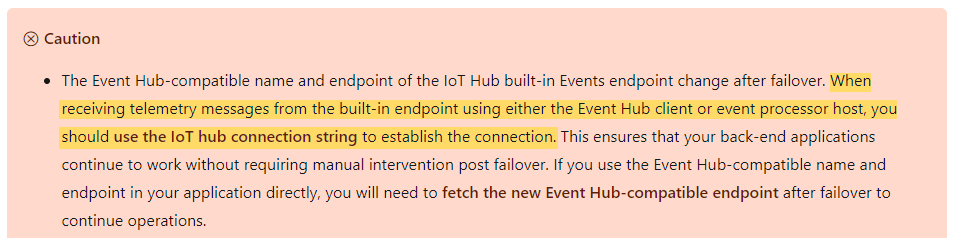
@felipepessoto Please confirm if this is what you are looking for?
SatishBoddu-MSFT
on 15 Oct 2020
Yes, it is correct. Would be nice if the SDK handle that automatically, but I understand it doesn't currently support it.
If we need to manually fetch the EventHub connection string, I would add how to handle failovers. How can I identify a failover happened (an specific Exception is thrown?), and what should I do in that case? Fetch the new EventHub connection string and recreate the EventHub client?
Thanks.
felipepessoto
on 15 Oct 2020
Thank you, all are great questions!!!, let me see if I can add those to my followup with the team.
SatishBoddu-MSFT
on 15 Oct 2020
Cool, thanks!
felipepessoto
on 15 Oct 2020
Hello @felipepessoto Just checking back over here, we will update you as soon as possible.
SatishBoddu-MSFT
on 19 Oct 2020
Hello @felipepessoto , Just giving an update here, the Microsoft Product Team is actively working on this, will keep you posted.
SatishBoddu-MSFT
on 21 Oct 2020
No worries, it is not a blocker. It is just to make sure I'm following the best practices.
felipepessoto
on 21 Oct 2020
Hi @SatishBoddu-MSFT, any updates?
felipepessoto
on 30 Dec 2020
Related issues
 jebeld17
·
3Comments
jebeld17
·
3Comments
 DeepPuddles
·
3Comments
DeepPuddles
·
3Comments
 jamesgallagher-ie
·
3Comments
jamesgallagher-ie
·
3Comments
 mrdfuse
·
3Comments
mrdfuse
·
3Comments
 Ponant
·
3Comments
Ponant
·
3Comments