Azure-docs: Deploy template with parameter file via portal
Thank you for the examples of parameters, parameters files, and template deployment.
The section "Deploy template with parameter file" includes two subsections:
Deploy resources with ARM templates and Azure CLI
Deploy resources with ARM templates and Azure PowerShell
I'm trying to figure out how to use a parameter file in conjunction with template deployment via the Azure portal. I see the CLI accepts a local parameter file and the PowerShell accepts both local and external parameter files, how do I do something similar with the portal?
Document Details
⚠ Do not edit this section. It is required for docs.microsoft.com ➟ GitHub issue linking.
- ID: 141525e0-3406-45a1-e34d-ed7f6697267b
- Version Independent ID: aaf6fde8-448b-397f-8725-ef51c61325e2
- Content: Create parameter file - Azure Resource Manager
- Content Source: articles/azure-resource-manager/templates/parameter-files.md
- Service: azure-resource-manager
- Sub-service: templates
- GitHub Login: @mumian
- Microsoft Alias: jgao
 HughDevlin
All 5 comments
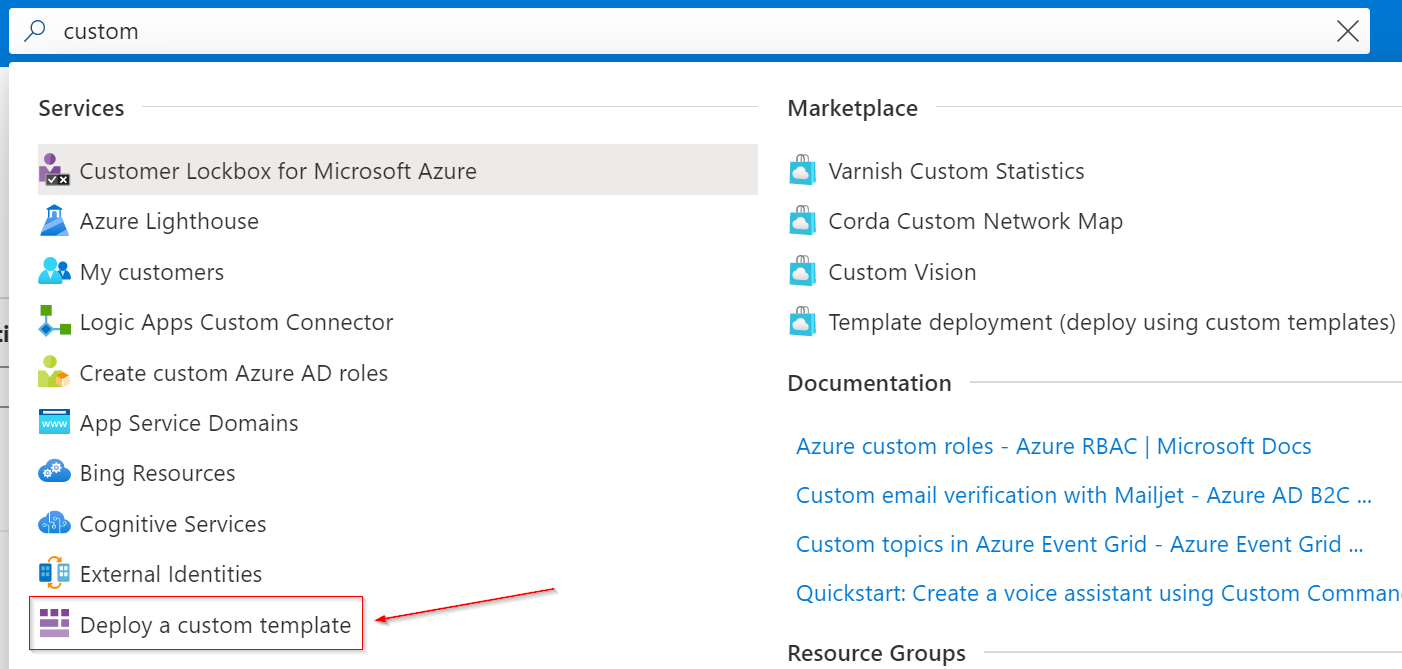
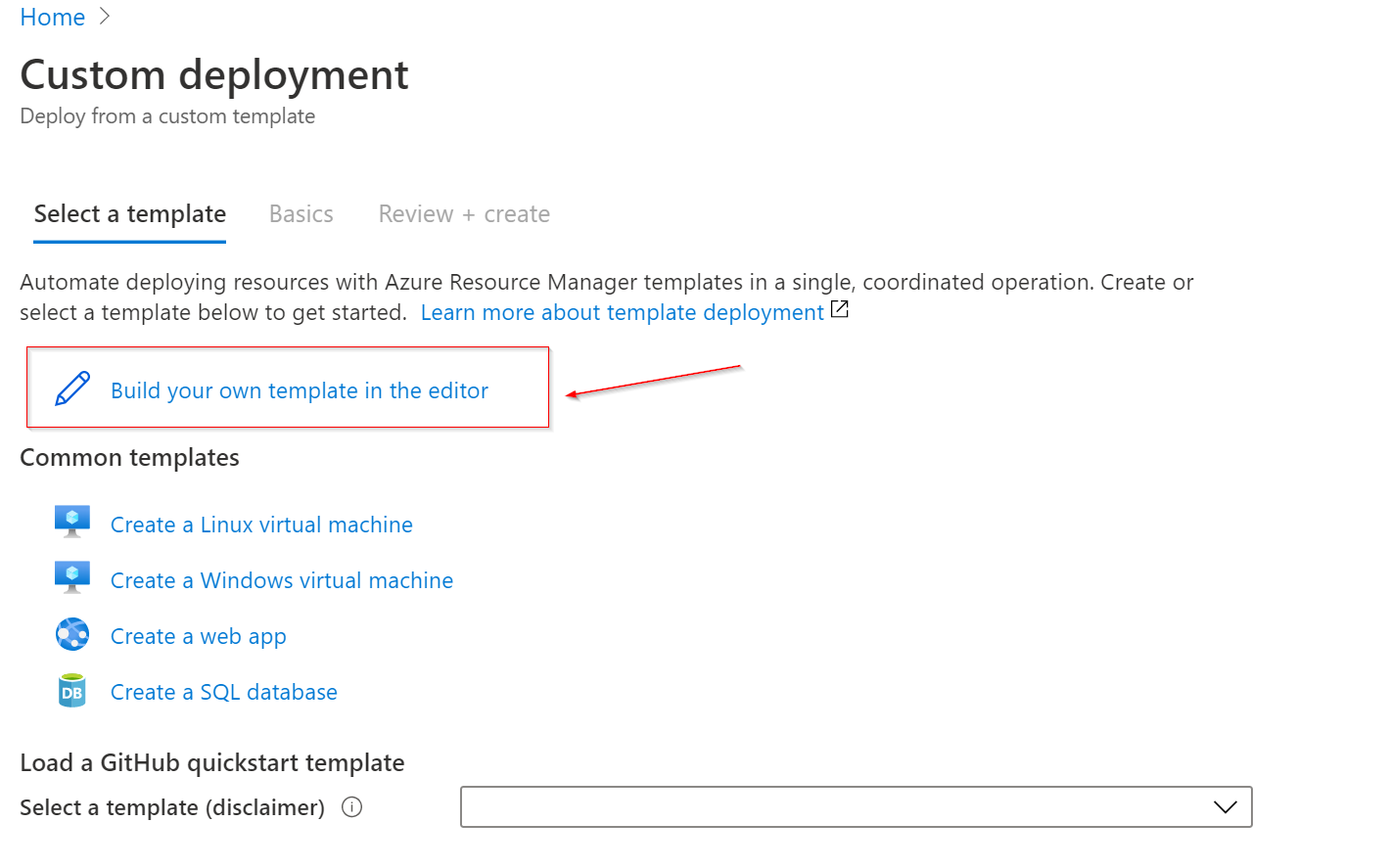
@HughDevlin Thank you for your query. If you looking to deploy a custom deployment and have parameter file along with the deployment via Azure portal , you can follow through below steps
- Look for "Deploy a custom template"
- Click on "Build you own template in the editor"
- Copy the parameter file content you have into the parameters json file.
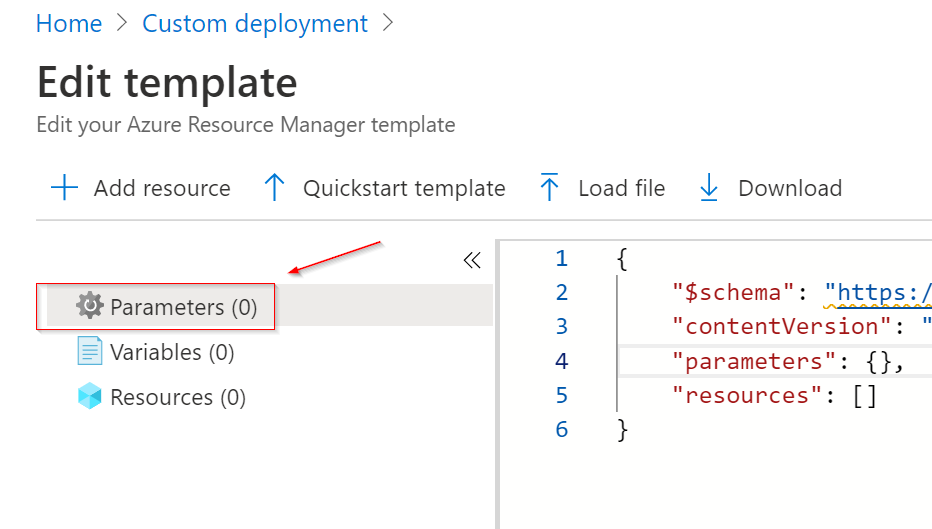
Please find the documentation reference on the same here.
However If above doesn't fit your scenario, can you please provide some additional information on your scenario so that we can assist you accordingly. Thank you
 BharathNimmala-MSFT
on 27 Aug 2020
BharathNimmala-MSFT
on 27 Aug 2020
Thank you for your reply.
I understand every template includes an inline parameters section, and that we may edit this section via the portal.
Can we deploy a custom template, via the portal, with parameters from a separate, external parameter file? Say for example if we had multiple, modular custom templates with a common set of parameters. For example can I have a template myvm1.json and myvm2.json and deploy them with a common parameters file myvm.parameters.json?
HughDevlin
on 27 Aug 2020
@HughDevlin Thank you for additional information , to my understanding there isn't a possibility to refer to a single custom parameters json file for multiple ARM templates via Azure portal. However I am reviewing this with our internal team to confirm the same or there is any other possible scenario in the portal to achieve this. Will keep you updated as I hear more information. Thank you
BharathNimmala-MSFT
on 28 Aug 2020
Thank you for your efforts.
To clarify, the question is how to accomplish with the portal:
- what --parameters does in Azure CLI deployment
See
Deploy resources with ARM templates and Azure CLI
https://docs.microsoft.com/en-us/azure/azure-resource-manager/templates/deploy-cli#parameters
- what -TemplateParameterFile does in Azure Powershell deployment
See
Deploy resources with ARM templates and Azure PowerShell
https://docs.microsoft.com/en-us/azure/azure-resource-manager/templates/deploy-powershell#pass-parameter-values
Here is another doc page that one might think might address this question but does not:
Quickstart: Create and deploy ARM templates by using the Azure portal
https://docs.microsoft.com/en-us/azure/azure-resource-manager/templates/quickstart-create-templates-use-the-portal#edit-and-deploy-the-template
HughDevlin
on 28 Aug 2020
@HughDevlin - thanks for this feedback. It's not possible to use a parameter file with the portal blade. I am adding that info to the article, which should be updated today.
 tfitzmac
on 31 Aug 2020
tfitzmac
on 31 Aug 2020
Related issues
 Favna
·
3Comments
Favna
·
3Comments
 varma31
·
3Comments
varma31
·
3Comments
 ianpowell2017
·
3Comments
ianpowell2017
·
3Comments
 bdcoder2
·
3Comments
bdcoder2
·
3Comments
 spottedmahn
·
3Comments
spottedmahn
·
3Comments