Azure-docs: createOptions specified directly in deployment.json spits out validationErrors
[command]/usr/bin/az iot edge deployment create --config-id <REDACTED_OUT> --hub-name <REDACTED_OUT> --content /tmp/deployment_1588690245764.json --target-condition deviceId=<REDACTED_OUT> --priority 10
ERROR: {
  "validationErrors":[
    {
      "description":"{'HostConfig': {'PortBindings': {'51213/tcp': [{'HostPort': '51213'}]}, 'Privileged': True, 'Devices': [{'PathOnHost': '/dev/v4l/by-id/usb-Intel_R__RealSense_TM__Depth_Camera_435i_Intel_R__RealSense_TM__Depth_Camera_435i_911623050407-video-index0', 'PathInContainer': '/dev/v4l/by-id/usb-Intel_R__RealSense_TM__Depth_Camera_435i_Intel_R__RealSense_TM__Depth_Camera_435i_911623050407-video-index0', 'CgroupPermissions': 'rwm'}, {'PathOnHost': '/dev/v4l/by-id/usb-Intel_R__RealSense_TM__Depth_Camera_435i_Intel_R__RealSense_TM__Depth_Camera_435i_911623050407-video-index1', 'PathInContainer': '/dev/v4l/by-id/usb-Intel_R__RealSense_TM__Depth_Camera_435i_Intel_R__RealSense_TM__Depth_Camera_435i_911623050407-video-index1', 'CgroupPermissions': 'rwm'}]}} is not of type 'string'",
      "contentPath":"modulesContent.$edgeAgent.properties.desired.modules.app.settings.createOptions",
      "schemaPath":"properties.modulesContent.properties.$edgeAgent.properties.properties.desired.properties.modules.patternProperties.^[a-zA-Z0-9_-]+$.properties.settings.properties.createOptions.type"
    }
  ]
}
Document Details
⚠ Do not edit this section. It is required for docs.microsoft.com ➟ GitHub issue linking.
- ID: 7e02119b-094f-29ba-dd91-71702627cfa6
- Version Independent ID: 48c4e621-56be-593e-a68f-9f74168bf0f5
- Content: Use IoT Edge device local storage from a module - Azure IoT Edge
- Content Source: articles/iot-edge/how-to-access-host-storage-from-module.md
- Service: iot-edge
- GitHub Login: @kgremban
- Microsoft Alias: kgremban
 asinitson
All 9 comments
Thanks for the question! We will review and get back to you shortly.
 SamaraSoucy-MSFT
on 6 May 2020
SamaraSoucy-MSFT
on 6 May 2020
@asinitson Which OS are you using? Please ensure to Replace HostStoragePath and ModuleStoragePath with your host and module storage path; both values must be an absolute path.
Are you able to complete the steps through portal?
 AshokPeddakotla-MSFT
on 10 May 2020
AshokPeddakotla-MSFT
on 10 May 2020
Have you had a chance to see above response?
AshokPeddakotla-MSFT
on 11 May 2020
Hello, sorry for not making this clear in my request: deployment works, but only when createOptions is specified as a string. Like this:
"createOptions": "{\"HostConfig\":{\"PortBindings\":{\"51213/tcp\":[{\"HostPort\":\"51213\"}]},\"Privileged\":true,\"Devices\":[{\"PathOnHost\":\"/dev/v4l/by-id/usb-Intel_R__RealSense_TM__Depth_Camera_435i_Intel_R__RealSense_TM__Depth_Camera_435i_some_id_here_-video-index1\",\"PathInContainer\":\"/dev/v4l/by-id/usb-Intel_R__RealSense_TM__Depth_Camera_435i_Intel_R__RealSense_TM__Depth_Camera_435i_some_id_here_-video-index1\",\"CgroupPermissions\":\"rwm\"},{\"PathOnHost\":\"/dev/v4l/by-id/usb-Intel_R__RealSense_TM__Depth_Camera_435i_Intel_R__RealSense_TM__D",
"createOptions01": "epth_Camera_435i_some_id_here_-video-index0\",\"PathInContainer\":\"/dev/v4l/by-id/usb-Intel_R__RealSense_TM__Depth_Camera_435i_Intel_R__RealSense_TM__Depth_Camera_435i_some_id_here_-video-index0\",\"CgroupPermissions\":\"rwm\"}]}}"
This is extremely inconvenient to work with: you easily get lost in all those line breaks. Documentation mentions another format:
Or, you can configure the local storage directly in the deployment manifest.
            "createOptions": {
                "HostConfig": {
                    "Binds":["<HostStoragePath>:<ModuleStoragePath>"]
                }
            }
This format from documentation does not work! So:
- Documentation (linked to this bug report) is incorrect
or - There is a bug in IoT Edge
Maybe JSON schema is incorrect? See that in my casecreateOptionsis an object, so it complains that object I provide is not a string as schema expects it:
is not of type 'string'
You can see longer Error message above, in the first post.
In other words, to make it crisply clear:
- I have no problem with paths.
- I can apply deployment.
- I cannot use human-readable
createOptionsformat from documentation.
asinitson
on 12 May 2020
Thanks for the detailed information. I have assigned the issue to the content author @kgremban to evaluate and update as appropriate.
AshokPeddakotla-MSFT
on 12 May 2020
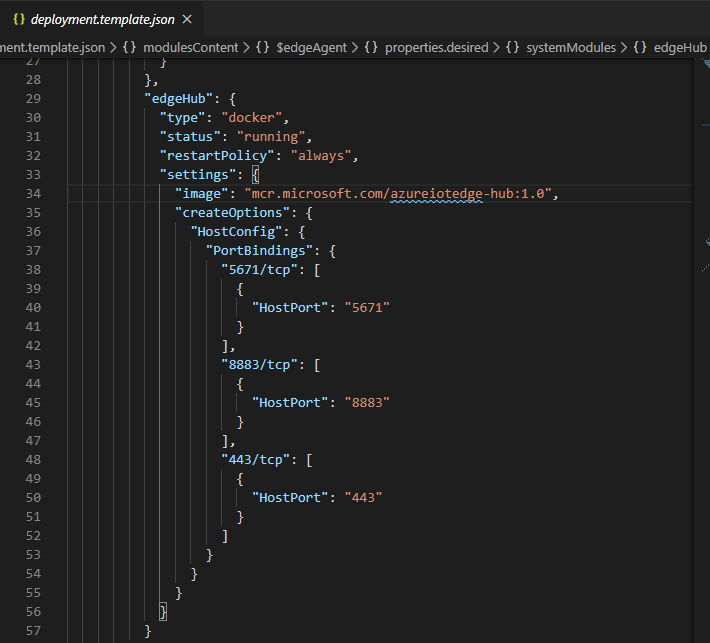
@asinitson The Azure IoT Tools extension for VS Code or the Azure IoT Edge tools for Visual Studio extension help a lot with formatting create options. You can work in a deployment.template.json file and write in pretty json with linebreaks. For example, looking at the edgeHub module description in VS Code:
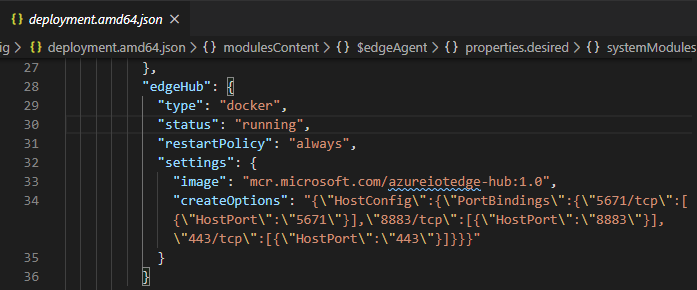
Then, in the file explorer, right-click the template and select Generate IoT Edge Deployment Manifest. This command takes the more easily edited format of the template file and turns it into the format that IoT Edge expects from deployments in new files called deployment.{architecture}.json. So now the same edgeHub description has been condensed:
Does that help?
 kgremban
on 12 May 2020
kgremban
on 12 May 2020
@kgremban: Thank you! This gets me somewhat closer.
Here is the full story:
I have an
IoT Edge Deployment Manifest.
Now realize I probably should have usedtemplateinstead. Is that correct name for a human readable format?That file is parameterized with
envsubst, so I can inject container version, environment variable values dynamically without modifying the file each time or creating copy for each environment.Then I feed it to Azure IoT Edge task in Azure DevOps Server (on-premises).
module.jsonin the task configuration on the screenshot is actually "expanded"IoT Edge Deployment Manifest.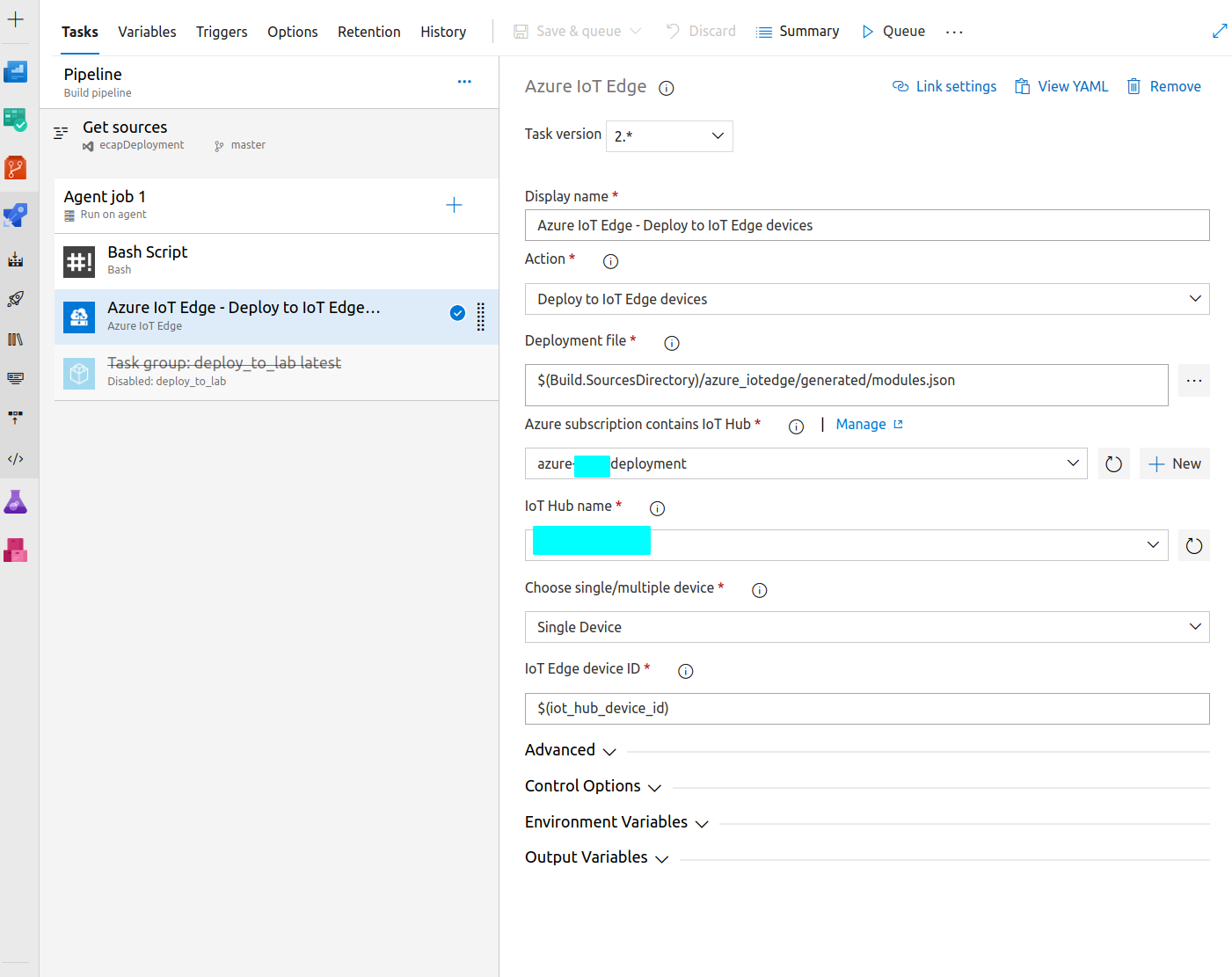
Can I feed human readable "template" after envsubst (deployment.template.json) directly to the Azure IoT Edge task? I would like to skip all this manual conversion and let the task do it's job.
That would be ideal, but then I need to manually convert my existing manifest back into the template. Tried to do it quickly, but couldn't, so I probably need to painstakingly copy modules piece by piece into some existing template to get the right format. I would like to get your confirmation that it will indeed work.
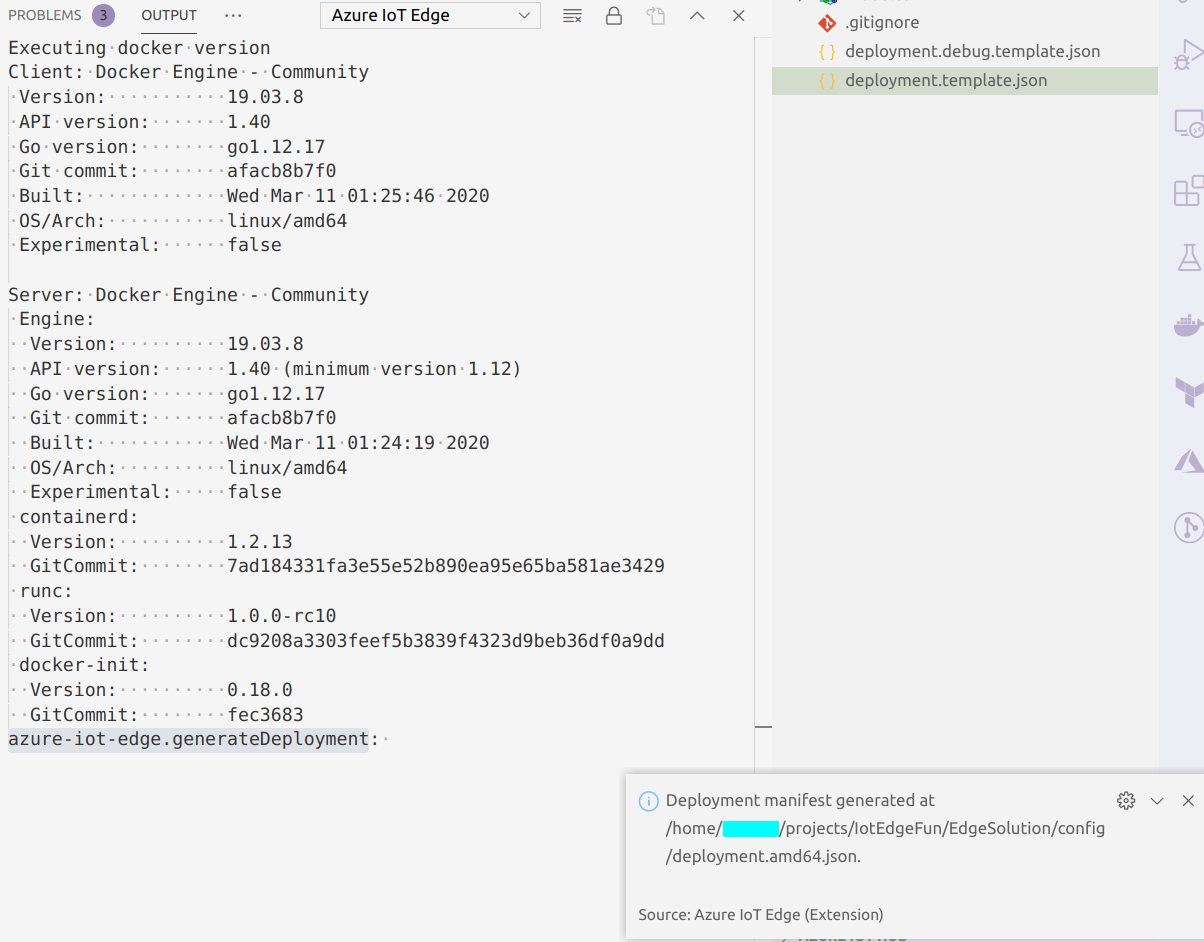
If that is not possible, what is the equivalent of "right-click the template and select Generate IoT Edge Deployment Manifest". I want to do it in an automated way (on a build agent), so I need to use Azure CLI or whatever Visual Studio Code is using. I don't see any hint when I run it from the UI:
P.S. What I really want is something like "Helm for IoT Edge", so I can define each module separately and be able to deploy them together or separately and most importantly I can inject parameters through environment variables. With my setup above I am trying to get close to that, but so far developer UX doesn't seem to be very good with all those workarounds.
asinitson
on 14 May 2020
@shizn can you take a look at these questions about tools/process?
kgremban
on 14 May 2020
Issue is resolved. Thank you for the help!
Will reply to my own question: yes, it is possible to generate manifest on a Azure DevOps CentOS Linux build agent as a separate task:
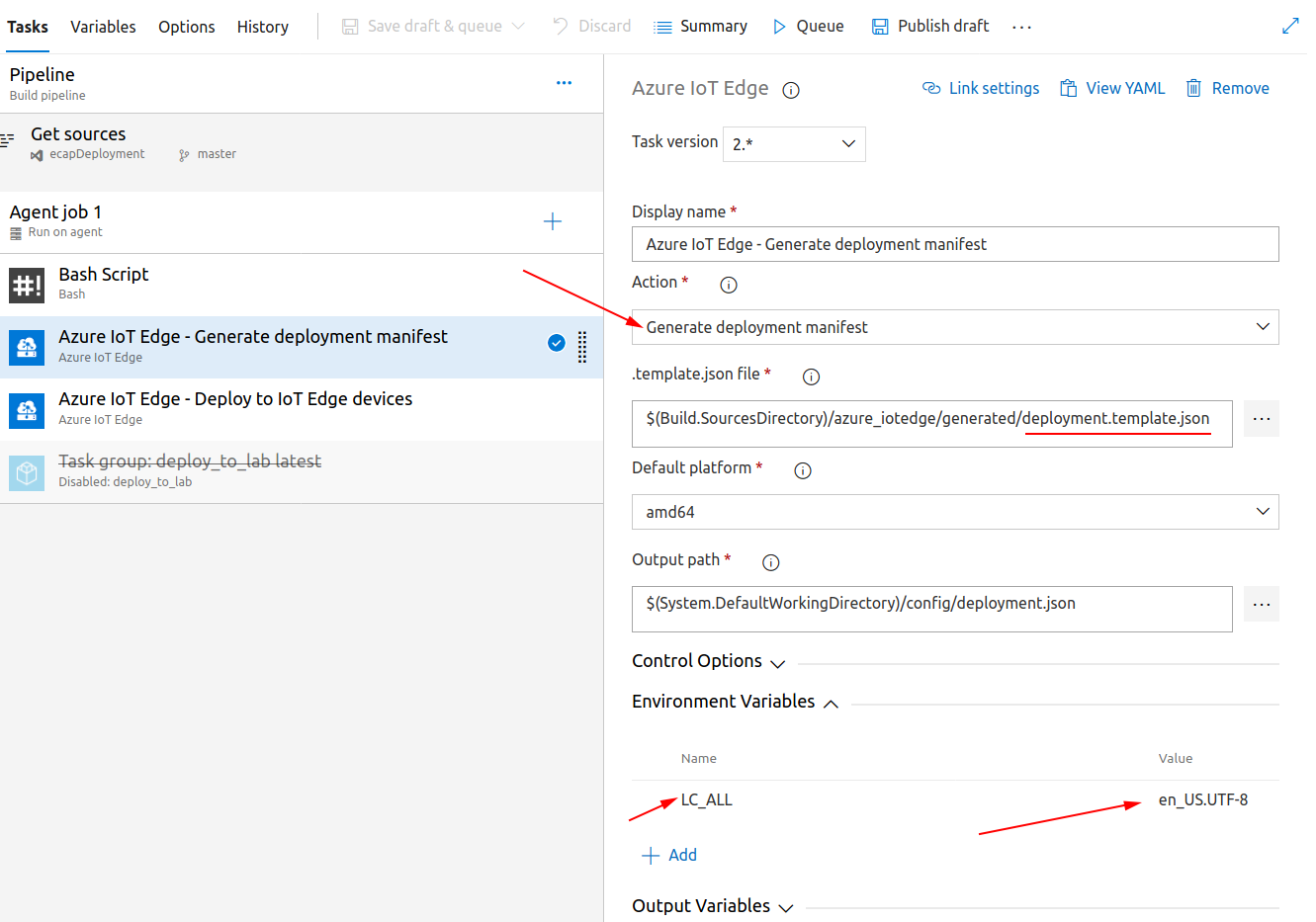
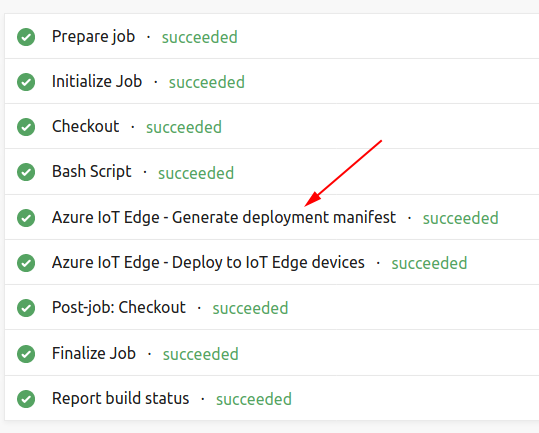
Requirements from the build agent (I tried it on CentOS 7.*):
Python (tried it with 3.6)
pip3 install --user iotedgedev
Really don't want to install it globally, so at least I can limit it to the user which runs the buid. I would prefer to use virtual environment (python3 -m venv env), but how would I force Azure IoT Edge task to run inside of it activated?LC_ALLset toen_US.UTF-8Otherwise generating deployment manifest fails, this might be poorly configured build agent issue.
For the reference here is a standalone command (I guess Visual Studio Code uses this under the hood):
iotedgedev genconfig --file deployment.template.json --platform amd64
Rant/feedback:
This is harder than I would like it to be and installing iotedgedev pollutes build agent with ton of Python packages. In the long term I will consider running this conversion inside of a Docker container instead of using "native" tasks to keep agent clean.
Even better would be not having to deal with this conversion at all and have az cli convert everything for me. I don't really understand why should I even know about this manifest, isn't it an implementation detail? That would simplify the workflow and IoT Edge documentation.
For the contrast this is how installing Helm (Kubernetes package manager) looks like:
sudo snap install helm --classic (Ubuntu 18.04)
Alternatively you just download one binary file. I understand it's Go, not Python, but as tool user I don't really care. And this one executable covers environment variable substitution and everything I need to to do a deployment to the cluster.
These thoughts bring me here: Manage Azure IoT Edge deployments with Kubernetes, but there are problems with this approach:
- Doesn't seem to be the mainstream (or already abandoned?)
- I need Kubernetes cluster, just so I have good deployment experience (that's a big overkill)
So instead of going through all this trouble I am seriously considering KubeEdge.
asinitson
on 15 May 2020
Related issues
 DeepPuddles
·
3Comments
DeepPuddles
·
3Comments
 JamesDLD
·
3Comments
JamesDLD
·
3Comments
 bdcoder2
·
3Comments
bdcoder2
·
3Comments
 behnam89
·
3Comments
behnam89
·
3Comments
 paulmarshall
·
3Comments
paulmarshall
·
3Comments