Azure-docs: Azure SQL Private Endpoint - Certificate warning for privatelink.database.windows.net zone
Using the recommended zone for Azure SQL privatelink.database.windows.net presents a certificate error when establishing an encrypted SQL connection since the certificate used by Azure SQL doesn't contain a SAN for *.privatelink.database.windows.net.
The recommendation according to this article is to not override the zone used for public endpoints, so how can an encrypted connection be achieved without certificate warnings? There is no ability to set a custom certificate for an Azure SQL Server. We can only use what is provided by Microsoft.
One work around I've thought of is to use the database.secure.windows.net zone since it doesn't appear to be in use, but is in the certificate SANs. I've heard that this domain is deprecated, in which case it's likely this SAN will be removed from Azure SQL certificates renewed in the future. If I use this now and it is removed in renewed versions of the certificate, it will cause an outage for any consumers of the private endpoint.
If we should be using privatelink.database.windows.net as listed in this document, please add a SAN to the Azure SQL certificate for *.privatelink.database.windows.net.
Below are the SANs in the certificate on the host behind private endpoint for an East US Azure SQL server.
*cr2.eastus1-a.control.database.windows.net
*.cr2.eastus1-a.control.database.windows.net
eastus1-a.control.database.windows.net
*.eastus1-a.control.database.windows.net
*.database.windows.net
*.database.secure.windows.net
*.secondary.database.windows.net
*.mariadb.database.azure.com
*.mysql.database.azure.com
*.postgres.database.azure.com
*.sql.projectarcadia.net
*.sql.azuresynapse.net
*.sql.azuresynapse-dogfood.net
Document Details
⚠ Do not edit this section. It is required for docs.microsoft.com ➟ GitHub issue linking.
- ID: b006a616-2f2f-8ecf-8b80-fd0a3cc62090
- Version Independent ID: 92c54dc6-8ddf-b1f7-4a58-d61b8cd7fe25
- Content: What is an Azure Private Endpoint?
- Content Source: articles/private-link/private-endpoint-overview.md
- Service: private-link
- GitHub Login: @malopMSFT
- Microsoft Alias: allensu
 JoeRistine
All 3 comments
Here is additional info on the tests I've run.
Testing with a host record xx.privatelink.database.windows.net and connecting with an encrypted SSMS connection returns the following error. If I check the Trust server connection option, the connection succeeds.

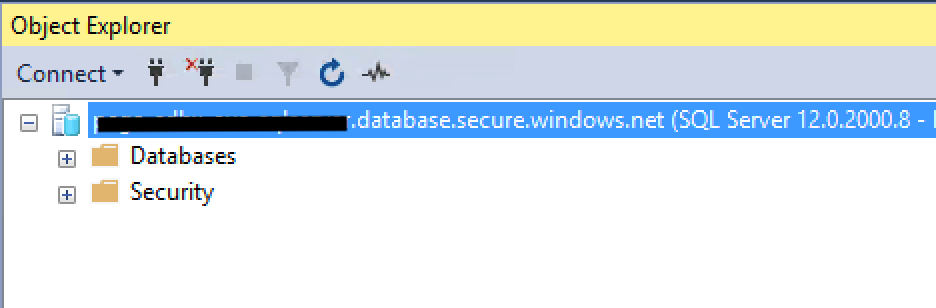
Testing with a host record xx.database.secure.windows.net, the connection succeeds. This would work using any of the zones in the certificate, my question is which is recommended by Microsoft?
JoeRistine
on 19 Apr 2020
@JoeRistine Thanks for the feedback. We are actively investigating and will get back to you soon.
 TravisCragg-MSFT
on 20 Apr 2020
TravisCragg-MSFT
on 20 Apr 2020
@JoeRistine, you should NOT direct SSMS to \ When properly configured, Azure DNS should reply with the following when nslookup to \ Then your SSMS will attempt to connect to sqlsvr.database.windows.net using the private IP address, and because using that name, the certificate subject will match as expected. Something you also need to look at is your VNet DNS configuration. For example, when you use Google or Quad9 as DNS for the VNet, the DNS reply is quite different from above when doing nslookup \ Name: \ However, if you specify Azure DNS with "nslookup \ With custom DNS, you may be inadvertently getting a public IP instead of your private IP. With such reply, SSMS will attempt to connect to the public IP instead of the private IP, not to the private endpoint IP address, connecting over the Internet. If you disabled public access in Azure SQL, SSMS won't connect, as it did unexpectedly resolved to the public IP under the hood. Hope it helps!
If you leave it with default Azure-provided, it will just work as above. However, if you have custom DNS, you may experience issues, as private DNS zones will not be used (unless your DNS does conditional forwarding for "privatelink.database.windows.net" zone to Azure DNS at 168.63.129.16 or you maintain your own "privatelink.database.windows.net" zone yourself instead of using Azure Private DNS zones).
Aliases: \
And again, if you specify the \
 juanandmsft
on 5 May 2020
juanandmsft
on 5 May 2020
Related issues
 bdcoder2
·
3Comments
bdcoder2
·
3Comments
 mrdfuse
·
3Comments
mrdfuse
·
3Comments
 JeffLoo-ong
·
3Comments
JeffLoo-ong
·
3Comments
 bityob
·
3Comments
bityob
·
3Comments
 spottedmahn
·
3Comments
spottedmahn
·
3Comments
Most helpful comment
@JoeRistine, you should NOT direct SSMS to \privatelink.database.windows.net, because that breaks the TLS handshake. You should connect to \
When properly configured, Azure DNS should reply with the following when nslookup to \
Then your SSMS will attempt to connect to sqlsvr.database.windows.net using the private IP address, and because using that name, the certificate subject will match as expected.
Something you also need to look at is your VNet DNS configuration.
If you leave it with default Azure-provided, it will just work as above. However, if you have custom DNS, you may experience issues, as private DNS zones will not be used (unless your DNS does conditional forwarding for "privatelink.database.windows.net" zone to Azure DNS at 168.63.129.16 or you maintain your own "privatelink.database.windows.net" zone yourself instead of using Azure Private DNS zones).
For example, when you use Google or Quad9 as DNS for the VNet, the DNS reply is quite different from above when doing nslookup \
Name: \
Aliases: \
However, if you specify Azure DNS with "nslookup \
With custom DNS, you may be inadvertently getting a public IP instead of your private IP. With such reply, SSMS will attempt to connect to the public IP instead of the private IP, not to the private endpoint IP address, connecting over the Internet. If you disabled public access in Azure SQL, SSMS won't connect, as it did unexpectedly resolved to the public IP under the hood.
And again, if you specify the \
Hope it helps!