Azure-docs: Resoure type selection combo box has no options or disabled
In step 5, the resoure type selection combo box has no options. Please find attached screenshot.
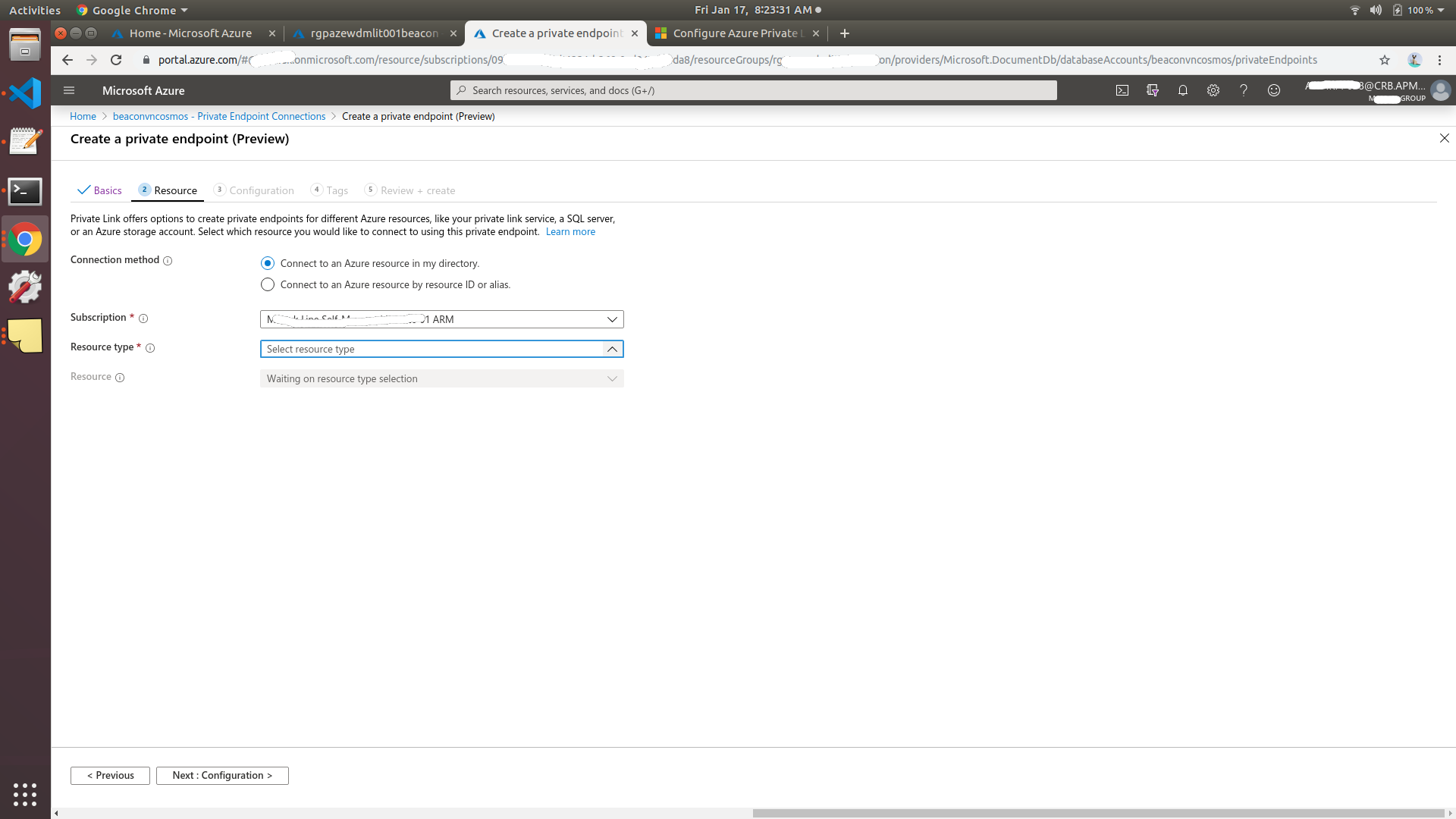
Document Details
⚠ Do not edit this section. It is required for docs.microsoft.com ➟ GitHub issue linking.
- ID: 18ca6c6c-1247-26ee-227a-ea3270b6b1fc
- Version Independent ID: 3d56784d-6959-e9e2-c675-49263bc2adc8
- Content: Configure Azure Private Link for an Azure Cosmos account
- Content Source: articles/cosmos-db/how-to-configure-private-endpoints.md
- Service: cosmos-db
- GitHub Login: @ThomasWeiss
- Microsoft Alias: thweiss
 kiranpradeep
All 6 comments
@kiranpradeep I have tried a couple of browsers and it works for me.
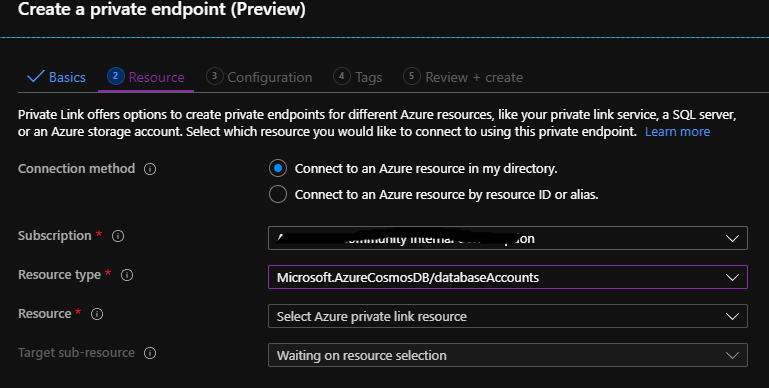
Could you please sign out from the Azure portal, sign back in and let me know of if you still face the issue
 KalyanChanumolu-MSFT
on 17 Jan 2020
KalyanChanumolu-MSFT
on 17 Jan 2020
My password expires every day (admin id) and so I signin every day. I have tried from Chrome/Linux and Chrome/macOS to see the same results. The resource is in west-europe region. Is there a pre-requisite for Resource-Type options to be listed? I also have #46341
kiranpradeep
on 17 Jan 2020
@kiranpradeep Private endpoints for Azure Cosmos DB are only available in the West Central US, West US and North Central US regions currently. Maybe you tried to use resources that were not in these regions?
 ThomasWeiss
on 17 Jan 2020
ThomasWeiss
on 17 Jan 2020
Ok. I corrected the region now. I created new cosmos DB account in West US region. But still the resource type combo box is disabled.
Is there any piece of information like az cosmosdb show which I can provide for you to validate? For e.g currently the access is allowed from All networks in firewall configuration. Should that be limited to certain networks?
kiranpradeep
on 18 Jan 2020
@kiranpradeep please send your Azure subscription ID and Cosmos DB account name to my email: thweiss (at) microsoft (dot) com and I will look into it. Thanks!
ThomasWeiss
on 20 Jan 2020
Thanks, Thomas.
@kiranpradeep I probably think you don't have the Microsoft.AzureCosmosDB resource provider not registered. It may show up after you register. Thomas can help you out via email. we will close the issue here if you don't have further questions.
please-close
 SnehaGunda
on 22 Jan 2020
SnehaGunda
on 22 Jan 2020
Related issues
 varma31
·
3Comments
varma31
·
3Comments
 ianpowell2017
·
3Comments
ianpowell2017
·
3Comments
 Ponant
·
3Comments
Ponant
·
3Comments
 AronT-TLV
·
3Comments
AronT-TLV
·
3Comments
 JamesDLD
·
3Comments
JamesDLD
·
3Comments