Azure-devops-docs: No documentation on secure file's properties
There's a Properties section on a secure file:
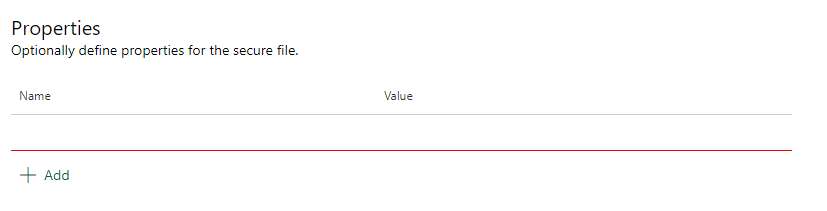
But no explanation as to what they are for. Are they just for adding metadata for the file? Can you access this information from the pipelines?
Secondly, this section of the documentation is now slightly inaccurate in the current UI:
How do I authorize a secure file for use in all pipelines?
- In Azure Pipelines, select the Library tab.
- Select the Secure files tab at the top.
- Select the secure file you want to authorize.
- In the details view under Properties, select Authorize for use in all pipelines, and then select Save.
Step 4 should be Pipeline Permissions instead of Properties.
Document Details
⚠ Do not edit this section. It is required for docs.microsoft.com ➟ GitHub issue linking.
- ID: 140dcb9a-2ed0-11d5-064b-068f863ed97f
- Version Independent ID: 672d2aa3-cf0d-9207-c97c-e2eba14506b7
- Content: Secure files for Azure Pipelines and TFS - Azure Pipelines
- Content Source: docs/pipelines/library/secure-files.md
- Product: devops
- Technology: devops-cicd-library
- GitHub Login: @vijayma
- Microsoft Alias: vijayma
 AdrianSanguineti
All 2 comments
Hello @msebolt! I see that you've assigned this issue to yourself - is there any chance that even if the documentation isn't fully ready to be updated yet, you or anyone else can provide even a very high-level explanation of what these Secure File properties are intended to do and/or how they're used? This has been an outstanding question for a very long time that feels like there should hopefully be a simple answer - at least enough to point users in a direction in terms of figuring the rest out themselves. Any available info would be greatly appreciated!
 sphanley
on 13 Jul 2020
sphanley
on 13 Jul 2020
I would also like to know what these properties are, and how to access them.
 pjivers-bom
on 11 Dec 2020
pjivers-bom
on 11 Dec 2020
Related issues
 atrauzzi
·
3Comments
atrauzzi
·
3Comments
 MJECloud
·
3Comments
MJECloud
·
3Comments
 michhar
·
3Comments
michhar
·
3Comments
 dtamai
·
3Comments
dtamai
·
3Comments
 letmaik
·
3Comments
letmaik
·
3Comments
Most helpful comment
Hello @msebolt! I see that you've assigned this issue to yourself - is there any chance that even if the documentation isn't fully ready to be updated yet, you or anyone else can provide even a very high-level explanation of what these Secure File properties are intended to do and/or how they're used? This has been an outstanding question for a very long time that feels like there should hopefully be a simple answer - at least enough to point users in a direction in terms of figuring the rest out themselves. Any available info would be greatly appreciated!