Azuracast: Backups skipping days once again?
Using Docker installation method
Yes
Host Operating System
CentOS
Describe the bug
The backups keep skipping a day for some reason, we can't track down why it skips in the logs.
To Reproduce
Set the backups at any time you wish: such as 5 am, let it run a backup, and monitor next days results.
Expected behavior
It to backup consistently and on time at the said time.
Relevant Logs
Our backup schedules:
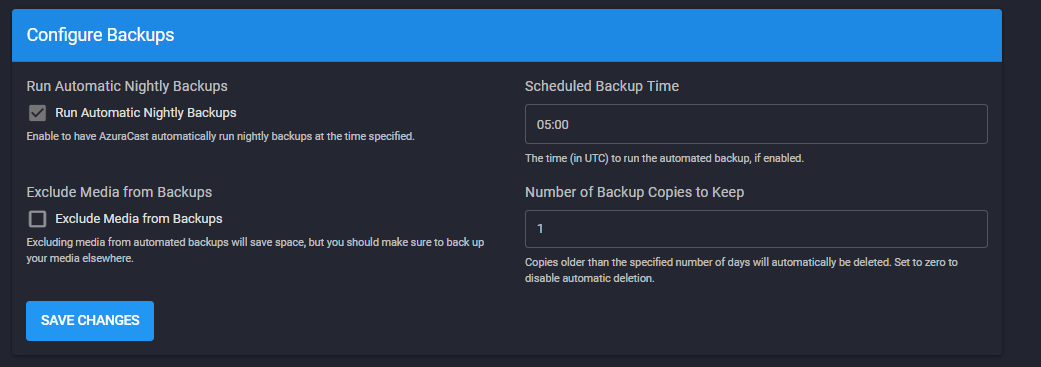
Screenshots
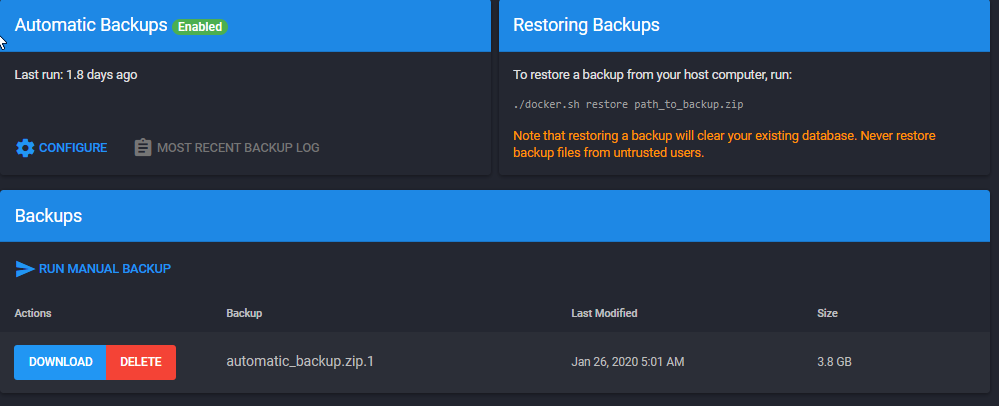
Reference commit that should of fixed this https://github.com/AzuraCast/AzuraCast/commit/3d3abb23c3cfb4e62052e29a3ff8a639bb6bffe5
Device(s):
- Device:
- OS:
- Browser:
- Version:
WIN10 Chrome latest, desktop
Additional context
 SC2Mitch
All 9 comments
Can this be possibly looked into, thank you
SC2Mitch
on 6 Mar 2020
I can confirm this happening on my production installation too.
Running AC via Docker on Debian 9.
There is nothing in the Application Logs indicating an error at the time where the missing backup should have been created. Can't see more than the log from the last backup from the 5th so I don't know if the missing backup successfully ran or if it encountered an error.
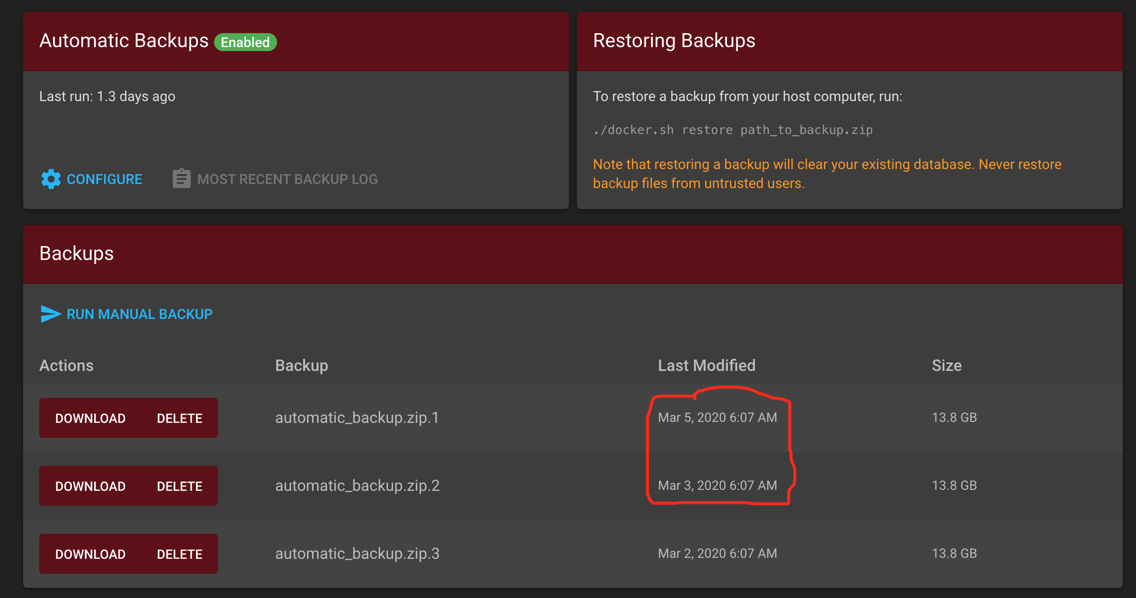
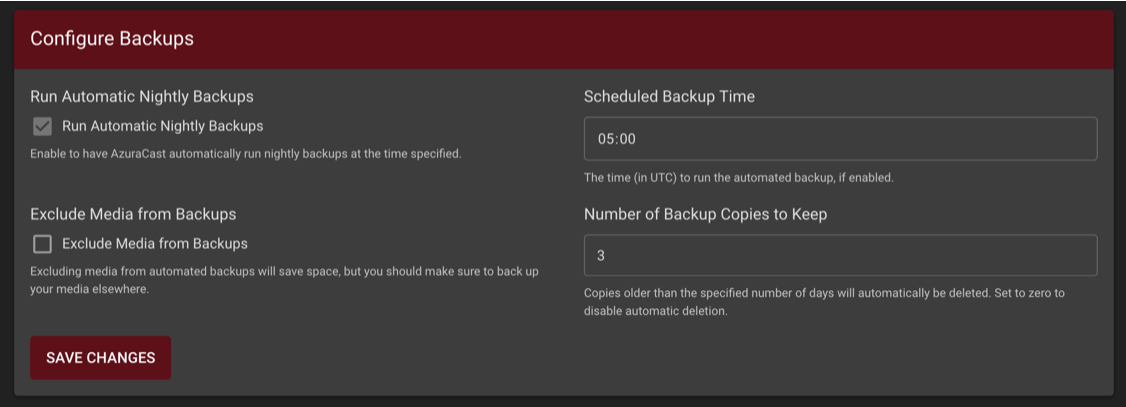
When looking into my monitoring I can see a spike in memory usage from the web container when a backup is running. Some days this spike is missing on all other days it seems to be consistently there at the same time. So this should be a good indicator that a backup has or hasn't run.

It seems to be happening rather frequently too.
 Vaalyn
on 6 Mar 2020
Vaalyn
on 6 Mar 2020
Ive been checking our logs around the backup time, and nothing shows up, no errors or warnings that indicate an update has even been started, there's no huge CPU / MEM / REDIS spikes that indicate a backup, it's just normal.
SC2Mitch
on 7 Mar 2020
@SC2Mitch @Vaalyn An update on this: backups have been using the same "time code" system that scheduled playlists use, and recently I refactored the scheduled playlist time code checking to be far more robust and less error-prone, which seems to have broadly improved playback reliability on that end.
I've applied similar fixes to the backup handler (along with moving the web-based backup so it runs in the background and shows a rolling log instead of just delaying the page load until the entire backup completes), so hopefully backups should be a much-improved process after these changes.
Update (and make sure you have at least commit 710c64) and let me know if backups continue to get skipped like that.
 SlvrEagle23
on 8 Mar 2020
SlvrEagle23
on 8 Mar 2020
I have updated my installation and will keep an eye on it.
Vaalyn
on 9 Mar 2020
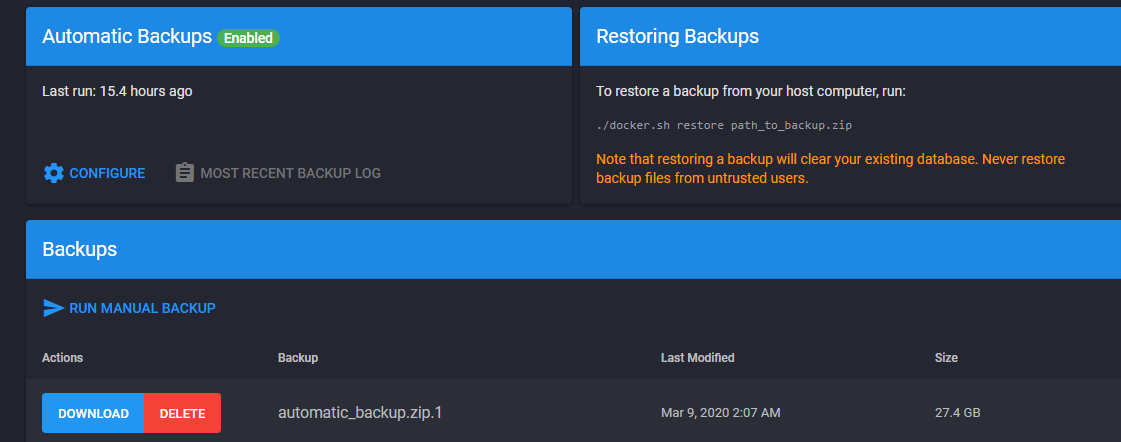
The issue still appears to be there, no backups was ran, nor is there any logs to say what exactly happened. It just ignored it, CPU / MEM / IO was normal all day, no spikes to indicate a sudden large usage. Also from the last update, it appears the time on the backups has broken as well.
E: Resolved.
SC2Mitch
on 10 Mar 2020
@SC2Mitch I don't know what you mean by the time has "broken", and your screenshot doesn't really clarify that; what is incorrect, and what is the correct value?
SlvrEagle23
on 10 Mar 2020
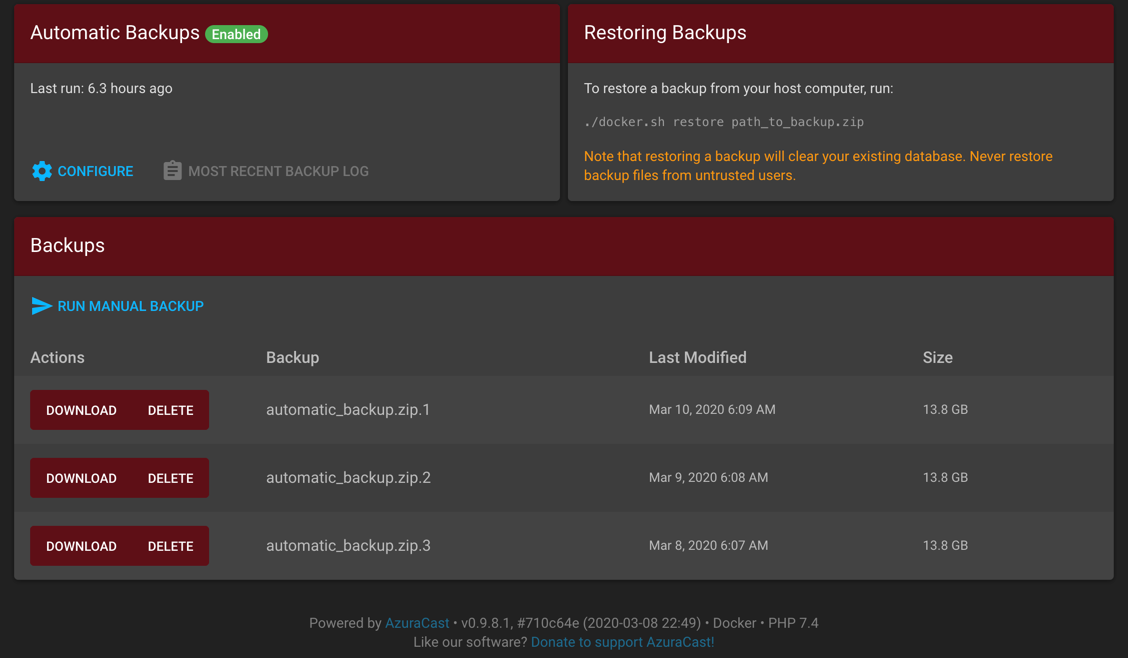
@SlvrEagle23 @SC2Mitch Update from my side, backups were created and I can't see anything wrong with the Last Modified column on my end if that's the time you mean.
I can see that the backup time you configured in your first post was 5 AM but the backup in your last screenshot is from 2 AM. Is that what you mean with broken?
My backups:
Vaalyn
on 10 Mar 2020
@Vaalyn We discussed this on Discord and it turns out that running the manual backup is what was throwing off their automatic backup. The routine backups should be working as normal now.
SlvrEagle23
on 10 Mar 2020
Related issues
 RemBdev
·
4Comments
RemBdev
·
4Comments
 bebjakub
·
3Comments
bebjakub
·
3Comments
 frozenplaya
·
4Comments
frozenplaya
·
4Comments
 Blazedallup
·
3Comments
Vaalyn
·
4Comments
Blazedallup
·
3Comments
Vaalyn
·
4Comments