Azuracast: <station>/autoplay -- doesn't work
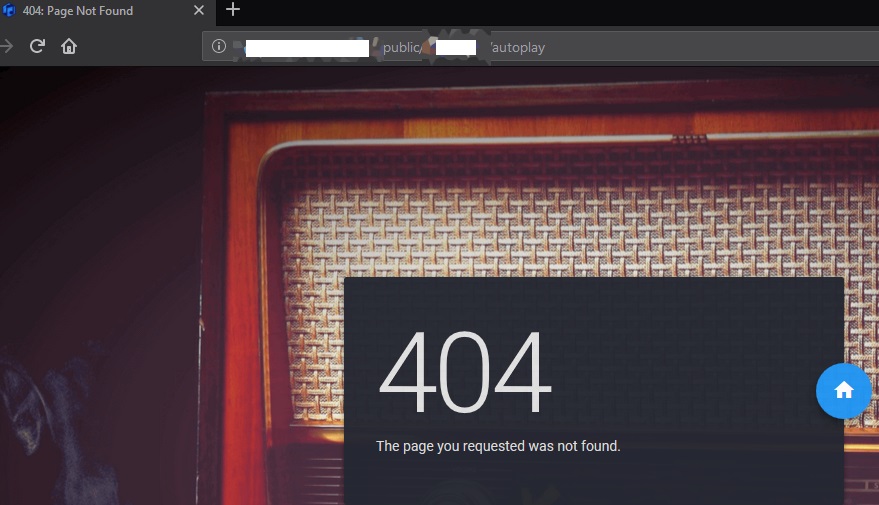
After update can't access autoplay.
Also
Will there be such a function in the web admin panel? Like on\off autoplay on public page?
Would like more control over the application from the web admin..
Installation method
Docker
Host OS (for Docker installations)
Debian 4.9.144-3.1 (2019-02-19) x86_64 GNU/Linux
Describe the bug
Updated from 0.9.3 to 0.9.4.1 last night, have /autoplay - on public pages broken.
To Reproduce
http://domain.my.radio.com/public/station/autoplay -- gave 404 error.
Expected behavior
http://domain.my.radio.com/public/station/autoplay -- give autoplay on all browsers
Relevant Logs
web_1       | xxx.xxx.xxx.xxx - - [28/Mar/2019:11:06:07 +0000] "GET /api/nowplaying/1 HTTP/1.1" 200 3273 "http://myradio.com/public/station1" "Mozilla/5.0 (Windows NT 10.0; Win64; x64; rv:65.0) Gecko/20100101 Firefox/65.0" "-"
web_1       | xxx.xxx.xxx.xxx - - [28/Mar/2019:11:06:09 +0000] "GET /api/nowplaying/1 HTTP/1.1" 200 3273 "http://myradio.com/public/station1/autoplay" "Mozilla/5.0 (Windows NT 10.0; Win64; x64) AppleWebKit/537.36 (KHTML, like Gecko) Chrome/64.0.3282.140 Safari/537.36 Edge/18.17763" "-"
web_1       | xxx.xxx.xxx.xxx:06:09 [warn] 59#59: *9842 an upstream response is buffered to a temporary file /tmp/azuracast_fastcgi_temp/3/8/0000000083 while reading upstream, client: xxx.xxx.xxx.xxx, server: localhost, request: "GET /public/station1/autoplay HTTP/1.1", upstream: "fastcgi://127.0.0.1:9000", host: "myradio.com"
web_1       | xxx.xxx.xxx.xxx - - [28/Mar/2019:11:06:10 +0000] "GET /public/station1/autoplay HTTP/1.1" 404 1300482 "-" "Mozilla/5.0 (Windows NT 10.0; Win64; x64; rv:65.0) Gecko/20100101 Firefox/65.0" "-"
web_1       | xxx.xxx.xxx.xxx - - [28/Mar/2019:11:06:10 +0000] "GET /api/nowplaying/1 HTTP/1.1" 200 3273 "http://myradio.com/public/station1" "Mozilla/5.0 (Windows NT 10.0; Win64; x64) AppleWebKit/537.36 (KHTML, like Gecko) Chrome/73.0.3683.86 Safari/537.36" "-"
web_1       | xxx.xxx.xxx.xxx - - [28/Mar/2019:11:06:10 +0000] "GET /api/nowplaying/1 HTTP/1.1" 200 3273 "http://myradio.com/public/station1/autoplay" "Mozilla/5.0 (Windows NT 10.0; Win64; x64; rv:66.0) Gecko/20100101 Firefox/66.0" "-"
web_1       | xxx.xxx.xxx.xxx - - [28/Mar/2019:11:06:10 +0000] "GET /api/nowplaying/1 HTTP/1.1" 200 3273 "http://myradio.com/public/station1" "Mozilla/5.0 (Windows NT 10.0; Win64; x64) AppleWebKit/537.36 (KHTML, like Gecko) Chrome/71.0.3578.98 Safari/537.36 OPR/58.0.3135.118" "-"
Screenshots
Device(s):
- Device: Mobile, desktop
- OS: Windows, linux, macOS, android
- Browser: chrome, chromium, firefox
- Version: latest
Additional context
Please help! Autoplay very important function
Thanks!
 dpcee30
All 3 comments
@dpcee30 Along with the recent changes to the public player, the autoplay mode was removed.
There are two main reasons for this:
- Browsers are increasingly not allowing it, because
- Users hate it
I could go into much more detail, but I think that about sums it up.
 SlvrEagle23
on 28 Mar 2019
SlvrEagle23
on 28 Mar 2019
- Browsers are increasingly not allowing it, because
- Users hate it
I could go into much more detail, but I think that about sums it up.
Is there any way to add autoplay mode by yourself?
Mean change config or piece of code. In which direction i should look?
dpcee30
on 28 Mar 2019
@dpcee30 It's quite easy, actually, to put autoplay in yourself if you want to. From the "Custom Branding" page, you'll want to add this to the custom JavaScript:
$(function() {
    $('.btn-audio:first').click();
});
Related issues
 Blazedallup
·
3Comments
Blazedallup
·
3Comments
 RemBdev
·
4Comments
RemBdev
·
4Comments
 Tolarion
·
4Comments
Tolarion
·
4Comments
 TogarUshindi
·
3Comments
TogarUshindi
·
3Comments
 frozenplaya
·
4Comments
frozenplaya
·
4Comments
Most helpful comment
@dpcee30 It's quite easy, actually, to put autoplay in yourself if you want to. From the "Custom Branding" page, you'll want to add this to the custom JavaScript: